Drinkbox Studios’ luchador metroidvania reached Steam on 21 August 2014 as Guacamelee! Super Turbo Championship Edition, and its store record has a split personality: the game is flagged for Windows alone, with no Linux build in any layer, yet the community file on top of that build is about as strong as such files get, and Valve’s test sheet gives it the top handheld badge.
That split is why this title needs a record-level reading rather than a headline. A genre guide on this site groups Guacamelee with native Linux builds, and ProtonDB’s page carries a header suggesting native support. Both claims dissolve when the app record is opened. What follows reads each layer in turn: flags, depots, family, anti-cheat, the Proton file, the Deck sheet and the second storefront.
As an Amazon Associate, we earn from qualifying purchases.
Quick answer
Guacamelee! Super Turbo Championship Edition is not native on Linux. Steam flags this app for Windows alone, its Linux requirements field is an empty list, and no Linux depot exists. The working route is Proton: ProtonDB’s headline tier is Platinum across 71 reports, and Valve rates the game Verified on Steam Deck.
The status at a glance
| Question | Answer from the record |
|---|---|
| Native Linux build | No — Windows only |
| Linux requirements field | Empty list outright |
| Add-on apps | None — the soundtrack is a depot inside the app |
| ProtonDB record | Platinum headline, 71 reports, summary unread |
| Steam Deck verdict | Verified, tested 2 March 2022, current build |
| GOG edition | Exists, but Windows only |
| Anti-cheat or launcher | None named by any source checked |
What Steam’s record actually sells
Steam’s store record for this app (275390) lists the platforms as Windows true, Mac false, Linux false. It names Drinkbox Studios as developer, with Drinkbox Studios and Kepler Ghost as publishers, and a release date of 21 August 2014. This article rules only from that app: Guacamelee! 2 and the older Gold Edition are separate apps, and nothing here is drawn from their records.
The Linux requirements field is an empty list outright. No tab exists in any form — not a real port’s populated tab, and not the empty shell of headings over blank lists. The Mac field is the same empty list.
SteamDB’s depot table closes the question at the delivery layer. The app carries one content depot of 804.21 MiB and a second depot of 215.70 MiB holding the soundtrack, plus the shared Windows redistributables; total size on disk is a little over one gigabyte. No depot is configured for Linux in any branch, and the public branch has stood on build 1065187 since April 2016.
Two absences belong in the open. The record carries no DRM notice and no external account notice — gaps in the paperwork, not promises either way. The category list is explicit about play modes: Single-player, Multi-player, Co-op, Shared/Split Screen Co-op and Shared/Split Screen, with Full controller support and Remote Play Together. The co-op on offer is the local, same-screen kind.
A family of one, and a soundtrack that never left the app
The recurring trap in this series is a soundtrack or art book app flagging Linux while the game does not. It cannot form here. The game’s record carries no add-on array at all: no soundtrack, art book or expansion app exists as a separate store item. The family count is zero Linux flags across one readable record — the game itself.
The soundtrack does exist, but it lives inside the app as the second depot named above: music files delivered with the game, not a separate product with its own platform flags. No sibling listing exists whose paperwork could be misread as the game’s.
Anti-cheat: three sources, three blanks
Steam’s record names no anti-cheat, and its technology listing is minimal: SteamDB detects a single item, the FMOD audio middleware — sound plumbing and nothing more. The third source agrees by silence: Are We Anti-Cheat Yet, whose full dataset runs to 1,167 games, carries no entry for this title by name or app number.
The practical reading is narrow: no anti-cheat layer stands between the Windows build and Proton, and no source claims one does.
ProtonDB: a Platinum headline over a feed that would not open
One layer of the Proton file could not be read for this article. The summary feed that carries the tier split and confidence figures returned a page-not-found response through two separate routes, so no split and no confidence figure is claimed, and the gap is stated here rather than smoothed over.
What the game page itself shows is claimed at exactly that size: a Platinum headline across 71 reports. Read at report weight, the file is dominated by clean runs — full Steam Deck playthroughs, out-of-the-box reports on current Proton builds, local multiplayer sessions rated excellent. The caveats are small: one reporter found enemy shields invisible on default settings and fixed it by moving to an older Proton release, and one four-player session reported controller-assignment quirks.
The page also carries a classification header reading Natively Supports. That header contradicts Steam’s record on every layer — flag, field and depot table all say Windows only — so this article follows Steam and names the contradiction. The reports beneath the header describe Proton runs, not a native port.
Steam Deck: Verified, on paperwork that still matches the build
Valve’s own compatibility endpoint answers directly: resolved category 3, Verified, with all four Verified items passing — the default controller configuration is fully functional, the game shows Steam Deck controller icons, interface text is legible, and the default graphics configuration performs well. SteamOS is rated separately as Compatible.
The dated paperwork comes from SteamDB’s republication of Valve’s compatibility data. The test is dated 2 March 2022, on build 1065187, with a Proton 7.0-series build as the recommended runtime. That build is the one the public branch still serves, unchanged since April 2016, so the paperwork describes the current download — a rarity in this series. The runtime line carries the usual wrinkle: the badge certifies the Windows build under Proton, because there is no native build for it to certify.
The GOG shelf
A GOG edition of this game exists — the live product page is this title, with the same Carlos Calaca storyline in its description — but its own product data lists Windows as the only supported operating system. GOG’s catalogue search returned nothing for the name; the ruling rests on the page itself. Neither storefront sells a Linux build of this app.
Gear that fits a pad-first brawler
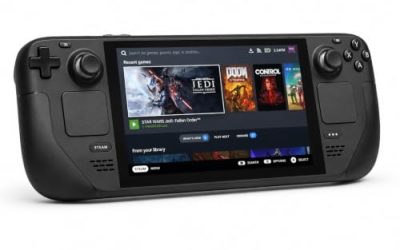
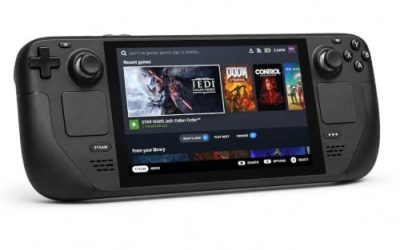
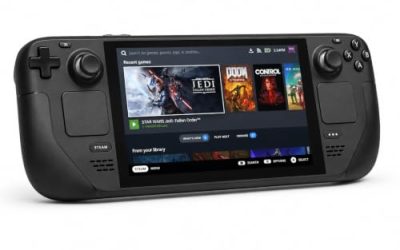
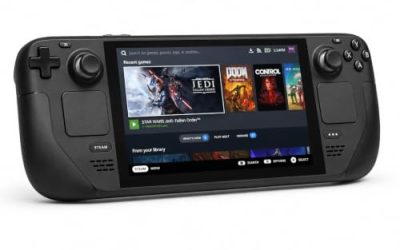
Valve Steam Deck OLED 512GB

The handheld this game’s badge was written for. A dimension-switching platformer built around a gamepad is the Deck’s home turf, and the Verified sheet means the default configuration needs no work.
Specs
- Display: 7.4-inch HDR OLED, 1280 by 800, up to 90 Hz
- Processor: AMD Zen 2 and RDNA 2 custom APU
- Memory: 16 GB LPDDR5
- Storage: 512 GB NVMe, plus a microSD slot
- Wireless: Wi-Fi 6E and Bluetooth
- Channel note: Valve sells the Deck mainly through its own store, so Amazon listings are third-party sellers
8BitDo Ultimate 2 Bluetooth Controller

The second pad a drop-in co-op game keeps asking for. Shared and split screen co-op is this title’s party trick, and a wireless pad with a charging dock keeps a player-two controller ready.
Specs
- Connectivity: Bluetooth wireless and USB-C wired
- Joysticks: TMR electromagnetic, anti-drift design
- Triggers: Hall effect, with mode switching
- Extras: two remappable back buttons, motion control
- In the box: charging dock included
Xbox Wireless Controller, Carbon Black

The safest guest pad in PC gaming: Steam Input support is universal, the glyphs match what most games display, and it pairs over Bluetooth or its own wireless standard. On the handheld, an external pad may need a manual Quick Access Menu switch before it takes over.
- Connectivity: Xbox Wireless and Bluetooth
- Port: USB-C for wired play
- Controls: hybrid D-pad, dedicated Share button
- Power: AA batteries or optional rechargeable pack
Logitech G502 HERO

The desktop half of the setup. The game itself is pad-first, but a precise wired mouse covers the library, workshop and menu work around it.
Specs
- HERO optical sensor, up to 25,600 DPI
- 11 programmable buttons
- Adjustable weight system
- Wired USB connection
- On-board memory profiles
Samsung T9 Portable SSD 2TB

For moving a Linux game library between machines, or keeping an offline backup of installers, a fast USB-C drive is the simple answer. The headline figure needs a Gen 2×2 host port; on a lesser port the drive runs at that ceiling.
Specs
- Capacity: 2 TB portable SSD
- Interface: USB 3.2 Gen 2×2, USB-C connector
- Maker-rated speeds: up to 2,000 MB per second read, 1,950 MB per second write
- Features: Dynamic Thermal Guard, maker-rated drop resistance
How to choose
Choose the Steam copy: it is the build both compatibility records describe, and the GOG edition is the same Windows-only position with no Proton tooling attached. On desktop or laptop, let Steam apply its default Proton build; the Platinum headline says current builds run the game well, and the one graphics caveat in the reports was fixed by stepping to an older Proton release, which Steam lets you select per game. On Steam Deck, the Verified badge plus paperwork matching the current build means install and play. For co-op, budget one pad per player: the record lists shared and split screen modes, and the reports show local multiplayer working through Proton, with occasional controller-assignment quirks.
Who should skip
Skip this app if you are shopping for a native Linux Guacamelee: this record is not one, whatever the genre guides and the ProtonDB header imply, and no other storefront sells a Linux build of it either. Skip it if you only buy games whose full ProtonDB figures you can inspect — the summary feed could not be read, so only the headline figures are on the table. Skip it if your co-op plans need online play: the categories list local shared and split screen modes and Remote Play Together, and nothing more is promised. And skip the GOG copy if you hoped it hid the Linux port Steam lacks; its own page lists Windows alone.
FAQ
Is Guacamelee! Super Turbo Championship Edition native on Linux?
No. Steam flags the app for Windows alone, the Linux requirements field is an empty list, and the depot table holds no Linux depot in any branch. Every working route on Linux runs the Windows build through Proton.
Why does ProtonDB show a Natively Supports header?
That header contradicts Steam’s own record, and this article follows Steam. The reports filed under it describe Proton runs of the Windows build, including full Steam Deck playthroughs, so it is best read as leftover paperwork rather than evidence of a port.
Does the local co-op work on Linux?
The store categories list Multi-player, Co-op and Shared/Split Screen Co-op exactly, and ProtonDB reports describe local multiplayer working through Proton, most rating it excellent. One four-player report noted controller-assignment quirks, so expect the occasional pad-shuffling moment.
Why are only headline ProtonDB figures given?
The summary feed that publishes the tier split and confidence figures returned a page-not-found response through two routes. Rather than estimate, the article claims only what the game page itself shows: a Platinum headline across 71 reports.
Final verdict
This is a Proton title wearing two misleading hats: a genre guide’s native grouping and a ProtonDB header that Steam’s record flatly contradicts. Underneath, the position is simple and strong: one Windows build unchanged since 2016, a Platinum community headline across 71 reports, a Verified Deck badge whose paperwork still matches the shipping build, and no anti-cheat or second-storefront complication anywhere. Buy the Steam copy for the Proton route and the local co-op — not for a native port.
Product and ASIN Reference
| Product | ASIN |
|---|---|
| Valve Steam Deck OLED 512GB | B0CQ3RWQQZ |
| 8BitDo Ultimate 2 Bluetooth Controller | B0F194QFT2 |
| Xbox Wireless Controller, Carbon Black | B08DF248LD |
| Logitech G502 HERO | B07GBZ4Q68 |
| Samsung T9 Portable SSD 2TB | B0CHFS9K14 |