Yonder: The Cloud Catcher Chronicles, Prideful Sloth’s open-world adventure about exploring the island of Gemea, farming, crafting and befriending its creatures, never received a Linux build. Steam’s record is plain: the store flags the game for Windows alone, and the one depot Valve’s servers hand out is a Windows depot. No second build hides behind the paperwork, and no add-on app in the family carries a Linux flag.
What the game does carry is a Steam Deck badge, and the strongest one Valve gives. That pairing — a Windows-only record and a Verified handheld verdict — is the whole story here, so this piece reads each layer separately: the flags, the requirements fields, the depot table, the add-on app, the anti-cheat check, the community file that could not be opened, the Deck test sheet and the second storefront.
As an Amazon Associate, we earn from qualifying purchases.
Quick answer
Yonder: The Cloud Catcher Chronicles is not native on Linux. Steam flags the game Windows only, its Linux requirements field is an empty shell, and its single content depot is the Windows build. The working route is Proton: Valve rates the game Verified on Steam Deck, tested in February 2022 on the build the store still serves.
The status at a glance
| Question | Answer from the record |
|---|---|
| Native Linux build | No — Windows only |
| Linux requirements tab | Empty shell, no specifications |
| Linux depot | None — one Windows depot, 1.29 GiB |
| Add-on apps | One accessory pack, Windows only |
| ProtonDB record | Not readable — no tier claimed |
| Steam Deck verdict | Verified, tested February 2022 |
| SteamOS verdict | Compatible |
| GOG edition | None found |
What Steam’s record actually holds
Steam’s store record for the game (app 580200) names Prideful Sloth as developer and publisher, with a release date in July 2017. Its platform flags read Windows true, Mac false, Linux false. No Mac or Linux build stands beside the Windows one.
The Linux requirements field takes the empty-shell shape: Minimum and Recommended headings printed over lists that contain nothing. The Mac field is the same shell. A reader skimming the store page could mistake the headings for a spec sheet; there are no specifications under them, for either platform. The Windows tab is genuinely populated at both tiers, which makes the shells stand out as paperwork formatted and never filled.
The depot table settles what the flags claim. SteamDB lists exactly one content depot: depot 580201, labelled as the Windows content, at 1.29 GiB, plus the shared Windows Visual C++ 2013 redistributable. There is no Linux depot and no macOS depot in any branch. The public branch has stood on build 2825053 since June 2018, so the table describes the same download a buyer receives today. SteamDB publishes an architecture value of 64 and no extended operating-system string, so none is claimed here.
Two absences belong in the open. The record carries no DRM notice and no external account notice — gaps in the paperwork, not promises: nothing states a launcher requirement, and nothing states the opposite. The category list is exactly as Steam prints it — Single-player, Steam Achievements, Full controller support, Steam Trading Cards, Captions available, Steam Cloud, Remote Play on TV and Family Sharing — and the record carries no content descriptors. Captions available is a store-listed capability, stated as such.
The one add-on app
The game’s full add-on array holds a single app: Yonder — Accessory Pack 1 (app 771020), released in December 2017, also credited to Prideful Sloth. On its own record it flags Windows true, Mac false and Linux false, and its Linux requirements field is the same empty shell. The family count is therefore zero Linux flags across two readable records. The trap this series usually warns about — a soundtrack or art book flagging Linux and inflating the family — cannot form here, because the only companion app agrees with the game on every layer.
Anti-cheat, from three directions
Nothing in this record points at anti-cheat, and three separate sources agree. Steam’s own record names no anti-cheat and lists the game as single-player only, with no multiplayer categories. SteamDB’s detected technologies are the Unity Engine, the Mono SDK and the Wwise SDK — engine, runtime and audio plumbing. The Are We Anti-Cheat Yet dataset, all 1,167 games in it, was searched by name and by app number and carries no entry for this game. There is no online mode to speculate about, and no bypass question arises.
ProtonDB: the file that would not open
This section normally grades the Windows build through the community’s report file, and here it has to report a gap instead. ProtonDB’s summary record for this app returned a page-not-found response on repeated attempts, by direct reading and through a browser, and the game’s report page itself did not return readable content. So this article claims no headline tier, no best-reported tier, no trending tier, no report count and no confidence figure, because none could actually be read. What the records that did open can say is narrower: Valve’s own test, covered next, passed the game on its handheld, running the Windows build through Proton.
Steam Deck: Verified, on the build still served
Valve’s own compatibility record, read directly from Valve’s endpoint this session, places the game in its top category: Verified. All four Verified items pass — all functionality is accessible with the default controller configuration, the game shows Steam Deck controller icons, interface text is legible, and the default graphics perform well. SteamOS separately rates the game Compatible, with the successful-startup item recorded.
The dated paperwork behind the badge comes from SteamDB’s republication of Valve’s compatibility data, and it is unusually tidy. The test is dated 3 February 2022, the tested build is 2825053, and the recommended runtime is the stable Proton build. That is the build the public branch still serves, untouched since June 2018, so the paperwork describes the current download, not a replaced one — a rarity in this series. The boundary still needs stating: because the tested configuration names a Proton runtime, the Verified verdict certifies the Windows build running through that layer, not a native port, and the depot table above proves none exists.
The other storefront
GOG does not sell this game, as far as its own systems can show. Its catalogue search returns no product for the title, and the natural product address resolves to GOG’s general games catalogue, how that storefront behaves for titles it does not carry. No product record exists to read, and no wishlist-page claim is made either way. Steam is the only PC edition of the two storefronts checked.
Gear for the Proton route
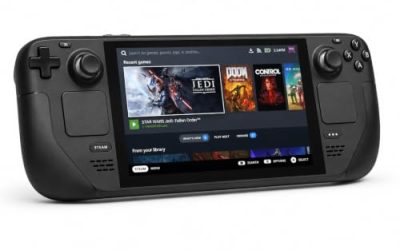
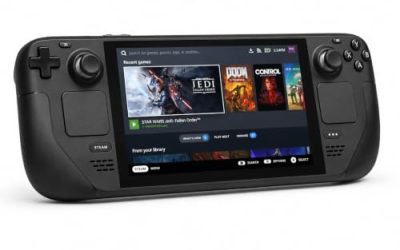
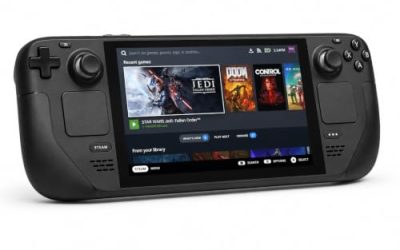
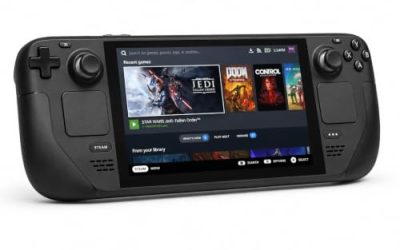
Valve Steam Deck OLED 512GB

The handheld the Verified badge was written for. Valve’s test sheet gives the Windows build a clean pass under the stable Proton runtime, and the gamepad-first exploration and farming loop matches the Deck’s controls directly.
Specs
- Display: 7.4-inch HDR OLED, 1280 by 800, up to 90 Hz
- Processor: AMD Zen 2 and RDNA 2 custom APU
- Memory: 16 GB LPDDR5
- Storage: 512 GB NVMe, plus a microSD slot
- Wireless: Wi-Fi 6E and Bluetooth
- Channel note: Valve sells the Deck mainly through its own store, so Amazon listings are third-party sellers
8BitDo Ultimate 2 Bluetooth Controller

The docked and desktop pad pick. Steam lists full controller support, and this pad covers the couch case with modern sticks and triggers plus back buttons for menu shortcuts.
Specs
- Connectivity: Bluetooth wireless and USB-C wired
- Joysticks: TMR electromagnetic, anti-drift design
- Triggers: Hall effect, with mode switching
- Extras: two remappable back buttons, motion control
- In the box: charging dock included
Xbox Wireless Controller, Carbon Black

The safest guest pad in PC gaming: Steam Input support is universal, the glyphs match what most games display, and it pairs over Bluetooth or its own wireless standard.
- Connectivity: Xbox Wireless and Bluetooth
- Port: USB-C for wired play
- Controls: hybrid D-pad, dedicated Share button
- Power: AA batteries or optional rechargeable pack
Logitech G502 HERO

Yonder’s menus, crafting lists and farm management are pointer-friendly, and at a desk a precise wired mouse turns inventory trips into single clicks. Eleven programmable buttons cover the confirm, cancel and camera inputs a long session repeats.
Specs
- HERO optical sensor, up to 25,600 DPI
- 11 programmable buttons
- Adjustable weight system
- Wired USB connection
- On-board memory profiles
Samsung T9 Portable SSD 2TB

For moving a Linux game library between machines, or keeping an offline backup of installers, a fast USB-C drive is the simple answer. The headline figure needs a Gen 2×2 host port; on a lesser port the drive runs at that ceiling.
Specs
- Capacity: 2 TB portable SSD
- Interface: USB 3.2 Gen 2×2, USB-C connector
- Maker-rated speeds: up to 2,000 MB per second read, 1,950 MB per second write
- Features: Dynamic Thermal Guard, maker-rated drop resistance
How to choose
Choose the Steam copy, because it is the only PC edition either storefront sells and the exact build every record here describes. On a desktop or laptop, install it under Proton and leave the compatibility tool at its default; Valve’s testing passed this build on the stable runtime, and the branch has not changed since 2018, so the tested configuration and the downloaded one are the same. On a Steam Deck, the Verified badge means no setup work is expected: install and launch. For input, a pad is the game’s native shape — Steam lists full controller support — while a mouse earns its place for desktop sessions in the crafting menus.
Who should skip
Skip this one if you are shopping for a native Linux adventure: this game is not one, on any layer of its record. Skip it if you want a DRM-free offline installer, because no GOG edition exists to buy. Skip it if an unreadable community file is a deal-breaker — the ProtonDB record could not be opened for this article, so check the live file yourself first. And skip it if you hoped the accessory pack changes the platform picture: it is Windows only, exactly like the game.
FAQ
Is Yonder: The Cloud Catcher Chronicles native on Linux?
No. Steam’s record for app 580200 flags Windows only, the Linux requirements field is an empty shell with no specifications under its headings, and the depot table holds a single Windows content depot. No Linux build exists on any layer.
How does Yonder run on Linux through Proton?
Valve’s own Deck testing passed the Windows build under the stable Proton runtime, on the build the store still serves. ProtonDB’s summary record could not be read for this article — its page returned a not-found response — so no community tier or report count is quoted here.
Is Yonder Steam Deck Verified?
Yes. Valve’s record gives the game its top category, Verified, with all four checks passing, tested on 3 February 2022 against build 2825053, the build the public branch still serves. The badge certifies the Windows build running under Proton, not a native port.
Can I buy Yonder on GOG instead?
No edition could be found in GOG’s own systems: its catalogue search returns nothing for the title and the product address resolves to the general catalogue. Steam is the only PC edition of the two storefronts checked.
Final verdict
Yonder is a Windows-only release whose paperwork is honest once read at the right depth: the flags say Windows, the requirements shells are empty, the depot table holds one Windows build, and the add-on app agrees. What Linux players get instead is a handheld verdict at the top of Valve’s scale, earned on the build the store still downloads, plus full controller support and cloud saves for the Proton route on desktop. Buy the Steam copy, play it through Proton, and do not let the empty headings sell you a port that was never shipped.
Product and ASIN Reference
| Product | ASIN |
|---|---|
| Valve Steam Deck OLED 512GB | B0CQ3RWQQZ |
| 8BitDo Ultimate 2 Bluetooth Controller | B0F194QFT2 |
| Xbox Wireless Controller, Carbon Black | B08DF248LD |
| Logitech G502 HERO | B07GBZ4Q68 |
| Samsung T9 Portable SSD 2TB | B0CHFS9K14 |