LIMBO is Playdead’s monochrome puzzle-platformer, released on Steam on 2 August 2011: a boy crosses a dark forest of traps, machinery and hostile creatures, solving physics puzzles in silhouette, with no dialogue. Its Steam page is also a small puzzle. The platform icons name Windows and Mac only, yet the same record carries a filled-in Linux requirements tab, and the download behind the page tells a third story again.
So which layer decides? This article reads the record the way the series always does: the flags, the requirements fields, the depot table showing what downloads, the family of related apps, the report file, Valve’s Deck sheet and the other storefront’s catalogue. Here the layers split — and the flag is the one field that disagrees with the delivery.
As an Amazon Associate, we earn from qualifying purchases.
Quick answer
LIMBO ships a real native Linux build on Steam, whatever its store flag says. The flag reads false, but the Linux requirements tab is genuinely filled in, two Linux depots carry real download size, and Valve’s Deck sheet names the recommended runtime as native. Behind it, the Proton file stands at Platinum across 70 reports, strong confidence.
The flag against the tab
Start with the contradiction in its plainest form. Steam’s platform flags for app 48000 read windows true, mac true and linux false. If the record stopped there, the verdict would be a simple no. It does not stop there. The linux_requirements field is populated with a real minimum specification: SteamOS, Ubuntu 12.04 or later, or an otherwise compatible distribution; a 2 GHz processor; 1 GB of memory; 150 MB of disk space; and an OpenGL 2.0 compatible video card with 256 MB of memory — a distribution list and a graphics floor written for a platform the flag says was never shipped.
Two fields lean the other way. The osextended string on SteamDB lists macOS variants only, with no Linux entry, and the store flag itself is false. Against that, the record’s operating-system list names Windows, macOS and Linux together, and the asset list carries a dedicated Linux client icon. A flag and a metadata string say no; the tab, the list and the icon set say the paperwork for a Linux build was done properly. Paperwork alone has misled before, in both directions — which is why the depot table decides.
What actually downloads
SteamDB’s depot table for the current public branch lists five content depots. Two are Windows: the main content at 93.68 MiB and an executable depot at 5.20 MiB. One is macOS at 107.81 MiB. And two are Linux: a depot named Limbo Linux at 107.34 MiB on disk with a real download size behind it, and a second named LIMBO Linux 64bit at 98.86 MiB. These are not empty shells; both carry the better part of a hundred megabytes, and the game’s total footprint is about 413 MiB.
That settles the shape. A native Linux build exists in the delivery, in two variants, and the current branch — rebuilt as recently as April 2025 — still carries both. The false flag reads as stale paperwork: icons never updated after the Linux version arrived.
Two absences belong here. The record carries no drm_notice and no ext_user_account_notice — gaps, stated as gaps, from which this article makes no promise. Its published categories include single-player, full controller support, Steam Cloud, achievements and trading cards, plus accessibility listings (colour alternatives, keyboard-only play, no timed input) stated as capabilities only.
The family: a demo that flags less than the game
The game’s record carries no DLC array at all — no soundtrack, no art book, no expansion exists to read. The one family member is the free LIMBO Demo, app 48010, a separate app pointing back at the full game. Read individually, the demo flags windows and mac true and linux false, and its Linux requirements field is an empty list.
So the family’s Linux-flag count is zero of two, and it proves very little: the demo’s paperwork is thinner than the game’s delivery. No soundtrack app exists here to produce the flag-with-nothing-behind-it pattern this series hunts for. The deciding evidence stays on the game’s depots.
Anti-cheat, from three sources
Steam’s record names no anti-cheat, which fits a single-player-only game. SteamDB’s detected-technologies list contains exactly one entry, the Wwise audio SDK — sound middleware, not a protection product. And Are We Anti-Cheat Yet, whose dataset covers 1,167 games, carries no LIMBO entry. Three sources, kept separate, all negative.
The Proton file, for a build you may not need
ProtonDB’s summary record reads Platinum at every level across 70 reports with strong confidence. Its game page classifies LIMBO as natively supported, agreeing with the depot table rather than the store flag. Many reports are filed against the native build itself; others run the Windows build through Proton, and both routes land in the same Platinum pool.
The texture in those reports, kept at report weight, is narrow. The recurring strand is frame rate: several reporters describe the game running choppy or at double speed on high-refresh displays and settle it by capping the frame rate at 60, matching a game whose timing was built around that figure. One reporter found the native build failed on their machine and switched to a Proton build instead. None of it changes the tier.
The Steam Deck sheet
Valve’s own compatibility endpoint returned an empty response this session, so the Deck record here is read from SteamDB’s republication of Valve’s compatibility data. That sheet rates LIMBO Verified: all functionality accessible on the default controller configuration, Deck controller icons shown, interface text legible, and the default graphics configuration performing well. SteamOS is separately rated Compatible. The one note is familiar — an external Bluetooth or USB controller does not take over by default and may need a manual switch in the Quick Access Menu.
The sheet’s most important line is its recommended runtime: native. Valve’s testers did not pass the Windows build through Proton; they passed the Linux build itself. The dated paperwork records a test on 9 September 2022 against the build then current. The branch has moved since, rebuilt in April 2025, so the test is dated relative to today’s download — but the live category still reads Verified, and the native runtime line confirms the Linux depots are a working build, not residue.
The other storefront
There is no GOG edition to fall back on. The natural GOG address for the game redirects to the store’s general catalogue — the behaviour GOG shows for titles it does not sell — and a catalogue query returns no LIMBO product record. The ruling rests on that redirect behaviour plus the absent record. Steam is the only PC storefront carrying the game.
Gear that fits the record
The picks below follow the record’s shape: the handheld whose test sheet names a native runtime, two pads, a desktop mouse, and library storage.
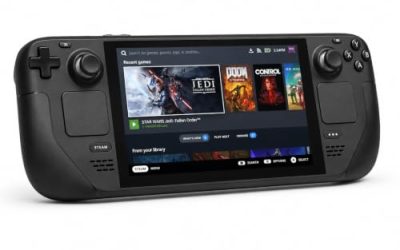
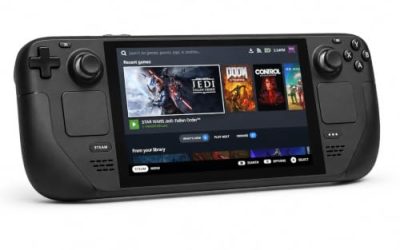
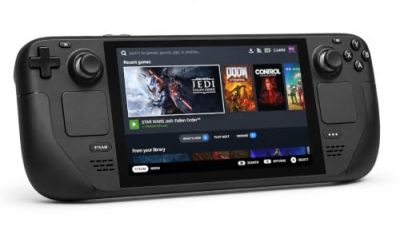
Valve Steam Deck OLED 512GB

The handheld the Verified badge was written for — and here the badge certifies the native Linux build itself, not a Proton pass.
Specs
- Display: 7.4-inch HDR OLED, 1280 by 800, up to 90 Hz
- Processor: AMD Zen 2 and RDNA 2 custom APU
- Memory: 16 GB LPDDR5
- Storage: 512 GB NVMe, plus a microSD slot
- Wireless: Wi-Fi 6E and Bluetooth
- Channel note: Valve sells the Deck mainly through its own store, so Amazon listings are third-party sellers
8BitDo Ultimate 2 Bluetooth Controller

The docked and desktop pad pick. Steam lists full controller support, and this pad covers the couch case with modern sticks and triggers plus back buttons for the inputs a precision platformer repeats.
Specs
- Connectivity: Bluetooth wireless and USB-C wired
- Joysticks: TMR electromagnetic, anti-drift design
- Triggers: Hall effect, with mode switching
- Extras: two remappable back buttons, motion control
- In the box: charging dock included
Xbox Wireless Controller, Carbon Black

The safest guest pad in PC gaming: Steam Input support is universal, the glyphs match what most games display, and it pairs over Bluetooth or its own wireless standard. On the handheld, the test sheet’s note applies: an external pad may need a Quick Access Menu switch to take over.
- Connectivity: Xbox Wireless and Bluetooth
- Port: USB-C for wired play
- Controls: hybrid D-pad, dedicated Share button
- Power: AA batteries or optional rechargeable pack
Logitech G502 HERO

LIMBO is a pad game first, but at a desk a precise wired mouse covers the menus and the library around it.
Specs
- HERO optical sensor, up to 25,600 DPI
- 11 programmable buttons
- Adjustable weight system
- Wired USB connection
- On-board memory profiles
Samsung T9 Portable SSD 2TB

For moving a Linux game library between machines, or keeping an offline backup of installers, a fast USB-C drive is the simple answer. The headline figure needs a Gen 2×2 host port; on a lesser port the drive runs at that ceiling instead.
Specs
- Capacity: 2 TB portable SSD
- Interface: USB 3.2 Gen 2×2, USB-C connector
- Maker-rated speeds: up to 2,000 MB per second read, 1,950 MB per second write
- Features: Dynamic Thermal Guard, maker-rated drop resistance
How to choose
Choose the native build first: it is what Valve tested, what the depot table delivers, and it asks nothing of a compatibility layer. On a high-refresh display, expect to cap the frame rate at 60 — the report file is consistent on that point, and it is a setting, not a repair. Keep the Windows build under Proton as the fallback; its Platinum file means the fallback is a good one, and the one reporter whose native build failed shows why having it matters.
Who should skip
Skip the demo as a Linux test: its record flags no Linux build and its requirements field is empty, so it says nothing about the full game’s delivery. Skip the game entirely if trial-and-error platforming in near-darkness is not your taste — the deaths are the teaching method, described here as gameplay only. And skip any purchase decision based on the store icons alone: this record shows why the icons are the weakest layer on the page.
FAQ
Is LIMBO native on Linux?
Yes. The store flag reads false, but the requirements tab is genuinely populated, two Linux depots carry real download size in the current branch, the operating-system list names Linux, and Valve’s Deck sheet names the recommended runtime as native. The delivery outweighs the flag.
Why does the Steam page not show a Linux icon?
The record itself does not say. The populated requirements tab, the Linux depots and the Linux client icon all exist, so the missing icon reads as platform paperwork never updated. What downloads is a native build regardless of what the icon row shows.
How does LIMBO run on Steam Deck?
Valve rates it Verified, with all four checks passing and SteamOS separately Compatible. The test sheet behind the badge is dated 9 September 2022 and names a native runtime; the branch has moved since, and the live category still reads Verified. An external controller may need a manual switch to take over.
Can I buy LIMBO on GOG instead?
No GOG edition exists. The game’s natural GOG address redirects to the general catalogue and no product record appears there, so Steam is the only PC storefront carrying it — flags, depots and all.
Final verdict
LIMBO is a native Linux game wearing a false flag. The store’s platform row and one metadata string say Windows and Mac only; the requirements tab, the operating-system list, two sized Linux depots, a native-runtime Deck test and ProtonDB’s native classification all say a Linux build ships and works. Install the native build, cap the frame rate at 60 on a fast display, and ignore the icon row — the one part of the record that is wrong.
Product and ASIN Reference
| Product | ASIN |
|---|---|
| Valve Steam Deck OLED 512GB | B0CQ3RWQQZ |
| 8BitDo Ultimate 2 Bluetooth Controller | B0F194QFT2 |
| Xbox Wireless Controller, Carbon Black | B08DF248LD |
| Logitech G502 HERO | B07GBZ4Q68 |
| Samsung T9 Portable SSD 2TB | B0CHFS9K14 |