ROG Ally X Screen Protector Accessories: Which Protector and Add-Ons Are Worth Buying
The ROG Ally X has a 7-inch, 1080p display, and it is the part of the handheld you touch, clean, and sometimes drop most often. A screen protector is the cheapest insurance you can buy for it. The harder question is which type to choose, because protectors for handhelds differ in material, finish, and how precisely they fit the device’s bezel and sensors. Buying the wrong one costs more time than it saves money.
This guide covers the screen protector options that matter for the ROG Ally X, the accessory categories worth considering alongside a protector, and the compatibility checks that prevent a bad purchase. The hero listing is shown first. The four alternative listings are shown so you can compare the same decision across different products. Confirm on each listing that it names the ROG Ally X specifically, not the original ROG Ally.
Model Compatibility Comes First
Before you look at materials, confirm the model. The ROG Ally X is a larger, differently shaped device than the original ROG Ally, and a protector cut for one will not sit correctly on the other. A protector that is slightly off will lift at the edges, collect dust under the film, or block a sensor or the camera area. Compatibility errors are the most common reason people return screen protectors, and they are entirely avoidable.
Check three things on each listing. First, the product name should say ROG Ally X. Second, the listing should describe a fit for the display and bezel, not just the brand. Third, the cutouts should match the device, particularly around the top edge and any sensor area. If a listing is vague about the model, skip it. A cheap protector that does not fit is still a waste. If you have not bought the handheld yet, start with our best gaming handheld roundup or the handheld gaming device guide.
Tempered Glass vs Matte Film: Which Screen Protector Type Fits You
The two main types offer different trade-offs. Tempered glass protects against scratches and impact better and keeps the display looking sharp. It is slightly slicker to the touch and can feel different under the thumb. Matte film reduces glare and fingerprints and can feel more like the original surface, but it can slightly soften the image and wears over time. Neither is universally better. Choose by how you use the handheld.
When Tempered Glass Makes Sense
Tempered glass suits players who carry the handheld in a bag with other items, play outdoors where glare is less of a problem, and want the sharpest image. It is also the better choice if you dislike the grip of a matte surface. Look for a glass protector with an oleophobic coating to reduce fingerprints, and check that the edges are rounded or sealed so they do not catch on the bezel.
When Matte Film Makes Sense
A matte film suits players who play indoors under bright lights, want to reduce reflections, and prefer a textured surface. It is a practical choice if fingerprints bother you. Expect a slight loss of crispness compared with the bare screen, and replace the film sooner if it starts to peel or show wear.
Comparison Table: ROG Ally X Accessory Hero and Alternatives
The table lists what to verify for each option. It avoids invented ratings or durability claims. Use it to compare listings on the points that affect your purchase.
| Listing | Type | Verify on the listing | Why it matters | Price |
|---|---|---|---|---|
| Hero (B0C6T7QK9M) | Confirm on listing (glass or film) | Names ROG Ally X, cutout accuracy | Wrong model means poor fit and lifted edges | See live card |
| Alternative slot 1 (B0C611FLH9) | Confirm on listing | Finish (matte or glossy) and edge type | Finish changes glare and feel | See live card |
| Alternative slot 2 (B0GFL7X9G8) | Confirm on listing | Number of pieces in the pack | Multi-packs can cover reapplication | See live card |
| Alternative slot 3 (B0FXG6HKLP) | Confirm on listing | Installation kit and cleaning tools | Dust is the main cause of bad installs | See live card |
| Alternative slot 4 (B0CCJ661Q6) | Confirm on listing | Return policy and seller reputation | Fit problems are common with protectors | See live card |
Other Accessories Worth Considering With the ROG Ally X
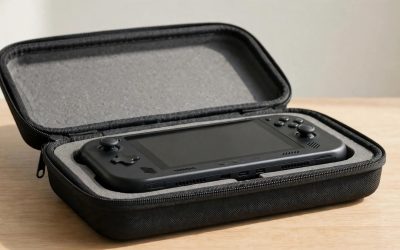
A protector is the first purchase, but a few accessories round out the setup. A sturdy carrying case protects the device from pressure and drops in a bag. A grip or case that does not block the vents or the fan intake helps keep the handheld comfortable and cool. If you play for long sessions, a stand or a cooling accessory can reduce the heat that builds up at the top of the device. Choose accessories that do not cover the vents, the buttons, or the display edges. To compare the device against other handhelds first, see our gaming handhelds roundup, and if you are weighing a Windows handheld, the handheld gaming PC guide covers that choice.
Storage is another practical add-on. If you install a lot of games, a portable SSD or a microSD card helps you manage the library. Our guide to the best portable SSD for gaming explains the speed differences that matter for game loads. For internal upgrades, see our best gaming SSDs. For controllers, read Xbox controller vs DualSense on PC if you plan to use a pad with the handheld. Our gaming controller guide covers more options.
How to Apply a Screen Protector Without Dust Bubbles
Clean the display with a lint-free cloth and a screen-safe cleaner, then let it dry completely. Dust under the film is the usual cause of bubbles. Use the alignment frame or guide if the kit includes one, and set the protector in place before peeling the full backing. Press from the center outward with a card or squeegee, working slowly. Small bubbles near the edge often settle in a day, but large trapped bubbles mean you should reposition it, which is easier before the adhesive fully sets.
Work in a room with low dust and no direct airflow from a fan. A bathroom after a shower is a common trick, because the humidity settles dust, but avoid steam on the device. If the protector does not seat well after a second attempt, check that it matches the model, then request a replacement from the seller.
Frequently Asked Questions About ROG Ally X Screen Protectors
Will a screen protector fit the original ROG Ally as well as the ROG Ally X?
Not necessarily. The two devices differ in size and shape, so a protector cut for one may not fit the other. Always check that the listing names the ROG Ally X.
Is tempered glass or matte film better for the ROG Ally X?
Tempered glass gives sharper images and better impact protection. Matte film reduces glare and fingerprints at a small cost to crispness. Choose by where and how you play.
Does a screen protector affect touch input?
Good-quality protectors keep touch response close to the bare screen, but thickness and coating can change the feel. Test your favorite games after installation.
How often should I replace the protector?
Replace it when it shows scratches, peeling, or heavy wear that affects visibility or touch. Many players replace it after a few months of regular handheld use, depending on how the device is carried.
Final Verdict on ROG Ally X Screen Protector Accessories
For most ROG Ally X owners, a well-fitted tempered glass protector is the best first accessory, with a matte film as the better choice for bright rooms or glare-heavy play. Verify the model name on every listing, check the cutouts and included installation kit, and choose a seller with a clear return policy. Add a carrying case and, if you install many games, a fast storage option. The hero listing and alternatives are a good starting point, but the live card decides the exact product and price.