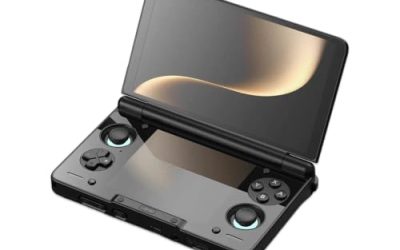
MSI Claw 8 AI Plus Review 2026: Buyer’s Assessment
The MSI Claw 8 AI Plus is a Windows gaming handheld, which puts it in a different category from a console-style device or a Linux-based handheld. That difference shapes everything about the experience: how much you can install, how the device manages power, how it handles updates, and how much time you spend in system menus rather than games. This review is a buyer’s assessment. It explains what matters in a Windows handheld of this class, what to verify on the listing, and who should and should not buy it.
Be clear about the basis. This article is not a detailed research report, and it does not publish frame rates, battery runtimes, or thermal measurements for this unit. Those figures change with the game, the power profile, the software version, and the ambient temperature, and a single reviewer’s session would not settle them. Instead, the assessment below uses the points that decide whether a Windows handheld suits a given owner, and it tells you how to check each one on the product page and in independent reviews before you buy.
What a Windows Handheld Does Differently
A Windows handheld runs the full desktop operating system, which means you can install almost any PC launcher, store, or utility. That flexibility is the main reason to buy one. It also means you inherit Windows background tasks, driver updates, and the need to manage power settings yourself. A handheld with a fast processor and a poor power profile can feel slower than a more modest machine with a tuned configuration.
For buyers who want a single device for both handheld play and occasional desk use, a Windows machine offers more utility than a closed console. For buyers who want to turn the device on and play, a console-style handheld with less configuration work may suit them better. Our overview of the best handheld gaming PCs sets out the broader choice, and the best gaming handheld guide compares the categories.
Display: Size, Resolution, and Refresh Rate
The display is the most visible part of the experience. Check three things on the listing: the panel size, the resolution, and the refresh rate. A higher refresh rate helps in fast-moving games but only if the processor and graphics can deliver frames at that rate. A panel with a high refresh rate paired with demanding games will often run below its rated rate, and the screen will show that as variable motion. Look for reviews that describe the real frame rate in the games you play, not only the panel’s maximum.
Resolution is a trade-off with battery life and performance. A higher-resolution panel looks sharper for text and menus, but it asks more of the graphics hardware in games. For handheld use, many owners find that a moderate resolution with stable frame rates looks better than a sharper picture that stutters.
Battery Life and Power Profiles
Battery life on a Windows handheld depends mostly on the power profile and the game. Heavy titles at high settings and high power limits drain the battery quickly, while lighter games or reduced power limits stretch it considerably. Do not accept a single runtime figure without knowing the test conditions. Check the reviewer’s game, brightness, refresh rate, and power profile, and compare the result against the games you play.
Plan to use the device plugged in for demanding play. The power adapter’s wattage matters, because an underpowered charger can limit performance or slow charging. Our guide to gaming laptop battery life explains how to set power profiles and manage runtime, and the same principles carry over to a handheld.
Thermals, Noise, and Comfort
A compact chassis has less room for cooling, so the fan noise under load and the surface temperature in the hands matter. Check reviews that report fan noise at sustained load and that describe how warm the grip areas get during a long session. A handheld that is quiet at idle but loud under a demanding game can still be a good device if you wear headphones, but it is less pleasant in a shared room.
Weight and grip shape the long-session experience too. Check the device’s weight and balance on the product page, and read reviews that discuss how it feels after an hour. Controller layout, trigger feel, and stick placement vary between handhelds and are worth testing in a store if one is available.
Software and Maintenance
Because the device runs Windows, plan for updates, driver management, and the occasional troubleshooting session. Launchers and game stores each have their own overlays and background processes, and some of those can reduce performance if left running. Learn the vendor’s control software, set a power profile for each type of game, and disable background tasks you do not need. This is more work than a console requires, and it is the price of a full desktop operating system.
Buyer Checklist
- Confirm the processor, graphics, memory, and storage configuration on the listing, and compare them against the games you play.
- Read at least one review that measures real frame rates and battery life under stated conditions.
- Check the display’s size, resolution, and refresh rate against your priorities.
- Look for fan noise and surface temperature measurements under sustained load.
- Confirm the adapter wattage and the warranty and return terms before buying.
Handheld Factors Compared
The table below gives the decision points for a Windows handheld in this class and the question to answer for each. The product page and independent reviews provide the actual values. This article does not guess at figures that the listing does not publish.
| Factor | Question to answer | Where to check | Why it matters |
|---|---|---|---|
| Processor and graphics | Does the chip handle your games at your target settings? | Listing specification and game-by-game reviews | Sets frame rate and visual quality |
| Display | Is the size and refresh rate right for your play? | Panel specification and reviewer notes | Shapes the everyday experience |
| Battery | How long does it last under your typical game? | Runtime tests with stated conditions | Determines how far from a charger you can play |
| Cooling and noise | Is it quiet and comfortable over an hour? | Sustained-load noise and surface temperature | Decides long-session comfort |
| Software | Are you willing to manage Windows and drivers? | Your own preference | Affects setup time and ongoing effort |
| Price and warranty | Is the price and warranty right for the configuration? | Live product card | Changes over time and by configuration |
For context on where a Windows handheld fits in the wider market, see our handheld gaming PC guide for 2025, the handheld gaming device roundup, and the list of gaming handhelds. If you prefer a console-style device with less setup, the handheld gaming system guide covers that category, and the buyer guide to handheld gaming covers budget choices.
Hero Pick and Alternatives
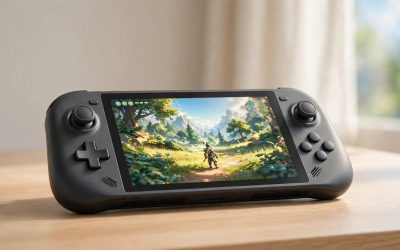
The hero listing is the reference configuration for this assessment. Confirm on its card that it is the Claw 8 AI Plus and check the processor, memory, and storage it includes. If the listing shows a configuration you do not want, compare the alternatives before buying.
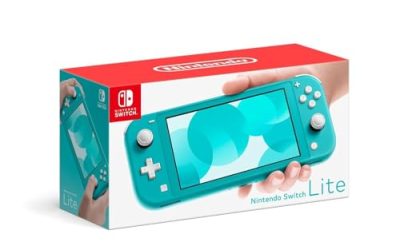
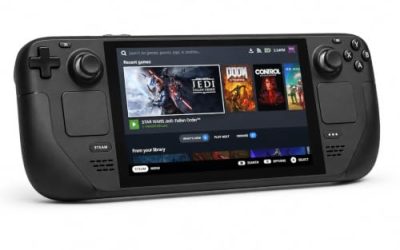
The alternative below is a different handheld listing. Compare the two on the factors above, and pay particular attention to the battery and cooling evidence, since those vary the most between handheld configurations.
Frequently Asked Questions
Is a Windows handheld worth buying over a console-style handheld?
It depends on your priorities. A Windows handheld gives you the full PC software ecosystem and more flexibility, but it asks for more setup and maintenance. If you want a device that works immediately with minimal configuration, a console-style handheld may suit you better.
How long does the battery last on a Windows handheld?
Battery life depends on the game, the power profile, the brightness, and the refresh rate. Heavy games at high power limits drain the battery much faster than light games. Use reviews with stated test conditions and compare them with the games you play.
Can it run modern games at high settings?
Many modern games can run on a handheld at reduced settings. Whether a particular title runs well depends on its demands and your chosen settings. Check game-specific reviews and adjust settings to balance frame rate and battery life.
Should I buy an external dock or accessories?
A dock or a larger monitor is useful if you want to play at a desk. Choose accessories after you know your play pattern, and check that the device’s ports support the display output you need.
Verdict
The MSI Claw 8 AI Plus suits buyers who want a full Windows machine in a handheld form and who are willing to manage power profiles and software. Buy it if you value flexibility and can accept the setup work. Before you order, verify the processor, memory, and display on the listing, read sustained battery and noise tests, and confirm the warranty and the adapter wattage. If those check out for the games you play, the device can be a capable companion for both handheld and desk use.