- Top Pick: Lenovo Legion Go S – 2025 – Mobile Gaming Console – AMD Radeon graphics – 8" PureSight IPS Display – 120Hz – AMD Ryzen™ Z2 Go – 16GB Memory – 512GB Storage – Glacier White – Free PC Game Pass
- Best Value: WIN600 Handheld PC Game Console , 5.94 Inch OCA Full Lamination IPS Screen Preset Windows11 Home Edition Black
- Premium Choice: msi Claw PC Gaming Handheld: Intel Arc G3 Extreme Processor, 8" FHD+ 120Hz Display, 32GB LPDDR5x, 512GB NVMe SSD, MicroSD Express Reader, Thunderbolt 4, Win11 Home: Luminous Blue EX AI+ CG3M-072USY
The best Windows handheld gaming console for most players is the ASUS ROG Xbox Ally X, with the Lenovo Legion Go 2 as the pick for the best screen, the MSI Claw 8 AI+ as the pick for Intel-based efficiency and memory, the ROG Xbox Ally as the entry-level pick and the Lenovo Legion Go S as the lighter, cheaper Windows option. The right choice comes down to four numbers: processor class, memory, battery capacity and screen size.
As an Amazon Associate we earn from qualifying purchases at no extra cost to you.


As an Amazon Associate we earn from qualifying purchases at no extra cost to you.


Why a Windows handheld, and what you give up
A Windows handheld is a small gaming PC. It runs Steam, Epic, Xbox app and Game Pass titles, GOG, emulators and launchers, and it connects to a dock for a monitor or TV. The trade is battery life and software polish. Windows was designed for a keyboard and mouse, so handhelds layer a controller-friendly front end on top. Newer models such as the ROG Xbox Ally line ship with a full-screen, controller-first Xbox experience to reduce that friction. If you want a console-style appliance, a Steam Deck is simpler. If you want any PC store and any launcher, Windows is the answer.
How we chose
This guide is research-based, drawn from manufacturer specification sheets and published product listings. We compared processor class, memory type and size, storage, display size, resolution and refresh rate, battery capacity, weight, ports and upgrade path. Every model named exists as a retail product, and where sources disagree on a figure, such as a configuration option or a power setting, we describe the class rather than guess. Tier words replace price figures because retail pricing shifts often.
Buyer criteria with thresholds
Processor: match it to the games you play
Handheld chips fall into three practical classes. Entry-level parts handle esports and older games at 720p to 1080p with reduced settings. Mid-range parts, such as the AMD Ryzen Z1 Extreme in the ROG Ally X, run most modern titles at 1080p low to medium at playable frame rates. The newer top tier, such as the Ryzen AI Z2 Extreme or Intel Core Ultra 7 258V with Arc graphics, adds headroom for demanding games and for upscaling. Target at least the mid-range class if you play recent releases.
Memory: 16 GB is the floor, 24 GB is comfortable
The graphics processor shares system memory, so 16 GB means a few gigabytes are reserved for graphics. A 24 GB or 32 GB model leaves more for the game. Faster memory also helps because integrated graphics are bandwidth-limited. The Claw 8 AI+ uses LPDDR5X at 8,533 MT/s, one of the fastest in this class.
Battery: 50 Wh or less is short, 70 Wh or more is long
Capacity in watt-hours is the best predictor of play time at a given power draw. A 40 Wh battery gives light sessions only. Models at 74 Wh to 80 Wh, such as the Legion Go 2, ROG Xbox Ally X and Claw 8 AI+, last noticeably longer, though demanding games at high power will still drain any of them in well under three hours.
Screen: size, refresh and panel type
A 7-inch to 8-inch 1080p panel at 120 Hz with variable refresh rate suits most handhelds. An 8.8-inch OLED at 144 Hz, as on the Legion Go 2, is a larger, richer display but brings weight. A bigger panel is easier to read but is harder to hold for long sessions.
Weight and grip
Handhelds range from about 600 g to over 900 g. Above 800 g, many players need a stand or a lap for long play. Under 700 g feels like a large phone.
Comparison table
| Model | Chip class | Memory | Screen | Battery |
|---|---|---|---|---|
| ASUS ROG Xbox Ally X | Ryzen AI Z2 Extreme | 24 GB LPDDR5X | 7 in, 1080p, 120 Hz IPS | 80 Wh |
| ASUS ROG Xbox Ally | Ryzen Z2 A | 16 GB LPDDR5 | 7 in, 1080p, 120 Hz IPS | 60 Wh |
| Lenovo Legion Go 2 | Ryzen Z2 Extreme | 16 GB or 32 GB, by configuration | 8.8 in, 1920×1200, 144 Hz OLED | 74 Wh |
| MSI Claw 8 AI+ | Intel Core Ultra 7 258V | 32 GB LPDDR5X-8533 | 8 in, 1080p, 120 Hz IPS, VRR | 80 Wh |
| ASUS ROG Ally X | Ryzen Z1 Extreme | 24 GB LPDDR5X | 7 in, 1080p, 120 Hz IPS | 80 Wh |
| Lenovo Legion Go S | Ryzen Z2 Go (Windows version) | 16 GB | 8 in, 1920×1200, 120 Hz IPS | About 55 Wh |
| ZOTAC Zone | Ryzen Z1 Extreme | 16 GB | 7 in, 1080p, 120 Hz AMOLED | About 64 Wh |
The seven handhelds, in detail
1. ASUS ROG Xbox Ally X: best overall
Spec line: Ryzen AI Z2 Extreme · 24 GB LPDDR5X · 1 TB PCIe 4.0 SSD · 7 in 1080p 120 Hz IPS · 80 Wh battery · about 715 g.
Best for: Players who want the strongest balance of performance, battery and a controller-first Xbox full-screen experience, with Game Pass and any PC store.
Skip if: You want an OLED screen or a larger display. The panel is a 7-inch IPS.
- Pros: Big battery, 24 GB memory, comparatively light, ergonomic grips, console-style interface.
- Cons: Premium tier cost, the IPS screen is less rich than OLED rivals.
2. Lenovo Legion Go 2: best screen
Spec line: Ryzen Z2 Extreme · 16 GB or 32 GB by configuration · 8.8 in 1920×1200 144 Hz OLED · 74 Wh battery · about 920 g.
Best for: Players who prioritize a large, vivid OLED display and detachable controllers that can double as a PC-style mouse-grip mode.
Skip if: Weight and size bother you. It is among the heaviest options and is awkward on small desks.
- Pros: Excellent display, large battery, detachable controllers, strong performance class.
- Cons: Heavy, top-tier cost, memory and storage depend on the configuration you buy.
3. MSI Claw 8 AI+: best for Intel efficiency and fast memory
Spec line: Intel Core Ultra 7 258V (Arc graphics) · 32 GB LPDDR5X-8533 · 8 in 1920×1200 120 Hz IPS with VRR · 80 Wh battery.
Best for: Players who want Intel upscaling support, very fast memory and a large battery in an 8-inch body.
Skip if: You rely on an ecosystem built around AMD handhelds or want the most polished software. Some driver and software maturity differences remain.
- Pros: 32 GB of fast memory, large battery, strong efficiency in lower-power modes.
- Cons: Higher cost than comparable AMD options, software refinement varies by update.
4. ASUS ROG Xbox Ally: best entry-level controller-first option
Spec line: Ryzen Z2 A · 16 GB LPDDR5 · 512 GB storage · 7 in 1080p 120 Hz IPS · 60 Wh battery.
Best for: Casual and indie players, Game Pass subscribers and anyone who wants the Xbox interface at a lower tier cost.
Skip if: You play recent demanding releases. The processor class is a step down from the top models.
- Pros: Lower entry cost, same screen size and interface as the Ally X, lighter weight class.
- Cons: Less memory, smaller battery, less performance headroom.
5. ASUS ROG Ally X: best value from the previous generation
Spec line: Ryzen Z1 Extreme · 24 GB LPDDR5X · 1 TB SSD · 7 in 1080p 120 Hz IPS · 80 Wh battery.
Best for: Buyers who want strong 1080p performance and a big battery and are happy with the previous processor generation, especially at a discount.
Skip if: You want the newest chip or the controller-first Xbox interface out of the box. It runs standard Windows with ASUS software.
- Pros: 24 GB memory, 80 Wh battery, proven design, widely supported accessories.
- Cons: Older processor generation, supply and discounts vary.
6. Lenovo Legion Go S: best lighter Windows option
Spec line: Ryzen Z2 Go (Windows version) · 16 GB · 8 in 1920×1200 120 Hz IPS · about 55 Wh battery.
Best for: Players who want a bigger screen than 7 inches in a lighter, less expensive body with fixed, comfortable grips.
Skip if: You want maximum performance or battery. The chip class and battery are both smaller than the premium models.
- Pros: Larger screen at a lower tier, lighter and more comfortable than the Legion Go 2.
- Cons: Mid-range performance, smaller battery.
7. ZOTAC Zone: best for AMOLED at a smaller size
Spec line: Ryzen Z1 Extreme · 16 GB · 7 in 1080p 120 Hz AMOLED · about 64 Wh battery.
Best for: Players who want an AMOLED 7-inch display with Hall-effect sticks and a more distinctive design.
Skip if: You want long battery life or the newest processor. Availability and software updates are also less certain than from the larger brands.
- Pros: Bright AMOLED panel, good controls, comfortable shape.
- Cons: Older chip generation, narrower availability and support.
Worked example: estimating play time
Battery life equals battery capacity divided by total system draw. Suppose a game pulls about 25 W from the whole system on a handheld with an 80 Wh battery. That is 80 divided by 25, or about 3.2 hours in theory. Real batteries do not deliver 100 percent, so take roughly 90 percent usable, which gives about 2.9 hours.
Now compare a 55 Wh handheld at the same 25 W. That is 55 divided by 25, about 2.2 hours, or roughly 2 hours at 90 percent usable. If you drop the draw to 15 W by capping frame rate and lowering resolution, the 80 Wh model reaches about 4.8 hours and the 55 Wh model about 3.3 hours. The lesson is that capacity and power cap matter equally. Lowering the draw helps every model more than switching to a slightly larger battery.
Heat, noise and desk fit for gamers
Handhelds cool a high-wattage chip through a small fan, so fan noise rises with the power setting. At a high power mode the fan is clearly audible on a quiet desk, which matters if you stream or voice chat with a nearby microphone. Lowering the power cap and frame rate cuts noise as well as drain. Plan ventilation too: do not block the top and rear vents with a case or a pillow, and keep the device on a hard surface when docked. If you play docked, check that the dock supports power delivery near the handheld’s charger rating, because an underpowered dock can charge slowly or even drain the battery during a demanding game.
Controller and input considerations
Look at the sticks, triggers and back buttons. Hall-effect sticks resist drift, and rear paddles help in shooters. Detachable controllers, as on the Legion Go 2, add flexibility but add weight. Touch screens help with Windows navigation, and a gyro adds aiming options in some games. If you play competitive shooters, check that the handheld’s controller input works with the game’s anti-cheat and that the Windows build is current, since some anti-cheat systems behave differently on handheld software.
Decision matrix
| You want | Pick | Reason |
|---|---|---|
| Best overall balance | ROG Xbox Ally X | Strong chip, 24 GB, 80 Wh |
| Biggest, richest screen | Legion Go 2 | 8.8 in OLED at 144 Hz |
| Fast memory and Intel upscaling | MSI Claw 8 AI+ | 32 GB LPDDR5X-8533 |
| Lowest entry tier | ROG Xbox Ally | Same interface, lower specs |
| Previous-generation bargain | ROG Ally X | 24 GB, 80 Wh |
| Lighter, larger screen than 7 in | Legion Go S | 8 in, lighter body |
| AMOLED at 7 in | ZOTAC Zone | Compact OLED-class panel |
Buying and setup tips
- Pick memory first. Do not buy a 16 GB model if you want to play demanding new releases at 1080p.
- Check storage and expansion. Many handhelds use a microSD slot and a replaceable M.2 drive, and the length of M.2 supported differs by model.
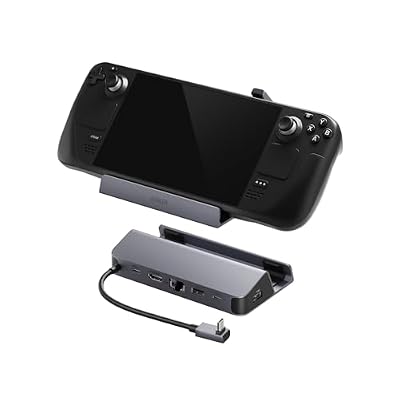
- Plan for a dock or stand. A USB-C dock with power delivery turns a handheld into a small desktop PC.
- Cap the frame rate. Limiting to 40 or 60 fps and lowering the power setting extends battery life significantly.
- Keep Windows lean. Disable launch-at-startup apps and use the manufacturer’s controller overlay to reduce background drain.
- Use a protective case. These devices are expensive, and a hard travel case protects vents, sticks and screens in a bag.
Frequently asked questions
What is the best Windows handheld gaming console overall?
The ASUS ROG Xbox Ally X is the best overall pick, thanks to a strong chip, 24 GB of memory and an 80 Wh battery.
The Legion Go 2 wins on display, and the MSI Claw 8 AI+ wins on memory speed and efficiency, so choose by what matters most.
Is a Windows handheld better than a Steam Deck?
It depends. Windows handhelds run any PC store and launcher and are generally more powerful, but they are less polished and cost more.
A Steam Deck is simpler and strong for Steam libraries. Choose Windows if you need Game Pass, other launchers or games that need Windows anti-cheat.
How much memory do I need in a Windows handheld?
16 GB is the minimum for current games, and 24 GB or 32 GB is more comfortable because graphics share system memory.
More memory helps demanding releases and multitasking. It matters less for light indie and older games.
How long does a Windows handheld battery last?
Expect roughly one and a half to three hours in demanding games and much longer in light games or video.
Capacity, power cap and frame rate cap decide it. An 80 Wh model lasts longer than a 55 Wh one at the same settings.
Can I connect a Windows handheld to a TV or monitor?
Yes. Use a USB-C or HDMI output through a dock or adapter with power delivery, and you can use it like a small desktop PC.
Check that your dock supports video output and charging, and use an accessory-grade cable for stable 4K output.
Are Windows handhelds good for Game Pass?
Yes. The Xbox app and a Game Pass subscription give you a large library of PC games on a handheld.
The ROG Xbox Ally models are designed around this, with a controller-first interface that reduces desktop use.
Can I upgrade storage in a handheld?
Most handhelds let you add microSD storage and many allow a replacement M.2 SSD, but length and difficulty vary.
Check the exact model’s supported M.2 size before buying a larger drive, and expect to open the case for the swap.
Which handheld is best for a small gaming desk?
A 7-inch model such as the ROG Xbox Ally X or ROG Ally X is the most compact option with strong performance.
The larger Legion Go 2 needs more room and is heavier to hold, which matters if you play for long sessions.