Best Handheld Gaming Device 2026 Budget: How to Choose a Cheap Handheld That Plays Well
A budget handheld gaming device can give you a lot of play for the money, but the category is wide. Some devices are small Android or Linux machines built around retro games and emulation. Others are low-cost Windows handhelds that run PC games at reduced settings. The right buy depends on what you already play, how much you want to tinker, and how long you need the battery to last. This guide explains how to choose among the cheaper options and where the budget trade-offs show up.
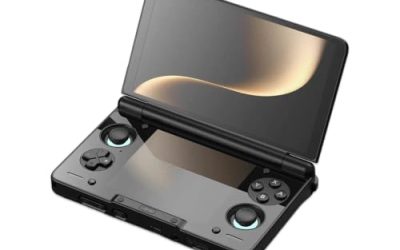
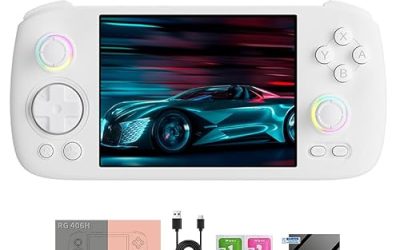
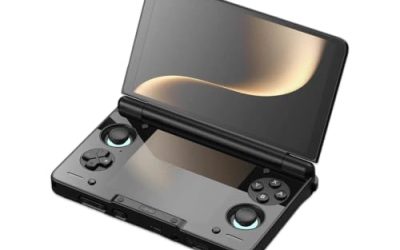
The hero listing and alternatives came from the query “budget handheld gaming device”. Budget handhelds come from many brands, often with similar-looking shells and different internals. The ASINs below are starting points. Confirm the exact model, processor, memory, display and operating system on each product page before buying, because two devices that look alike can run very differently. This guide avoids benchmark figures and does not list prices, since both change frequently.

What a Budget Handheld Can and Cannot Do
A budget handheld is strongest with lighter games: retro titles, indie games, 2D platformers, older 3D games and many emulated systems. These run well at modest resolutions with little power. Heavier modern games need more processing power and cooling, and cheaper devices usually cannot hold steady frame rates in them. Set expectations before you buy. A budget device is a good value for the right library, and a poor one if you expect current AAA titles at high settings.
Operating System Matters More Than the Specs Sheet
The operating system often decides the experience. Android-based devices are flexible and handle emulation and many mobile-style games well, though some storefronts and controller support can be inconsistent. Linux-based devices with launchers designed for emulation tend to be simpler to use. Windows handhelds run PC games directly, but they usually cost more and need more tuning. Pick the system that matches the games you want, rather than the one with the largest number on the box.
Controls, Screen and Ergonomics
Budget devices save money on the screen and controls first. Check the screen size, resolution and brightness, and whether the thumbsticks and triggers feel comfortable for your hand size. A device you hate holding will sit unused, regardless of how good its processor is. If possible, read reviews that cover long sessions, because grip and button layout matter more after an hour than in the first five minutes.
Budget Handheld Options Compared
The table below lists the five ASINs returned for the query. It leaves price and rating to the live pages, since budget devices often change price quickly. Use the “what to verify” column as your checklist.
| Option | ASIN | What to verify | Price | Rating |
|---|---|---|---|---|
| Hero listing | B0FD2YM1MK | Operating system and included storage | Check live listing | Check live listing |
| Alternative 1 | B0CYXN4LQZ | Screen size and resolution | Check live listing | Check live listing |
| Alternative 2 | B0DT4HK4N3 | Battery capacity and reported runtime | Check live listing | Check live listing |
| Alternative 3 | B0H8RJBJ4B | Controller layout and thumbstick feel | Check live listing | Check live listing |
| Alternative 4 | B0FR9J4XTW | Storage expansion and bundled accessories | Check live listing | Check live listing |
When two devices are close on price, choose the one with the system you already understand, the better screen, and a clearer return policy. Cheap devices sometimes arrive with outdated firmware or poorly configured software, so check whether the seller offers support or a warranty.
Choosing by Use Case
For Retro and Emulated Games
If your library is mostly older consoles and arcade titles, a budget handheld with a simple launcher is the best value. These devices run older systems smoothly and need little power. Choose the storage size with your library in mind, because retro collections can grow large quickly. Use legally obtained game files and follow the platform’s terms. Our best retro gaming handhelds guide covers this category in more depth. The Android gaming handheld picks show which devices handle emulation best.
For Indie and Light PC Games
For indie games and lighter PC titles, a Windows or Android handheld can work well. Expect to reduce resolution and effects in newer games, and to cap the frame rate for battery life. A small fan or a warm room can cause throttling, so keep vents clear. If you want to play PC games on a bigger budget, our gaming handhelds roundup explains the step up.
For Travel
Battery life and weight decide the best travel device. Heavier devices with larger batteries last longer, but they are less comfortable for long sessions. Look for a device that charges over USB-C, so you can use a standard charger on a trip. Check whether the device supports pass-through charging if you plan to play while plugged in.
Common Mistakes With Budget Handhelds
The first mistake is buying on a single number, such as processor name or storage size, without checking the operating system and the screen. The second is ignoring the return policy. Cheap devices sometimes have dead pixels, weak speakers or loose buttons, and you want the option to send one back. The third is underestimating storage. Many games take up more space than expected, so plan for a microSD card if the device has a slot.
If you want a cheaper entry point, our best handheld gaming device guide and handheld gaming system roundup compare the wider range. For a single-purpose retro device, the Miyoo Mini Plus V4 review shows what a simple emulation device looks like in practice.
Be careful with listings that promise far more than a budget device can deliver. Claims about running current AAA games at high settings on a low-cost handheld are usually optimistic. Reviews that test real games over long sessions are more reliable than marketing text.
Who Should Buy a Budget Handheld, and Who Should Wait
A budget handheld suits players who want an affordable second device, a travel machine for older or lighter games, or a way to try handheld gaming without a big commitment. It also suits people who like to tinker with software and do not mind setting up emulators or launchers.
Wait if you want a plug-and-play experience with a large library of current releases. In that case, a higher-tier handheld or a console will serve you better. If you want to play demanding PC games on the go, look at a more capable device rather than stretching a budget machine past its limits. Our best handheld gaming PC guide shows the more powerful end of the market, and the best gaming handheld page covers the broader category.
Frequently Asked Questions
What is the best budget handheld for beginners?
A device with a simple launcher and a clear operating system is the easiest starting point. Pick one with a good screen and comfortable controls, and check that the games you want are supported before buying.
Can a budget handheld run modern PC games?
Some lighter modern games can run at reduced settings. Heavy AAA titles usually need a more powerful device. Check reviews of specific games rather than assuming general compatibility.
How much storage do I need?
It depends on your library. Retro collections need less space than modern PC games. If the device has a microSD slot, plan to add a card so you do not run out of room after a few installs.
Is a budget handheld worth it compared with a phone?
A dedicated handheld offers physical controls and better ergonomics, which matter for longer sessions. A phone is more convenient for casual mobile games. If you play controller-based games often, the handheld is usually the better choice.
Final Verdict: Best Handheld Gaming Device 2026 Budget
The best budget handheld gaming device for 2026 depends on your library. For retro and emulated games, a simple Linux or Android device with good controls delivers the most value. For light PC games, a Windows or Android handheld works if you accept reduced settings. Choose by operating system, screen and controls first, then compare battery and storage. Check the live listings for the exact model, read the return policy, and buy a device that matches the games you already play.