You press volume-up once and nothing seems to happen. You press it again, still almost nothing. Then, near the top, a single press suddenly doubles how loud the game feels, while the on-screen percentage insists everything moves in tidy, equal steps. The readout and your ears tell two different stories: the buttons work, the speaker works, but somewhere between press and amplifier, the steps themselves are bent.
That is why replacing the speaker never fixes this. Uneven steps are a mapping problem, not a loudness problem. Four layers can bend the ladder: the firmware’s own volume curve, a frontend stacking its steps on top of the system ones, an audio profile squeezing the top of the range, or a tired button that sometimes registers twice. Each bends it in a different place, and the place is the diagnosis.
As an Amazon Associate, we earn from qualifying purchases.
Quick Answer
Uneven volume steps on a handheld almost never mean a dying speaker. One layer is bending the volume ladder: the firmware curve, a frontend stacking its steps over the system ones, an audio profile compressing the top end, or a worn button firing twice. Climb from silent to maximum and note where the steps bunch, stretch, flatten, or skip: that spot names the layer, and the fix is usually free.
The Ladder Test
Start from silent, in a quiet room, with one game scene or music track you know well. Press volume-up exactly once, listen, and repeat until you reach maximum. Count the presses and watch three zones: the bottom third, the middle, and the top third. You are drawing a map of the ladder, and a healthy ladder has evenly spaced rungs: each press adds roughly the same loudness, and the on-screen percentage climbs in matching steps.
Four maps come back from this test, and each one points at a different layer.
Bunched at the top. The bottom half of the ladder feels almost frozen, then the last few presses arrive in a rush. That is a firmware curve drawn with too much of its travel spent at the bottom: the steps are real, just spaced badly by design.
Even in the menu, uneven in the frontend. The climb feels fair in system settings, then turns lumpy inside a frontend or emulator. Two ladders are stacked: the frontend is applying its own steps on top of the system volume, so some presses move both ladders and some move neither.
Flattened at the top. The bottom and middle climb normally, but the last several presses change the number without changing the sound. Something is holding the ceiling down: an audio profile, equalizer, or loudness protection setting is compressing the top of the range.
Skipped rungs. Most presses behave, but now and then one press jumps two steps, or the percentage flickers up and back. That irregularity is the fingerprint of a worn button contact registering one press as two.
Cause One: The Firmware Volume Curve Is Drawn Unevenly
Every handheld maps button presses to amplifier gain through a curve stored in firmware, and the cheap way to build that curve is badly: evenly spaced in numbers, wildly uneven in loudness. Human hearing is not linear, so a curve that adds the same numerical step each time feels timid at the bottom and violent at the top. Some budget firmware makes it worse with coarse steps near silence, where one press must choose between mute and too loud.
The fix depends on what your firmware exposes. Some Android-based handhelds offer a volume step count or fine-volume option in sound settings; raising the step count redraws the same curve with more, smaller rungs. Custom firmware often replaces the stock curve entirely, which is why the same hardware can feel transformed after a firmware swap. If neither exists, work around the curve: set the system volume in the coarse middle of its range and trim finely inside the emulator or game, whose own volume control usually has smaller steps.
Cause Two: The Frontend Stacks Its Own Steps on Top
Game frontends and emulator cores love to own the volume keys. The frontend intercepts your press, moves its own internal volume, and passes a second change down to the system. Where the two ladders align, a press feels double-sized; where they fall between rungs, a press seems to do nothing. The giveaway is that the unevenness changes character between apps: fair in one emulator, lumpy in another, perfect in the system menu.
Untangle the stack by deciding which layer owns the buttons. In the frontend’s input or audio settings, look for volume key handling or hotkey volume and turn the frontend’s own volume control off, so presses pass straight to the system. In emulator cores, check for a core volume or gain setting that has drifted from neutral and reset it. Then rerun the Ladder Test in the same app: a single owner should produce a single, even ladder.
Cause Three: An Audio Profile Is Compressing the Top End
Equalizers, loudness normalisation, night modes, and hearing-protection limiters all reshape the top of the range. A compressor does exactly what its name promises: as the signal approaches the ceiling, it squeezes harder, so your last several presses raise the percentage while the actual loudness stays pinned. Bass-boost and virtual surround profiles do the same thing sideways, spending amplifier headroom on effects instead of the final steps.
Strip the profile back to flat and rerun the test. Turn off the equalizer or set every band to zero, disable loudness normalisation, night mode, and any volume limiter, then climb the ladder again. If the top rungs come back to life, reintroduce one effect at a time and keep only the ones that leave the ladder intact. The percentage was never lying here: the steps were arriving, and the profile was throwing them away.
Cause Four: The Button Is Registering Twice
A worn or contaminated volume button can bounce electrically, sending two step commands for one physical press. Unlike the other three causes, bounce is irregular: the ladder is mostly honest, then a press at a random point leaps. It tends to worsen on one button only, usually volume-up, because it gets pressed more, and often arrives with a mushy click feel.
Confirm it with the on-screen readout: watch the percentage as you press slowly. If it occasionally advances two steps for one press, or twitches and settles a step higher than the press before, the contact is bouncing. A blast of compressed air around the button seam and repeated firm presses can clear light contamination. If the doubling survives cleaning, the switch itself is worn; on most handhelds that is a repair or replacement decision, not a settings problem, and it is the only cause here where new hardware is the honest answer.
How to Choose
If the Ladder Test convicts the button, or your handheld’s firmware offers no curve controls and no community alternative, a replacement earns its place by how it handles volume rather than by raw power. Look for a device whose firmware exposes a fine volume scale or a high step count, whose stock launcher owns the volume keys without a second layer fighting it, and whose audio settings keep equalizer and limiter controls visible instead of buried. Android-based handhelds with mature custom firmware support give you the most control over the curve. Prefer standard, currently sold models with printed specifications you can verify.
Anbernic RG406H

The budget route to a ladder you can actually adjust. The RG406H runs Android, so system volume behaviour is visible and testable, and its mature software scene makes alternative firmware and audio tools easy to find if the stock curve disappoints.
Specs
- Display: 4.7-inch IPS touchscreen
- System: Android 13
- Controls: Hall effect sticks and analog triggers
- Tier: budget
Anbernic RG556

A step up in screen and comfort for players who live in frontends. The RG556’s AMOLED display and Android base suit the single-owner fix: set the frontend to pass volume through, and the system ladder is the only one left.
Specs
- Display: 5.48-inch AMOLED touchscreen
- System: Android 13
- Controls: Hall effect sticks and analog triggers
- Tier: mid-range
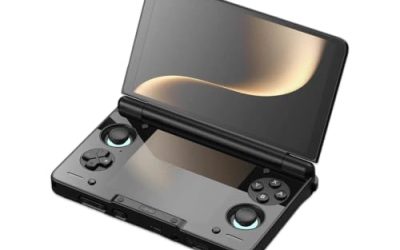
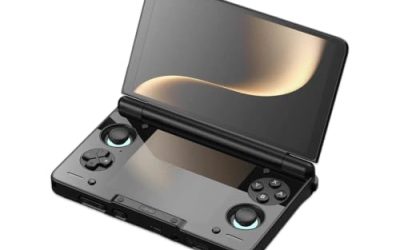
Retroid Pocket Flip 2

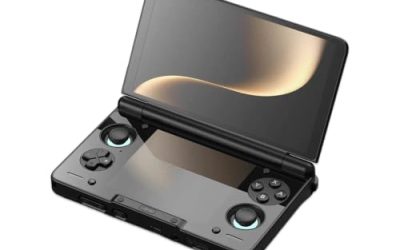
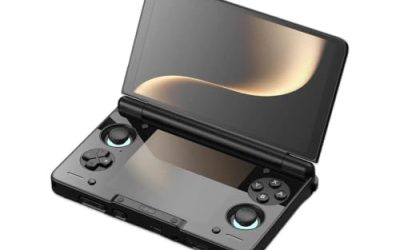
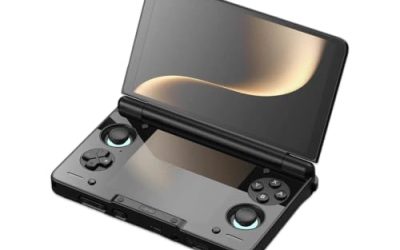
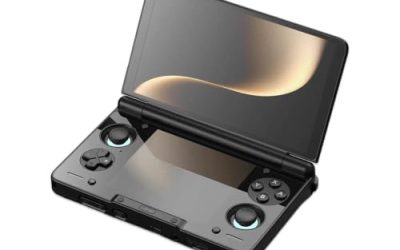
The clamshell pick for players who split time between the stock launcher and several emulators. Active cooling and full Android settings make the untangling work straightforward, and the folding design protects the screen and sticks in a bag.
Specs
- Display: 5.5-inch AMOLED touchscreen
- System: Android 13, Snapdragon platform
- Controls: Hall effect sticks, analog triggers, active cooling
- Tier: mid-range
Retroid Pocket 5
The polished all-rounder. The Retroid Pocket 5 pairs a bright AMOLED screen with a clean Android build and a strong custom firmware community, and if the stock volume curve is not to your taste, this is one of the easiest handhelds to redraw it on.
Specs
- Display: 5.5-inch AMOLED touchscreen
- System: Android 13, Snapdragon platform
- Controls: Hall effect sticks and analog triggers
- Tier: premium
AYN Thor Pro

The flagship option, built around a 6.31-inch AMOLED main screen with a second display below it. The Thor Pro suits players who want maximum headroom: performance, screen quality, and deep settings access that makes volume behaviour fully auditable.
Specs
- Display: 6.31-inch AMOLED main screen, dual-screen design
- System: Android, Snapdragon flagship platform
- Controls: Hall effect sticks and analog triggers
- Tier: premium
Who Should Skip
Skip the shopping if your problem lives on a PC or through a headset: a Windows volume slider moving on its own, a headset that is too quiet, and sidetone level faults are different axes with different fixes. Skip it, too, if your handheld’s speaker crackles, distorts at high volume, or has gone silent; those are speaker and amplifier faults, not step-mapping faults. And if your volume button does nothing at all when pressed, that dead-button fault is a separate problem.
Frequently Asked Questions
Why does the percentage change but the loudness does not?
Because the percentage reports the step, not the result. If an equalizer, loudness profile, or limiter is compressing the top of the range, the step is applied and then squeezed back down, so the number climbs while the sound stays pinned. Flatten every audio effect and rerun the Ladder Test to confirm.
Can a firmware update fix uneven volume steps?
Yes, when the cause is the curve itself. Manufacturers and community firmware builders both redraw volume curves between releases, and raising the step count in sound settings achieves a similar result on handhelds that expose it. Update first, then rerun the Ladder Test before changing anything else.
Why is the volume fine in the menu but uneven in my emulator?
Two ladders are stacked. The frontend or emulator core is applying its own volume steps on top of the system volume, so some presses move both and some move neither. Turn off the frontend’s own volume handling so the buttons talk to one layer only.
Is a double-stepping volume button worth repairing?
On a current handheld with available parts, cleaning the contact with compressed air is worth trying first, and a switch replacement is reasonable if the doubling survives. On an ageing budget device, the repair effort usually outweighs the value, and a replacement with a verifiable volume scale is cleaner.
Final Verdict
Uneven volume steps are a bent ladder, not a broken speaker. Run the Ladder Test, read where the rungs bunch, flatten, or skip, and you will know whether the firmware curve, a stacked frontend, a compressing profile, or a bouncing button is responsible. Three of those four causes cost nothing to fix. Only a convicted button justifies new hardware, and if it comes to that, choose a replacement whose volume behaviour you can inspect and adjust.
Product and ASIN Reference
| Product | ASIN |
|---|---|
| Anbernic RG406H | B0DNF3LD4C |
| Anbernic RG556 | B0FKHBVGLQ |
| Retroid Pocket Flip 2 | B0FDQGNNS4 |
| Retroid Pocket 5 | B0DT4G4PD2 |
| AYN Thor Pro | B0FV3HKG9P |