The update finished, the changelog promised improvements, and now games that ran perfectly yesterday hitch, drop frames and load like they are wading through mud. Nothing about your library changed: the games are the same files on the same card, on the same hardware. The regression lives in the layer the update touched: firmware, frontend, or the settings and caches both manage.
That timing cuts both ways. An update can genuinely break performance, but it also does one-time housekeeping behind your back, and housekeeping looks exactly like breakage for the first few sessions. Rolling back in a panic trades a temporary stutter for an old firmware with its own bugs, and destroys the evidence before you have read it. Read the stutter first: most post-update regressions are one of four causes, each with its own signature.
As an Amazon Associate, we earn from qualifying purchases.
Quick Answer
Most handheld stutter that starts right after a firmware or frontend update is the update’s own housekeeping: shader caches rebuilding, the frontend re-indexing your card, or performance settings reset to defaults. Play the same game across three sessions and check whether it fades. Stutter that stays identical points to a reset governor or a swapped default emulator core. Roll back only after those checks fail.
The Settling Test
Post-update stutter either settles or it stays, and telling the two apart is the whole diagnosis. Run the same demanding game, in the same area, across three sessions after the update, and watch four things.
First, does it fade? Stutter worst in the first session and milder in each one after is rebuild work finishing. Second, where does it bite? Hitching the first time a new area, effect or level loads, then smooth on replay, is a cache signature; a uniform slowdown everywhere, from the title screen onward, is a settings signature. Third, is it every game or one system? A regression confined to one console’s games points at that emulator’s core, not the firmware as a whole. Fourth, did the menus change too? A frontend that scrolls less smoothly and loads box art slowly is still rebuilding, and its games inherit the mess.
Fading stutter needs patience, not surgery. Identical stutter on session three, in every game, from the first minute, is a configuration the update left behind, and the next four sections work through those in order.
Cause One: The Update Reset Your Performance Settings
Firmware and frontend updates routinely rewrite their own settings files, and performance options are the usual casualties. A CPU governor locked to performance returns to a balanced profile that parks cores between frames. An overclock or performance mode toggle resets to off. A frame limit or threaded video option you tuned months ago silently reverts, and the combined effect reads as a handheld that got slower overnight.
The check is free. Open the performance pages you know you changed and compare them against what you remember: the performance mode on Android handhelds, the governor, overclock and per-system menus on Linux frontends. Restore settings one at a time and retest the same area after each. If a setting you rely on no longer exists in the new version, that absence is itself the finding, and the strongest legitimate reason to consider a rollback later.
Cause Two: The Shader Cache Is Rebuilding
Many emulators compile shaders the first time a game shows a new effect, then cache them so the effect is free forever after. Updates love to invalidate that cache: a new emulator build, graphics driver, or cache format can mark the old cache unusable without telling you. The result is a specific stutter: full speed until something new appears on screen, a hitch while the shader compiles, then clean running until the next new thing. Boss fights, new levels and new weather are the worst moments.
The fingerprint is repetition. Play the same section twice in one session. If the second run is smooth where the first hitched, the cache is rebuilding and the cure is simply playing: each area heals itself the first time you visit it. Do not delete caches manually; that restarts the rebuild from zero.
Cause Three: The Frontend Is Still Re-Indexing Your Card
A frontend update often rebuilds its view of your library: rescanning the card, regenerating the game list database, and re-cropping box art. On a big card that work runs across several sessions, competing with your games for the processor and for card reads. Loads lengthen, menus lag, and games stutter in places that were clean before, especially streaming-heavy titles.
The signs are a frontend that feels busy: box art popping in late, lists that stutter as you scroll, a device warm in menus, load times improving a little every day. The fix is to let it finish in one go: leave the handheld awake in the frontend, plugged in, and let the scan complete rather than interrupting it across a week of short sessions. Only judge game performance once the menus themselves feel instant again.
Cause Four: The Default Core Changed Under Your Games
Frontend and emulator-pack updates sometimes change which core runs a system by default, or update the core itself to a heavier build your handheld cannot run at full speed. The fingerprint is precision: one system’s games regress while everything else is untouched, and the affected games stutter uniformly rather than at new-effect moments.
Open the affected system’s settings, look at which core is assigned, and test the same game on the alternative core the pack offers. Many systems ship with two or three cores of different ages, and switching back to the lighter one restores the old performance in seconds. One trap: save states made on the previous core may refuse to load on the new one. That is a known behaviour of core changes, not corruption, so use in-game saves around any core swap.
How to Choose
If your stutter faded across three sessions, choose nothing: the update has settled. If a reset setting explains it, restore it and stop there. The handhelds below are the shortlist for the narrower case where the regression is real and permanent: an update path that dropped your settings, or a machine already at its limit. Judge replacements on headroom first, then on how updates are delivered: Android handhelds take over-the-air updates you can schedule, while Linux handhelds update by frontend version or a fresh card image, putting the timing in your hands.
1. AYN Thor Pro — Premium

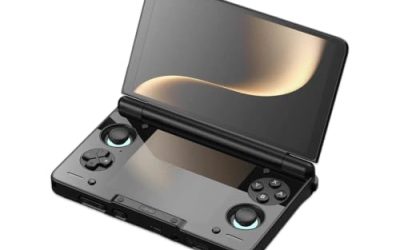
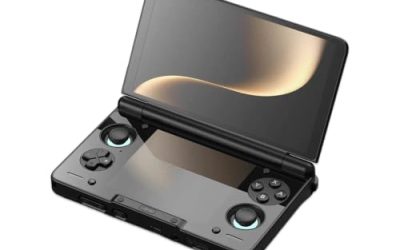
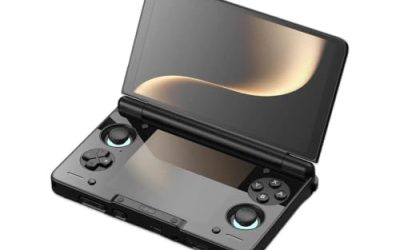
The dual-screen flagship pairs a 6.31-inch OLED main panel with a smaller OLED below it, driven by a Snapdragon 8 Gen 2 on Android. That chip has headroom to spare for every retro system it emulates, so an update that raises the cost of a core or frontend is absorbed rather than felt.
Specs
- Main display: 6.31-inch OLED
- Second display: OLED, below the main panel
- Chip: Snapdragon 8 Gen 2
- System: Android, internal storage
- Tier: premium
2. Retroid Pocket 5 — Mid-Range

A 5.5-inch AMOLED panel on a Snapdragon 865, running a mature Android build with a well-documented performance mode. The 865’s behaviour under every major emulator is thoroughly mapped, which makes post-update changes easy to spot: when a new build alters a default, the setting responsible is usually quick to find.
Specs
- Display: 5.5-inch AMOLED, 1080p
- Chip: Snapdragon 865
- System: Android, internal storage
- Tier: mid-range
3. Anbernic RG556 — Mid-Range

The 5.48-inch AMOLED on a Unisoc T820 asks more of its software, because the T820 works harder for the same systems and lives closer to its ceiling on GameCube and PlayStation 2. That makes it the machine here where the Settling Test matters most: distinguish a rebuilding cache from a core that got heavier, because the heavier core may be beyond it.
Specs
- Display: 5.48-inch AMOLED, 1080p
- Chip: Unisoc T820
- System: Android, internal storage
- Tier: mid-range
4. Anbernic RG406H — Budget

The 4.0-inch IPS LCD at 960 by 720 keeps the same T820 at a lower display load, and most of its library is 16-bit and 32-bit systems no plausible update can make heavy. Regressions here are almost never about power; they are the frontend’s rebuild or a reset setting, both of which the test above settles.
Specs
- Display: 4.0-inch IPS LCD, 960 by 720
- Chip: Unisoc T820
- System: Android, internal storage
- Tier: budget
5. TrimUI Smart Pro — Budget

A 4.96-inch IPS panel on an Allwinner A133P, running a Linux frontend from the card. Its update behaviour is the most predictable here: nothing changes until you change it, frontend updates arrive as a version you choose to install, and keeping the previous card image is a complete, honest rollback. Its ceiling is PlayStation and below.
Specs
- Display: 4.96-inch IPS, 1280 by 720
- Chip: Allwinner A133P
- System: Linux frontend, card-based
- Tier: budget
Who Should Skip This Guide
Skip this guide if your handheld stutters in only one game that also stuttered before the update; that is a game or core problem with its own history. Skip it if the device also fails to wake from sleep, charges abnormally slowly, or restarts mid-game: those are separate faults with their own guides. Skip it if your save states stopped loading after the update while gameplay is smooth; state compatibility is a different issue. And skip it if your handheld was already too weak for the systems you emulate, because no setting restores headroom that never existed.
Frequently Asked Questions
How long should I wait before deciding an update actually broke performance?
Three sessions of the same demanding game is a fair test. Cache rebuilds and re-indexing are worst in the first session and visibly fade by the third. Stutter identical on the third session, in the same places, is not housekeeping; work through the settings and core checks, and only then weigh a rollback.
Will rolling back the firmware definitely restore the old performance?
Not definitely. A rollback restores the old firmware, but caches rebuilt by the newer version may not be readable by the old one, triggering a fresh rebuild and a new round of settling stutter. Roll back only when you have identified what the update changed, such as a removed overclock option or a heavier default core, and keep in-game saves rather than save states across the move.
Why does the stutter hit hardest in new areas and boss fights?
Those are the moments a game shows effects it has not shown yet in this cache’s lifetime. If the update invalidated the shader cache, each new effect compiles once, hitches once, then runs clean. Replay the same section immediately and the hitches are gone or greatly reduced.
The update removed the performance setting I relied on. What now?
Treat the removal as the diagnosis. Check whether the new version moved the setting into a per-system menu or the maker’s performance app, since updates reorganise as often as they remove. If it is genuinely gone, the choices are the lighter core, reduced settings, or a rollback taken with the evidence you have gathered. A missing setting is the one regression that never settles on its own.
Final Verdict
An update that makes a healthy handheld stutter is usually confessing to housekeeping, not damage. Run the Settling Test across three sessions before changing anything structural: fading stutter is caches and indexes finishing their rebuild, and it cures itself. Stutter that stays put has a nameable cause: a reset governor or performance setting, a swapped default core, or a frontend still rescanning your card. Restore the setting, switch the core, or let the scan finish, and keep the rollback in reserve for the rare update that genuinely took something away.
Product and ASIN Reference
| Product | ASIN |
|---|---|
| AYN Thor Pro | B0FV3HKG9P |
| Retroid Pocket 5 | B0DT4G4PD2 |
| Anbernic RG556 | B0FKHBVGLQ |
| Anbernic RG406H | B0DNF3LD4C |
| TrimUI Smart Pro | B0CSK9B4G4 |