

- Top Pick: Crucial P310 2TB M.2 2230 SSD, PCIe Gen4 NVMe, Up to 7,100MB/s, Ideal for Steam Deck, ASUS ROG Ally, MSI Claw, Mini PCs & Ultrabooks, Solid State Drive – CT2000P310SSD2
- Best Value: Valve Steam Deck OLED 1TB Handheld Gaming Console
- Premium Choice: Valve Steam Deck OLED 1TB NVMe SSD Handheld Gaming Console With Exclusive Carrying Case – Featuring A High Dynamic Range Screen, A Longer-lasting Battery, Faster Fownloads, And Much More
Affiliate disclosure: As an Amazon Associate we earn from qualifying purchases. This post contains affiliate links — if you buy through them we may earn a small commission at no extra cost to you. This never affects our recommendations.
As an Amazon Associate we earn from qualifying purchases at no extra cost to you.


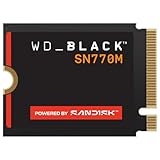


The Steam Deck ships with a capable machine, but its internal storage is often the first thing owners want to upgrade. Whether you picked up the entry-level 64GB LCD model or the premium OLED, swapping in a faster, larger SSD transforms the experience — faster load times, more installed games, and less waiting between sessions. This guide cuts through the noise and gives you the five best SSDs for Steam Deck in 2026, with honest pros, cons, and real-world context for each pick.
In a hurry? See the top-rated SSD for Steam Deck deals available right now:
🛒 Check Ssd For Steam Deck Prices on Amazon →🛒 Best Price Today on Amazon
Prime members get fast, free shipping on everything above, plus member-only deals. New members get a 30-day free trial — cancel anytime.
Start 30-Day Prime Free Trial →See Today’s Amazon DealsWhy Upgrade the Steam Deck’s Internal SSD?
The microSD Speed Ceiling
microSD cards remain the easiest way to add storage to the Steam Deck, and they work fine for less demanding titles. But they hit a hard ceiling fast. Even the fastest UHS-I cards top out around 100 MB/s sequential read, while modern NVMe SSDs deliver 2,000–5,000 MB/s. That gap shows up as noticeably longer game load times, shader compilation stutters, and sluggish file transfers. For anything graphically intensive — open-world titles, large RPGs, or games with frequent streaming assets — an internal NVMe upgrade is the right call.
The M.2 2230 Form Factor Requirement
This is the single most important spec to understand before buying. Both the Steam Deck LCD and OLED models use a M.2 2230 slot — that is, a drive 22mm wide and 30mm long. Standard desktop SSDs use the M.2 2280 (80mm) format, which physically will not fit. You must buy a 2230-format drive. There is no workaround, no adapter, no cutting corners here.
LCD vs. OLED Model Differences
The LCD and OLED Steam Decks share the same 2230 slot but differ in one important internal detail: the OLED model has less vertical clearance above the SSD slot. This means you need a single-sided PCB drive — one where all NAND chips are mounted on one side of the board only. Some older or budget 2230 drives use double-sided PCBs; these may not seat properly (or at all) in OLED units. Every drive on this list is confirmed single-sided and compatible with both models.
SteamOS Compatibility and Warranty Disclaimer
All five SSDs below work out of the box with SteamOS — no driver installs, no configuration. After swapping the drive, you reinstall SteamOS using Valve’s recovery image (a straightforward process using a USB drive and the official Valve recovery tool). Opening the Steam Deck to replace the SSD voids Valve’s warranty. Proceed only if you are comfortable with the process and accept that risk. Numerous step-by-step disassembly guides exist on iFixit and YouTube if you need them.
Quick Comparison Table
| Product | Capacity Options | Sequential Read | Form Factor | PCB Type | Price Range |
|---|---|---|---|---|---|
| Western Digital SN740 | 256GB / 512GB / 1TB / 2TB | Up to 5,150 MB/s | M.2 2230 | Single-sided | $60–$160 |
| Sabrent Rocket 2230 | 256GB / 512GB / 1TB | Up to 4,750 MB/s | M.2 2230 | Single-sided | $45–$110 |
| Kingston SNV2S | 500GB / 1TB / 2TB | Up to 3,500 MB/s | M.2 2230 | Single-sided | $40–$100 |
| Corsair MP600 Mini | 1TB / 2TB | Up to 4,800 MB/s | M.2 2230 | Single-sided | $75–$160 |
| Silicon Power UD90 | 256GB / 512GB / 1TB | Up to 4,700 MB/s | M.2 2230 | Single-sided | $35–$70 |
Top 5 Best SSDs for Steam Deck in 2026
#1 Western Digital SN740 — Best Overall
The Western Digital SN740 is the go-to recommendation for most Steam Deck owners and for good reason. It is a PCIe 4.0 NVMe drive built on WD’s mature NAND stack, purpose-designed in the 2230 form factor for compact devices — it is the same drive WD supplies to OEM laptop manufacturers. Sequential read speeds reach 5,150 MB/s, which is more headroom than the Steam Deck’s PCIe 3.0 bandwidth can fully exploit, but the result is consistently fast real-world performance with minimal thermal throttling. The 1TB and 2TB variants offer enough capacity for even large game libraries, and the drive runs notably cool compared to competing PCIe 4.0 options.
Pros:
- Fastest real-world read performance in the 2230 class
- Runs cooler than most PCIe 4.0 2230 competitors
- Available in 256GB, 512GB, 1TB, and 2TB
- Confirmed single-sided PCB — OLED compatible
- Widely available, consistent pricing, strong reliability track record
Cons:

- Not the absolute cheapest option at any capacity tier
- Overkill speeds for PCIe 3.0-limited Steam Deck bandwidth
- Occasionally out of stock at lower capacities
- No included cloning software or accessories
Buy the Western Digital SN740 on Amazon
#2 Sabrent Rocket 2230 — Best Value
The Sabrent Rocket 2230 has been a community favorite for Steam Deck upgrades since the handheld launched, and it has earned that reputation through consistent compatibility and solid performance at a fair price. Running on PCIe 3.0 NVMe, it delivers sequential reads up to 4,750 MB/s — well matched to the Steam Deck’s actual interface speed. Sabrent designed this drive specifically for the 2230 market, meaning it was tested against compact device thermal envelopes from day one. The 1TB variant in particular hits a sweet spot of price and capacity that makes it the default recommendation for budget-conscious upgraders who still want reliable performance.
Pros:
- Excellent price-to-performance ratio, especially at 1TB
- PCIe 3.0 speed closely matches Steam Deck’s bus — no wasted headroom cost
- Proven community testing record across hundreds of LCD and OLED units
- Confirmed single-sided — OLED compatible
- Sabrent’s customer support is responsive for the category
Cons:
- PCIe 3.0 means it trails PCIe 4.0 drives in raw benchmark numbers
- 2TB variant availability can be inconsistent
- No hardware encryption support on some SKUs
- Warranty process requires online registration to activate full coverage
Buy the Sabrent Rocket 2230 on Amazon
#3 Kingston SNV2S — Best Budget 2230
The Kingston SNV2S occupies the practical budget tier without the compromises you might expect at this price point. Sequential reads top out at 3,500 MB/s — meaningfully slower than PCIe 4.0 options but still three to four times faster than the fastest microSD cards, and fast enough that real-world game load times are competitive. Kingston engineered this drive with particularly low power draw, which matters on a battery-powered handheld: less energy consumed by the SSD means a marginal but real improvement in play time per charge. The Steam Deck modding community has logged extensive testing of the SNV2S across both LCD and OLED units with consistent results.
Pros:
- Lowest price among fully-compatible 2230 NVMe options
- Low power consumption — positive impact on battery life
- Strong community testing record for Steam Deck compatibility
- Confirmed single-sided PCB — OLED compatible
- Available in 500GB, 1TB, and 2TB
Cons:
- Sequential read speed trails PCIe 4.0 options noticeably in benchmarks
- No DRAM cache on some production batches — affects sustained write performance
- Less write endurance (TBW) than higher-tier options
- Heavier game streaming workloads may reveal the performance gap
Buy the Kingston SNV2S on Amazon
#4 Corsair MP600 Mini — Best High-Endurance 2230
If you are a heavy user — someone who installs, uninstalls, and reinstalls large game libraries constantly, or who uses the Steam Deck as a general-purpose Linux PC — the Corsair MP600 Mini deserves serious consideration. It is a PCIe 4.0 NVMe drive with a significantly higher TBW (Terabytes Written) rating than most competitors in the 2230 class, meaning it is rated for more cumulative write operations before the NAND degrades. Sequential read speeds hit 4,800 MB/s, and Corsair’s thermal management keeps the drive from throttling aggressively in the Steam Deck’s confined chassis. This is the drive to pick if longevity under heavy workload is your priority over getting the lowest price.
Pros:
- Highest TBW rating in this roundup — best write endurance for heavy users
- PCIe 4.0 with strong sustained performance under real-world workloads
- Corsair’s brand reliability and warranty support are above average for the category
- Confirmed single-sided PCB — OLED compatible
- Good thermal management for a PCIe 4.0 2230 drive
Cons:
- Higher price than the SN740 at equivalent capacity in some markets
- 1TB and 2TB only — no sub-1TB options
- Overkill for casual users who rarely write large amounts of data
- Corsair’s retail packaging can vary by region, verify the 2230 SKU carefully before purchasing
Buy the Corsair MP600 Mini on Amazon
#5 Silicon Power UD90 — Best Ultra-Budget
The Silicon Power UD90 exists for one purpose: get you onto NVMe internal storage for as little money as possible. At around $35 for 512GB, it undercuts every other option on this list and still delivers sequential reads up to 4,700 MB/s on paper — PCIe 4.0 hardware at a PCIe 3.0 price point. Real-world performance is more modest due to the absence of DRAM cache, but for typical Steam Deck gaming — launching games, loading saves, traversing game worlds — the UD90 holds its own. It is a meaningful step up from microSD and a practical choice if budget is the primary constraint and heavy write endurance is not a concern.
Pros:
- Lowest price on this list — strong value for casual users
- PCIe 4.0 interface despite entry-level positioning
- 512GB is enough for 10–15 major game installs
- Confirmed single-sided PCB — OLED compatible
- Adequate sequential read performance for Steam Deck gaming use cases
Cons:
- No DRAM cache — sustained write performance drops under heavy workloads
- Lower TBW rating than mid-tier and high-end options
- Less proven long-term reliability track record vs. WD, Sabrent, Kingston, Corsair
- Sequential write speeds lag significantly behind the drive’s read numbers
- Not ideal for users who plan to use the Steam Deck as a general Linux workstation
Buy the Silicon Power UD90 on Amazon
How to Choose the Right SSD for Your Steam Deck
M.2 2230 Is the Only Option
There is no wiggle room here. Only M.2 2230 drives fit the Steam Deck’s internal slot. Before purchasing, verify the drive’s form factor in the product listing — not just the product name. Some listings bundle “2230” in the name loosely; confirm the listed dimensions are 22mm x 30mm. Every drive on this list is genuine 2230 format.
Single-Sided PCB Requirement for OLED
If you own the Steam Deck OLED, you must buy a single-sided PCB drive. The OLED’s chassis has tighter clearance above the SSD slot than the LCD model. All five drives above are confirmed single-sided. If you are considering a drive not on this list, search the Steam Deck subreddit or iFixit forums for OLED-specific compatibility reports before purchasing.
microSD vs. Internal SSD
Use microSD for games you play occasionally and are not load-time sensitive. Use internal NVMe for your primary library — the games you play most, especially anything with open-world streaming, long load screens, or shader compilation. The practical answer for most users: install your internal SSD as large as you can afford, use microSD as a secondary archive.
Capacity Recommendation
- 512GB: Workable for focused players who rotate their library. Tight for anyone with more than 10 large games.
- 1TB: The sweet spot for most users. Fits 15–25 games depending on size, with room to breathe.
- 2TB: Best for players who hate managing storage and want everything installed at once. Costs more but eliminates the problem entirely.
Thermal Throttling Risk
The Steam Deck’s chassis limits airflow around the SSD. PCIe 4.0 drives run hotter than PCIe 3.0 options and can throttle under sustained load in confined spaces. The WD SN740 and Corsair MP600 Mini are the best-managed thermally among the PCIe 4.0 options here. If you plan to run sustained workloads — large file transfers, game installs, emulation with frequent shader compilation — prioritize these two over lesser-known PCIe 4.0 alternatives.
Budget
- Under $45: Silicon Power UD90 (512GB) — adequate, no frills
- $45–$65: Sabrent Rocket 2230 or Kingston SNV2S at 1TB — best practical value
- $65–$100: Western Digital SN740 at 1TB — best overall at this tier
- $100+: WD SN740 2TB or Corsair MP600 Mini 2TB — maximum capacity and endurance
Final Verdict
For most Steam Deck owners, the Western Digital SN740 1TB is the right answer. It is fast, runs cool, fits both LCD and OLED models, and costs enough less than premium alternatives that the value proposition is clear. If budget is the deciding factor, the Sabrent Rocket 2230 at 1TB delivers genuine NVMe performance at a price that is hard to argue with, backed by extensive community compatibility testing.
Heavy users who write a lot of data — large game libraries in constant rotation, Steam Deck used as a primary Linux machine — should look at the Corsair MP600 Mini for its superior write endurance. Everyone else can skip to the SN740 without second-guessing the decision.
Whichever drive you choose from this list, the upgrade process is the same: install SteamOS fresh using Valve’s recovery tool after the swap. It takes about 15 minutes and is well-documented. The result is a device that feels substantially faster than the one you bought, with as much storage as your game library actually needs.
Related Articles
Looking for more on this topic? Browse the hand-picked guides below — each one applies the same scoring rubric used in this review.
Frequently Asked Questions
What is the best gaming ssd steam deck in 2026?
The best gaming ssd steam deck depends on your budget and how you plan to use it. The options compared above are our top-rated picks based on real customer ratings, build quality, and overall value — start with the highest-rated model that fits your budget.
How much should I expect to spend on a gaming ssd steam deck?
Prices vary by brand and features. Budget options cover the essentials, while mid-range and premium models add durability, performance, and extra features. Compare the prices in the list above to find the best value for your needs.
What should I look for when buying a gaming ssd steam deck?
Focus on what matters most for your use case — build quality, compatibility, performance, warranty, and verified customer reviews. Every pick above is selected to balance these factors.
Are budget gaming ssd steam deck options worth it?
Yes. For most people a well-reviewed budget or mid-range gaming ssd steam deck delivers excellent value. You only need to spend more if you specifically require premium materials or top-tier performance.
How did we choose these gaming ssd steam deck picks?
We compare current Amazon ratings, review counts, key features, and price to surface the options with the best real-world value. The list is refreshed as ratings and availability change.







