

- Top Pick: fanxiang 500GB NVMe SSD PCIe Gen4 M.2 SSD, Up to 4700 MB/s, Internal Gaming SSD for PS5, 3D NAND SLC Cache Solid State Drive Upgrade Storage for PC/Laptops S690Q
- Best Value: PNY CS900 500GB 2.5" SATA III Internal SSD
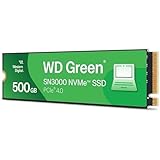
- Premium Choice: Western Digital 500GB WD Green SN3000 NVMe Internal SSD – Solid State Drive – Gen4 PCIe, M.2 2280, Up to 5,000 MB/s – WDS500G4G0E
Affiliate disclosure: As an Amazon Associate we earn from qualifying purchases. This post contains affiliate links — if you buy through them we may earn a small commission at no extra cost to you. This never affects our recommendations.
As an Amazon Associate we earn from qualifying purchases at no extra cost to you.




Title: Best 500GB Gaming SSD in 2026: Top 5 Picks for Budget Builds
The 500GB NVMe SSD occupies a specific, honest niche in 2026. It is not the right primary drive for someone building a gaming PC from scratch with a $1,000+ budget — the 1TB tier is simply too close in price to ignore. But it is exactly the right drive for several real scenarios: adding a second NVMe slot to an existing build, pairing with a large HDD or 1TB secondary drive, setting up a budget OS-only installation, or equipping a secondary PC where game library size is not the priority.
PCIe 4.0 at 500GB has dropped to $40–$55 in 2026 — a price point where you get flagship-tier sequential speeds without flagship-tier capacity. The trade-offs are real and worth naming upfront: 500GB holds only 4–6 modern AAA games at 60–100GB each, DRAM cache limitations hit harder at smaller capacities, and TBW (total bytes written) endurance ratings are proportionally lower. This guide covers all of that, ranks five strong options, and tells you honestly when to buy 500GB and when to spend a bit more for 1TB.
In a hurry? See the top-rated 500GB Gaming SSD deals available right now:
🛒 Check 500Gb Gaming Ssd Prices on Amazon →🛒 Best Price Today on Amazon
Prime members get fast, free shipping on everything above, plus member-only deals. New members get a 30-day free trial — cancel anytime.
Start 30-Day Prime Free Trial →See Today’s Amazon DealsQuick Comparison Table
| SSD | Interface | Read Speed | Write Speed | TBW |
|---|---|---|---|---|
| Samsung 980 Pro 500GB | PCIe 4.0 x4 | 6,900 MB/s | 5,000 MB/s | 300 TBW |
| WD Black SN770 500GB | PCIe 4.0 x4 | 5,150 MB/s | 4,900 MB/s | 300 TBW |
| Crucial P3 500GB | PCIe 3.0 x4 | 3,500 MB/s | 3,000 MB/s | 110 TBW |
| Kingston NV2 500GB | PCIe 4.0 x4 | 3,500 MB/s | 2,100 MB/s | 160 TBW |
| Seagate BarraCuda 510 500GB | PCIe 3.0 x4 | 3,400 MB/s | 2,600 MB/s | 200 TBW |
The 500GB Reality Check: What You Need to Know Before Buying
Five things that matter more at 500GB than at 1TB.
You get 4–6 modern AAA games, full stop. After Windows 11 (30GB) and a standard application suite (20–30GB), you have roughly 440–450GB of usable space. At the current average of 70–90GB per AAA title, that is 5–6 games before you are uninstalling to make room. If your library is smaller — you play one or two titles at a time, or you game mostly in indie/older titles under 30GB — 500GB is a perfectly workable primary drive. If you have ten games you want installed simultaneously, stop here and buy 1TB.
DRAM vs DRAM-less is more impactful at smaller capacities. SLC cache (used by DRAM-less drives to simulate fast write performance) is sized proportionally to total NAND. A 500GB DRAM-less drive has a smaller absolute SLC cache than the same drive at 1TB. This means it exhausts its fast write buffer sooner under sustained writes — like installing a 70GB game. At 1TB, budget DRAM-less drives are often fast enough for gaming workloads. At 500GB, the gap between DRAM-equipped and DRAM-less drives is more noticeable. The Samsung 980 Pro is the only pick on this list with a dedicated DRAM cache; the WD Black SN770 uses Host Memory Buffer (HMB), which partially offsets the gap.
500GB vs 1TB price per GB: 1TB wins. In mid-2026, a quality 1TB PCIe 4.0 drive costs around $60–$80. The best 500GB options run $40–$55. The 1TB drive gives you twice the capacity for roughly 30–40% more money, making it the better value on a pure GB-per-dollar basis. The 500GB tier makes sense when the constraint is a second M.2 slot that supplements another drive, a tight overall budget, or a platform that limits you to one M.2 slot and you need to stretch elsewhere.
When to buy 500GB: OS-only drive in a dual-drive setup (OS on 500GB NVMe, games on 1–2TB secondary), budget secondary slot in a laptop, replacing a failed drive in an older system, building a secondary PC with a tight budget and modest game library.
When NOT to buy 500GB: As your only drive in a primary gaming PC if you plan to maintain a serious game library. In that scenario, 1TB is worth the extra $20–$30.
1. Samsung 980 Pro 500GB
Key Specs
| Spec | Detail |
|---|---|
| Interface | PCIe 4.0 x4, NVMe 1.3c |
| Sequential Read | 6,900 MB/s |
| Sequential Write | 5,000 MB/s |
| Random Read (4K) | 800K IOPS |
| TBW | 300 TBW |
| DRAM Cache | Yes |
| Warranty | 5 years |
The Samsung 980 Pro is the only drive on this list with a dedicated DRAM cache — and at 500GB, that distinction matters more than at 1TB. The DRAM cache serves as a persistent address lookup table for the controller, keeping random read performance consistent even under sustained workloads. For a drive at this capacity, where SLC write buffers are smaller, having DRAM on board means the 980 Pro maintains steadier sustained write speeds than any DRAM-less competitor here.
Sequential read of 6,900 MB/s is just 100 MB/s short of the 1TB version, and sequential write matches it at 5,000 MB/s — an unusually strong write spec for a 500GB drive. The 300 TBW endurance rating is proportionally consistent with the 1TB version’s 600 TBW and sufficient for several years of normal gaming use. Samsung Magician software adds health monitoring, firmware management, and over-provisioning controls that none of the other picks on this list can match.
The trade-off is price — the 980 Pro at 500GB typically costs $50–$55, which is the most expensive option in this comparison. You are paying a meaningful premium for the DRAM cache and Samsung’s reliability track record.
Pros & Cons
Pros:
- Only DRAM-equipped drive in this comparison — better sustained performance
- Near-1TB sequential read speeds at half the capacity
- Excellent Samsung Magician software ecosystem
- 5-year warranty with Samsung’s reliability track record
- Strong 4K random read performance for real-world gaming responsiveness
Cons:
- Most expensive pick at ~$55 — narrows the gap to 1TB pricing
- 300 TBW endurance is the lowest on a per-dollar basis
- At this price premium, 1TB alternatives deserve serious consideration
Who It’s For
The Samsung 980 Pro 500GB is the right call if you need the best sustained performance at 500GB capacity — specifically for an OS drive in a dual-drive setup where installation speed and consistent random access matter. It is also the right pick if you trust Samsung’s reliability record and want the Magician software ecosystem. If budget is the primary concern, the WD Black SN770 is a better value.

Samsung 980 Pro 500GB on Amazon
2. WD Black SN770 500GB
Key Specs
| Spec | Detail |
|---|---|
| Interface | PCIe 4.0 x4, NVMe 2.0 |
| Sequential Read | 5,150 MB/s |
| Sequential Write | 4,900 MB/s |
| Random Read (4K) | 740K IOPS |
| TBW | 300 TBW |
| DRAM Cache | No (HMB) |
| Warranty | 5 years |
The WD Black SN770 is the best value pick in this comparison — offering PCIe 4.0 speeds, 300 TBW endurance, and a 5-year warranty for around $43–$48. It runs without a dedicated DRAM cache but uses Host Memory Buffer (HMB), which borrows a small slice of system RAM to handle address lookup functions. Under typical gaming workloads, HMB-equipped drives perform very close to DRAM-equipped drives — the difference primarily surfaces during large sustained writes that would exhaust the SLC cache.
Sequential read of 5,150 MB/s trails the Samsung 980 Pro by nearly 1,800 MB/s on paper but translates to load time differences of well under a second in practice. Sequential write at 4,900 MB/s is actually competitive with the 980 Pro and far ahead of the PCIe 3.0 picks on this list. Random read at 740K IOPS is strong for a DRAM-less drive and will not feel like a bottleneck in any gaming scenario.
WD’s software (WD Dashboard) is functional but less feature-rich than Samsung Magician. The SN770 uses WD’s in-house controller and 176-layer TLC NAND, which is a mature, well-tested configuration.
Pros & Cons
Pros:
- Best value in the PCIe 4.0 tier at this capacity
- Strong sequential write (4,900 MB/s) competitive with DRAM-equipped drives
- HMB partially compensates for lack of dedicated DRAM under light workloads
- 5-year warranty at a mid-range price
- Proven WD controller and NAND combination
Cons:
- No dedicated DRAM — performance dips more under sustained heavy writes
- Sequential read (5,150 MB/s) is lower than other PCIe 4.0 options at this capacity
- HMB requires NVMe 1.4+ host support — older platforms may not benefit fully
Who It’s For
The WD Black SN770 500GB is the default recommendation for most buyers in this category. It offers PCIe 4.0 performance, a respectable endurance rating, and a 5-year warranty at a price that keeps the budget sensible. If you are adding a second NVMe drive to an existing build, upgrading a laptop’s secondary slot, or building a budget system where 500GB is genuinely sufficient, this is the drive to buy.
WD Black SN770 500GB on Amazon
3. Crucial P3 500GB
Key Specs
| Spec | Detail |
|---|---|
| Interface | PCIe 3.0 x4, NVMe 1.4 |
| Sequential Read | 3,500 MB/s |
| Sequential Write | 3,000 MB/s |
| Random Read (4K) | 460K IOPS |
| TBW | 110 TBW |
| DRAM Cache | No (HMB) |
| Warranty | 5 years |
The Crucial P3 is the budget floor of this comparison — a PCIe 3.0 drive in a world that has largely moved to PCIe 4.0. At around $33–$38, it is the cheapest option here, and the trade-offs are real: sequential read tops out at 3,500 MB/s (roughly half the Samsung 980 Pro), sequential write at 3,000 MB/s, and TBW endurance at 110 TBW — the lowest on this list by a significant margin. That 110 TBW figure is the most meaningful concern for a 500GB drive. It means the drive is rated for roughly 220 write cycles of full capacity, which is achievable over a few years of heavy gaming (frequent installs and uninstalls of large titles).
That said, the Crucial P3 is not without merit. PCIe 3.0 is still entirely functional for gaming in 2026 — load time differences between PCIe 3.0 and PCIe 4.0 at this capacity are measured in one to three seconds, not tens of seconds. The drive uses Micron’s own NAND (Crucial is Micron’s consumer brand), which brings manufacturing quality control that budget drives from lesser-known brands lack. For a secondary drive in an older system that only has PCIe 3.0 slots, the P3 makes complete sense.
The 5-year warranty is generous given the price, though Crucial’s warranty claim process has historically been less smooth than Samsung’s or WD’s.
Pros & Cons
Pros:
- Lowest price on the list — genuinely budget-friendly at ~$35
- Micron NAND — known manufacturer, consistent quality
- 5-year warranty despite budget pricing
- PCIe 3.0 is sufficient for gaming load times in practice
Cons:
- 110 TBW endurance is notably low — monitor drive health if installing/removing large games frequently
- PCIe 3.0 sequential speeds fall behind all other picks in intensive sustained transfers
- No dedicated DRAM — combined with PCIe 3.0, worst sustained write performance here
- Random read (460K IOPS) is the lowest on this list
Who It’s For
The Crucial P3 500GB is the right pick for a secondary slot in an older system with only PCIe 3.0 support, a storage upgrade for a budget laptop that doesn’t need peak speed, or a scratch drive for a non-gaming workstation. If your system has PCIe 4.0 slots, the WD Black SN770 is only $8–$10 more and offers substantially better performance and endurance.
4. Kingston NV2 500GB
Key Specs
| Spec | Detail |
|---|---|
| Interface | PCIe 4.0 x4, NVMe 2.0 |
| Sequential Read | 3,500 MB/s |
| Sequential Write | 2,100 MB/s |
| Random Read (4K) | 400K IOPS |
| TBW | 160 TBW |
| DRAM Cache | No |
| Warranty | 3 years |
The Kingston NV2 is the most nuanced pick on this list because its marketing is slightly misleading. It runs on a PCIe 4.0 interface but uses an entry-level controller that limits sequential throughput to speeds typical of PCIe 3.0 drives — 3,500 MB/s read and, more importantly, only 2,100 MB/s write. That write speed is the lowest on this list and will be noticeable during large game installations. Sequential write is where most users feel storage speed in day-to-day use — copying files, installing 70GB titles, moving data between drives — and 2,100 MB/s is the practical ceiling before you start noticing the wait.
The 160 TBW endurance is better than the Crucial P3 but lower than the WD SN770 and Samsung 980 Pro. The 3-year warranty is the shortest on this list. Kingston’s NV2 line also uses variable NAND sourcing — the controller and NAND combination can differ between production batches, which introduces some performance inconsistency across retail units.
At $36–$40, the NV2 is priced similarly to the Crucial P3 but technically on PCIe 4.0. The problem is that PCIe 4.0 means little when the controller limits throughput to PCIe 3.0 levels, and the write speed falls below the P3 in sequential performance.
Pros & Cons
Pros:
- PCIe 4.0 interface — forward-compatible with future platforms
- Decent sequential read speeds for everyday OS tasks
- Compact, slim form factor — good for tight laptop slots
- Widely available and easy to find in retail
Cons:
- 2,100 MB/s sequential write is the lowest on this list — noticeable during game installs
- PCIe 4.0 bandwidth wasted by entry-level controller
- 3-year warranty — shortest here
- Variable NAND sourcing between production batches
- Random read (400K IOPS) is the weakest in this comparison
Who It’s For
The Kingston NV2 500GB is a reasonable pick only if it is significantly cheaper than the WD SN770 at your retailer (by more than $8) or if PCIe 4.0 interface compatibility is a hard requirement for a specific platform. Under most circumstances, the WD SN770 delivers notably better write performance for a similar or slightly higher price and is the better purchase.
5. Seagate BarraCuda 510 500GB
Key Specs
| Spec | Detail |
|---|---|
| Interface | PCIe 3.0 x4, NVMe 1.3 |
| Sequential Read | 3,400 MB/s |
| Sequential Write | 2,600 MB/s |
| Random Read (4K) | 610K IOPS |
| TBW | 200 TBW |
| DRAM Cache | No (HMB) |
| Warranty | 5 years |
The Seagate BarraCuda 510 is the quiet surprise in this comparison. It runs on PCIe 3.0, which limits sequential ceiling speeds, but its 200 TBW endurance rating is the best among the PCIe 3.0 and budget picks here — significantly higher than the Crucial P3’s 110 TBW and matching the better PCIe 4.0 drives in this comparison on a per-capacity basis. For a 500GB drive, 200 TBW means the drive can sustain consistent write workloads over years without approaching rated limits under normal gaming use.
The BarraCuda 510 uses HMB and achieves a 3,400 MB/s sequential read — slightly behind the P3 but competitive. Sequential write at 2,600 MB/s is better than the Kingston NV2 despite being a PCIe 3.0 drive, which speaks to the NV2’s controller limitation. Random read at 610K IOPS is notably strong for a DRAM-less PCIe 3.0 drive and beats the Crucial P3 by a meaningful margin — this matters more for gaming than sequential read in most real-world scenarios.
Seagate’s 5-year warranty applies, and the BarraCuda 510 has a reliable manufacturing track record. At around $38–$42, it sits in the mid-range of this comparison.
Pros & Cons
Pros:
- 200 TBW endurance — best longevity among the budget and PCIe 3.0 picks
- Strong 610K IOPS random read — more relevant for gaming than sequential speeds
- 5-year warranty at a competitive price
- Better write speed than the Kingston NV2 despite PCIe 3.0 interface
- Seagate’s reliable manufacturing reputation
Cons:
- PCIe 3.0 — sequential ceiling is lower than PCIe 4.0 alternatives at this price
- No dedicated DRAM cache
- Sequential read (3,400 MB/s) is the lowest on this list
- Older NVMe 1.3 specification — lacks newer protocol features
Who It’s For
The Seagate BarraCuda 510 500GB suits buyers who prioritize endurance and reliability over raw sequential speed — specifically, those installing a secondary drive in a system with PCIe 3.0 slots, upgrading storage in an older laptop, or who plan to keep the drive for an extended period and want the best longevity of the budget options. The 200 TBW rating gives it a meaningful edge over the Crucial P3 for any user who installs and removes large titles regularly.
Seagate BarraCuda 510 500GB on Amazon
Buyer’s Guide FAQ
Is 500GB enough for gaming in 2026?
It depends entirely on your library and use case. If you play one or two titles at a time and rotate through games one by one, 500GB is workable as a solo drive. If you want Cyberpunk 2077, Call of Duty, Microsoft Flight Simulator, Red Dead Redemption 2, and Final Fantasy XVI installed simultaneously — you are already at or near capacity before adding Windows. For a primary gaming drive in a performance build, 1TB is the minimum we recommend. 500GB makes most sense as an OS drive in a dual-drive configuration, where a 1–2TB secondary holds the game library.
Does PCIe 4.0 make a real difference at 500GB for gaming?
For game load times, the honest answer is: barely. Load time differences between a PCIe 3.0 drive at 3,500 MB/s and a PCIe 4.0 drive at 6,900 MB/s are typically 1–3 seconds in practice — game engines decompress assets using the CPU, and that bottleneck equalizes most modern SSDs. Where PCIe 4.0 matters more is during installations and large file transfers, which are write-heavy operations. The WD Black SN770’s 4,900 MB/s write speed installs a 70GB game measurably faster than the Crucial P3’s 3,000 MB/s. If you install and switch games frequently, PCIe 4.0 is worth the extra $10. If you install once and play for months, the difference is negligible.
Should I get DRAM or DRAM-less at 500GB?
At 500GB, DRAM matters more than at 1TB. The SLC write cache on DRAM-less drives is sized proportionally to total NAND, so it exhausts faster at 500GB. The Samsung 980 Pro is the only DRAM-equipped drive in this comparison. The WD Black SN770 uses Host Memory Buffer (HMB), which partially mitigates this gap. For sustained performance under large installs, the 980 Pro wins. For typical gaming with occasional installs, the SN770 is close enough.
What is TBW and why does it matter at 500GB?
TBW (terabytes written) is the manufacturer’s rated lifetime write endurance. At 500GB, TBW ratings are proportionally lower than 1TB equivalents. The Crucial P3’s 110 TBW means the drive is rated for roughly 220 full writes of its capacity. For a user who installs and removes 70GB games frequently — say, 10 large installs per month — 110 TBW can be reached in 10–15 years under normal conditions. It is not an immediate concern for most users but is worth monitoring with free tools like CrystalDiskInfo.
Is 500GB vs 1TB worth debating in 2026?
Less than it used to be. A quality 1TB PCIe 4.0 drive costs $60–$75. A quality 500GB PCIe 4.0 drive costs $43–$55. For $15–$20 more, you get twice the capacity. Unless budget is extremely tight or you have a specific secondary-drive use case, 1TB is the more rational purchase for a primary drive. The 500GB tier exists and has legitimate uses — it is just not the obvious choice for someone building a new gaming system from scratch.
Verdict
Best overall at 500GB: WD Black SN770 500GB — PCIe 4.0 speeds, 300 TBW endurance, 5-year warranty, and ~$45 pricing make it the most balanced choice in this capacity tier.
Best for sustained performance: Samsung 980 Pro 500GB — The dedicated DRAM cache and Samsung Magician software justify the ~$55 price if you prioritize consistent performance under sustained workloads, particularly for an OS drive.
Best for longevity on a budget: Seagate BarraCuda 510 500GB — 200 TBW at a mid-range price gives it the best endurance of the budget and PCIe 3.0 options, with strong random read performance for gaming.
Lowest cost entry: Crucial P3 500GB — at ~$35, it is the cheapest path to NVMe storage, backed by Micron NAND quality, but the 110 TBW endurance deserves caution for heavy installers.
Skip unless heavily discounted: Kingston NV2 500GB — the PCIe 4.0 interface is undercut by a slow controller that limits write speeds below even PCIe 3.0 alternatives, and the 3-year warranty is the shortest here.
One final word on capacity: if you are reading this guide and the dual-drive or secondary-slot context does not match your situation — if this will be your only drive — spend the extra $15–$20 and buy 1TB. The 500GB tier serves a purpose. It just does not serve the primary gaming library use case as well as the 1TB tier does at current prices.
Related Articles
Looking for more on this topic? Browse the hand-picked guides below — each one applies the same scoring rubric used in this review.
Frequently Asked Questions
Is 500GB enough storage for gaming in 2026?
It works as a boot drive plus two or three games, but not as your only drive. Windows takes roughly 40GB, and large modern titles run 100GB to 150GB each. Most builders pair a 500GB NVMe for the OS and current favourites with a larger secondary drive for the rest of the library.
Does PCIe 4.0 load games faster than PCIe 3.0?
Barely, in most titles. PCIe 4.0 doubles peak sequential bandwidth to around 7000MB/s, but game loading is dominated by random reads and CPU decompression, so real-world load times often differ by only a second or two. PCIe 4.0 matters more for DirectStorage titles and for large file transfers than for typical loading screens.
Do I need a DRAM cache on a budget 500GB SSD?
DRAM-less drives using Host Memory Buffer are perfectly adequate for gaming, where read performance dominates. The weakness shows up in sustained large writes and when the drive is nearly full, as the SLC cache fills and speeds drop sharply. If you write large files often, a DRAM-equipped drive holds up much better.
What is the TBW rating and should I worry about it?
TBW is terabytes written, the endurance the manufacturer warrants. A 500GB gaming drive typically carries 300TBW to 400TBW. Gaming is read-heavy, so a typical user writes well under 10TB a year, meaning you would need decades to exhaust it. Endurance is rarely the limiting factor for a gaming SSD.
Does my M.2 SSD need a heatsink?
PCIe 3.0 drives generally do not, but PCIe 4.0 and 5.0 drives throttle without one during sustained transfers. Most modern motherboards include an M.2 heatsink, and you should use it. Do not stack the motherboard heatsink on top of a drive that already has its own, as the two rarely fit together.
Ready to decide? Our #1 pick for 2026 is the SSD.
Live price & availability on Amazon.





