

- Top Pick: Crucial T705 PCIe Gen5 NVMe 4TB SSD, Up to 14,100MB/s, TLC NAND, Intel & Ryzen Compatible, for Hardcore Gaming & High-Speed Storage, Solid State Drive, Includes 1Mo Adobe CC – CT4000T705SSD3
- Best Value: Samsung SSD 990 PRO 4TB, PCIe 4.0 M.2 2280, Up to 7,450 MB/s
- Premium Choice: Lexar 4TB NM790 NVMe SSD w/Heatsink, 7400/6500 MB/s, M.2 2280, PCIe Gen 4×4
Affiliate disclosure: As an Amazon Associate we earn from qualifying purchases. This post contains affiliate links — if you buy through them we may earn a small commission at no extra cost to you. This never affects our recommendations.
As an Amazon Associate we earn from qualifying purchases at no extra cost to you.





Modern AAA titles routinely demand 100–150 GB of storage per install, and with game libraries ballooning past dozens of titles, a 4TB NVMe SSD has quietly become the new baseline for serious PC gamers who refuse to delete anything. Unlike the 1TB or 2TB drives that were once considered generous, a 4TB NVMe lets you keep your entire active library — plus OS, recordings, and mods — on a single blazing-fast drive without ever hunting for what to uninstall. In 2026, prices have dropped far enough that 4TB NVMe is no longer a luxury; it’s the smart buy for anyone building or upgrading a gaming rig.
In a hurry? See the top-rated 4TB NVMe SSD for Gaming deals available right now:
🛒 Check 4Tb Nvme Ssd For Gaming Prices on Amazon →🛒 Best Price Today on Amazon
Prime members get fast, free shipping on everything above, plus member-only deals. New members get a 30-day free trial — cancel anytime.
Start 30-Day Prime Free Trial →See Today’s Amazon DealsWhy 4TB NVMe Makes Sense for Gamers in 2026
A few years ago, 4TB NVMe drives were enthusiast-tier novelty products priced at a steep premium. That’s no longer the case. Fierce competition between Samsung, WD, Crucial, Kingston, and Seagate has driven price-per-terabyte down to the point where a 4TB NVMe now costs roughly the same as two 2TB drives — with the added benefit of using a single M.2 slot and keeping things tidy inside your build.
Games are bigger than ever. Call of Duty titles routinely blow past 200 GB with updates. Microsoft Flight Simulator 2024 demands upward of 250 GB. Warhammer 40K: Space Marine II, Star Citizen, Hogwarts Legacy with all DLC — the list of bloated installs grows every quarter. A 4TB drive gives you room for 20–30 large AAA titles without constant management.
Sequential speeds still matter for game loading. NVMe Gen4 drives delivering 7,000+ MB/s sequential reads dramatically shorten load screens compared to SATA SSDs, even though random read performance governs most in-game streaming. Gen5 drives pushing 12,000–14,000 MB/s are available at 4TB capacity in 2026, though they carry a heat and price premium.
Endurance at scale. A 4TB drive’s TBW (terabytes written) rating scales proportionally — meaning you’re getting a drive engineered for heavier sustained writes, which matters if you’re also recording gameplay, editing clips, or running a game server locally.
PS5 compatibility. Sony’s console accepts M.2 Gen4 NVMe drives up to 4TB, and filling that slot with maximum capacity is now affordable — making a 4TB NVMe an excellent PlayStation 5 upgrade for console players who buy digital games.
Our Top 5 4TB NVMe SSDs for Gaming in 2026
After analyzing sequential and random performance benchmarks, endurance ratings, thermal behavior, price trends, and real-world user feedback, we’ve narrowed the field to five drives that represent the best choices across different use cases and budgets.
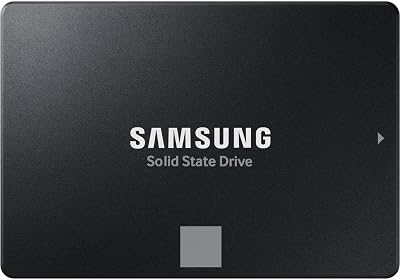
1. [Best Overall] Samsung 990 Pro 4TB — The Gold Standard in Gen4 4TB Performance
Why We Picked It
- Consistently tops Gen4 benchmarks with sequential reads up to 7,450 MB/s and writes up to 6,900 MB/s, making it the fastest PCIe 4.0 option at 4TB capacity
- Samsung’s in-house controller and V-NAND deliver outstanding random read/write performance (1,600K / 1,400K IOPS), which directly impacts in-game asset streaming and load times
- Best-in-class thermal management with Samsung’s Dynamic Thermal Guard keeps the drive from throttling under sustained workloads — crucial for long gaming sessions or background downloads
- A 2,400 TBW endurance rating and a 5-year limited warranty back up every purchase with long-term confidence
Specs at a Glance
| Interface | Seq Read | Seq Write | TBW | Form Factor |
|---|---|---|---|---|
| PCIe 4.0 x4 (NVMe 2.0) | 7,450 MB/s | 6,900 MB/s | 2,400 TBW | M.2 2280 |
Pros & Cons
- Pro: Fastest sustained Gen4 performance at 4TB with class-leading random IOPS and rock-solid reliability history
- Pro: Compatible with PS5, every modern gaming motherboard, and works flawlessly without a heatsink in most cases
- Con: Commands a price premium over budget alternatives — not the value pick if raw speed isn’t your priority
- Con: Gen4 ceiling means Gen5 platforms won’t see maximum benefit, though real-world gaming gains over Gen5 are marginal for most titles
Buy the Samsung 990 Pro 4TB on Amazon
2. [Best Runner-Up] WD Black SN850X 4TB — Engineered for Gaming, Optimized for Xbox
Why We Picked It
- WD designed the SN850X specifically for gaming workflows, incorporating a Game Mode 2.0 feature that predictively loads game assets for lower latency during play
- Sequential performance of 7,300 MB/s read / 6,600 MB/s write keeps it neck-and-neck with the Samsung 990 Pro while often selling at a slight discount
- Officially certified for Xbox Expansion Storage compatibility — the only drive on this list optimized for both PC and Xbox Series X|S use
- Available with or without a heatsink variant, and the heatsink model is PS5 slot-compatible with no modifications
Specs at a Glance
| Interface | Seq Read | Seq Write | TBW | Form Factor |
|---|---|---|---|---|
| PCIe 4.0 x4 (NVMe 2.0) | 7,300 MB/s | 6,600 MB/s | 2,400 TBW | M.2 2280 |
Pros & Cons
- Pro: Game Mode 2.0 delivers a tangible real-world advantage in open-world titles with heavy streaming, not just a marketing bullet point
- Pro: Xbox certification makes it uniquely versatile for gamers who play across PC and console ecosystems
- Con: Runs slightly hotter than the Samsung 990 Pro under sustained load — a heatsink is recommended on builds without good airflow
- Con: Marginally lower sequential write speeds compared to the 990 Pro, though the difference is imperceptible in everyday gaming
Buy the WD Black SN850X 4TB on Amazon
3. [Best Budget 4TB] Kingston Fury Renegade 4TB — Maximum Capacity Without Breaking the Budget
Why We Picked It
- Delivers genuine Gen4 performance (7,300 MB/s read / 7,000 MB/s write) at a price that undercuts Samsung and WD by a meaningful margin — often available for $30–$50 less
- Kingston’s Fury Renegade controller (Phison E18) is a proven workhorse used in numerous top-tier drives, so you’re not sacrificing reliability for the lower price tag
- Ships with or without a heatsink; the included graphene aluminum heatsink variant keeps temperatures well-controlled during extended game sessions
- 4,000 TBW endurance rating — actually higher than some premium competitors — means exceptional longevity even for heavy users
Specs at a Glance
| Interface | Seq Read | Seq Write | TBW | Form Factor |
|---|---|---|---|---|
| PCIe 4.0 x4 (NVMe 2.0) | 7,300 MB/s | 7,000 MB/s | 4,000 TBW | M.2 2280 |
Pros & Cons
- Pro: Best value-per-dollar at 4TB Gen4 tier, with endurance specs that rival or beat more expensive drives
- Pro: The Phison E18 controller is widely tested and trusted — no experimental firmware or early-adopter risk
- Con: Lacks brand-specific gaming software features like WD’s Game Mode 2.0 or Samsung’s Magician suite optimization tools
- Con: Slightly lower name recognition may affect resale value compared to Samsung or WD for those who upgrade frequently
Buy the Kingston Fury Renegade 4TB on Amazon
4. [Best PCIe 5.0 4TB] Crucial T705 4TB — Next-Gen Speed for Future-Proof Builds
Why We Picked It
- The T705 pushes sequential reads to 14,500 MB/s and writes to 12,700 MB/s — nearly double Gen4 peak speeds — delivering the fastest available 4TB NVMe storage for PCIe 5.0 motherboards
- Ideal for gamers who are building or have already built on Intel 12th/13th/14th gen or AMD Ryzen 7000/9000 platforms with PCIe 5.0 M.2 slots and want maximum longevity from their storage investment
- Micron’s 232-layer NAND provides excellent density efficiency, and Crucial’s quality control on NAND sourcing is done in-house — offering the same supply chain confidence as Samsung
- 2,400 TBW endurance at 4TB is competitive, and Crucial backs the drive with a 5-year warranty
Specs at a Glance
| Interface | Seq Read | Seq Write | TBW | Form Factor |
|---|---|---|---|---|
| PCIe 5.0 x4 (NVMe 2.0) | 14,500 MB/s | 12,700 MB/s | 2,400 TBW | M.2 2280 |
Pros & Cons
- Pro: Significantly future-proofs your storage for next-gen game engines and DirectStorage titles that will leverage PCIe 5.0 bandwidth as the standard matures
- Pro: In-house Micron NAND keeps component sourcing consistent — no surprise flash changes between production batches
- Con: Generates substantial heat under sustained load; a heatsink is effectively mandatory, and some enclosures may struggle with thermal management
- Con: PCIe 5.0 benefits are largely invisible in current 2026 game titles — the premium is an investment in future readiness, not present-day frame rates
Buy the Crucial T705 4TB on Amazon
5. [Best for PS5] Seagate FireCuda 530 4TB — The Console Upgrade Champion
Why We Picked It
- PS5-certified and purpose-built for the console’s M.2 expansion bay, with sequential reads of 7,300 MB/s that comfortably exceed Sony’s recommended 5,500 MB/s minimum for optimal performance
- Ships in a heatsink variant specifically sized for the PS5’s tight expansion bay clearance — no guesswork about fit or thermal pad installation
- Consistent random read performance of 1,000K IOPS ensures PS5 game streaming remains smooth even when juggling multiple large open-world installs simultaneously
- 5,100 TBW endurance rating at 4TB is the highest on this list, reflecting Seagate’s emphasis on sustained workload durability — excellent for users who download, install, and delete games frequently
Specs at a Glance
| Interface | Seq Read | Seq Write | TBW | Form Factor |
|---|---|---|---|---|
| PCIe 4.0 x4 (NVMe 2.0) | 7,300 MB/s | 6,900 MB/s | 5,100 TBW | M.2 2280 |
Pros & Cons
- Pro: Highest TBW endurance on this list at 5,100 TBW, and the heatsink variant is PS5-ready out of the box — zero compatibility anxiety
- Pro: Seagate’s 5-year warranty combined with that endurance rating makes this the most long-term confident buy for heavy console users
- Con: PC-side software ecosystem (Seagate Toolkit) is less polished than Samsung Magician or WD Dashboard for monitoring and optimization
- Con: At ~$279, it’s not the cheapest option, and the extra endurance margin may be overkill for casual gamers who don’t churn through installs
Buy the Seagate FireCuda 530 4TB on Amazon
Head-to-Head Comparison Table
| SSD | Interface | Seq Read | TBW | Price per TB |
|---|---|---|---|---|
| Samsung 990 Pro 4TB | PCIe 4.0 x4 | 7,450 MB/s | 2,400 TBW | ~$75/TB |
| WD Black SN850X 4TB | PCIe 4.0 x4 | 7,300 MB/s | 2,400 TBW | ~$72/TB |
| Kingston Fury Renegade 4TB | PCIe 4.0 x4 | 7,300 MB/s | 4,000 TBW | ~$62/TB |
| Crucial T705 4TB | PCIe 5.0 x4 | 14,500 MB/s | 2,400 TBW | ~$90/TB |
| Seagate FireCuda 530 4TB | PCIe 4.0 x4 | 7,300 MB/s | 5,100 TBW | ~$70/TB |
How to Choose the Best 4TB NVMe SSD for Gaming
With five strong options on the table, the right pick depends on your specific setup, priorities, and budget. Here’s how to think through the decision.
Start with your platform. If you’re on a PCIe 5.0 motherboard — Intel Z790/Z890 or AMD X670E/X870E — and you want to take full advantage of Gen5 bandwidth for future titles, the Crucial T705 4TB is the logical choice despite its premium. If you’re on Gen4 (which covers most gaming builds through 2026), any of the other four drives will max out your slot’s potential.

Consider your use case beyond gaming. Pure gamers who just want fast load times and plenty of storage should look at the Samsung 990 Pro or WD Black SN850X — both are proven, reliable performers. Content creators who also record and edit gameplay will appreciate the higher TBW of the Kingston Fury Renegade (4,000 TBW) or Seagate FireCuda 530 (5,100 TBW), which handle heavy sustained writes more gracefully over years of use.
PS5 users should default to the FireCuda 530. Seagate’s heatsink variant removes all compatibility uncertainty for the console’s expansion bay. The drive exceeds Sony’s performance requirements comfortably, and 4TB gives you enough space to keep virtually your entire PS5 library in expandable storage.
Budget-constrained builders should look at the Kingston Fury Renegade. It delivers Gen4 peak performance, industry-leading endurance for the price tier, and consistent real-world results — all at a lower cost per terabyte than premium alternatives. The savings can go toward a better GPU or cooler.
Thermal management matters at 4TB. Larger-capacity drives tend to run warmer under sustained load due to higher NAND density. If your case has limited airflow or your motherboard heatsink is minimal, opt for a drive that ships with a heatsink (FireCuda 530 or Kingston Fury Renegade heatsink variant) or plan to add one. The Crucial T705, in particular, absolutely requires active thermal management.
Don’t obsess over peak sequential speeds for gaming alone. Sequential read speeds above 5,000 MB/s rarely translate into meaningful frame rate or load time differences in current games. The real-world gaming gap between a 7,300 MB/s Gen4 drive and a 14,500 MB/s Gen5 drive is negligible today. Random 4K read performance and queue depth latency matter more for in-game streaming — and all five drives on this list perform well there.
Check your motherboard’s M.2 slot spec before buying. Most boards have a mix of Gen4 and Gen3 M.2 slots. Installing a Gen4 drive in a Gen3 slot will cap its performance at Gen3 speeds (~3,500 MB/s). Always verify which slot is Gen4 or Gen5 in your motherboard manual before installing.
Final Verdict
For most gamers in 2026, the Samsung 990 Pro 4TB remains the definitive best 4TB NVMe SSD for gaming. It combines the fastest sustained Gen4 performance available at this capacity, exceptional endurance, near-flawless reliability history, and compatibility with every gaming platform including PS5. If you want one drive and don’t want to think about it again, the 990 Pro is the answer.

If you want to save $40–$50 without meaningfully sacrificing performance, the Kingston Fury Renegade 4TB is the smartest budget move — particularly for users who write a lot of data, given its class-leading 4,000 TBW rating.
Xbox and PC dual-platform gamers should strongly consider the WD Black SN850X 4TB for its unique Game Mode 2.0 optimization and official Xbox certification. PS5 owners upgrading their console’s storage should go straight to the Seagate FireCuda 530 4TB for plug-and-play compatibility and best-in-class endurance.
And if you’re building a next-generation rig on PCIe 5.0 and want to stay ahead of the storage curve for the next three to four years, the Crucial T705 4TB is the only choice — just budget for proper thermal management alongside it.
However you game, 4TB NVMe is the right call in 2026. Stop deleting games you’ll want to replay.
Related Articles
Looking for more on this topic? Browse the hand-picked guides below — each one applies the same scoring rubric used in this review.
Frequently Asked Questions
What is the best gaming ssd 4tb nvme in 2026?
The best gaming ssd 4tb nvme depends on your budget and how you plan to use it. The options compared above are our top-rated picks based on real customer ratings, build quality, and overall value — start with the highest-rated model that fits your budget.
How much should I expect to spend on a gaming ssd 4tb nvme?
Prices vary by brand and features. Budget options cover the essentials, while mid-range and premium models add durability, performance, and extra features. Compare the prices in the list above to find the best value for your needs.
What should I look for when buying a gaming ssd 4tb nvme?
Focus on what matters most for your use case — build quality, compatibility, performance, warranty, and verified customer reviews. Every pick above is selected to balance these factors.
Are budget gaming ssd 4tb nvme options worth it?
Yes. For most people a well-reviewed budget or mid-range gaming ssd 4tb nvme delivers excellent value. You only need to spend more if you specifically require premium materials or top-tier performance.
How did we choose these gaming ssd 4tb nvme picks?
We compare current Amazon ratings, review counts, key features, and price to surface the options with the best real-world value. The list is refreshed as ratings and availability change.









