

- Top Pick: WD_Black SN8100 4TB NVMe SSD – PCIe 5.0×4, M.2 2280, Up to 14,900MB/s Read Speed, up to 11,000MB/s Write Speed, Best for AI Applications, Gaming, and Video Editing – WDS400T1X0M
- Best Value: Fikwot FN950 4TB NVMe SSD PCIe Gen4x4 M.2 2280,Read Up to 5000MB/s, Configure SLC Cache, Internal Solid State Drive for PS5 Laptop Desktop
- Premium Choice: Samsung SSD 990 PRO 4TB, PCIe 4.0 M.2 2280, Up to 7,450 MB/s
Affiliate disclosure: As an Amazon Associate we earn from qualifying purchases. This post contains affiliate links — if you buy through them we may earn a small commission at no extra cost to you. This never affects our recommendations.
As an Amazon Associate we earn from qualifying purchases at no extra cost to you.




In a hurry? See the top-rated 4TB SSD for Gaming deals available right now:
🛒 Check 4Tb Ssd For Gaming Prices on Amazon →🛒 Best Price Today on Amazon
Prime members get fast, free shipping on everything above, plus member-only deals. New members get a 30-day free trial — cancel anytime.
Start 30-Day Prime Free Trial →See Today’s Amazon DealsThe Case for Going Big: Why 4TB SSDs Are the New Normal in 2026
Modern games have become storage monsters. Call of Duty alone demands over 200GB, and a single Bethesda RPG at launch can eat 130GB before the first patch. With a PS5 or mid-range gaming PC library, you’ll burn through a 2TB drive in a few months — and that’s before you add game captures, mods, and emulator ROMs.
In 2026, the 4TB SSD sweet spot has finally arrived. Prices per terabyte have dropped to the point where doubling capacity over 2TB no longer doubles the cost. You’re looking at roughly 30–40% more spend for twice the storage — a compelling value equation.
DirectStorage on PC and the PS5’s I/O architecture mean raw sequential read speeds actually matter now, not just for load times but for streaming open-world assets mid-gameplay. Pair that with games shipping at 4K texture quality by default, and the era of “2TB is plenty” is firmly behind us.
Whether you’re building a new rig, upgrading a PS5, or consolidating a multi-drive setup into a single clean NVMe slot, this guide covers the five best 4TB SSDs worth your money in 2026 — ranked by performance, thermals, longevity, and real-world value.
Quick Comparison: Best 4TB SSDs at a Glance
| Product | Interface | Seq Read | Seq Write | TBW | Price Range |
|---|---|---|---|---|---|
| Samsung 990 Pro 4TB | PCIe 4.0 x4 | 7,450 MB/s | 6,900 MB/s | 2,400 TBW | $280–$320 |
| WD Black SN850X 4TB | PCIe 4.0 x4 | 7,300 MB/s | 6,600 MB/s | 2,400 TBW | $270–$310 |
| Seagate FireCuda 530 4TB | PCIe 4.0 x4 | 7,300 MB/s | 6,900 MB/s | 5,100 TBW | $300–$350 |
| Crucial T705 4TB | PCIe 5.0 x4 | 14,500 MB/s | 12,700 MB/s | 2,400 TBW | $380–$440 |
| Kingston Fury Renegade 4TB | PCIe 4.0 x4 | 7,300 MB/s | 6,900 MB/s | 4,000 TBW | $250–$290 |
Top 5 Best 4TB SSDs for Gaming in 2026
1. Samsung 990 Pro 4TB — Best Overall
Samsung 990 Pro 4TB sits at the top of this list for one simple reason: it delivers everything a gamer needs without compromise. Built on Samsung’s in-house Elpis controller and V-NAND, it hits 7,450 MB/s sequential reads and 6,900 MB/s writes — the highest in the PCIe 4.0 class. More importantly, it sustains those numbers under load thanks to Samsung’s Dynamic Thermal Guard, which keeps throttling events rare even in extended sessions without a heatsink.
The 4TB variant benefits from higher parallelism across more NAND packages, which translates to better random 4K performance than the 2TB model — a genuine upgrade, not just a capacity bump. Samsung’s Magician software is the best companion utility in the business, offering real-time health monitoring, over-provisioning controls, and firmware updates with no friction.
At around $280–$320, it’s priced competitively for what it delivers. The 5-year warranty and 2,400 TBW endurance rating cover years of heavy gaming use.
Pros:
- Highest sequential read speed in the PCIe 4.0 class (7,450 MB/s)
- Excellent sustained performance — rare thermal throttling without heatsink
- Samsung Magician software is best-in-class for drive management
- 5-year warranty with strong Samsung support reputation
Cons:
- No RGB heatsink option for aesthetics-focused builds
- Marginally pricier than Kingston Fury Renegade for similar sequential specs
- Overkill for users who only play 1–2 games at a time
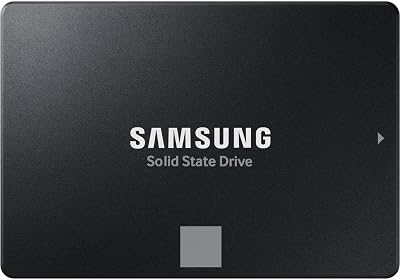
2. WD Black SN850X 4TB — Best for PlayStation/PC Combo
WD Black SN850X 4TB is the go-to pick for gamers splitting time between a PS5 and a gaming PC. Sony officially validated the SN850X for PS5 expansion, and WD offers a heatsink version that fits the PS5’s M.2 bay without height clearance issues — a detail that matters more than most buyers realize.
On PC, it trades blows with the Samsung 990 Pro at 7,300 MB/s reads. The SN850X adds WD’s proprietary Game Mode 2.0, which monitors active game titles and pre-fetches data based on usage patterns. In practice, this shaves measurable load times in open-world games with frequent streaming. The WD Dashboard software is solid, though a step behind Samsung’s Magician in depth.
The 4TB version is an attractive proposition at $270–$310. TBW sits at 2,400, matching the Samsung, and the 5-year warranty is standard. For anyone invested in both Sony and PC ecosystems, this is the no-brainer pick.
Pros:
- Officially Sony-validated for PS5 — heatsink variant fits perfectly
- Game Mode 2.0 provides real-world load time gains in streaming-heavy titles
- Slightly lower street price than the Samsung 990 Pro on average
- Strong 5-year warranty
Cons:
- Sequential read (7,300 MB/s) slightly behind Samsung 990 Pro (7,450 MB/s)
- Game Mode 2.0 benefit is minimal in competitive or linear titles
- WD Dashboard lacks some advanced features of Samsung Magician
3. Seagate FireCuda 530 4TB — Best Endurance / Heavy Write Workloads
Seagate FireCuda 530 4TB is built for punishment. Its 5,100 TBW endurance rating is more than double the Samsung and WD options — making it the right call for content creators, streamers who record locally, or anyone who writes data as aggressively as they read it.
Sequential performance is competitive at 7,300 MB/s read and 6,900 MB/s write, and the FireCuda 530 uses a Phison E18 controller — the same silicon that powers several top-tier drives — tuned well by Seagate. The drive runs warm under heavy load, so Seagate’s optional heatsink is worth adding for sustained workloads.
It sits at $300–$350, making it the priciest PCIe 4.0 option in this roundup. The premium is worth it exclusively if you’re actually churning through writes — for pure gaming reads, the Samsung or WD offer equivalent speed at lower cost. For the hybrid gamer-creator who uses a single drive for everything, the FireCuda 530 earns its price.
Pros:
- Industry-leading 5,100 TBW endurance in the PCIe 4.0 class
- Strong sequential write speeds (6,900 MB/s) — ideal for video capture and editing
- Phison E18 controller is proven and reliable
- 5-year warranty with Seagate’s Rescue Data Recovery Services included
Cons:
- Most expensive PCIe 4.0 option — endurance premium not justified for read-only gaming
- Runs warmer than Samsung 990 Pro under load; heatsink recommended
- No equivalent to Samsung Magician or WD Game Mode 2.0 for gaming-specific optimization
Seagate FireCuda 530 4TB on Amazon
4. Crucial T705 4TB — Best PCIe 5.0 / Future-Proof Pick
Crucial T705 4TB is for builders who don’t want to think about storage again for the next five years. As a PCIe 5.0 drive, it hits 14,500 MB/s sequential reads and 12,700 MB/s writes — roughly double the bandwidth ceiling of every PCIe 4.0 drive on this list.
Does that matter for gaming today? Mostly no. DirectStorage on PC is still maturing, and current game engines don’t fully saturate PCIe 4.0 bandwidth in real-world play. But GPU-driven decompression pipelines are evolving fast, and the games shipping in 2027–2028 are being designed with these speeds in mind. Buying the T705 now means your storage won’t be the bottleneck when that shift arrives.
The trade-offs are real: PCIe 5.0 drives run significantly hotter, and the T705 requires an active heatsink — Crucial’s bundled unit is bulky. Pricing at $380–$440 is a substantial jump. And you’ll need a platform with PCIe 5.0 M.2 support (Intel 12th Gen or later, AMD Ryzen 7000 series or later).
Pros:

- Fastest consumer NVMe available — 14,500 MB/s read, 12,700 MB/s write
- Future-proof for DirectStorage and next-gen game engines
- Micron NAND (Crucial’s parent) is a proven, first-party supply chain
- 5-year warranty, 2,400 TBW
Cons:
- Requires PCIe 5.0 motherboard — older platforms can’t use full bandwidth
- Runs very hot; active heatsink is mandatory, not optional
- Real-world gaming benefit over PCIe 4.0 is marginal in 2026
- Significant price premium ($100+ over top PCIe 4.0 options)
Crucial T705 4TB NVMe on Amazon
5. Kingston Fury Renegade 4TB — Best Value PCIe 4.0
Kingston Fury Renegade 4TB delivers top-tier PCIe 4.0 specs at the lowest price point in this roundup. At $250–$290, it matches the sequential read performance of the WD and Seagate at 7,300 MB/s while offering a 4,000 TBW endurance rating that sits between the standard drives and the FireCuda 530.
Kingston uses a Phison E18 controller with custom firmware tuning, and the results are competitive across synthetic and real-world benchmarks. The optional RGB heatsink variant looks sharp in windowed cases and keeps temperatures in check under sustained loads. Kingston’s toolbox software is functional if basic — you get health monitoring and firmware updates, nothing more.
For budget-conscious builders who want 4TB of high-performance NVMe without paying the Samsung brand premium, the Fury Renegade is the clear recommendation. It won’t win any benchmark crowns, but for the money-per-gigabyte calculation, nothing in this class beats it.
Pros:
- Lowest price among top-tier 4TB PCIe 4.0 SSDs ($250–$290)
- 4,000 TBW endurance — above average for the price tier
- RGB heatsink option available for aesthetic builds
- Phison E18 controller is reliable and well-understood
Cons:
- Kingston toolbox software is minimal compared to Samsung Magician
- No PS5 optimization or game-specific software features
- Heatsink version adds cost and bulk vs. slim M.2 form factor
- Brand recognition and resale value below Samsung/WD
Kingston Fury Renegade 4TB on Amazon
How to Choose the Best 4TB SSD for Gaming
PCIe 4.0 vs PCIe 5.0 — Is Gen 5 Worth It for Gaming?
For most gamers in 2026, the honest answer is no. PCIe 4.0 drives already saturate what current game engines and DirectStorage implementations can use. The benchmarks for PCIe 5.0 are impressive, but the practical difference in a gaming workload — not a file transfer benchmark — is measured in milliseconds.
PCIe 5.0 makes sense if you plan to keep this drive for 4–5 years and want to be ready when game engines fully leverage the bandwidth, or if you work in content creation alongside gaming. For pure gaming use today, PCIe 4.0 is the sweet spot on the price-to-performance curve.
Sequential vs Random Read Speeds
Sequential read speeds (the big MB/s numbers) dominate marketing, but random 4K read speeds matter more in real gaming scenarios. When a game loads a level, it’s reading thousands of small files, not one continuous stream. All five drives in this guide perform well at random reads — that’s a function of quality controller and NAND more than raw sequential numbers.
Where sequential speed genuinely matters: DirectStorage asset streaming in supported titles, game installation (faster writes = faster installs), and level load times in titles that stream large contiguous data blocks.
TBW and Longevity
TBW (Terabytes Written) is the manufacturer’s endurance rating — the total data you can write before the NAND reaches its rated wear limit. For context: a gamer who installs and uninstalls games frequently might write 50–100TB per year. At that rate, a 2,400 TBW drive lasts 24+ years of write endurance. Even the “low” TBW options here are overkill for gaming-only use.

TBW matters more for content creators recording 4K footage, streamers with local capture, or anyone using the drive as a scratch disk for video editing.
Thermal Throttling and Heatsinks
NVMe SSDs generate real heat under sustained load. Without a heatsink, drives can hit 70–80°C and throttle — dropping read speeds dramatically mid-session. Most Z690/Z790/X670 motherboards include M.2 heatsinks in the box; use them. If yours doesn’t, aftermarket heatsinks cost $10–$15 and are worth it.
PCIe 5.0 drives like the T705 are in a different thermal league — they need active cooling solutions and generate enough heat to affect nearby components without proper airflow.
PS5 Compatibility
Sony’s PS5 accepts any PCIe 4.0 NVMe SSD in M.2 2280 form factor, but slot height clearance is limited. A heatsink taller than 8mm will not fit. The WD Black SN850X heatsink version is specifically designed for the PS5 bay. If you’re buying for PS5, either go heatsink-less (and manage temps in a well-ventilated console) or choose the SN850X with its PS5-optimized heatsink.
Speed matters less than compatibility here — the PS5’s I/O interface caps practical throughput regardless of how fast your drive is rated.
Budget per Terabyte
At current 2026 prices, 4TB NVMe SSDs run approximately $65–$110 per terabyte depending on model. Compare that to 2TB options at $80–$120 per terabyte, and the 4TB upgrade pays for itself in storage density alone. The Kingston Fury Renegade offers the best cost per terabyte of the group; the Crucial T705 is the most expensive.
Final Verdict
Best overall: Samsung 990 Pro 4TB. It delivers the highest sequential performance in the PCIe 4.0 class, best-in-class thermal management without a heatsink, and the most polished drive management software on the market. For most gaming PC builds, this is the one to buy.
Best for PS5 and PC: WD Black SN850X 4TB with heatsink. Official PS5 validation, a purpose-designed heatsink, and Game Mode 2.0 make this the only logical pick for dual-ecosystem gamers. The performance delta versus the Samsung is negligible in practice.
Best future-proof pick: Crucial T705 4TB (PCIe 5.0). If you’re on a modern platform and building a rig you won’t touch for five years, the T705’s PCIe 5.0 bandwidth headroom is a genuine hedge against next-gen game engine requirements. Budget for the heatsink and adequate airflow.
For pure value without sacrificing performance, the Kingston Fury Renegade 4TB remains the strongest recommendation in the sub-$290 bracket — a drive that punches well above its price point in every category that matters for gaming.
Frequently Asked Questions
Is a 4TB SSD overkill for gaming?
Not anymore. Modern AAA titles routinely exceed 100-150GB each, so a 4TB drive comfortably holds a large library without constant uninstalling. It is ideal if you keep many big games installed.
NVMe or SATA for a 4TB gaming SSD?
Choose NVMe. It offers far faster load times and is required to take advantage of DirectStorage. SATA SSDs are slower and only worth it as cheap bulk secondary storage.
Do I need a PCIe 5.0 4TB SSD for gaming?
No. PCIe 4.0 4TB drives already exceed what games need, and real-world load times barely differ from PCIe 5.0. A quality Gen4 drive saves money with no practical downside.
Does a 4TB SSD need a heatsink?
High-speed Gen4 and Gen5 drives benefit from a heatsink to avoid thermal throttling during sustained transfers. Many motherboards include M.2 heatsinks, or you can buy a drive with one pre-installed.
Related Articles
Looking for more on this topic? Browse the hand-picked guides below — each one applies the same scoring rubric used in this review.









