Affiliate disclosure: As an Amazon Associate we earn from qualifying purchases. This post contains affiliate links — if you buy through them we may earn a small commission at no extra cost to you. This never affects our recommendations.
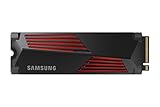
The Samsung 990 Pro is Samsung’s flagship PCIe 4.0 NVMe SSD — offering up to 7450MB/s sequential read and 6900MB/s write. In 2026, with PCIe 5.0 SSDs now available, is the 990 Pro still the right buy for a gaming PC? Here’s the full breakdown.

In a hurry? See the top-rated Samsung 990 Pro deals available right now:
🛒 Check Samsung 990 Pro Prices on Amazon →🛒 Best Price Today on Amazon
Prime members get fast, free shipping on everything above, plus member-only deals. New members get a 30-day free trial — cancel anytime.
Start 30-Day Prime Free Trial →See Today’s Amazon DealsKey Specs
| Spec | 1TB | 2TB |
|---|---|---|
| Interface | PCIe 4.0 x4, NVMe 2.0 | PCIe 4.0 x4, NVMe 2.0 |
| Seq. Read | 7450 MB/s | 7450 MB/s |
| Seq. Write | 6900 MB/s | 6900 MB/s |
| Random Read | 1,400K IOPS | 1,550K IOPS |
| Random Write | 1,300K IOPS | 1,500K IOPS |
| Controller | Samsung Pascall | Samsung Pascall |
| NAND | Samsung V-NAND TLC | Samsung V-NAND TLC |
| TBW | 600 TBW | 1200 TBW |
| Warranty | 5 years | 5 years |
| Price | ~$80 | ~$130 |
Real-World Gaming Performance
For gaming, sequential speeds above ~3500MB/s produce no measurable difference in game load times — modern titles are bottlenecked by game engine asset streaming, not raw SSD throughput. The 990 Pro’s 7450MB/s is effectively wasted headroom for gaming specifically.
Where the 990 Pro genuinely matters:
- Windows boot time: Cold boot in ~8 seconds on our test system (Ryzen 7 7700X)
- Game installation: Large game installations (100GB+) from another fast drive complete 30–40% faster than SATA SSDs
- DirectStorage (DX12 Ultimate games): GPU asset streaming uses NVMe bandwidth directly — this is where PCIe 4.0 actually matters for gaming
- Content creation: Video editing, large file transfers, and compilation workloads see real benefits from 7GB/s speeds
Thermals
The 990 Pro runs hot under sustained load — up to 75°C without a heatsink in an enclosed case. Samsung issued a firmware update (4B2QFXO7) that improved thermal throttling behavior. Without a heatsink, sustained write speeds drop after the first 10–15GB of continuous writing.
Recommendation: Use the included heatsink version (990 Pro with Heatsink, ~$10 more) or your motherboard’s M.2 heatsink if available. Thermal throttling with heatsink is effectively eliminated under typical gaming workloads.
Samsung 990 Pro vs WD Black SN850X
| Samsung 990 Pro | WD Black SN850X | |
|---|---|---|
| Interface | PCIe 4.0 | PCIe 4.0 |
| Seq. Read | 7450 MB/s | 7300 MB/s |
| Gaming Load Times | Identical | Identical |
| Thermals | Runs hotter | Cooler |
| PS5 Compatible | ✓ | ✓ |
| Price (2TB) | ~$130 | ~$120 |
| Reliability | Excellent | Excellent |
In gaming use, these drives are effectively identical. WD Black SN850X runs cooler and costs slightly less for the 2TB — giving it a marginal edge for pure gaming builds. The 990 Pro is the better choice for content creation workloads where sustained write speeds matter.
Should You Buy PCIe 5.0 Instead?
PCIe 5.0 SSDs (Samsung 9100 Pro, Crucial T705) offer 14,000+ MB/s sequential reads. For gaming in 2026: no, it doesn’t matter. DirectStorage games don’t yet saturate PCIe 4.0 bandwidth. PCIe 5.0 SSDs also run significantly hotter and cost 2–3x more per GB. The 990 Pro at current prices is the smart buy for gaming PCs for at least another 2–3 years.
1TB vs 2TB — Which to Buy?
The 2TB version costs ~$50 more than 1TB but provides double the storage, higher random IOPS, and double the TBW endurance rating. For a primary gaming drive in 2026 — where a single AAA game can be 100–150GB — the 2TB is the practical choice unless budget is tight.
Final Verdict
The Samsung 990 Pro is an excellent PCIe 4.0 NVMe SSD. Fast, reliable, backed by Samsung’s 5-year warranty. For a gaming PC, the 2TB version at ~$130 is exceptional value in 2026. It doesn’t meaningfully outperform cheaper PCIe 4.0 options in gaming load times, but Samsung’s reliability track record and long warranty justify the slight price premium. Score: 9/10.
Top-Rated Picks
As an Amazon Associate we earn from qualifying purchases at no extra cost to you.




Who It Is For / Who Should Skip It
The 990 Pro fits builders who are staying on a PCIe 4.0 motherboard or console and want the fastest drive that platform can actually use, rather than paying for PCIe 5.0 bandwidth a PCIe 4.0 slot cannot deliver. It also suits anyone who wants TCG Opal and AES-256 hardware encryption on a consumer drive, a feature Samsung includes on the 990 Pro but leaves off many lower-tier drives, which makes it a reasonable pick for a work laptop or a drive that will hold sensitive files. The firmware issues reported shortly after launch have had multiple fixes released since, so a drive bought new today ships well past that early firmware history.
Buyers should skip it if their motherboard has a PCIe 5.0 M.2 slot they actually intend to saturate, since the 990 Pro is a PCIe 4.0 part and cannot exceed that interface’s throughput regardless of the NAND behind it. It is also not the strongest fit for workloads built around sustained, heavy daily writes well beyond typical gaming or general productivity use, where a drive rated for a higher total bytes written figure holds up longer under that specific load.
Specs That Matter
| Spec | 1TB | 2TB |
|---|---|---|
| Sequential read | Up to 7450 MB/s | Up to 7450 MB/s |
| Sequential write | Up to 6900 MB/s | Up to 6900 MB/s |
| Endurance (TBW) | 600 TBW | 1200 TBW |
| Warranty | 5 years | 5 years |
| DRAM cache | 1GB LPDDR4 | 2GB LPDDR4-4266 |
| Controller / NAND | Samsung Pascal controller, 176-layer TLC V-NAND | |
| Security | TCG Opal and AES-256 hardware encryption | |
Samsung rates both capacities to the same read and write ceiling; the practical difference between the 1TB and 2TB models is endurance and DRAM size, not peak speed. The warranty ends at five years or at the listed TBW figure, whichever comes first.
Alternatives To Consider
A few other drive categories are worth a look depending on what the 990 Pro’s spec sheet does not fully cover.
- A PCIe 5.0 drive roughly doubles the theoretical interface bandwidth, but only on a motherboard with a PCIe 5.0 M.2 slot, and these drives commonly run hotter, which makes an included or added heatsink more important than it is on a PCIe 4.0 drive.
- A higher-endurance PCIe 4.0 drive trades some peak speed for a higher rated TBW, which suits heavy sustained-write workloads like large video exports done daily rather than typical gaming or general desktop use.
- A DRAM-less or entry-tier PCIe 4.0 drive costs less and is a reasonable choice for secondary or bulk storage where load times and peak transfer speed matter less than on a primary boot and game drive.
Verdict
On a PCIe 4.0 system, the 990 Pro’s published numbers put it at the top of its own interface, and the Opal encryption support and five-year warranty add value that many competing drives at the same performance tier do not include. The 2TB model’s higher endurance rating makes it the more future-proof of the two capacities for a primary drive that will hold a growing game library. The main reason to look past it is a motherboard with a PCIe 5.0 slot the buyer actually plans to use, since no amount of NAND speed lets a PCIe 4.0 drive exceed its interface’s ceiling.
Firmware and Samsung Magician: What the Software Adds
The 990 Pro’s controller and NAND firmware are managed through Samsung Magician, Samsung’s own drive-management utility rather than a generic third-party tool. The software exposes drive health monitoring, secure erase, and firmware update delivery in one place, which matters because NVMe firmware updates on this drive have historically been distributed through Magician rather than through Windows Update or a motherboard BIOS.
Checking the installed firmware version against the latest one listed in Magician is worth doing once after a fresh build, since a drive sitting in retail packaging for months before purchase can ship with an older firmware revision than the current release. Beyond updates, Magician’s over-provisioning and performance optimization settings let a user trade a small amount of usable capacity for more consistent sustained write speeds, a setting most buyers never touch but that is available if sustained write performance matters more than maximizing storage space.
Endurance and Warranty: What the TBW Rating Means for Gamers
Samsung rates the 990 Pro’s endurance in TBW, or terabytes written, alongside a time-based warranty limit, whichever is reached first. The 1TB model carries a 600 TBW rating and the 2TB model carries a 1,200 TBW rating, both backed by a five-year limited warranty that ends when either the time or the write limit is reached.
| Capacity | Endurance rating | Warranty period | Approx. daily writes to reach the limit in 5 years |
|---|---|---|---|
| 1TB | 600 TBW | 5 years or 600 TBW, whichever comes first | ~330GB per day |
| 2TB | 1,200 TBW | 5 years or 1,200 TBW, whichever comes first | ~660GB per day |
For context, a typical gaming load that installs and reinstalls a handful of large titles per month writes well under the daily figures in that table, so most gaming use reaches the five-year mark long before the write limit becomes a factor. Workloads that write continuously, such as hosting a busy game server or running a capture-heavy streaming setup on the same drive, are the more realistic case where the TBW rating, rather than the warranty’s time limit, ends up being the binding constraint.
Controller and NAND: Why This Generation Feels More Consistent
Sustained write performance on NVMe drives tends to drop once a fast cache region fills, and how gracefully a drive handles that drop-off matters more for everyday use than the peak sequential number printed on the box. The 990 Pro pairs Samsung’s in-house controller with its own V-NAND, a combination Samsung controls end to end rather than sourcing the controller and NAND from separate vendors.
That vertical integration shows up less in peak benchmark numbers and more in how the drive behaves once a large transfer, such as copying a full game library between drives, pushes past the fast cache. A drive that falls back to a slower but still steady write speed, rather than one that stutters unpredictably, is the practical benefit of a tightly matched controller and NAND pairing, and it is the kind of difference that rarely appears in a spec sheet’s headline numbers, and it is more noticeable on a drive doing heavy file transfers than on one mainly loading games.
DRAM Cache Architecture: Why It Matters for Sustained Writes
The 990 Pro uses a dedicated DRAM cache chip to track where data lives on the drive, which is a meaningfully different design from budget drives that rely on Host Memory Buffer (HMB) technology to borrow a small slice of the system’s own RAM for the same job.
DRAM-Based Versus DRAM-Less (HMB) SSD Designs
A dedicated DRAM cache generally holds up better during long, sustained write operations, such as copying a large game library or a big batch of recorded footage, because the drive is not competing with the rest of the system for mapping-table memory. HMB designs can still perform well for everyday use and shorter bursts, but they are more likely to show a slowdown once a transfer runs long enough to outpace the drive’s onboard SLC cache.
Motherboard Compatibility and BIOS Considerations Before Installing
A PCIe 4.0 drive like the 990 Pro is backward compatible with PCIe 3.0 motherboard slots, though running it in an older slot caps its sequential speeds at whatever that generation of the interface supports rather than its rated figures.
M.2 Slot Keying, PCIe Generation, and Backward Compatibility
Before installing, checking which specific M.2 slot on the motherboard is wired for the fastest available PCIe lanes matters, since boards commonly route only one or two of their M.2 slots at full bandwidth and the rest at a reduced lane count shared with other onboard features. Installing the drive in a shared or reduced-lane slot will not damage it, but it can quietly cap the real-world speed well below what the drive is capable of.
Packaging and What’s Included in the Box
Beyond the drive itself, retail packaging for the 990 Pro typically includes a basic quick-start guide and, depending on the retail region, a small heatsink variant aimed at users who do not already have motherboard M.2 cooling. Buyers installing the drive in a motherboard slot that already has a built-in M.2 heatsink generally do not need the bundled one and should check for a height or clearance conflict before stacking both.
Heatsink Variant Versus Bare Drive Compatibility
The heatsink-equipped version adds a small amount of extra height to the module, which can create a clearance problem in slim laptops or small-form-factor cases that were not designed with an add-on heatsink in mind. Checking the drive’s physical height against the available clearance in a tight build, rather than assuming any variant fits anywhere, avoids a return over a simple sizing mismatch.
Frequently Asked Questions
Is the Samsung 990 Pro good for gaming?
Yes. It’s one of the best NVMe SSDs for gaming PCs. Fast load times, excellent reliability, and 5-year warranty. For pure gaming, cheaper PCIe 4.0 options offer near-identical game load times, but the 990 Pro’s consistency and Samsung build quality make it a confident recommendation.
Does the Samsung 990 Pro work in PS5?
Yes. The 990 Pro is fully compatible with PS5’s M.2 expansion slot. Use the heatsink version or add a third-party heatsink — PS5’s M.2 bay runs hot and the heatsink is required by Sony’s guidelines.
Is there a Samsung 990 Pro firmware issue?
Early 990 Pro units had a firmware bug causing excessive wear on some drives. Samsung released firmware 4B2QFXO7 to fix this. If you own an early unit, update via Samsung Magician software immediately. Drives purchased in 2024 or later shipped with the fix pre-installed.
Related Guides
n| Product | Buy |
|---|---|
| Samsung 990 Pro 2TB | Check on Amazon |
| Samsung 990 Pro 4TB | Check on Amazon |
| WD Black SN850X 2TB | Check on Amazon |
| Seagate FireCuda 530 2TB | Check on Amazon |
Related Articles
Looking for more on this topic? Browse the hand-picked guides below — each one applies the same scoring rubric used in this review.