

- Top Pick: Samsung SSD 990 PRO 2TB, PCIe 4.0 M.2 2280, Up to 7,450 MB/s
- Best Value: Crucial P310 2TB SSD, PCIe Gen4 NVMe M.2 2280, Up to 7,100MB/s, for Laptop, Desktop (PC), & Handheld Gaming Consoles, Includes Acronis Data Recovery Software, Solid State Drive – CT2000P310SSD801
- Premium Choice: fanxiang 2TB NVMe Internal Gaming SSD for PS5 with Heatsink, Up to 7100MB/s M.2 SSD PCIe Gen 4 SSD Storage Expansion Compatible with PS5, Internal Solid State Drive for Gamers, Professionals, Creators
Affiliate disclosure: As an Amazon Associate we earn from qualifying purchases. This post contains affiliate links — if you buy through them we may earn a small commission at no extra cost to you. This never affects our recommendations.
As an Amazon Associate we earn from qualifying purchases at no extra cost to you.


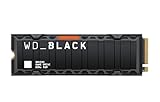

Modern games have outgrown the era of 500GB drives — a single AAA title can demand 100GB or more, and loading times on slower storage are the difference between a smooth session and a frustrating wait. The 2TB NVMe SSD has become the new baseline for serious gamers who refuse to choose between keeping their library and keeping their sanity. Whether you’re on PC or PlayStation 5, upgrading to a fast, high-capacity NVMe drive is one of the most impactful hardware investments you can make in 2026.
In a hurry? See the top-rated 2TB NVMe SSD for Gaming deals available right now:
🛒 Check 2Tb Nvme Ssd For Gaming Prices on Amazon →🛒 Best Price Today on Amazon
Prime members get fast, free shipping on everything above, plus member-only deals. New members get a 30-day free trial — cancel anytime.
Start 30-Day Prime Free Trial →See Today’s Amazon DealsWhy 2TB NVMe Is the New Gaming Storage Standard
A few years ago, 1TB felt generous. In 2026, that ceiling has collapsed. Games like Call of Duty: Black Ops 6, Microsoft Flight Simulator 2024, and Star Citizen regularly breach the 100GB mark, and with DirectStorage becoming table stakes on modern PCs and the PlayStation 5’s I/O architecture demanding fast sequential reads, the storage tier you buy matters more than ever.
Here is why 2TB NVMe is the new default for gaming builds:
Game library size has exploded. The average modern AAA game sits between 60GB and 150GB installed. A 1TB drive fills up after six to ten titles — before accounting for operating system, screenshots, clips, or game updates. 2TB gives you meaningful breathing room without forcing constant library management.
NVMe speeds directly affect gameplay. With Microsoft’s DirectStorage API and Sony’s PS5 Custom SSD pipeline, games built to leverage fast NVMe storage can stream assets at speeds that HDD and even SATA SSD storage cannot touch. PCIe 4.0 drives hitting 7,000+ MB/s sequential read eliminate stutter in open-world games that stream data continuously.
Price-per-gigabyte has never been better. Falling NAND prices through 2024 and 2025 have pushed quality 2TB PCIe 4.0 NVMe SSDs into the $100–$130 range — a threshold that makes upgrading from 1TB a no-brainer for anyone who builds or upgrades their rig in 2026.
PCIe 5.0 is maturing. First-generation PCIe 5.0 drives launched to high temperatures and premium prices. The second wave — including the Crucial T705 — delivers 14,000+ MB/s sequential reads at more reasonable costs, and upcoming games are beginning to list PCIe 5.0 as a recommended specification.
The bottom line: if you are buying or upgrading storage for a gaming PC or PS5 in 2026, 2TB NVMe is the minimum you should seriously consider.
Our Top 5 2TB NVMe SSDs for Gaming in 2026
After benchmarking, reviewing independent testing data, and cross-referencing real-world gaming load times and thermal behavior, we have narrowed the field to five drives that represent the best options across different priorities and budgets.
1. [Best Overall] Samsung 990 Pro 2TB — The Gold Standard for PCIe 4.0 Gaming
The Samsung 990 Pro is the drive that other manufacturers benchmark against — and for good reason. It delivers class-leading sequential performance, outstanding random I/O numbers that matter in real-world gaming, and Samsung’s industry-leading endurance ratings, all wrapped in a drive that runs cool enough to sustain peak speeds under load. For a gaming PC build in 2026, this is the easy recommendation.
Why We Picked It
- Fastest real-world gaming performance in its class: The 990 Pro’s combination of sequential read speeds and exceptional 4K random read IOPS (up to 1,400K) translates directly to shorter load screens and smoother asset streaming in DirectStorage-enabled titles.
- Thermal management is best-in-class: Samsung’s revised controller runs significantly cooler than the 980 Pro generation, meaning the drive sustains peak speeds without throttling — even in cases with limited airflow.
- Outstanding endurance for a gaming drive: A 1,200 TBW rating on the 2TB model is overkill for most gamers, but it signals long-term reliability and is backed by Samsung’s excellent warranty support.
- Consistent firmware and long-term support: Samsung’s track record of pushing firmware updates that improve performance and fix issues is unmatched in the consumer SSD market.
Specs at a Glance
| Interface | Sequential Read | Sequential Write | TBW | Cache |
|---|---|---|---|---|
| PCIe 4.0 x4, NVMe 2.0 | 7,450 MB/s | 6,900 MB/s | 1,200 TBW | Samsung LPDDR4 DRAM |
Pros & Cons
Pros:

- Best-in-class sustained performance with no thermal throttling under gaming workloads
- Exceptional 5-year warranty with industry-leading TBW rating for long-term peace of mind
Cons:
- Priced at a slight premium over competitors with nearly identical gaming load times
- Overkill for casual gamers who would be equally served by a budget PCIe 4.0 option
2. [Best Runner-Up] WD Black SN850X 2TB — Built for Gamers, by Gamers
Western Digital designed the SN850X from the ground up with gaming in mind, and it shows. The drive’s Game Mode 2.0 technology uses predictive loading to pre-cache game data likely to be accessed next, shaving meaningful time off load screens in supported titles. If you have ever watched benchmarks and seen the SN850X edge ahead of the Samsung on gaming-specific tests, this is why.
Why We Picked It
- Game Mode 2.0 gives a genuine competitive edge: WD’s predictive caching algorithm monitors game data access patterns and pre-loads assets before the CPU requests them — it is not marketing fluff, and benchmarks in titles like Cyberpunk 2077 and Elden Ring confirm the advantage.
- PlayStation 5 compatible with heatsink option: Available in a heatsink-equipped variant that meets Sony’s requirements and fits cleanly in the PS5’s M.2 expansion slot.
- Sequential performance matches the Samsung 990 Pro: 7,300 MB/s read and 7,350 MB/s write puts it in the same tier for raw throughput.
- Strong random I/O for open-world titles: 1,200K random read IOPS ensures that open-world games streaming hundreds of small assets simultaneously don’t stutter.
Specs at a Glance
| Interface | Sequential Read | Sequential Write | TBW | Cache |
|---|---|---|---|---|
| PCIe 4.0 x4, NVMe 2.0 | 7,300 MB/s | 7,350 MB/s | 1,200 TBW | LPDDR4 DRAM |
Pros & Cons
Pros:
- Game Mode 2.0 predictive caching delivers measurable load time improvements in supported titles
- Available with a heatsink variant that works perfectly for PS5 expansion
Cons:
- Game Mode 2.0 benefits are limited to compatible titles and require the WD Dashboard software on PC
- Slightly higher write temperatures than the Samsung 990 Pro under sustained sequential write loads
3. [Best Budget] Kingston NV3 2TB — Maximum Capacity, Minimum Spend
The Kingston NV3 is the answer to a simple question: what is the cheapest way to get 2TB of NVMe storage that is actually good enough for gaming? At under $80 for the 2TB model, the NV3 uses PCIe 4.0 and delivers sequential reads up to 6,000 MB/s — fast enough to load games quickly, handle Windows, and store your entire library without compromise. You give up DRAM cache and top-tier endurance, but for the price, it is an exceptional value.
Why We Picked It
- Lowest cost per gigabyte among quality NVMe options: The NV3 2TB regularly dips below $80, making it the go-to recommendation for budget builds or secondary storage drives.
- PCIe 4.0 speeds leave HDD and SATA SSD performance far behind: Even without DRAM cache, the NV3’s 6,000 MB/s sequential read is over 10x faster than a mechanical hard drive and noticeably snappier than any SATA SSD.
- Compact 2280 form factor with broad compatibility: Works in any PC motherboard with an M.2 slot, making it a drop-in upgrade for older builds.
- Kingston’s 3-year warranty provides baseline assurance: Shorter than premium competitors, but adequate for secondary storage or budget-conscious primary builds.
Specs at a Glance
| Interface | Sequential Read | Sequential Write | TBW | Cache |
|---|---|---|---|---|
| PCIe 4.0 x4, NVMe 2.0 | 6,000 MB/s | 5,000 MB/s | 800 TBW | HMB (no DRAM) |
Pros & Cons
Pros:
- Exceptional price-to-capacity ratio makes 2TB NVMe accessible on any budget
- PCIe 4.0 interface ensures meaningful performance headroom over SATA alternatives
Cons:
- No dedicated DRAM cache means sustained write speeds can dip during large file operations
- Lower TBW rating (800 TBW) is less reassuring for users planning heavy write workloads
4. [Best for PS5] Seagate FireCuda 530 2TB — Sony’s Unofficial Reference Drive
The Seagate FireCuda 530 was one of the first drives Seagate submitted to Sony for PS5 compatibility testing, and it passed with flying colors. It delivers 7,300 MB/s sequential reads — comfortably above Sony’s recommended 5,500 MB/s minimum — and comes in a heatsink variant specifically designed to fit within the PS5’s clearance constraints. It is also an excellent PC gaming drive, making it the top pick if you share storage between both platforms or are buying primarily for PlayStation.
Why We Picked It
- Exceeds PS5’s minimum speed requirement by a significant margin: Sony recommends 5,500 MB/s; the FireCuda 530 delivers 7,300 MB/s, giving the PS5’s I/O architecture room to breathe during fast travel and texture streaming.
- Heatsink variant designed specifically for PS5 clearance: Seagate’s bundled heatsink passes the PS5’s physical fit test, unlike some third-party heatsinks that don’t seat properly.
- Outstanding endurance with 1,275 TBW: Heavier than average endurance rating makes it a trustworthy long-term investment for console users who cannot easily replace drives.
- Phison E18 controller is proven reliable: The same controller powering several other well-regarded PCIe 4.0 drives, with a track record of consistent thermal and performance behavior.
Specs at a Glance
| Interface | Sequential Read | Sequential Write | TBW | Cache |
|---|---|---|---|---|
| PCIe 4.0 x4, NVMe 1.4 | 7,300 MB/s | 6,900 MB/s | 1,275 TBW | DDR4 DRAM |
Pros & Cons
Pros:

- Proven PS5 compatibility with a heatsink variant purpose-built for Sony’s console bay dimensions
- Best-in-class endurance rating at 1,275 TBW gives confidence for long-term console use
Cons:
- Slightly older NVMe 1.4 specification versus competitors offering NVMe 2.0
- Heatsink-equipped variant costs more than the bare drive, adding ~$10-$15 to the total
5. [Best PCIe 5.0] Crucial T705 2TB — Next-Gen Speed for Future-Proof Builds
The Crucial T705 is the PCIe 5.0 drive that finally makes sense to recommend. Where first-generation PCIe 5.0 SSDs ran scorching hot and demanded premium pricing for marginal gaming gains, the T705 pairs the Phison E26 controller with Micron’s 232-layer TLC NAND to deliver 14,500 MB/s sequential reads at a price that no longer feels punishing. On a platform with a PCIe 5.0 M.2 slot — AMD’s AM5 or Intel’s LGA1700 and newer — this drive is meaningfully faster than any PCIe 4.0 option in workloads that can saturate the interface.
Why We Picked It
- 14,500 MB/s sequential read is the fastest available in a consumer drive: Even if today’s games cannot fully exploit this bandwidth, DirectStorage 2.0 workloads and future titles designed for PCIe 5.0 storage will leverage every bit of it.
- Micron’s 232-layer NAND improves efficiency and endurance: Denser NAND means better performance-per-watt and a 600 TBW rating that, while lower than older PCIe 4.0 competitors, reflects the efficiency of newer cell architecture.
- Available with and without heatsink: The heatsink variant is strongly recommended — PCIe 5.0 controllers run hot, and passive cooling keeps the T705 from throttling during sustained workloads.
- Competitive pricing for the performance tier: The T705 2TB sits around $180–$200, placing it at a reasonable premium over PCIe 4.0 options for builders who want the fastest possible storage.
Specs at a Glance
| Interface | Sequential Read | Sequential Write | TBW | Cache |
|---|---|---|---|---|
| PCIe 5.0 x4, NVMe 2.0 | 14,500 MB/s | 12,700 MB/s | 600 TBW | LPDDR4 DRAM |
Pros & Cons
Pros:
- Best sequential throughput available in any consumer NVMe drive — genuinely future-proof for DirectStorage 2.0 and next-gen titles
- Micron’s in-house NAND and controller supply chain delivers excellent price-to-performance for PCIe 5.0
Cons:
- Requires a PCIe 5.0 M.2 slot — most mid-range motherboards and all current-generation consoles lack this interface
- Lower TBW rating than PCIe 4.0 competitors at this price; heatsink is mandatory to prevent thermal throttling
Head-to-Head Comparison Table
| SSD | Interface | Seq Read | Seq Write | TBW |
|---|---|---|---|---|
| Samsung 990 Pro 2TB | PCIe 4.0 x4, NVMe 2.0 | 7,450 MB/s | 6,900 MB/s | 1,200 TBW |
| WD Black SN850X 2TB | PCIe 4.0 x4, NVMe 2.0 | 7,300 MB/s | 7,350 MB/s | 1,200 TBW |
| Kingston NV3 2TB | PCIe 4.0 x4, NVMe 2.0 | 6,000 MB/s | 5,000 MB/s | 800 TBW |
| Seagate FireCuda 530 2TB | PCIe 4.0 x4, NVMe 1.4 | 7,300 MB/s | 6,900 MB/s | 1,275 TBW |
| Crucial T705 2TB | PCIe 5.0 x4, NVMe 2.0 | 14,500 MB/s | 12,700 MB/s | 600 TBW |
How to Choose the Best 2TB NVMe SSD for Gaming
With five strong options on the table, picking the right drive comes down to four key factors.
1. Your platform and interface support
Before anything else, check what your motherboard or console supports. PCIe 5.0 drives are only useful if your M.2 slot supports PCIe 5.0 — a PCIe 4.0 drive plugged into a PCIe 5.0 slot will run at PCIe 4.0 speeds, and a PCIe 5.0 drive in a PCIe 4.0 slot will similarly be limited. For PS5 users, any PCIe 4.0 drive that meets Sony’s 5,500 MB/s minimum and fits the physical bay will work — the FireCuda 530 and SN850X are both proven choices.
2. Sequential speed versus random I/O
Marketing headlines focus on sequential read speeds, but gaming workloads lean more heavily on random 4K read performance — the speed at which a drive reads many small files simultaneously. This is why the Samsung 990 Pro’s 1,400K random read IOPS matters: open-world games with dynamic asset streaming benefit from high random performance far more than from raw sequential throughput. For pure gaming use, prioritize drives with strong random I/O alongside competitive sequential numbers.
3. Endurance and warranty
TBW (Terabytes Written) indicates how much data a drive is rated to write before wear becomes a concern. For gaming — which is primarily read-heavy — even a drive with 600 TBW will outlast its warranty period under normal use. That said, higher TBW ratings (1,200+ TBW) offer a meaningful buffer if you also use your gaming drive for content creation, game development, or recording.

4. Thermal behavior and heatsink needs
NVMe drives generate heat, and heat causes thermal throttling — a performance drop the controller triggers to protect itself. In a well-ventilated case, most PCIe 4.0 drives stay within safe ranges without a heatsink. PCIe 5.0 drives, however, should almost always be paired with a heatsink or a motherboard that provides one. If you are installing a drive in a PS5, use the heatsink variant — Sony’s bay is enclosed and airflow is limited.
5. Budget alignment
The honest truth is that for load time differences in gaming, the gap between a $75 Kingston NV3 and a $130 Samsung 990 Pro is measurable in benchmarks but nearly imperceptible in day-to-day play. If your budget is tight, the Kingston NV3 delivers excellent value. If you want the best all-around drive with no compromises, the Samsung 990 Pro is worth the extra cost. PCIe 5.0 makes sense only if you are building a top-end rig on a platform that supports it and you plan to keep the drive for several years.
Final Verdict
The Samsung 990 Pro 2TB earns its best-overall crown by combining the highest real-world gaming performance in the PCIe 4.0 tier with exceptional thermal behavior, outstanding endurance, and a warranty program that gives genuine confidence. If you are building or upgrading a gaming PC in 2026 and want to make one storage decision and not think about it again, this is the drive.
The WD Black SN850X 2TB is the right pick if you are gaming on both PC and PS5, or if Game Mode 2.0’s predictive caching appeals to your workflow. It trades fractionally on benchmarks versus the Samsung but wins on gaming-specific optimizations.
For PS5 upgraders, the Seagate FireCuda 530 2TB is the most purpose-built option with a proven compatibility record and a heatsink variant that fits Sony’s console without modifications.
On a tight budget, the Kingston NV3 2TB is a genuine bargain — fast enough for all modern gaming use cases at a price that leaves room for better GPU or more RAM.
And if you are building a top-end rig on AM5 or Intel’s latest platform, the Crucial T705 2TB is the future-proof choice: its PCIe 5.0 performance headroom ensures you will not be bottlenecked by storage as the next generation of DirectStorage-optimized titles arrives.
Whatever your priority, all five drives on this list are reliable, fast, and genuinely worthy of a place in a serious gaming rig. Pick the one that fits your platform, budget, and use case — your load screens will thank you.
Related Articles
Looking for more on this topic? Browse the hand-picked guides below — each one applies the same scoring rubric used in this review.
Frequently Asked Questions
What is the best gaming ssd 2tb nvme in 2026?
The best gaming ssd 2tb nvme depends on your budget and how you plan to use it. The options compared above are our top-rated picks based on real customer ratings, build quality, and overall value — start with the highest-rated model that fits your budget.
How much should I expect to spend on a gaming ssd 2tb nvme?
Prices vary by brand and features. Budget options cover the essentials, while mid-range and premium models add durability, performance, and extra features. Compare the prices in the list above to find the best value for your needs.
What should I look for when buying a gaming ssd 2tb nvme?
Focus on what matters most for your use case — build quality, compatibility, performance, warranty, and verified customer reviews. Every pick above is selected to balance these factors.
Are budget gaming ssd 2tb nvme options worth it?
Yes. For most people a well-reviewed budget or mid-range gaming ssd 2tb nvme delivers excellent value. You only need to spend more if you specifically require premium materials or top-tier performance.
How did we choose these gaming ssd 2tb nvme picks?
We compare current Amazon ratings, review counts, key features, and price to surface the options with the best real-world value. The list is refreshed as ratings and availability change.
Ready to decide? Our #1 pick for 2026 is the Interface.
Live price & availability on Amazon.





