Wearing glasses while playing a retro handheld is mostly a geometry problem. Your lenses are ground for a certain working distance, and a small screen forces you to hold the device closer than that distance, tilt your head to find the right zone of a progressive lens, or hunch over a dim panel until your neck complains. This guide is not about low vision, which needs magnification and accessibility tools, and it is not about eye strain from long sessions. It is about ordinary prescription glasses, reading glasses, and progressives, and which handhelds let you play at the distance your lenses were made for.
As an Amazon Associate, we earn from qualifying purchases.
Quick Answer
The AYN Thor Pro is the easiest pick for glasses wearers, with a 6.31-inch AMOLED main screen you can read from a natural arm’s length. The Retroid Pocket 5 and Pocket Flip 2 bring bright 5.5-inch AMOLED panels, the Anbernic RG556 is the value route to a 5.48-inch AMOLED, and the TrimUI Smart Pro is the budget wide-screen option.
Start With Your Lenses, Not the Spec Sheet
Single-vision distance glasses. If your prescription corrects distance vision, a handheld sits in the awkward middle ground: closer than distance, farther than reading. A bigger, brighter screen lets you push the device a few inches farther away, into the range where your correction is sharpest, instead of pulling it toward your nose.
Reading glasses. Readers are ground for roughly a forearm’s length, which matches a handheld held in your lap. The trap is screen brightness and contrast: a dim panel makes you lean in past the focal point of the readers. High brightness at a moderate setting keeps text crisp at the distance your readers expect.
Progressives and bifocals. These are the hardest case. The near zone sits at the bottom of the lens, so a handheld held low in your lap can fall into the wrong part of the lens, and players end up tilting their head back to find the reading zone. A larger screen held slightly higher, or a clamshell you can angle on a table, reduces that head-tilting. Screen size matters more for progressive wearers than for anyone else.
Reflections. Glossy screens reflect ceiling lights into your glasses, and the double reflection off two lens surfaces is more distracting than on a bare eye. AMOLED panels with high brightness punch through ambient reflections better than dim IPS panels, and a screen you can angle away from overhead light helps more than any coating claim.
How to Choose
Screen size is the first filter. Every extra half inch of diagonal lets you hold the handheld farther away at the same apparent text size. For glasses wearers, treat 5.5 inches as the sweet spot, 4.96 inches as the budget floor, and anything at 3.5 inches as a device you will end up holding uncomfortably close.
Brightness beats resolution. A 1080p panel you have to squint at through reflections loses to a bright panel every time. Look for AMOLED screens, which combine high brightness with true blacks, so menu text and dialogue boxes keep their contrast even when room light bounces off your lenses.
Check the scaling options. Android handhelds let you raise the system display size and font scale, which enlarges emulator menus as well as games. Inside RetroArch, integer scaling keeps pixel text sharp when enlarged, and most cores let you raise the on-screen display font for save-state and fast-forward messages.
Weight matters at a distance. Holding a handheld farther away means holding it against gravity for longer. A lighter device with grips you can rest on your fingers beats a heavy slab, even if the heavy slab has the bigger screen. If you mostly play at a desk or table, a clamshell that props itself at an angle removes the weight question entirely.
The Five Picks, Matched to How You Play
AYN Thor Pro: The Arm’s-Length Screen

The Thor Pro has the largest main screen in this guide, a 6.31-inch AMOLED at 1920 by 1080, plus a smaller lower display. That size is the whole argument: dialogue text in a PlayStation 2 or GameCube role-playing game stays legible with the device held at a relaxed distance, which is exactly where distance and progressive prescriptions work best. The Snapdragon 8 Gen 2 also drives the heaviest systems in the retro catalogue, so the big screen is not wasted on weak emulation.
Specs
- Display: 6.31-inch AMOLED main screen, 1920 x 1080, with a 3.92-inch lower screen
- Chipset: Qualcomm Snapdragon 8 Gen 2
- System: Android 13, with system-wide display size and font scaling
- Controls: Dual analog sticks, Hall effect triggers, touchscreen
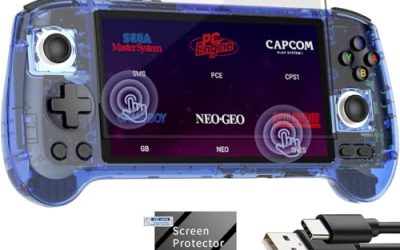
Retroid Pocket 5: Bright 5.5 Inches, Easy Menus

The Pocket 5 pairs a 5.5-inch AMOLED with Android, and that combination is the practical sweet spot for glasses wearers. The panel is bright enough to stay readable under room lighting reflected in your lenses, and Android’s display size slider enlarges the launcher and emulator menus, not just the games. It is light enough to hold at a comfortable distance for long sessions.
Specs
- Display: 5.5-inch AMOLED, 1920 x 1080, touchscreen
- Chipset: Qualcomm Snapdragon 865
- System: Android 13, with display size and font scaling settings
- Controls: Dual analog sticks, Hall effect sticks and triggers
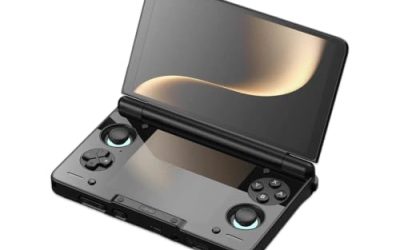
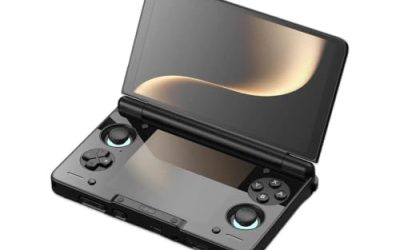
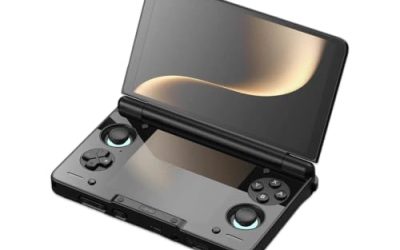
Retroid Pocket Flip 2: The Self-Propping Clamshell

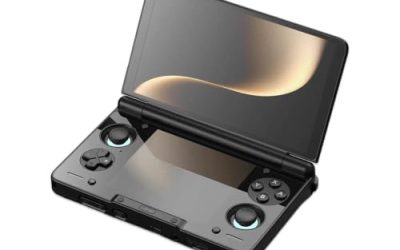
The Flip 2 uses the same class of 5.5-inch AMOLED and Snapdragon 865 hardware as the Pocket 5, but the clamshell hinge is the feature glasses wearers should notice. Open it on a desk or an airline tray and the screen stands at an angle you choose, so progressive wearers can line the display up with the reading zone of their lenses by moving the device, not their neck. Closed, the screen is protected in a bag with no case.
Specs
- Display: 5.5-inch AMOLED, 1920 x 1080, touchscreen, adjustable hinge angle
- Chipset: Qualcomm Snapdragon 865
- System: Android 13, with display size and font scaling settings
- Controls: Dual analog sticks, Hall effect sticks and triggers
Anbernic RG556: Big AMOLED for Less

The RG556 brings a 5.48-inch AMOLED to a lower price tier than the Retroid pair, with rounded grips that suit longer holds. Its Unisoc T820 handles PlayStation 2 and GameCube unevenly compared with the Snapdragon machines, but for the 8-bit through Dreamcast catalogue, and for text-heavy games on a big bright screen, it covers the glasses-wearer brief well.
Specs
- Display: 5.48-inch AMOLED, 1920 x 1080, touchscreen
- Chipset: Unisoc Tiger T820
- System: Android 13, with display size and font scaling settings
- Controls: Dual analog sticks, Hall effect sticks, ergonomic shell grips
TrimUI Smart Pro: The Wide Budget Screen

The Smart Pro is the budget pick, and its 4.96-inch IPS screen is wide rather than tall, which suits 16:9 scaling of PlayStation Portable games and integer-scaled classics with larger rendered text than a 3.5-inch device can offer. It runs Linux firmware, so there is no system-wide font slider, but RetroArch menu font size and integer scaling do the same job inside games. Note that it has no touchscreen, so menus are D-pad driven.
Specs
- Display: 4.96-inch IPS, 1280 x 720, no touchscreen
- Chipset: Allwinner A133P
- System: Linux firmware with RetroArch font and scaling controls
- Controls: Dual analog sticks, D-pad, face buttons
Settings That Help Behind Glasses
Whichever pick you choose, three settings do most of the work. First, raise the Android display size one step before changing anything in an emulator, because larger menus stop you leaning in between games. Second, use integer scaling for 8-bit and 16-bit systems, since a sharp enlarged pixel is easier to read through any lens than a blurred filtered one. Third, set brightness for the room rather than maximum: a panel at moderate brightness with strong contrast reads better through glasses than a panel at full brightness washing out under ceiling lights.
Who Should Skip
Skip this whole category if you play without your glasses and see a handheld screen clearly at close range; a compact 3.5-inch device will serve you better and cost less. Skip the small-screen classics entirely if you wear progressives: a 3.5-inch panel forces the close, low hold that fights the reading zone of the lens, and no setting fixes that geometry. Skip the TrimUI Smart Pro if you rely on a touchscreen for adventure games or on Android accessibility settings. And skip the Thor Pro if you want the lightest possible device, since its dual screens make it the heaviest hold here.
Frequently Asked Questions
What screen size is best for playing with glasses on?
Around 5.5 inches is the practical sweet spot. It renders game text large enough to read at a natural holding distance, which keeps the screen inside the focal range of distance, reading, and progressive prescriptions without head tilting.
Are AMOLED screens better for glasses wearers?
Usually, yes. AMOLED panels combine high brightness with true black levels, so text keeps its contrast even when room light reflects off your lenses. A bright AMOLED at moderate brightness is easier to read through glasses than a dim IPS panel at full brightness.
Do bifocals and progressives work with handheld gaming?
They do, but holding position matters more than hardware. Hold the device a little higher and farther away so the screen sits in the lens’s reading zone, or use a clamshell handheld propped on a table so you can angle the screen instead of tilting your head back.
Can I just raise the font size instead of buying a bigger screen?
Partly. Android display scaling and RetroArch font settings enlarge menus and system text, and integer scaling sharpens game graphics. But the game’s own dialogue is rendered by the emulator at screen size, so a physically larger panel still reads better than settings alone on a small one.
Final Verdict
For glasses wearers, the ranking follows the lenses. The AYN Thor Pro wins on pure geometry: the biggest screen, readable at the distance most prescriptions are built for. The Retroid Pocket 5 is the balanced choice, the Flip 2 is the pick for progressive wearers who play at a table, the RG556 delivers the big AMOLED for less, and the TrimUI Smart Pro is the honest budget floor. Buy the screen size your lenses need, and the rest of the spec sheet can stay ordinary.
Product and ASIN Reference
| Product | ASIN |
|---|---|
| AYN Thor Pro | B0FV3HKG9P |
| Retroid Pocket 5 | B0DT4G4PD2 |
| Retroid Pocket Flip 2 | B0FDQGNNS4 |
| Anbernic RG556 | B0FKHBVGLQ |
| TrimUI Smart Pro | B0CSK9B4G4 |