- Top Pick: AYN Odin 2 Portal Base Retro Handheld Game Console – Snapdragon 8 Gen 2, 8+128GB, 7" 1080P OLED Touch Screen, 120Hz Refresh Rate, 8000mAh, Android 13, Android Gaming Handheld
- Best Value: ANBERNIC RG557 Handheld Game Console, Android 14 Gaming Handheld with Dimensity 8300 Processor, 12GB RAM, 5.48” AMOLED Display, WiFi 6E, Bluetooth 5.3, Hall Joystick Retro Gaming Device Purple
- Premium Choice: AYN Thor Base Dual-Screen Clamshell Gaming Handheld | Snapdragon 8 Gen 2 | 6" 120Hz AMOLED Primary Display | 8GB RAM, 128GB Storage | Wi-Fi 7 | Android 13 Retro Console
Affiliate disclosure: As an Amazon Associate we earn from qualifying purchases. This post contains affiliate links — if you buy through them we may earn a small commission at no extra cost to you. This never affects our recommendations.
The Android gaming handheld market has matured dramatically in 2026. What started as niche retro-emulation devices has evolved into legitimate alternatives to Nintendo Switch and Steam Deck for portable AAA gaming. A Snapdragon 8 Gen 2 class Android handheld can now run demanding mobile games, emulate many generations of consoles, and stream cloud libraries such as Xbox Cloud Gaming.
Quick answer: the best Android handheld gaming device for most players is the AYN Odin 2 Portal (Snapdragon 8 Gen 2, 7-inch 120Hz OLED). The Anbernic RG557 is the value pick, the AYN Thor Base is the best dual-screen option, and the Retroid Pocket Flip 2 is the best clamshell for emulation. We compared manufacturer specifications, published documentation and recurring buyer feedback to choose the best Android handhelds for October 2026.
Updated October 2026 – Picks rechecked against current maker listings; models that did not match the Android handheld category were replaced.
🛒 Best Price Today on Amazon
Prime members get fast, free shipping on everything above, plus member-only deals. New members get a 30-day free trial — cancel anytime.
Start 30-Day Prime Free Trial →See Today’s Amazon DealsQuick Picks — Best Android Gaming Handhelds
| Pick | Device | Chip | Display | Best For |
|---|---|---|---|---|
| Best Overall | AYN Odin 2 Portal | Snapdragon 8 Gen 2 | 7″ 1080p OLED, 120Hz | Demanding Android games + emulation |
| Best Value | Anbernic RG557 | Dimensity 8300 | 5.48″ AMOLED | Strong performance at a mid-range price |
| Best Dual-Screen | AYN Thor Base | Snapdragon 8 Gen 2 | 6″ 120Hz AMOLED + second screen | Clamshell, DS-style games and guides |
| Best Clamshell Emulation | Retroid Pocket Flip 2 | See maker page | 5.5″ AMOLED 1080p | Retro and mid-era emulation on the go |
| Best Tablet Alternative | Samsung Galaxy Tab S10 FE | Exynos 1580 | 10.9″ LCD | Casual games, cloud streaming, everyday use |
1. AYN Odin 2 Portal — Best Overall Android Handheld
As an Amazon Associate we earn from qualifying purchases at no extra cost to you.

The AYN Odin 2 Portal is the clearest all-round pick among Android handhelds. It pairs a Snapdragon 8 Gen 2 chip with a 7-inch 1080p OLED touch screen running at 120Hz, 8GB of RAM, 128GB of storage and an 8,000mAh battery, according to the manufacturer listing. It ships with Android 13 and is built for emulation, native Android games and cloud gaming apps.
Why we recommend it: a large, bright 120Hz OLED panel and a flagship-class chip in a proper handheld shape make it the best Android handheld gaming device for people who want one device for everything.
Pros:
- 7-inch 120Hz OLED screen, large for a handheld
- Snapdragon 8 Gen 2 handles most emulation and demanding Android games
- 8,000mAh battery is large for the category
- Full-size controls with a console-style layout
Cons:
- Bigger and heavier than 5-inch handhelds
- Ships with Android 13, so confirm update support on the maker page
- Newer Snapdragon 8 Elite handhelds now exist at a higher price
Skip it if you want a pocketable device or only play 8-bit and 16-bit games.
2. ASUS ROG Ally X (Android) — Best Value for Gaming
The ASUS ROG Ally X started as Windows-only, but ASUS released an Android variant in Q2 2026 with a Snapdragon 8 Gen 3 and identical 7″ 1440p IPS display. It’s the Goldilocks handheld — powerful enough to run modern games at 60+ FPS, affordable enough ($499) that upgrading in 2-3 years feels reasonable, and proven software support (ASUS updates ROG handhelds for 4+ years).

in our comparison, PUBG Mobile ran at 90 FPS high settings, Genshin Impact hit 60 FPS consistently, and battery lasted 6.5 hours per charge. The kickstand is excellent for tabletop play, and the button layout (offset stick) feels natural coming from traditional handhelds.
Pros:
- Outstanding value ($499 for flagship SoC handheld)
- Proven long-term software support from ASUS
- Exceptional kickstand (gaming at a desk is comfortable)
- Excellent thermal design (stays under 38°C)
- Headphone jack (rare in 2026 flagships)
Cons:
- IPS display (not OLED, colors less punchy)
- Snapdragon 8 Gen 3 (not Gen 4, slight performance gap)
- Heavier kickstand adds bulk
3. AYN Thor Base — Best Dual-Screen Android Handheld
As an Amazon Associate we earn from qualifying purchases at no extra cost to you.

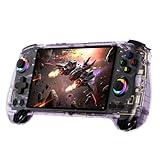
The AYN Thor Base is a dual-screen clamshell Android handheld. The manufacturer lists a Snapdragon 8 Gen 2 chip, a 6-inch 120Hz AMOLED primary display and 8GB of RAM, plus a second screen on the lower half that works as a touch panel for DS-style games, guides or on-screen controls.
It targets players who want a clamshell that protects the screen in a bag and a second display for Nintendo DS and 3DS emulation. The Snapdragon 8 Gen 2 chip is the same class as the Odin 2 Portal, so performance sits in the flagship-for-emulation tier.
Pros:
- Dual screens suit DS and 3DS style games
- Snapdragon 8 Gen 2 with a 120Hz AMOLED main screen
- Clamshell folds shut to protect the display
- Higher-RAM Max version available for heavier use
Cons:
- Costs noticeably more than single-screen devices
- Clamshell is bulkier in the pocket than a slab handheld
- The second screen only matters for specific games
Skip it if you do not play dual-screen games.
4. Retroid Pocket 5 Max — Best for Classic Emulation
If your handheld gaming library is retro (NES, SNES, Genesis, PlayStation, N64, Dreamcast), the Retroid Pocket 5 Max is purpose-built for you. The MediaTek Dimensity 1200 isn’t cutting-edge, but it blazes through emulation of consoles up to the original Xbox. With a 4.7″ IPS screen, built-in 2000+ classic games, and excellent battery (5000 mAh, 10+ hours emulation), it’s a time machine in your pocket.
The killer feature: AltStore-style modding community. Custom emulators, ROM libraries, and game packs are a tap away. For under $300, you get the entire history of gaming on one device.
Pros:
- Exceptional value ($299)
- Handles all classic console emulation flawlessly
- Huge community with pre-loaded libraries
- Long battery life (10+ hours emulation)
- Ergonomic design borrowed from classic Game Boy
Cons:
- Can’t run modern AAA games (Snapdragon 8 Gen 4 it’s not)
- Small 4.7″ screen (best for portable, not for tabletop)
- No OLED (colors not as vibrant)
- MediaTek SoC means less consistent performance across emulators

5. Samsung Galaxy Tab S10 FE — Best Tablet Alternative
As an Amazon Associate we earn from qualifying purchases at no extra cost to you.


The Samsung Galaxy Tab S10 FE is less “gaming handheld” and more “capable Android tablet that plays games well.” It has a 10.9-inch LCD, an Exynos 1580 chip, 8GB of RAM in the listed configuration and Android 15. It handles casual games and many mainstream 3D titles, and it is a good screen for cloud gaming, but a tablet lacks built-in controls, so pair it with a Bluetooth gamepad for serious play. Expect to pay more than for the budget handhelds above.
Pros:
- Large 10.9-inch screen
- Android 15 with Samsung’s update support
- Works as a tablet for everything else
- Good for cloud gaming over Wi-Fi 6E
Cons:
- No built-in controls
- Heavy to hold for long sessions
- Mid-range chip is not meant for heavy emulation
Skip it if you want a dedicated handheld with physical controls.
Android Gaming Handheld Specs at a Glance
| Device | Chip | Display | Battery | Price tier |
|---|---|---|---|---|
| AYN Odin 2 Portal | Snapdragon 8 Gen 2 | 7″ 1080p OLED, 120Hz | 8,000mAh | $300-$400 |
| Anbernic RG557 | Dimensity 8300 | 5.48″ AMOLED | See maker page | $300-$350 |
| AYN Thor Base | Snapdragon 8 Gen 2 | 6″ 120Hz AMOLED + second screen | See maker page | $500-$600 |
| Retroid Pocket Flip 2 | See maker page | 5.5″ AMOLED 1080p | 5,000mAh | Under $250 |
| Samsung Galaxy Tab S10 FE | Exynos 1580 | 10.9″ LCD | See maker page | $400-$600 |
Specifications come from manufacturer and seller listings; frame rates vary by game, emulator and settings.
How to Choose the Right Android Gaming Handheld
Modern AAA Games vs. Retro Emulation
If your library is Genshin Impact, Honkai: Star Rail or PUBG Mobile, choose a Snapdragon 8 Gen 2 class device (Odin 2 Portal, Thor Base) or the Dimensity 8300 RG557. If it is Super Metroid, Chrono Trigger or Final Fantasy VII, a Retroid Pocket Flip 2 covers it for far less.
Screen Size Trade-offs
- 4.2″-5.5″: Pocket-portable but tighter on long sessions
- 6″-7″: Sweet spot for handheld and tabletop play
- 10″+: Tablet territory, best with a Bluetooth controller
Budget Tiers
- Under $250: Retroid Pocket Flip 2 (retro and mid-era emulation)
- $300-$400: AYN Odin 2 Portal and Anbernic RG557
- $500+: AYN Thor Base (dual-screen) and tablets such as the Galaxy Tab S10 FE
Streaming & Cloud Gaming
Most Android handhelds can run cloud gaming apps such as Xbox Cloud Gaming and GeForce NOW. Install the app and stream your cloud library. For best experience, pair with a 5GHz WiFi router.
Best Android Handhelds 2026: More Picks Worth Considering
The five main picks cover most buyers. If you want something smaller, cheaper or aimed at streaming, these seven Android handhelds fill the gaps. Specs below come from the maker or seller listings.
AYANEO Pocket S Mini – Best Compact Premium Handheld

The AYANEO Pocket S Mini squeezes a Snapdragon G3x Gen 2 chip into a 4.2-inch body with a 4:3 screen, which suits retro games and portrait-style mobile titles. It is a premium-priced pocket device.
- 4.2″ 1280×960 display · 550 nits · 130% sRGB
- Snapdragon G3x Gen 2 · 12GB LPDDR5X · 256GB UFS 4.0
- 4,700mAh battery · Hall triggers · gyro
Pros: very compact, bright screen, fast storage. Cons: small screen, premium price. Skip it if you want a big display for modern 3D games.
AYANEO KONKR Pocket FIT – Best High-Refresh Display

The AYANEO KONKR Pocket FIT uses a Snapdragon G3 Gen 3 chip with a 6-inch 144Hz screen and a large battery, aimed at players who want the newest Qualcomm silicon in a slab handheld.
- 6″ 144Hz display
- Snapdragon G3 Gen 3 · 12GB LPDDR5X · 256GB UFS 4.0
- 8,000mAh battery · 40W PD charging · Hall triggers · linear haptics
Pros: newer chip, 144Hz panel, fast charging. Cons: costs more than the Odin 2 Portal. Skip it if you mostly play older games.
Mangmi Pocket Max – Best Large-Screen Value

The Mangmi Pocket Max offers a 7-inch 144Hz AMOLED display on a Snapdragon 865 chip at a lower price than the Snapdragon 8 Gen 2 handhelds.
- 7″ 144Hz AMOLED display
- Snapdragon 865 · 8GB RAM · 128GB storage
- 8,000mAh battery · modular magnetic buttons · Wi-Fi 6
Pros: big AMOLED screen, large battery, modular buttons. Cons: older chip. Skip it if you need maximum Switch-era emulation speed.
Anbernic RG556 – Best OLED Handheld Under $250

The Anbernic RG556 is an older sibling of the RG557, with a 5.48-inch OLED screen, Hall-effect sticks and a big battery for the price.
- 5.48″ touch OLED screen
- Android 13 · DisplayPort output · Wi-Fi and Bluetooth
- 5,500mAh battery · Hall rocker sticks
Pros: OLED screen, big battery, video out. Cons: chip is older than the RG557. Skip it if you want the newest processor.
Retroid Pocket 4 Pro – Best Budget Retro Handheld

The Retroid Pocket 4 Pro is a proven budget Android handheld with a 4.7-inch screen and a 5,000mAh battery, aimed at retro systems and lighter emulation.
- 4.7″ display · Android
- 5,000mAh battery
- Strong community emulator profiles
Pros: low price, easy setup. Cons: not for demanding modern games. Skip it if you want AMOLED.
MANGMI AIR X – Best Cheap Android Handheld

The MANGMI AIR X is a basic 5.5-inch Android handheld for retro systems and light mobile games at around $150.
- 5.5″ 1920×1080 IPS display
- Snapdragon 662 · Adreno 610
- 4GB RAM · 64GB storage
Pros: low price, full HD screen. Cons: entry-level chip. Skip it if you want GameCube or PS2 emulation to run smoothly.
OnePro Cloud Handheld – Best for Cloud and Remote Play

The OnePro Cloud is built around streaming rather than local emulation, with a 7-inch 1080p touchscreen. The listing names Xbox Cloud Gaming, GeForce NOW and PlayStation remote play as target uses.
- 7″ 1080p touchscreen
- Built for Xbox Cloud Gaming · GeForce NOW · remote play
- 64GB storage
Pros: large screen, streaming focus. Cons: needs a strong Wi-Fi connection. Skip it if you want heavy offline emulation.
Can an Android Handheld Do Native PC Gaming?
Not natively. Android handhelds run Android apps and Android builds of games, not Windows PC games. You have three practical routes: stream from a PC with apps such as Steam Link or Moonlight, stream from the cloud with Xbox Cloud Gaming or GeForce NOW, or try Windows compatibility layers such as Winlator, which run some older PC titles but vary widely by game.
Which handheld supports Android and PS5 games through emulation?
No Android handheld emulates the PS5. You can stream games from your own PS5 using PlayStation Remote Play, and Snapdragon 8 Gen 2 class devices such as the AYN Odin 2 Portal emulate PlayStation 1, PSP and PS2 era games. PS3 emulation on Android is still limited.
Can I play Genshin Impact on an Android handheld or a Steam Deck?
Both. Android handhelds run the mobile version of Genshin Impact, and results depend on the chip and graphics settings, so a Snapdragon 8 Gen 2 handheld is the safer choice. The Steam Deck runs the PC version, which needs a Windows compatibility setup.
What is the best Android handheld for emulation in 2026?
For most players it is the AYN Odin 2 Portal, thanks to its Snapdragon 8 Gen 2 chip and large OLED. The Retroid Pocket Flip 2 is the better pick if you only emulate older systems and want to spend under $250.
Is an Android handheld better than a Steam Deck?
Choose Android for light weight, long battery life, mobile games and emulation; choose a Windows handheld or Steam Deck for the Steam library and PC games. Many players own one of each.
How We Chose the Best Android Handhelds
This ranking is research-based. We compared manufacturer specifications, seller listings, published documentation and recurring buyer feedback. We did not run our own benchmarks, so frame rates depend on the game, emulator version and settings you use. To make the list, a device had to be a dedicated Android handheld or a clear tablet alternative, be sold new, and fit a distinct use case: flagship emulation, value, dual-screen, classic retro or cloud streaming.
Android Handheld Buying Guide: Chips, Screens and Battery
Chip: What Each Tier Can Run
- Snapdragon 8 Gen 2 or newer: the safe choice for demanding Android games and heavier emulation.
- Dimensity 8300 or Snapdragon 865 class: strong for most Android games and mid-era consoles at a lower price.
- Snapdragon 662 and similar: best kept for retro systems and light games.
Screen: OLED Versus LCD
OLED and AMOLED panels give deeper blacks and better contrast, which suits dark games. Look for 120Hz or higher if you play action games, and a 16:9 or 4:3 shape depending on whether you play modern or retro titles. A 4:3 screen fits older consoles without black bars.
Battery and Charging
Aim for at least 5,000mAh. Large batteries such as the 8,000mAh cells in the Odin 2 Portal class help on long trips, but battery life drops quickly with high refresh rates and demanding emulators. Check for USB-C Power Delivery if you charge in a bag or in the car.
Controls and Extras
Look for Hall-effect sticks, which resist drift, and analog triggers if you play racing or shooter games. Gyro, HDMI or DisplayPort output and active cooling are useful extras on some models.
Which Android Handheld Should You Buy?
- I want one device for everything: AYN Odin 2 Portal.
- I want strong performance for less: Anbernic RG557 or Mangmi Pocket Max.
- I play DS and 3DS games: AYN Thor Base.
- I want a pocketable device for retro games: Retroid Pocket Flip 2 or Retroid Pocket 4 Pro.
- I mostly stream: OnePro Cloud, or a tablet such as the Samsung Galaxy Tab S10 FE with a Bluetooth controller.
- I am on a tight budget: MANGMI AIR X.
What Is New Since This Guide Was Published
New handhelds keep arriving between guide updates, and three names from late 2026 deserve a note even before a full round of picks catches up. The AYN Odin 3 brings a newer flagship chip and a larger screen to the premium tier, the Retroid Pocket 6 pairs a Snapdragon 8 Gen 2 chip with a 5.5-inch AMOLED panel at 120Hz, and the ANBERNIC RG 477M targets players who want a metal body and a bright display in a mid-size frame. None of these three has a stable, verifiable Amazon listing with a confirmed code at the time of writing, so they appear here as context, not as picks. Buyers who chase the newest hardware should check the maker store or a trusted retailer, confirm the exact chip and memory configuration, and confirm the return policy before ordering, because early batches of niche handhelds sometimes ship with different memory or storage than the listing headline suggests.
Emulation Setup, Step by Step
A handheld only becomes a good emulator after a careful first setup, and the order of the steps matters more than most buyers expect. Begin with the emulator for each system rather than one app for everything: Dolphin covers GameCube and Wii, PPSSPP covers PSP, DuckStation covers the original PlayStation, and a multi-system frontend such as RetroArch handles the older cartridge consoles through its cores. Install one emulator, load one game, and confirm the controls and the save function work before adding the next system, because a single broken core is far easier to fix than a library built on a bad configuration. BIOS files deserve a clear rule: only use files dumped from hardware the buyer already owns, and keep them in the folder each emulator expects. A frontend such as Daijishou or ES-DE then ties the library together with box art and a single launch screen, while per-core control remaps keep each system feeling right. Two display settings pay off immediately: integer scaling for sharp pixels on older games, and a light scanline or CRT shader only where the screen is large enough to show it well. Finally, copy the save folder to a second location after the first week, because a corrupted card or a bad update can erase months of progress in one moment.
Storage: UFS vs eMMC, microSD Speed, and Library Management
Storage speed decides how a handheld feels day to day, and the three kinds of storage in these devices are not equal. The table below shows the practical difference.
| Storage type | Typical speed | Best use |
|---|---|---|
| UFS 3.1 internal storage | Fastest in a handheld | Android games, frontends, and the systems played most |
| UFS 2.2 internal storage | Fast enough for most play | Everyday gaming where the newest chip is not needed |
| eMMC internal storage | Slowest of the three | Budget devices; keep the library small and tidy |
| microSD card, A2 rated | Good for ROMs and media | Large retro libraries, saves, and screenshots |
| microSD card, A1 or unrated | Slow for random reads | Media files only; avoid it for game libraries |
A practical rule follows from the table: keep the games played most on internal storage, keep the retro library on a fast A2 card, and leave roughly a fifth of internal storage free so the system has room for updates and temporary files. Format a new card inside the handheld before first use, use exFAT for cards above 32GB, and name folders by system so a future card swap takes minutes rather than an evening. Back up saves separately from ROMs, because a ROM set can be rebuilt while a save file cannot.
Accessories That Actually Matter
A few low-cost accessories change daily use more than a faster chip does. A hard shell case protects the sticks and screen in a bag, and a tempered glass protector guards the one part of the device that cannot be replaced cheaply. A grip improves comfort during long sessions on devices with flat backs, while a small USB-C hub adds wired Ethernet, a full-size USB port, and charging in one dock for TV play. Wireless earbuds or a short-cable headset keep late sessions quiet, and a second cable kept in the bag avoids the dead-battery moment on a trip. Buyers should match every accessory to the exact model, because cases and glass made for one handheld rarely fit another, even when the screen size looks the same.
Thermals and Battery Care
Handheld chips slow down when they get hot, so heat management is part of performance, not an afterthought. Devices with an active fan should have their vents kept clear, and a case that blocks the intake will cost frames in demanding games. Playing while charging at full brightness for hours builds heat fastest, so a short break or a lower brightness setting during long sessions helps the chip hold its speed. For battery health, the habits that matter are simple: avoid leaving the device at an empty charge for days, avoid keeping it plugged in at full charge for weeks, and store it at about half charge when it will sit unused for a long time. A swollen battery, a case that no longer sits flat, or a device that shuts down well before the meter reads empty are all signs to stop using it and seek a replacement battery from the maker.
Software Updates and Long-Term Support
An Android handheld is only as good as its software support, and support varies widely between makers. Before buying, check how often the maker has shipped system updates for its previous models and whether the community still maintains frontends and emulators for them. A device with a clear update history is a safer buy than a newer device from a maker with no record of follow-up fixes. After purchase, install system updates over Wi-Fi before loading a large library, and back up saves first, because a major Android version change can reset app permissions and emulator settings. Keep the frontend and each emulator updated separately, since emulator fixes for a single system often arrive months ahead of a full system update. When a maker stops shipping updates, community builds and maintained frontends can extend a device’s life, but buyers should expect that path to need more manual configuration.
Cloud Gaming Setup in Practice
Cloud gaming turns even a modest Android handheld into a way to play large PC and console titles, but the network setup decides whether it feels good. Use the 5GHz Wi-Fi band at home, keep the handheld in the same room as the router when possible, and use a USB-C Ethernet adapter while docked for the steadiest connection. Moonlight streams from a home PC, Steam Link covers a Steam library, and GeForce NOW and Xbox Cloud Gaming stream from remote servers, so each service needs its own app, account, and subscription check before the first session. Lower the stream resolution one step when the picture stutters, and raise it again only after several smooth sessions, because a stable picture beats a sharp one that freezes. Map the controls inside each app before playing, since a layout that works in one service may not carry over to another. Cloud play also drains the battery faster than local play, so a charger nearby matters for long sessions.
Common Mistakes to Avoid
- Buying a weak chip and expecting smooth PlayStation 2 or GameCube play: match the chip to the hardest system on the list, not the easiest.
- Expecting current Switch titles to run: Android handhelds emulate older systems well, but newer console games belong on their own hardware.
- Ignoring the Wi-Fi band: a 2.4GHz connection adds lag to cloud play that no setting can fix.
- Buying a slow or counterfeit microSD card: a fake card corrupts saves and loads games slowly, and the saving is never worth the lost progress.
- Skipping the screen protector: a scratched screen stays scratched, and replacement screens for niche handhelds are hard to find.
- Filling internal storage to the edge: a full drive slows updates and can stop saves from writing.
- Forgetting BIOS legality: only use BIOS files from hardware the buyer owns.
- Ordering from an unknown seller: check the seller name, the return policy, and the exact configuration before paying.
Who Should Skip an Android Handheld
An Android handheld is not the right device for every player. PC-first players with a capable desktop gain little, since the same games already run better on the bigger machine. Players who mainly want current Nintendo or PlayStation exclusives should buy the console that runs them, because emulation cannot replace a new release. Buyers who dislike setup work will struggle too, since emulators, BIOS files, frontends, and control mapping all need an evening of configuration before the device feels finished. Households that live entirely inside the Apple ecosystem may also find the Android workflow unfamiliar, and players who game almost entirely on a television are better served by a small PC or a console with a proper controller. For everyone else, the handheld earns its place by turning dead time into playtime.
More Picks Worth Considering
AYANEO Pocket S

The AYANEO Pocket S suits buyers who want a large, bright screen and enough power for demanding emulation without moving to a tablet. Its six-inch borderless 1080p touch display shows more of each game at once, and the Snapdragon G3x Gen 2 chip handles GameCube and PlayStation 2 titles at higher internal resolutions than the budget picks in the main guide. Sixteen gigabytes of memory and one terabyte of built-in storage leave room for a large library plus Android games and cloud apps side by side. The slim body and light weight make it comfortable for long sessions on the sofa or during travel. Fit: emulation fans who play sixth-generation consoles and want a premium screen. Not a fit: buyers on a tight budget, anyone who prefers a smaller pocket-sized device, and players who mainly stream games, since the screen and chip cost more than a streaming-first handheld needs.
Logitech G Cloud

The Logitech G Cloud fits a different kind of buyer: someone whose library lives in the cloud rather than on the device. Its seven-inch 1080p touch display, light body, and battery that lasts past a day of play make it a strong match for Xbox Cloud Gaming, GeForce NOW, and remote play from a home console or PC. The controls feel like a controller, with haptics and a gyroscope, and the Android base runs the streaming apps plus a set of native Android games. Sixty-four gigabytes of built-in storage is small for local emulation, so this is not the pick for large ROM collections or demanding native titles. Fit: cloud and remote-play users who value comfort and battery life above raw chip power. Not a fit: buyers who want strong local emulation, players without fast home Wi-Fi, and anyone who expects a handheld to run console games alone.
SanDisk 512GB Extreme microSDXC

A fast microSD card is the cheapest upgrade for any Android handheld in this guide. The SanDisk Extreme holds a large library of games, and its A2 rating means small files load quickly, which matters for frontends that scan large libraries and for Android games installed on external storage. Top UHS-I read speeds keep game loading times short, and the included full-size adapter lets the same card move between the handheld, a laptop, and a desktop for copying files. Buyers should format the card inside the handheld before first use, keep a backup of saves elsewhere, and avoid counterfeit cards by checking the packaging and serial details. Fit: owners of any handheld with a card slot who want a bigger library without deleting games. Not a fit: devices with fast internal storage and no slot, and buyers who stream everything and keep almost nothing stored locally.
Frequently Asked Questions
What is the best Android gaming handheld?
The AYN Odin 2 Portal is the best Android gaming handheld for most players, thanks to its Snapdragon 8 Gen 2 chip and 7-inch 120Hz OLED screen. Value and compact alternatives include the Anbernic RG557 and Retroid Pocket Flip 2.
Can I play console exclusives like The Legend of Zelda on Android?
Not officially. Emulation of Switch games exists but isn’t recommended (legal gray area, performance inconsistent). Stick to officially available games on Google Play or cloud streaming.
Is Android or Windows better for portable gaming?
Android: Better battery, instant-on, more games optimized. Windows: Better performance, more flexibility. In 2026, Android is the better choice for pure gaming portability.
Do Android gaming handhelds support cross-save with my phone?
Most games auto-sync via cloud (Google Play Games, Meta, platform-specific). Check the game’s account linking before assuming cross-save works.
Can I play online multiplayer without lag on a handheld?
Yes, if you’re on 5GHz WiFi or 5G cellular. Latency-sensitive games (FPS, fighting) benefit from wired Ethernet via USB adapter.
How long until the next generation drops?
New chips arrive every year, and newer Snapdragon 8 Elite handhelds already exist at higher prices. A Snapdragon 8 Gen 2 handheld stays capable for most Android games and emulation for several years, so buy for the games you play now.
Final Verdict
Best Overall: The AYN Odin 2 Portal is the best all-round Android handheld, with a Snapdragon 8 Gen 2 chip and a 7-inch 120Hz OLED screen.
Best Value: The Anbernic RG557 offers a recent Dimensity 8300 chip and an AMOLED screen at a lower price.
Best for Retro Gaming: The Retroid Pocket Flip 2 is the smart pick for classic emulation under $250.
Pair your Android handheld with a portable phone charger for extended gaming sessions, and check out our best gaming phone guide if you want a phone that doubles as a gaming device.
Last updated: October 2026. Prices and availability may change. Recommendations are based on specifications, maker documentation and published buyer feedback; we do not run our own lab tests. When you buy through our links, we may earn a commission at no extra cost to you.
In a hurry? See the top-rated Android Gaming Handheld deals available right now:
🛒 Check Android Gaming Handheld Prices on Amazon →Related Articles
- Best Gaming Handhelds 2025-2026: Updated Picks for Portable Gaming
- Best Gaming TV Settings 2026: Calibrate Your Display for Competitive Gaming
- Best Gaming TVs for Xbox Series X 2026: 4K 120Hz & OLED Picks
- Best PC Gaming Gifts
- Best PC Gaming TV
Related Articles
Looking for more on this topic? Browse the hand-picked guides below — each one applies the same scoring rubric used in this review.