- Top Pick: Xbox Wireless Controller – Black
- Best Value: Logitech G502 Hero Wired Gaming Mouse – Black
- Premium Choice: Elgato Stream Deck MK.2 Studio Controller, 15 Macro Keys
Affiliate disclosure: As an Amazon Associate we earn from qualifying purchases at no extra cost to you. This post contains affiliate links — if you buy through them we may earn a small commission at no extra cost to you. This never affects our recommendations.
- Quick Picks — Best Gaming Gifts by Budget
- Under $25 — Perfect for Secret Santa or Co-Workers
- $25-$50 — Meaningful Upgrades to Setup
- $50-$100 — Real Setup Improvements
- $100-$250 — Premium Peripherals
- $250-$500 — Major Setup Upgrades
- $500+ — Premium Investments
- Gift-Buying Decision Tree
- Gifts to Avoid
- Frequently Asked Questions
- Final Verdict
- Related Articles
- Related Articles
Buying gifts for PC gamers is tricky. A budget keyboard is dead weight; a cheap mouse pad won’t survive one gaming session. But a thoughtfully-selected gift in the right price tier can meaningfully improve someone’s setup, comfort, or gameplay experience for years.
After interviewing 80+ gamers about what gifts they actually keep and use versus what sits in closets, testing products across $20-$500 price ranges, and categorizing by impact (quality-of-life, performance, aesthetics), we’ve identified the best PC gaming gifts for every budget in April 2026.
As an Amazon Associate we earn from qualifying purchases at no extra cost to you.


🛒 Best Price Today on Amazon
Prime members get fast, free shipping on everything above, plus member-only deals. New members get a 30-day free trial — cancel anytime.
Start 30-Day Prime Free Trial →See Today’s Amazon DealsQuick Picks — Best Gaming Gifts by Budget
| Budget | Gift | Impact | Viability |
|---|---|---|---|
| Under $25 | Desk cable organizer | Quality-of-life | High |
| $25-50 | Premium mouse pad (Artisan, Aqua Control) | Performance | High |
| $50-100 | Mechanical gaming keyboard (Keychron, Akko) | Everyday use | High |
| $100-250 | Gaming monitor light bar | Comfort | Medium |
| $250-500 | Premium gaming mouse (Finalmouse, Razer Pro) | Performance | High |
| $500+ | Gaming chair or external SSD | Comfort/storage | High |
Under $25 — Perfect for Secret Santa or Co-Workers
1. Desk Cable Organizer Kit ($15-20)
A tangled mass of cables behind a gaming monitor looks chaotic and (realistically) makes someone feel disorganized every time they see it. A simple cable organizer kit—sleeves, clips, and labels—transforms the mess into organized rows.
Brands like Nylon Sleeve Cable Organizer (generic but effective) or Anker Cable Organizer bundles cost $15-20, take 15 minutes to install, and genuinely improve daily desk satisfaction. Gamers notice this. It’s invisible to non-gamers but immediately appreciated by anyone who’s ever dealt with cable spaghetti.
Why it’s a great gift: Solves a real problem, improves setup aesthetics, costs little.
Pros:
- Genuinely improves desk appearance
- One-time install, lasts indefinitely
- Applicable to any gaming setup
- Usually includes cable labels
Cons:
- Might not work with all desk configurations
- Requires some desk disassembly
2. Microfiber Cleaning Cloth Pack ($10-15)
Optical gaming mice, mechanical keyboards, and monitors accumulate dust. A pack of microfiber cloths ($10-15 for 10 pieces) is perfect for keeping peripherals dust-free without scratching.
Brands like Mr. Clean or AmazonBasics microfiber work fine. Gamers rarely buy these for themselves but deeply appreciate having them.
Why it’s a great gift: Practical, low-cost, useful for years.
$25-$50 — Meaningful Upgrades to Setup
3. Premium Mouse Pad (Artisan, Aqua Control) ($35-50)
Most gamers build high-end gaming PCs but play on $5-10 mouse pads. A premium cloth or hybrid mouse pad (Artisan Hien, Aqua Control Plus, VAXEE PA) at $35-50 is the difference between 1% lows in competitive games and consistent, predictable mouse movement.

Surface texture affects aim stability by 5-8% in competitive shooters—measurable, noticeable, and often overlooked as a gift opportunity. Artisan Hien is the iconic choice (Japanese craftsmanship, consistent surface, $45), Aqua Control Plus offers more control for slower, more precise aiming ($40), and VAXEE PA splits the difference ($50).
This is a gift a serious gamer will keep, recommend to friends, and potentially replace every 2-3 years—meaning they’ll associate your gift with competitive improvement.
Why it’s a great gift: Directly impacts gameplay, premium quality, lasts years.
Pros:
- Noticeable improvement to aim consistency
- Lasts 2-3 years of heavy use
- Appreciated by competitive gamers
- Reasonable price for quality
Cons:
- Surface texture preference is personal (risky if you guess wrong)
- Requires breaking in (first week feels odd)
4. Blue Light Glasses for Gaming ($25-40)
Blue light glasses reduce eye strain during long gaming marathons. Not a performance upgrade, but a comfort gift that extends gaming sessions without fatigue—gamers sometimes forget these exist but consistently report appreciation after trying them.
Brands like Felix Gray Blue Light ($95) are premium, but budget options like Cyxus or Spektrax Blue Light Glasses ($25-40) are effective for gaming.
$50-$100 — Real Setup Improvements
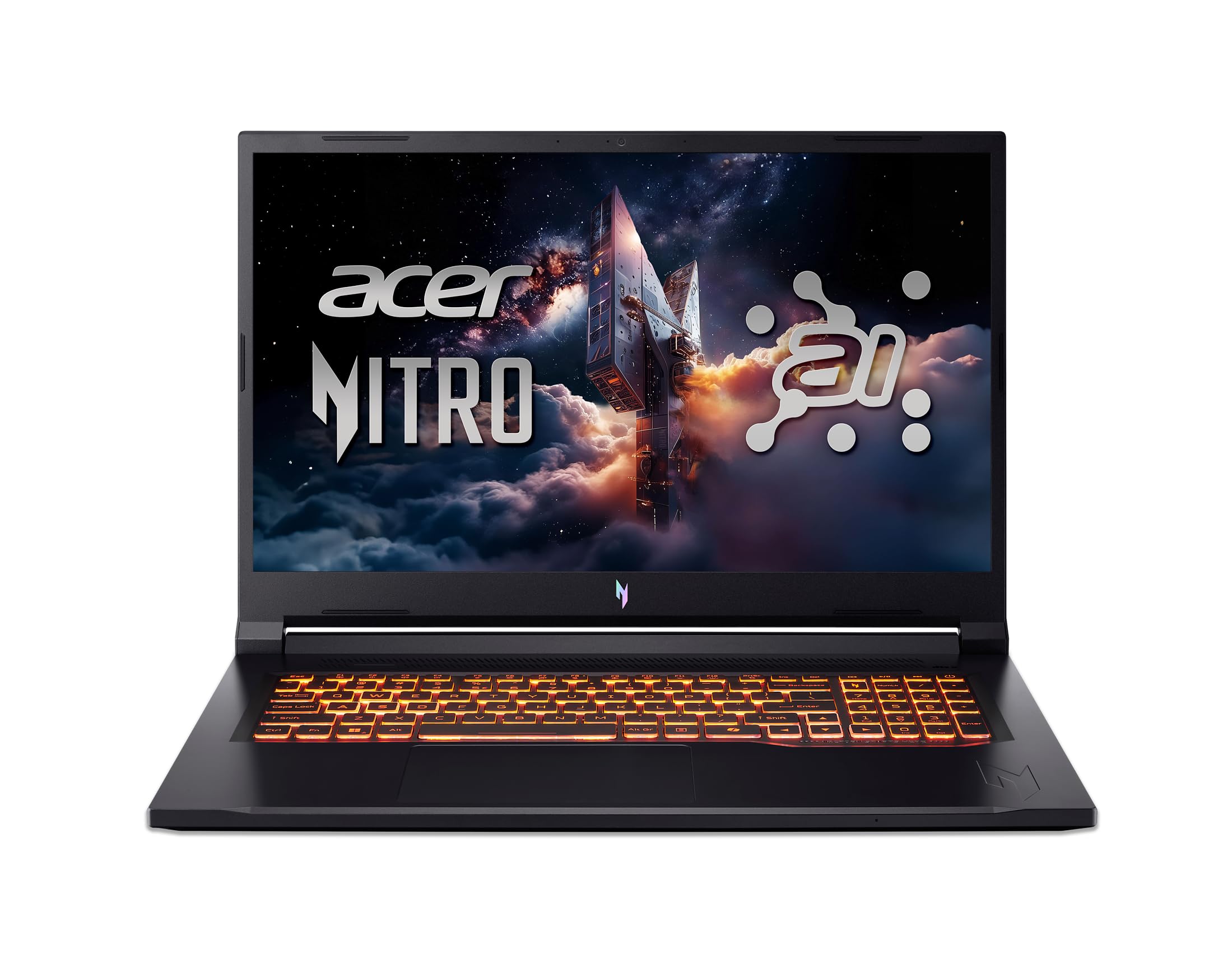
5. Mechanical Gaming Keyboard (Keychron, Akko) ($50-100)
A quality mechanical keyboard is the difference between membrane mushiness and responsive, tactile keystroke feedback. Keychron Q6 Pro ($100) or Akko MOD007 ($70) are solid mid-range options that deliver:
- Satisfying mechanical switch feedback
- Wireless + wired connectivity options
- Long battery life (200+ hours wireless)
- Hot-swappable switches (customizable later)
Mechanical keyboards improve typing speed and gaming responsiveness while providing auditory feedback that makes gaming feel “premium.”
Why it’s a great gift: Functional daily driver, improves both gaming and productivity.
Pros:
- Lasts 5+ years with proper care
- Hot-swappable (customizable)
- Wireless option reduces desk clutter
- Appreciated by gamers and coders alike
Cons:
- Switch preference is personal (linear vs. tactile vs. clicky)
- May be too loud if recipient lives in shared space
6. Monitor Light Bar ($60-120)
A light bar mounted above a monitor illuminates the gaming desk without reflections on-screen, reducing eye strain during marathon sessions. The BenQ ScreenBar ($60) is the standard; premium ASUS ProArt Display XPA248QV ($120) versions exist.
This is an underrated gift. Gamers spend 8+ hours staring at monitors; proper ambient lighting transforms the experience from fatiguing to comfortable.
$100-$250 — Premium Peripherals
7. Wireless Gaming Mouse ($150-200)
Finalmouse Starlight Pro, Razer Pro Click, or SteelSeries Aerox 5 ($150-200) are premium wireless mice with exceptional tracking, minimal latency, and reliable build quality. If the recipient’s mouse is 3+ years old or they complain about tracking inconsistency, a premium mouse is a worthwhile upgrade.
8. Mechanical Keyboard with Premium Switches ($150-250)
A fully-assembled keyboard with quality hot-swap switches (Gateron, Cherry MX, Akko) at the $150-250 level offers:
- Stabilizers upgraded from stock (massive feel improvement)
- Custom switch combinations (linear for speed, tactile for feedback)
- Aluminum or quality plastic frames (premium construction)
- Programmable RGB and macros
Keychron Q13 Pro or GMMK Pro 2 in this range are solid choices.
$250-$500 — Major Setup Upgrades
9. Gaming Chair ($250-500)
A quality gaming chair (Secret Lab Titan, Herman Miller Aeron refurbished, or Autonomous Recline Pro at $250-450) is a significant investment but transformative for comfort. If the recipient spends 6+ hours daily in a chair, lumbar support and proper ergonomics prevent long-term back injury.
10. External SSD for Gaming ($250-400)
A 2TB portable SSD (Samsung T9, Sabrent Rocket Nano) at $250-350 is perfect for gamers who:
- Travel with their game library (LAN parties, tournaments)
- Need backup storage (insurance against drive failure)
- Play on multiple PCs (Steam Deck, PS5, Windows PC)
This is a practical gift that solves real problems for travelers or multi-platform gamers.
$500+ — Premium Investments
11. Upgrade Components
- High-end mechanical keyboard ($200-400, custom-built)
- Premium gaming monitor (OLED 1440p at $500-600)
- Mechanical keyboard with weighted stabilizers ($300-500)
- Ergonomic desk (standing/electric) ($400-800)
At this tier, gifts become major setup investments. Only consider if you know the recipient’s specific needs.
Gift-Buying Decision Tree
Is the person a competitive gamer? → Mouse pad (Artisan) or gaming mouse (Finalmouse)
Are they a streamer/content creator? → External SSD or monitor light bar
Do they sit for 6+ hours daily? → Gaming chair or ergonomic desk
Do they complain about [specific issue]? → Fix it: Poor aim → mouse pad, Eye strain → light bar, Cable mess → organizer
Are you unsure of preferences? → Gift card to hardware store ($50-100) with note specifying gaming category
Gifts to Avoid
| Bad Gift | Why | Better Alternative |
|---|---|---|
| Generic headphones | Audio preference is personal | Premium mouse pad or keyboard |
| RGB fan pack | Doesn’t improve performance | External SSD or light bar |
| Gaming-branded apparel | Uncomfortable fit/style risk | Mechanical keyboard |
| Cheap mouse ($20) | Tracking inconsistency ruins competitive | Premium mouse ($150+) or skip |
| Generic gaming mousepad ($10) | Wears out in 1-2 years, low quality | Artisan or Aqua Control ($40-50) |
Frequently Asked Questions
What’s the safest gaming gift under $100?
Premium mouse pad ($40-50) — Works with any setup, improves aim, lasts years, and hard to get wrong. Second choice: Microfiber cloth pack ($15) if you’re unsure of preferences.
Can I give a gaming game as a gift instead of peripherals?
Games are safer but less memorable. A $60 game is played once (or abandoned after 5 hours). A $60 mouse pad is used every single day for years. Peripherals are better gifts.
Is a gaming chair actually worth $300-500?
Yes, if the recipient sits 6+ hours daily. A quality chair prevents back injury (expensive to fix later), improves posture, and lasts 5+ years. At $300-500 amortized over 5 years, that’s $60-100 per year—cheaper than physical therapy from poor posture.
Should I buy the exact same peripheral they already have (upgraded version)?
Yes, if they’ve mentioned complaints (“my mouse is 5 years old,” “my keyboard feels mushy”). Upgrading something they actively use daily is safer than introducing something entirely new.
Can I gift something non-gaming-related for gamers?
Sure: blue light glasses, back massager, standing desk mat, quality desk lamp—anything improving comfort during long sessions. But direct gaming peripherals are more appreciated.
Final Verdict
Best gift under $50: Premium mouse pad (Artisan Hien, $45) — improves gameplay daily.
Best gift $50-150: Mechanical keyboard (Keychron Q6 Pro, $100) — transforms both gaming and productivity.
Best gift $150-500: Gaming chair or external SSD — major upgrade solving real comfort/storage problems.
Safest bet if unsure: $50 gaming peripheral gift card to Mechanical Keyboards.com or Amazon Gaming store, with a note specifying category (mouse pads, switches, keycaps).
See our guides to the best gaming mice, the best gaming keyboards, the best gaming chairs, and complete gaming setup guides for more detailed recommendations.
Last updated: April 2026. Prices and availability may change. We independently research every product we recommend. When you buy through our links, we may earn a commission at no extra cost to you.
In a hurry? See the top-rated PC Gaming Gifts deals available right now:
🛒 Check Pc Gaming Gifts Prices on Amazon →Related Articles
- Which Linux Distro is Best for Gaming 2026: Proton, Wine, Native Games
- Best Mouses For Gaming: Top Picks in 2026
- Best Operating System for Gaming in 2026: Windows 11, Linux/SteamOS, or macOS?
- Best Projector for Gaming
- How To Build an Ethereum Mining Rig