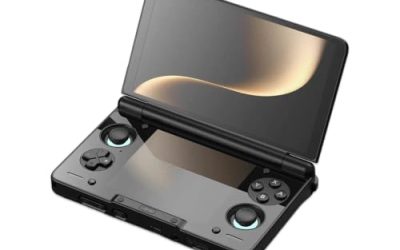
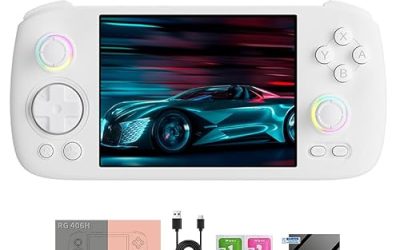
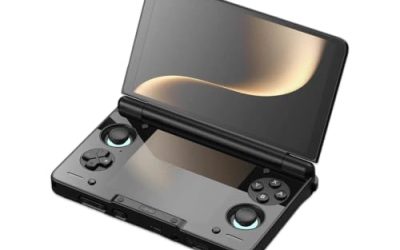
AYA Neo 3 Gaming Handheld Review
The AYA Neo 3 belongs to the Windows-based handheld category, where a compact device runs a full PC operating system and a mobile-class AMD processor. That combination gives you access to a large library of PC games, storefronts, and emulators, but it also brings trade-offs that console-style handhelds do not have: more setup, more decisions about power and fan profiles, and a battery that drains quickly when you push performance. This review framework explains what to check before buying an AYA Neo 3 or any similar device, and how to decide whether the form factor suits your habits.
Specifications can vary across listings sold under the same name, including processor, memory, storage, screen, and included accessories. This article therefore avoids battery life figures, frame rate results, and thermal numbers, because those depend on the exact model, the game, the settings, and the power profile. Verify each listing’s spec sheet before you commit.
AYA Neo 3 Review: What a Windows Handheld Is Good At
A Windows handheld is at its best when you want to play PC games away from a desk and you already own a library on Steam, Epic, or other storefronts. You can install launchers, adjust graphics settings, use controller mapping, and run the same games you would play on a full PC, usually at lower settings to suit the smaller screen and cooler. For emulation and older games, the handheld is often more than capable, and it handles retro libraries with ease.
The strengths are flexibility and breadth. The trade-offs are complexity and battery life. A Windows device needs driver updates, power profile tuning, and occasional troubleshooting. Compared with a dedicated console-style handheld, expect more menus and more decisions, but also far more control over what you play and how it runs.
Performance and Power Profiles
Handheld performance is governed by the power limit and cooling budget more than by the processor name alone. Most Windows handhelds offer several power profiles, and switching between them is the single most useful way to control heat, fan noise, and battery drain. A quieter profile lets you play longer on a charge at lower frame rates, while a performance profile gives higher frame rates at the cost of heat and battery. Match the profile to the game rather than leaving the device on maximum all the time.
Upscaling and frame limiting are also important. Many handheld players set a frame cap that matches the screen’s refresh rate or a stable target, because a steady frame rate feels smoother than an unlimited one that fluctuates. Experiment with settings per game. Titles that are GPU-bound respond differently from those that are CPU-bound, and the right settings depend on which bottleneck applies.
Screen and Input
The screen is where you will spend the most time, so check resolution, brightness, and refresh rate on the listing. A smaller, sharper display is easier on the eyes than a large, low-resolution one at the same size. Controls matter just as much. Check the thumbsticks, triggers, face buttons, and the layout of any extra buttons. A handheld you find uncomfortable after an hour will not get used, regardless of its specification sheet.
Comparing the Five AYA Neo 3 Listings
The table below compares the five configurations in this group by what you should verify. It is designed for side-by-side checks, not as a ranking, since the differences between listings may be in storage, memory, or accessories rather than in the core device.
| Listing | Role in This Group | Memory and Storage to Verify | Screen to Verify | Included Accessories | Price and Rating |
|---|---|---|---|---|---|
| Featured (B0DYV4LRN7) | Reference listing | RAM and storage capacity | Resolution and refresh rate | Case, charger, cable | Check live listing |
| Alternative 1 (B0DYV6BJ9K) | Alternate configuration | Confirm memory and storage | Confirm panel | Confirm charger wattage | Check live listing |
| Alternative 2 (B0FB9BV9J8) | Alternate configuration | Confirm storage type | Confirm brightness | Confirm case or sleeve | Check live listing |
| Alternative 3 (B0FB973SCN) | Alternate configuration | Confirm expansion slot | Confirm refresh rate | Confirm warranty terms | Check live listing |
| Alternative 4 (B0DYV9G4CF) | Alternate configuration | Confirm RAM speed | Confirm screen size | Confirm controller set | Check live listing |
Two items usually decide the purchase. The first is the charger and the power delivery it supports, because a weak charger slows charging and limits performance when the device is plugged in. The second is storage, since large PC game libraries fill a small drive quickly. If the listing offers an expansion slot, budget for a card and check that it is compatible.
Who Should Buy an AYA Neo 3
This device suits players who already own PC game libraries, enjoy tinkering with settings, and want to play away from home without carrying a laptop. It suits emulation enthusiasts as well. It is less suited to buyers who want a simple plug-in-and-play console experience, or who expect a handheld to match a desktop at high settings. If you want a simpler device, the guide to the best gaming handheld covers alternatives across ecosystems.
If you are primarily interested in retro games, the picture changes. Dedicated retro handhelds can be simpler and cheaper for emulation, and the guide to the best retro gaming handheld covers those options. For a handheld that runs Android, the guide to the best Android gaming handheld is a useful companion.
Comparison With Other Handhelds on the Site
The AYA Neo 3 is one of several Windows-based devices. The AYA Neo Pocket DMG review covers another model from the same brand, which is useful for comparing form factors within one ecosystem. For emulation-first alternatives, the Retroid Pocket 5 review and the Powkiddy RGB30 review show how those devices differ from a Windows machine. For a PC-focused handheld with a different chassis, the best handheld gaming PC guide compares the wider market.
Buyer’s Checklist
- Confirm RAM, storage capacity, and whether storage can be expanded.
- Check the screen resolution, brightness, and refresh rate on the spec sheet.
- Verify the charger wattage and whether the device charges while playing.
- Test the controls if possible, or read reviews that focus on ergonomics.
- Check the warranty, the return window, and whether the seller supports the operating system and driver updates.
- Plan for a learning curve: power profiles, frame limits, and launcher setup.
Related Guides
Frequently Asked Questions
Is a Windows handheld like the AYA Neo 3 better than a console-style handheld?
It depends on what you play. A Windows handheld gives access to PC game libraries and broader software, but it asks more of the user. A console-style device is simpler and often more consistent for a fixed set of games.
How do I get the best battery life on a handheld gaming PC?
Use a quieter power profile for less demanding games, cap the frame rate at a stable target, lower the display brightness, and close background applications. Battery life varies by game and settings, so test your common titles.
Can I use a handheld like this for emulation?
Yes. Windows handhelds run most emulators, and they handle many retro systems comfortably. Check which systems you need, and confirm that the emulators and front ends you prefer work with the device’s controls.
Should I buy extra storage for a handheld gaming PC?
In most cases, yes. Modern PC games take a lot of space, and a larger built-in drive or a compatible expansion card will save you from constant uninstalls. Verify the storage type and the expansion options on the listing.
The AYA Neo 3 is a capable Windows handheld for players who want PC games in a portable form. Verify the spec sheet, plan for the power and setup trade-offs, and choose the listing whose memory, storage, and charger match your habits.