A handheld console for a child has a different job from one bought for an adult collector. It needs controls a parent can set and lock, a library where suitable games are easy to find, and a body that survives school bags, car seats, and the occasional drop onto a hard floor. The five consoles below cover that spread: two Nintendo systems built around family controls, a cartridge-based retro handheld with no accounts or downloads, a single-game mini arcade for the youngest players, and a step-up handheld PC for older kids ready for a bigger library under supervision. Each is matched against the controls, screen, and battery figures its maker publishes.
Disclosure: As an Amazon Associate we earn from qualifying purchases.
How to Choose a Handheld Console for a Child
Parental controls. Nintendo’s free Parental Controls app and the Steam Families tools both let a parent set daily play-time limits, block games above a chosen age level, and restrict online communication and store access from a phone. The Evercade and the My Arcade unit sit at the other extreme: no accounts, no store, and no chat, so there is nothing to configure and nothing for a child to wander into.
Durability. A one-piece body with built-in controls, like the Switch Lite, has no detachable parts to lose or snap, and cartridge designs keep game media protected in a bag. Whatever you choose, a case and a screen protector are sensible companions for a console that travels.
Library fit. Check how games are supplied. Cartridge systems make it simple to control exactly which titles enter the house, and the age guidance printed on the box is easy to check before buying. Download stores are broader, but they need the parental controls above set up before the console is handed over.
Screen and battery. Younger children do fine with smaller screens and shorter sessions, and every maker here publishes a battery range rather than a single figure, because play time depends on the game and screen brightness. If the handheld will also feed a television for family play, our roundup of the best gaming console covers the wider field of handheld and home systems in one place.
1. Nintendo Switch Lite (Turquoise) — The All-Round First Handheld

The Switch Lite is the dedicated handheld of the Nintendo Switch family: a single-piece body with the controls built in, sized and weighted for smaller hands at roughly 0.61 pounds. Its 5.5-inch touch screen runs the large share of the Switch library that supports handheld mode, which includes most of Nintendo’s family catalogue. Nintendo puts battery life at roughly 3 to 7 hours depending on the game, and the 32 GB of internal storage expands with a microSDXC card as the collection grows.
For parents, the draw is the control layer. The Nintendo Switch Parental Controls app pairs with the console and covers play-time limits with an alarm or automatic suspension, restrictions by age level, and limits on communication. Because the Lite has no dock and no detachable controllers, there are fewer pieces to misplace, and nothing about the hardware invites a child to change how it works.
Specs
- Screen: 5.5-inch capacitive touch LCD, 1280 x 720
- Storage: 32 GB internal, microSDXC expansion
- Battery: 3,570 mAh, roughly 3 to 7 hours per Nintendo
- Weight: Approx. 0.61 pounds (275 g)
- Dimensions: 3.6 x 8.2 x 0.55 inches
- Controls: Built-in, no detachable controllers, no TV output
- Parental controls: Nintendo Switch Parental Controls app and on-console settings
- Model: HDHSBAZAA (HDH-001), Turquoise
2. Nintendo Switch — OLED Model with White Joy-Con — The Shared Family Pick

The OLED model is the Switch to choose when the handheld will double as the family console. The 7-inch OLED screen is the largest and brightest in the Switch line, the Joy-Con controllers detach for two-player games straight out of the box, and the included dock connects to a television and adds a wired LAN port. Storage doubles to 64 GB, and Nintendo quotes roughly 4.5 to 9 hours of battery life in handheld play.
It runs the same Parental Controls app and the same age-based restrictions as the Lite, so the supervision setup carries over unchanged. The trade-offs for a child are the detachable controllers, which are easier to drop or lose, and a larger, heavier body at roughly 0.93 pounds with the Joy-Con attached. For households where siblings share and the TV gets used as often as the handheld screen, those are fair exchanges.
Specs
- Screen: 7-inch OLED multi-touch, 1280 x 720
- Storage: 64 GB internal, microSDXC expansion
- Battery: Roughly 4.5 to 9 hours per Nintendo
- Weight: Approx. 0.93 pounds with Joy-Con attached
- Modes: Handheld, tabletop, and TV via the included dock
- Dock: Includes wired LAN port
- Parental controls: Nintendo Switch Parental Controls app and on-console settings
- Model: HEG-001, White Joy-Con
3. Evercade EXP-R with Tomb Raider Collection — Cartridges Only, Nothing to Moderate

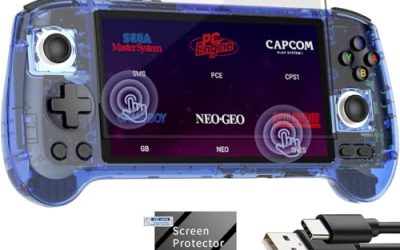
The Evercade EXP-R takes the opposite approach to a download store: every game arrives on a physical cartridge, so a parent sees and approves each title before it enters the library. There are no accounts, no online store, no voice chat, and no in-game purchases to lock down. The handheld has a 4.3-inch IPS screen, a 3,000 mAh battery that Blaze rates at roughly 4 to 5 hours, USB-C charging, and built-in Wi-Fi used for system updates. A TATE mode with dedicated buttons turns the screen for vertical arcade games.
This listing bundles the Tomb Raider Collection 1 cartridge with the three original Lara Croft adventures, which suits older children; families with younger players can start from the arcade and family cartridge collections in the wider Evercade library instead, each with its age guidance printed on the box. The EXP-R plays the full Evercade cartridge range and does not connect to a television, so it stays a personal, portable system.
Specs
- Screen: 4.3-inch IPS, 800 x 480
- Battery: 3,000 mAh, roughly 4 to 5 hours per the maker
- Charging: USB-C, cable included
- Games: Physical cartridges, Tomb Raider Collection 1 included
- Library: Full Evercade cartridge compatibility, no downloads or accounts
- Extras: TATE mode for vertical games, stereo speakers, 3.5 mm headphone jack
- Connectivity: Built-in Wi-Fi for updates, no TV output
- Model: FG-EXPR-HHC-USA, Charcoal with turquoise accents
4. My Arcade Tetris Micro Player Pro — The Simplest First Device

For the youngest players, the Tetris Micro Player Pro removes every decision except how to stack falling blocks. It is a miniature arcade cabinet with a 2.75-inch full-colour screen, a small joystick and buttons, and exactly one game: the officially licensed Tetris. There is no internet connection, no account, and no store, which makes it the easiest console on this page to hand over without any setup at all.
Power comes from four AA batteries or a USB-C cable, neither included, and the cabinet has a built-in speaker with volume control plus a 3.5 mm headphone port for quiet play. At about 15 ounces it is light enough for small hands to carry, and the single-game focus means sessions tend to be short, self-contained rounds rather than open-ended play.
Specs
- Screen: 2.75-inch full-colour display
- Games: 1 built-in title, officially licensed Tetris
- Controls: Joystick and action buttons, miniature arcade cabinet form
- Power: 4 AA batteries or USB-C cable, neither included
- Audio: Built-in speaker with volume control, 3.5 mm headphone port
- Display settings: Adjustable screen brightness
- Weight: Approx. 15.1 ounces
- Model: DGUNL-7025
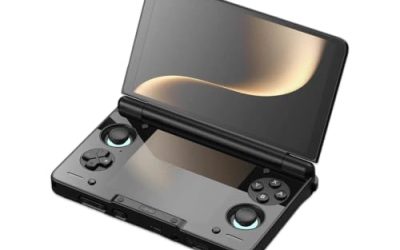
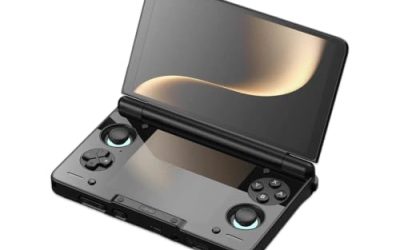
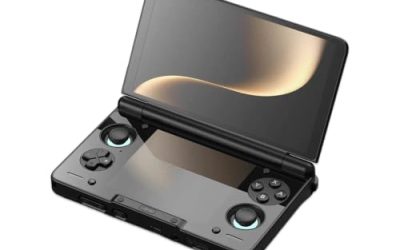
5. Valve Steam Deck OLED 512GB — The Step-Up for Older Kids

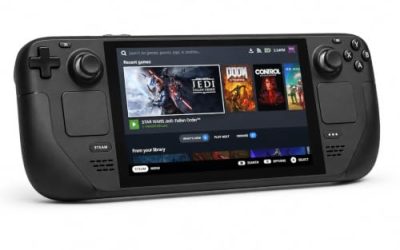
The Steam Deck OLED is a handheld PC rather than a toy-adjacent console, and it belongs on this list for older kids and teenagers who have outgrown a closed library. Its 7.4-inch HDR OLED screen runs at up to 90 Hz, the 512 GB SSD and 16 GB of memory handle a full PC game library, and Valve rates the 50 Whr battery at roughly 3 to 12 hours depending on the game. Storage expands with a microSD card, and a carrying case is included. On Amazon US the unit is offered by marketplace sellers rather than by Valve directly, so check the individual listing before ordering.
Supervision comes through Steam Families, which lets a parent approve which library titles a child account can open, set play-time limits, and control store and community access behind a PIN. That toolkit is strong, but the open PC underneath means this is the one console here that needs its controls configured on day one.
Specs
- Screen: 7.4-inch HDR OLED, 1280 x 800, up to 90 Hz
- Storage: 512 GB NVMe SSD, microSD expansion
- Memory: 16 GB LPDDR5
- Battery: 50 Whr, roughly 3 to 12 hours per Valve
- Weight: Approx. 640 g
- System: SteamOS 3.0, carrying case included
- Parental controls: Steam Families with PIN, library approval, and play-time limits
- Model: 814585022254
Which One Should You Pick?
Choose the Switch Lite for a child’s own first console: one-piece body, the Nintendo family library in handheld mode, and complete phone-based controls. Pick the OLED model when the console is shared with siblings and a television. The Evercade EXP-R suits families who want every game approved on a cartridge with no online features at all, the Tetris Micro Player Pro is the zero-setup option for the youngest players, and the Steam Deck OLED is the step-up for older kids whose parents are ready to manage a PC library through Steam Families.
FAQ
What age suits a first handheld console?
There is no single figure, because the systems differ so much. Single-game and cartridge devices such as the Tetris Micro Player Pro and the Evercade EXP-R work for younger children because the content is fixed and visible to parents. The Switch Lite adds a large library under app-based controls, and the Steam Deck OLED is aimed at older kids whose parents actively manage a PC library.
How do parental controls work on these consoles?
On both Nintendo systems, the free Parental Controls app sets daily play-time limits, restricts games by age level, and limits online communication and spending, all from a parent’s phone. The Steam Deck uses Steam Families for library approval, play-time limits, and store restrictions behind a PIN. The Evercade and My Arcade units have no accounts or online features, so there is nothing to configure.
Do these handhelds need an internet connection to play?
Cartridge and built-in games play fully offline on the Switch Lite, Switch OLED, Evercade EXP-R, and Tetris Micro Player Pro; a connection is only needed for downloads and updates. The Steam Deck plays installed games offline as well, though its library is download-based, so setting it up and adding games requires Wi-Fi.
Which of these consoles can connect to a TV?
Only the Switch OLED model, through its included dock. The Switch Lite and Evercade EXP-R are handheld-only systems with no TV output, the Tetris Micro Player Pro is a self-contained mini cabinet, and the Steam Deck can output to a screen through a USB-C dock or adapter sold separately.
Conclusion
The right handheld for a child is the one whose controls and library a parent can stay ahead of. Nintendo’s two Switch models pair the deepest family catalogue with complete phone-based supervision, the Evercade EXP-R and Tetris Micro Player Pro remove online features entirely, and the Steam Deck OLED opens the door to PC gaming for older kids under Steam Families. Match the system to the child’s age and the level of oversight you want, and any of these five will hold up as a first console.