Verdict at a glance
Short answer for October 2026: the Steam Deck LCD and Steam Deck OLED take an M.2 2230 NVMe drive in a PCIe Gen3 x4 slot, so any good Gen4 2230 SSD works and runs at Gen3 speeds. Newer Windows handhelds use different slot sizes, so check yours first.
- Best overall for Steam Deck: Crucial P310 (2230), in 2TB for big libraries or 1TB as the safe, widely used upgrade.
- Best 2TB alternatives: Corsair MP600 Mini 2TB or the 2TB version of the Sandisk Optimus GX 7100M 2230.
- Best for ROG Xbox Ally and Ally X (2280 slot): WD_Black SN7100X, a single-sided 2280 drive licensed for the Xbox Ally.
- Best for Legion Go 2 (2242 slot): Corsair MP600 Micro, a native 2242 drive that avoids extender brackets.
🛒 Best Price Today on Amazon
Prime members get fast, free shipping on everything above, plus member-only deals. New members get a 30-day free trial — cancel anytime.
Top 2230 Ssds Steam Deck Picks for 2026
Here are our current top 2230 ssds steam deck picks, compared on published specifications, handheld compatibility, and features.
As an Amazon Associate we earn from qualifying purchases at no extra cost to you.



![SABRENT Rocket Q4 2230 NVMe SSD 2TB – PCIe Gen4 M.2 Internal SSD for Steam Deck, ROG Ally, Surface Pro, Mini PCs – DRAM-Less QLC, Up to 5GB/s, Single-Sided, Compact Form Factor [SB-213Q-2TB]](https://m.media-amazon.com/images/I/41QldUwQDlL._SL160_.jpg)


Prime
Limited Time
fanxiang 1TB M.2 2230 NVMe SSD, PCIe Gen 4×4 Speed up to 5000 MB/s, 2230 SSD Compatible with Steam Deck/ROG Ally/Microsoft Surface Pro/Mini PCs, S630
View on Amazon.com


![SABRENT Rocket Q4 2230 NVMe SSD 2TB – PCIe Gen4 M.2 Internal SSD for Steam Deck, ROG Ally, Surface Pro, Mini PCs – DRAM-Less QLC, Up to 5GB/s, Single-Sided, Compact Form Factor [SB-213Q-2TB]](https://m.media-amazon.com/images/I/7187S21PB5L._AC_SL400_.jpg)
The Steam Deck, the original ROG Ally and the original MSI Claw use the small M.2 2230 NVMe form factor rather than the standard desktop 2280 size (the Legion Go models use 2242, and the ROG Xbox Ally models use 2280). That means upgrading is a question of picking from the narrow selection of high-performance 2230 SSDs available, since a normal 2280 drive simply will not fit inside the chassis. This guide rounds up the best M.2 2230 SSDs for Steam Deck and similar handhelds in 2026, with picks from 1TB right up to 2TB, plus a small starter option for tight budgets.
Our picks were chosen on the things that matter for a handheld upgrade: confirmed M.2 2230 form factor, NVMe PCIe Gen4 x4 interface, real capacity options from 256GB up to 2TB, sustained read speeds, and value. The Steam Deck wires its M.2 slot at PCIe Gen3 x4, while Windows handhelds such as the ROG Ally use Gen4, so a fast Gen4 2230 drive is a safe pick that simply runs at Gen3 speed in the Deck — Gen5 is unnecessary and unsupported. Prices range from the budget tier for a starter 256GB up to the premium tier for a full 2TB upgrade. Below is an at-a-glance comparison, then a closer look at each drive and a buyer’s guide on form factor, capacity choices, and the safe way to clone your existing Steam Deck install over to a new 2230 drive.
Best 2230 SSDs for Steam Deck at a Glance
| SSD | Best For | Standout Spec | Price Tier |
|---|---|---|---|
| Crucial P310 1TB 2230 | Steam Deck primary upgrade | 1TB, up to 7,100 MB/s, M.2 2230 | Mid-range |
| Crucial P310 2TB 2230 | Maximum 2230 capacity, big libraries | 2TB, up to 7,100 MB/s, 2230 | Premium |
| Corsair MP600 Mini 2TB 2230 | 2TB Corsair build quality | 2TB, up to 7,000 MB/s, 3D TLC NAND | Premium |
| Addlink S91 2TB 2230 | 2TB at a sharper price | 2TB, up to 5,000 MB/s, Gen4 x4 | Mid-range to premium |
| 512GB 2230 with Graphene Thermal | Smaller upgrade with thermal pad | 512GB, up to 5,200 MB/s, thermal pad | Budget to mid-range |
| OEM Hyn PVC10 256GB 2230 | Cheapest starter upgrade | 256GB, M.2 2230, Gen4 x4 (verify size) | Budget |
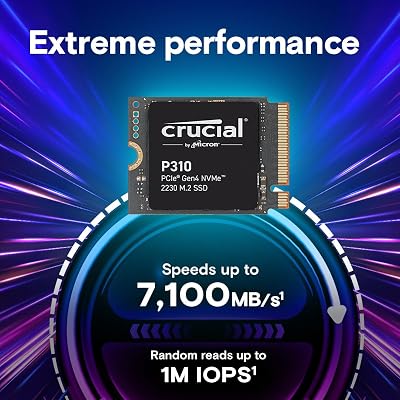
1. Crucial P310 1TB M.2 2230 SSD, PCIe Gen4 NVMe
18
Prime
Crucial P310 1TB M.2 2230 SSD, PCIe Gen4 NVMe, Up to 7,100MB/s, Internal Solid State Drive, Ideal for Steam Deck, ASUS ROG Ally, MSI Claw, Mini PCs & Ultrabooks – CT1000P310SSD2
In Stock






As an Amazon Associate we earn from qualifying purchases. Product prices and availability are accurate as of the date/time indicated.
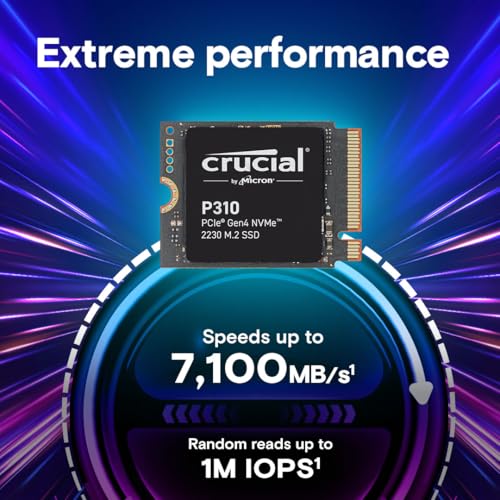
The Crucial P310 1TB is our top pick for a Steam Deck upgrade and the drive most handheld guides will steer you toward. It is a confirmed M.2 2230 form factor PCIe Gen4 NVMe SSD with sequential reads up to 7,100 MB/s, Crucial branding, and Crucial’s reputation for solid 2230 firmware compatibility with the Deck and ROG Ally. In the mid-range tier for 1TB it hits the sweet spot between the small bundled storage of base handhelds and the cost-jump to 2TB.
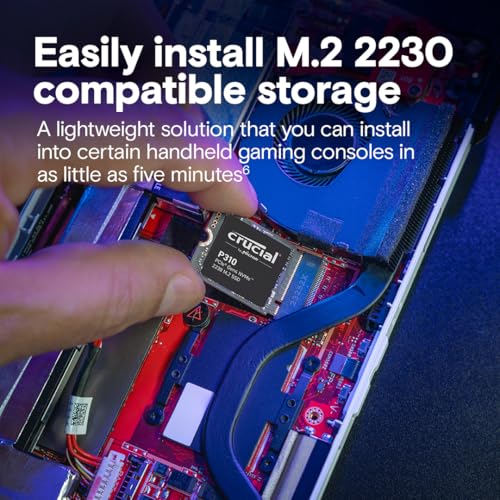
For most Steam Deck owners doubling from a 256GB or 512GB original drive, the P310 1TB is the obvious pick. 1TB is enough room for a meaningful library of full-fat AAA games without constant juggling, the 7,100 MB/s ceiling is well beyond what the handheld can ever ask for, and the M.2 2230 form factor drops in cleanly with the same screw layout as the original drive. Crucial’s track record for reliable, Deck-friendly firmware makes this the safe, popular, well-supported recommendation for a first 2230 upgrade.
Pros: Confirmed M.2 2230, Gen4 7,100 MB/s, 1TB capacity, proven Deck-friendly firmware.
Cons: 1TB will eventually fill with large modern games; not as cheap per GB as 2280.
2. Crucial P310 2TB M.2 2230 SSD, PCIe Gen4 NVMe
18
Crucial P310 2TB M.2 2230 SSD, PCIe Gen4 NVMe, Up to 7,100MB/s, Ideal for Steam Deck, ASUS ROG Ally, MSI Claw, Mini PCs & Ultrabooks, Solid State Drive – CT2000P310SSD2
In Stock
As an Amazon Associate we earn from qualifying purchases. Product prices and availability are accurate as of the date/time indicated.
The Crucial P310 2TB is the highest-capacity Crucial 2230 option and the pick when you want as much storage as the Deck or ROG Ally can take. It matches the 1TB sibling on speed at up to 7,100 MB/s sequential reads, uses the same PCIe Gen4 NVMe controller, and doubles the capacity to 2TB. Sitting in the premium tier, it is among the priciest 2230 drives on the market, but 2TB is also the largest mainstream 2230 capacity.
This is the drive for the serious handheld gamer who wants their entire library on the device without microSD juggling or constant re-downloading. 2TB comfortably holds dozens of modern AAA games even at their current bloated install sizes, and the M.2 2230 form factor means it slots directly into the Steam Deck, original ROG Ally, and original MSI Claw with no adapter or modification. The Crucial software ecosystem and firmware support remain the same as on the 1TB, so reliability is not in question. If you can stretch to the price, 2TB is the most future-proof handheld upgrade.
Pros: 2TB in M.2 2230, full 7,100 MB/s, identical Crucial firmware and Deck support.
Cons: Highest price among Crucial 2230 picks; overkill for casual users.
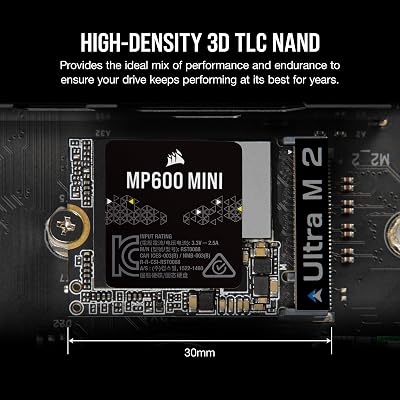
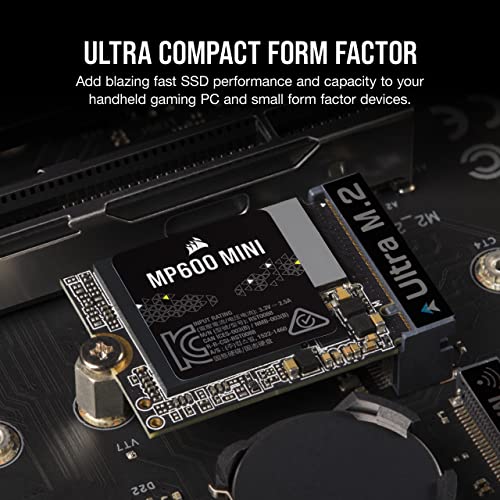
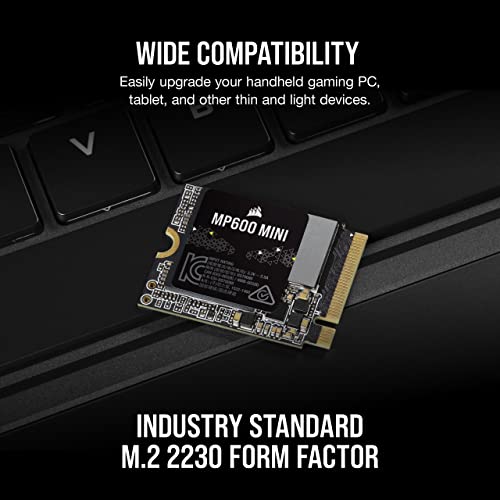
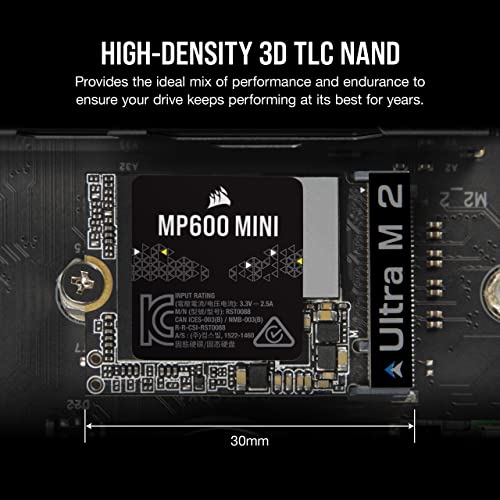
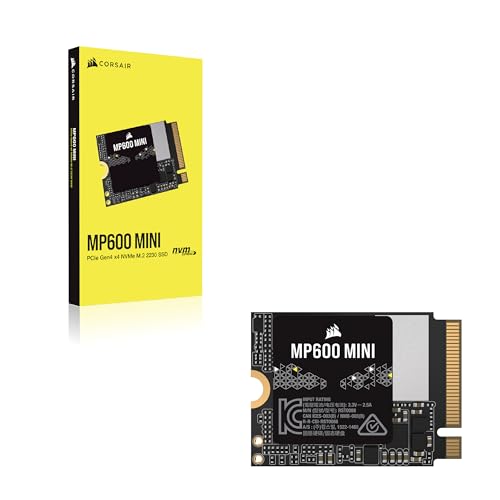
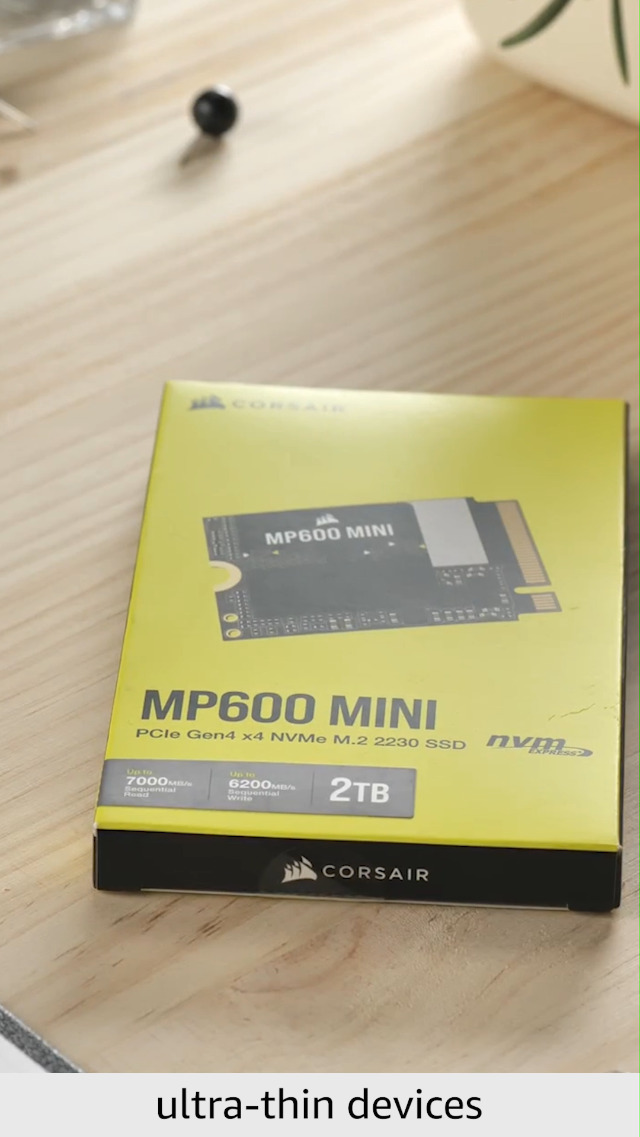
3. Corsair MP600 Mini 2TB M.2 NVMe PCIe Gen4 SSD, M.2 2230
17
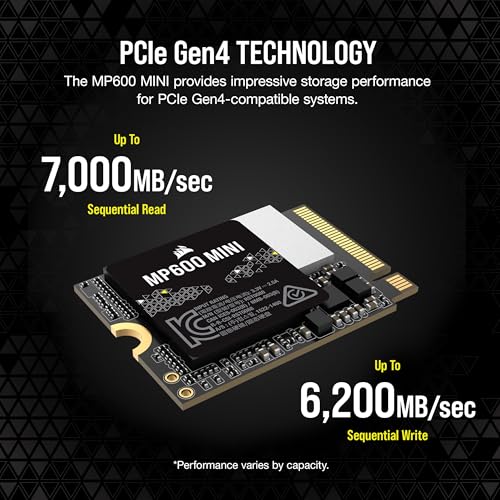
Corsair MP600 Mini 2TB M.2 NVMe PCIe x4 Gen4 SSD – M.2 2230 – Up to 7,000MB/sec Sequential Read – High-Density 3D TLC NAND – Great for Steam Deck and Microsoft Surface – Black
In Stock




As an Amazon Associate we earn from qualifying purchases. Product prices and availability are accurate as of the date/time indicated.
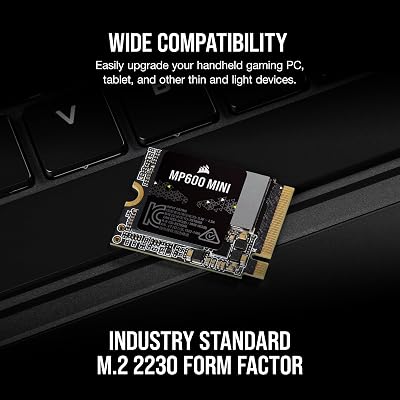
The Corsair MP600 Mini 2TB is the Corsair-branded heavyweight in the 2230 category. It is a confirmed M.2 2230 NVMe Gen4 x4 drive with high-density 3D TLC NAND, 2TB of capacity, and sequential read speeds up to 7,000 MB/s — right in line with the Crucial P310 2TB on raw performance. It is often priced slightly below the Crucial 2TB, making it a strong alternative for buyers who prefer the Corsair ecosystem.
This is the pick for the Steam Deck or ROG Ally owner who wants a 2TB upgrade and trusts the Corsair brand from previous builds. The high-density 3D TLC NAND helps with write endurance over time, the 7,000 MB/s sequential reads are essentially indistinguishable from the Crucial in handheld use, and Corsair’s reputation for solid firmware extends to the 2230 line. For a 2TB upgrade with a known brand at a slightly friendlier price, the MP600 Mini is a clear runner-up to the P310 2TB.
Pros: 2TB at 7,000 MB/s in 2230, 3D TLC NAND, Corsair build, often slightly cheaper than P310.
Cons: Slightly lower headline speed than P310; still a premium-priced drive.
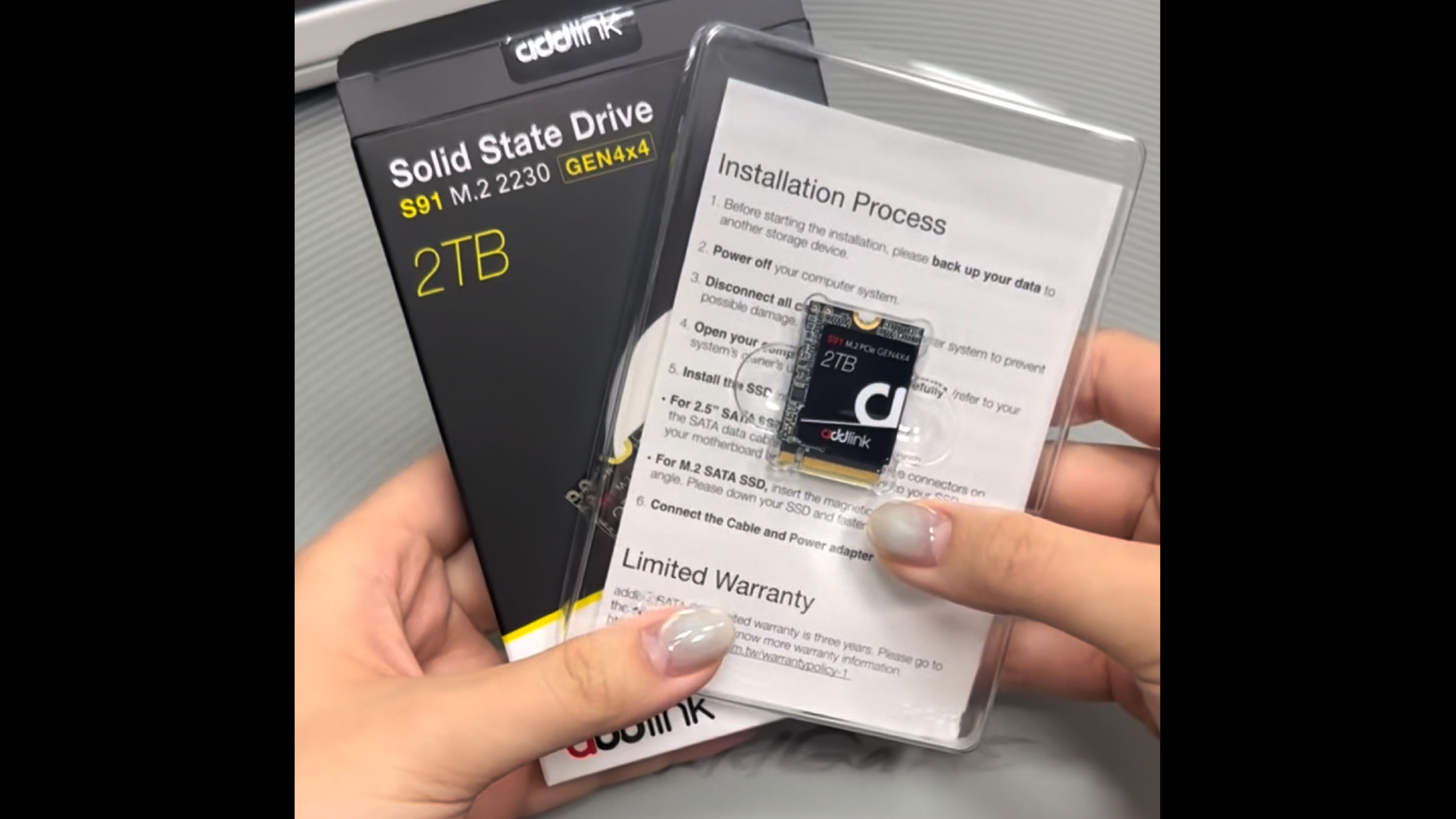
4. Addlink New S91 2TB 2230 NVMe Gen4x4

22
Addlink New S91 2TB 2230 NVMe High Performance PCIe Gen4x4 2230 3D NAND SSD – Read Speed up to 5000 MB/s Compatible with Steam Deck, ROG Ally, Laptop, Internal Solid State Drive – (ad2TBS91M2P)
In Stock
View on Amazon.com


As an Amazon Associate we earn from qualifying purchases. Product prices and availability are accurate as of the date/time indicated.
The Addlink S91 2TB is the value-leaning 2TB pick. It is a confirmed M.2 2230 form factor Gen4 x4 NVMe SSD with sequential reads up to 5,000 MB/s and 2TB of capacity, sitting in a lower price bracket — usually below the Crucial P310 2TB and Corsair MP600 Mini 2TB on real-world pricing. The trade-off is a lower headline speed, which is largely meaningless on a handheld but fair to flag for transparency.
For Steam Deck and ROG Ally upgraders chasing the lowest cost-per-gigabyte on a 2TB drive, the Addlink S91 is the strongest contender. The 5,000 MB/s sequential read is far beyond what any handheld game will load at, and 2TB of capacity is the same usable storage as the much more expensive P310 2TB. Addlink is a smaller brand than Crucial or Corsair, so firmware support is less storied, but the drive is widely reported to install and work reliably across the 2230 handhelds. A 1TB version of the S91 is also sold for smaller budgets.
Pros: 2TB at a sharper price point, confirmed Gen4 2230, plenty fast for any handheld.
Cons: Lower headline speed than competitors; less-known brand reputation.
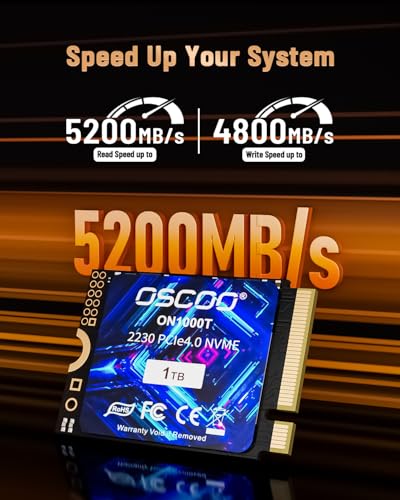
5. 512GB M.2 2230 NVMe Gen4x4 SSD with Graphene Thermal Solution
24
512GB M.2 2230 NVMe Gen4x4 PCIe SSD, 3D NAND, Graphene Thermal Solution, Up to 5200MB/s, Compatible with Steam Deck, ASUS ROG Ally, Microsoft Surface, Laptops, Mini PCs, Ultrabook
In Stock












As an Amazon Associate we earn from qualifying purchases. Product prices and availability are accurate as of the date/time indicated.
This 512GB 2230 SSD is the niche pick — a mid-size upgrade option with a built-in graphene thermal solution rather than a metal heatsink. It is a confirmed M.2 2230 form factor Gen4 x4 drive rated up to 5,200 MB/s sequential reads with 3D NAND, in the budget-to-mid-range tier for the 512GB capacity. The pre-applied graphene thermal pad is the standout feature — it is designed to stay within the slim chassis tolerances of the Steam Deck and ROG Ally while still helping with heat.
This is the upgrade for users who want a balance between a starter 256GB-class drive and a full 1TB, with built-in thermal management baked in. 512GB is enough to hold the Steam Deck OS plus several large modern games at once, the 5,200 MB/s class read speed is comfortably more than the handheld needs, and the integrated graphene thermal pad means you do not need to source one separately. For users hesitant to install a bare drive in a tight handheld chassis, the included thermal solution is reassuring.
Pros: Built-in graphene thermal pad, confirmed 2230 form factor, Gen4 5,200 MB/s, 3D NAND.
Cons: 512GB is a smaller upgrade tier; brand is generic; thermal pad style varies.
6. OEM Hyn PVC10 256GB M.2 PCIe Gen4x4 NVMe 2230 SSD

5
Prime
OEM Hyn PVC10 256GB M.2 PCI-e GEN 4X4 NVME SSD Internal Solid State Drive 30mm 2230 Form Factor M Key Steam Deck
In Stock


As an Amazon Associate we earn from qualifying purchases. Product prices and availability are accurate as of the date/time indicated.
Rounding out the list is the OEM Hyn PVC10 256GB, the cheapest pick in this list. The product listing describes it as a 30mm 2230 form factor M Key Gen4 x4 NVMe drive intended for Steam Deck use — both the title and the listing language explicitly call out ’30mm 2230 Form Factor’. We include it as the budget starter option, but with one honest caveat: with OEM-branded drives, listings can sometimes be miscategorized. Confirm the physical 30mm 2230 dimensions in the product photos and any buyer Q&A before installing — if you receive a 2280 instead it will not physically fit the Deck chassis.
If the form factor verifies as 2230 on arrival, this is a reasonable starter upgrade for someone who simply needs more storage than the base 64GB or 256GB Steam Deck offers but cannot stretch to a 1TB. The PCIe Gen4 x4 interface is backwards compatible with the Deck’s Gen3 slot, and the 256GB capacity is four times the 64GB eMMC of the base LCD model. As a low-risk way to test handheld NVMe upgrades on a limited budget, with the size caveat handled, it serves.
Pros: Lowest price upgrade option, Gen4 x4 NVMe, listed as 30mm 2230 form factor.
Cons: OEM-style listing — verify physical 2230 (not 2280) dimensions before installing.
Which SSD fits your handheld? Steam Deck OLED, ROG Xbox Ally and Legion Go 2 compared
Not every handheld uses a 2230 slot. Since the Steam Deck launched, ASUS and Lenovo have moved to longer drives in their newer models. The table below summarizes the current handhelds, based on manufacturer specifications and teardown guides. A shorter drive can sit in a longer slot with an extender bracket, but a longer drive will not fit a shorter slot.
| Handheld | Processor (APU) | Screen | Battery | SSD slot | Default OS |
|---|---|---|---|---|---|
| Steam Deck OLED | AMD custom APU (Zen 2, RDNA 2), 6nm | 7.4-inch 1280×800 HDR OLED, up to 90Hz | 50Wh | M.2 2230, PCIe Gen3 x4 | SteamOS |
| Steam Deck LCD | AMD custom APU (Zen 2, RDNA 2), 7nm | 7-inch 1280×800 LCD, 60Hz | 40Wh | M.2 2230, PCIe Gen3 x4 (some units x2) | SteamOS |
| ROG Xbox Ally X | AMD Ryzen AI Z2 Extreme | 7-inch 1080p IPS, 120Hz VRR | 80Wh | M.2 2280, PCIe 4.0 | Windows 11 with Xbox full screen experience |
| ROG Xbox Ally | AMD Ryzen Z2 A | 7-inch 1080p IPS, 120Hz VRR | 60Wh | M.2 2280, PCIe 4.0 | Windows 11 with Xbox full screen experience |
| Lenovo Legion Go 2 | AMD Ryzen Z2 Extreme or Z1 Extreme | 8.8-inch 1920×1200 OLED, up to 144Hz | 74Wh | M.2 2242, PCIe Gen4 | Windows 11 |
| Original ROG Ally | AMD Ryzen Z1 Extreme or Z1 | 7-inch 1080p IPS, 120Hz | 40Wh | M.2 2230, PCIe 4.0 | Windows 11 |
SteamOS vs Windows: what changes for an SSD swap
- SteamOS (Steam Deck): the simplest path is a clean install. Write Valve’s recovery image to a USB drive, fit the new SSD, boot from USB and reinstall. Your games re-download, or you can move them from a microSD card. Cloning works too, but a clean install avoids partition-size problems.
- Windows (ROG Xbox Ally, Legion Go 2): clone the existing drive to the new one through a USB-C NVMe enclosure, or reinstall from the manufacturer’s recovery image so drivers and handheld software (Armoury Crate SE or Legion Space) are restored. Back up your BitLocker recovery key first if device encryption is on.
Battery life on all these devices depends heavily on game, TDP and screen brightness, so we have listed battery capacity rather than hours. The SSD itself has very little effect on battery life; efficient modern drives draw only a few watts under load and far less at idle.
7. Sandisk Optimus GX 7100M 1TB M.2 2230

The Optimus GX 7100M is Sandisk’s current 2230 gaming drive, the compact sibling of the WD_Black SN7100 desktop drive after Sandisk took over the WD_Black consumer SSD line. It is a PCIe 4.0 x4 NVMe drive rated up to 7,250 MB/s sequential reads and 6,900 MB/s writes, uses TLC 3D NAND, and is backwards compatible with PCIe 3.0 x4 and x2 slots. Sandisk specifically lists the Steam Deck and MSI Claw among compatible devices, offers 1TB and 2TB capacities, and backs it with a 5-year limited warranty.
Who it’s for: Steam Deck owners who want a current-generation drive from a major brand, with a 2TB option if they need a larger library.
Strengths: TLC NAND, efficient controller, strong rated endurance, single-sided 2.38mm thickness, and an established brand warranty.
Drawbacks: its headline speed is irrelevant in the Steam Deck’s Gen3 slot, so you are paying for efficiency and brand rather than extra loading speed. It often sits in the same tier as the Crucial P310.
How it compares: it is a direct alternative to the Crucial P310 1TB, our top pick, with similar real-world performance in a handheld. Pick whichever is in stock at the better price.
8. Kingston NV3 1TB M.2 2230

Kingston’s NV3 2230 is a value-focused PCIe 4.0 x4 drive rated up to 6,000 MB/s sequential reads at 1TB. It comes in 500GB, 1TB and 2TB capacities and is marketed for handhelds and compact laptops, including the Steam Deck. Kingston is one of the largest SSD makers, so firmware support and warranty service are well established.
Who it’s for: budget-conscious Steam Deck owners who want a known brand at a lower tier than the Crucial or Sandisk drives.
Strengths: recognized brand, three capacity options, and a budget-to-mid-range price tier for 1TB.
Drawbacks: rated endurance is lower than premium drives, and the NV line has historically used different NAND across production batches, so performance can vary slightly between units. Neither issue matters much for game storage in a Gen3 handheld.
How it compares: it is a safer brand choice than the generic budget drives in our main list, and close to the Fikwot and Acer drives on value.
9. Patriot Viper VP4000 Mini 1TB M.2 2230

Patriot’s Viper VP4000 Mini is a PCIe Gen4 x4 2230 drive aimed squarely at handheld gamers. It is rated for sequential reads up to around 5,000 MB/s and offers 512GB, 1TB and 2TB capacities, with the slim single-sided design needed for handheld chassis.
Who it’s for: Steam Deck and original ROG Ally owners who want a budget-tier 1TB from a gaming memory brand.
Strengths: handheld-focused design, multiple capacities, and a budget price tier.
Drawbacks: lower rated speed than the Crucial and Sandisk drives, although this does not matter in the Steam Deck’s Gen3 slot. Warranty and endurance are less generous than the top brands.
How it compares: it sits alongside the Kingston NV3 as a budget alternative to our top pick, with similar handheld performance.
10. WD_Black SN7100X 2TB (M.2 2280) for ROG Xbox Ally and Ally X

If you own a ROG Xbox Ally or ROG Xbox Ally X, a 2230 drive is the wrong choice: both handhelds use a full-length M.2 2280 slot. The SN7100X is the officially licensed drive for the Xbox Ally, based on the WD_Black SN7100. It is a PCIe 4.0 2280 NVMe drive rated up to 7,250 MB/s reads and 6,900 MB/s writes at 2TB, with TLC NAND and a DRAM-less, power-efficient controller. The 2TB model is single-sided, which matters because the Ally’s slot has limited clearance and ASUS advises against heatsinks.
Who it’s for: ROG Xbox Ally and Ally X owners who want to expand from the stock 512GB or 1TB drive.
Strengths: correct 2280 size, single-sided design at 2TB, strong efficiency, and official licensing. Sandisk has since introduced the Optimus GX 7100X as its successor with the same rated speeds.
Drawbacks: it will not fit the Steam Deck or the original ROG Ally. The regular WD_Black SN7100 is essentially the same hardware and can be cheaper, so compare both.
How it compares: none of the 2230 drives above suit an Xbox Ally without an extender bracket. This is the cleanest native-fit choice.
11. Corsair MP600 Micro 1TB (M.2 2242) for Legion Go 2

Lenovo’s Legion Go 2 uses an M.2 2242 slot, and the Corsair MP600 Micro is one of the few mainstream native 2242 drives. It is a PCIe Gen4 x4 NVMe SSD rated up to 7,000 MB/s sequential reads, uses high-density 3D TLC NAND, and comes in 1TB and 2TB sizes. Using a native 2242 drive avoids the extender brackets needed to fit 2230 drives in the slot.
Who it’s for: Legion Go 2 and original Legion Go owners who want more storage. Note that reaching the Legion Go 2’s SSD requires more disassembly than the Steam Deck, including working around the battery and cooling assembly, so follow a reputable guide.
Strengths: correct native size, TLC NAND, and a reputable brand.
Drawbacks: 2242 drives are a niche, so prices are higher per terabyte than 2230 or 2280 drives. It does not fit the Steam Deck.
How it compares: a 2230 drive such as the Crucial P310 with a 2230-to-2242 bracket is an alternative, but the MP600 Micro gives a secure, native fit.
New picks compared
| Drive | Form factor | Interface | Rated read | Best for | Price tier |
|---|---|---|---|---|---|
| Sandisk Optimus GX 7100M 1TB | 2230 | PCIe 4.0 x4 | Up to 7,250 MB/s | Steam Deck OLED/LCD, MSI Claw | Mid-range |
| Kingston NV3 1TB | 2230 | PCIe 4.0 x4 | Up to 6,000 MB/s | Steam Deck on a budget | Budget to mid-range |
| Patriot Viper VP4000 Mini 1TB | 2230 | PCIe 4.0 x4 | Up to about 5,000 MB/s | Steam Deck, original ROG Ally | Budget |
| WD_Black SN7100X 2TB | 2280 | PCIe 4.0 x4 | Up to 7,250 MB/s | ROG Xbox Ally, Ally X | Mid-range |
| Corsair MP600 Micro 1TB | 2242 | PCIe 4.0 x4 | Up to 7,000 MB/s | Legion Go 2, Legion Go | Premium |
How to Choose a Steam Deck 2230 SSD
The first and absolutely critical rule of Steam Deck SSD upgrades is form factor. The Steam Deck, the original ROG Ally and the original MSI Claw use M.2 2230 — a 30mm-long M.2 stick — and physically cannot accept the much more common 2280 (80mm) drives found in desktops and laptops. Before buying any drive, confirm the listing explicitly says 2230 (or 30mm) in the title or specs. The Crucial P310, Corsair MP600 Mini, and Addlink S91 here are all openly marketed as 2230 Steam Deck-compatible. With OEM-style listings, double-check the photos and dimensions before clicking buy.
Capacity is the next major decision, and the right answer depends on your library. 256GB upgrades like the OEM Hyn PVC10 are starter options for the lowest-cost Steam Deck OLED or LCD models — usable for a handful of games at a time. 512GB drives sit at the budget-conscious balance point. 1TB, on the Crucial P310, is the most popular sweet spot, comfortably holding a rotating library of 8-15 modern games depending on size. 2TB drives — the P310 2TB, MP600 Mini, and Addlink S91 — are the choice for serious collectors who want their entire library accessible without microSD swaps.
Speed beyond Gen4 is unnecessary for any current handheld. The Steam Deck wires its M.2 slot at PCIe Gen3 x4 and Windows handhelds such as the ROG Ally use Gen4, and most handheld games load well below the saturation point of either. A Gen4 2230 drive at 5,000-7,100 MB/s — every drive on this list — is more than fast enough. Do not pay for theoretical Gen5 performance; no current handheld can use it, and Gen5 2230 drives do not yet exist in the mainstream market. Spend the savings on more capacity instead.
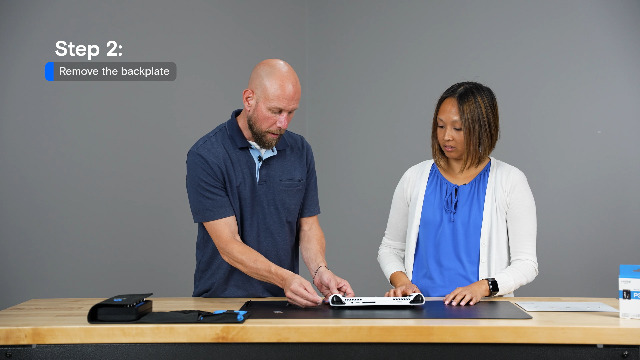
Finally, plan the cloning or reinstall process before you swap drives. For Steam Deck owners, SteamOS reinstall via USB stick is the simplest approach and avoids cloning complications. For ROG Ally and Legion Go users running Windows, a cloning utility like Macrium Reflect or Acronis will copy your existing install to the new 2230 drive — usually via a USB-C to M.2 enclosure. Take the rear cover off carefully, transfer the screw and any thermal pad from the original drive, and run a benchmark after boot to confirm the new drive is recognized at the speed the slot supports.
How we compared
Updated October 2026. We compared drives using manufacturer specification sheets (form factor, interface, NAND type, rated speed, endurance and warranty), handheld makers’ published slot specifications, teardown and upgrade guides, independent reviews from outlets such as Tom’s Hardware and The SSD Review, and owner reports from Steam Deck and handheld communities. We did not bench-test these drives ourselves. Rated speeds are manufacturer figures; in a Steam Deck the Gen3 slot caps real-world throughput regardless of the drive.
Handheld SSD compatibility questions
Is the Steam Deck M.2 slot PCIe Gen3 or Gen4?
Gen3. Valve specifies PCIe Gen3 x4 for the Steam Deck’s M.2 2230 slot, and some LCD units shipped with Gen3 x2 drives. Gen4 drives are fully compatible and run at Gen3 speeds, roughly 3,500 MB/s at most, which is still far faster than games need.
Will a 2230 SSD work in the ROG Xbox Ally X?
Only with an extender bracket. The ROG Xbox Ally and Ally X use an M.2 2280 slot, so a native 2280 single-sided drive without a heatsink, such as the WD_Black SN7100X, is the simplest choice.
What size SSD does the Legion Go 2 use?
The Legion Go 2 uses an M.2 2242 slot with PCIe Gen4. A native 2242 drive fits best; a 2230 drive needs an extender. Avoid 2280 adapter boards, which owners report can cause heat and fit problems.
Is 1TB enough for a Steam Deck?
For most players, yes. Valve ships the Steam Deck OLED with 512GB or 1TB, and many Deck-verified games are small. If you play several large AAA titles at once, 2TB saves constant re-downloading. A fast microSD card is a cheap way to add space for smaller games.
Does a faster SSD improve Steam Deck battery life or FPS?
No meaningful change. Frame rate depends on the APU and settings. A modern efficient drive may draw slightly less power than an older one, but the difference in battery life is small compared with screen brightness and TDP limits.
Frequently Asked Questions
Will a regular M.2 2280 SSD fit the Steam Deck?
No — the Steam Deck physically only accepts M.2 2230 drives, which are 30mm long versus 80mm for desktop 2280 SSDs. Installing a 2280 in the Deck is impossible; the chassis is built around the smaller form factor. Stick to confirmed 2230 drives like the Crucial P310 or Corsair MP600 Mini. With OEM-style listings like the Hyn PVC10, always verify the listing explicitly says 2230 or 30mm before buying.
Do I need a PCIe Gen5 SSD for the Steam Deck or ROG Ally?
No. The Steam Deck uses a PCIe Gen3 x4 slot and most Windows handhelds use Gen4 x4, which is well within the bandwidth of every drive on this list. Gen5 2230 drives also barely exist on the consumer market yet, and would deliver no real-world benefit on the Deck or ROG Ally even if they did. A solid Gen4 2230 drive at 5,000-7,100 MB/s is the right pick.
How do I reinstall SteamOS on a new SSD?
The cleanest method is to use Valve’s official Steam Deck Recovery image, written to a USB stick using Rufus or balenaEtcher. After physically installing the new 2230 SSD, plug in the USB drive, hold the volume-down button while powering on, select the USB device, and reinstall SteamOS. This avoids cloning headaches and ensures a clean filesystem on the new drive. For ROG Ally or Legion Go users on Windows, cloning with Macrium Reflect is straightforward via a USB-C M.2 enclosure.
Are aftermarket 2230 drives reliable in handhelds?
The mainstream-brand ones absolutely are. Crucial P310 and Corsair MP600 Mini are widely reported as reliable, with no special firmware quirks on the Steam Deck or other handhelds. Less-known brands and OEM-listed drives may carry slightly more variance in firmware support — check user reviews specifically mentioning your handheld model before buying, especially with OEM listings.
Related Guides
- Best Handheld Gaming PCs
- Best Steam Deck Accessories
- Best NVMe SSDs
- Best Budget NVMe SSDs
- Best microSD Cards for Gaming
- Best Portable Gaming Monitors
- Best Gaming PCs
Affiliate Disclosure: As an Amazon Associate, we earn from qualifying purchases. If you click a link and make a purchase, we may earn a small commission at no extra cost to you. Prices and availability are accurate as of publication and may change.