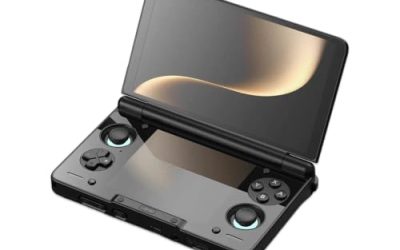
Lenovo Legion Go 2 Handheld Gaming 2026: Is It the Right Portable PC?
The Lenovo Legion Go 2 is a Windows handheld gaming PC that lets you play full PC games away from a desk. Its appeal is simple: you get access to a PC game library, including storefronts you may already own, in a device you can hold in both hands and use on a couch, on a plane, or in bed. This review covers what a Windows handheld like the Legion Go 2 does well, where it asks you to accept compromises, and who should buy it instead of a laptop or a Steam Deck-style device.
Handheld hardware changes quickly, and manufacturers do not always publish full specifications for every region. Treat the general guidance here as a framework. The live product card below shows the model currently listed, and you should check the official spec sheet before buying because battery size, display, and processor options can differ between configurations.
What Makes the Legion Go 2 Different From Other Handhelds
Most handheld gaming devices fall into two groups. Some run a console-style interface on a locked operating system, and others run full Windows. The Legion Go 2 belongs to the second group, which means you can install launchers, play games from several storefronts, change drivers, and use Windows tools without workarounds. That flexibility is the main reason to choose a Windows handheld. The trade-off is that Windows, its background services, and its power management need more tuning than a console-style device does.
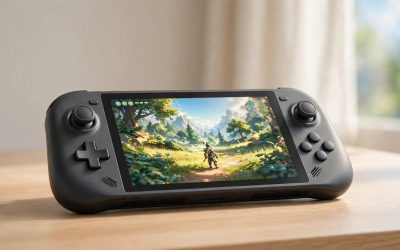
The design also includes detachable controllers, which lets you use the device in a more controller-like shape or as a compact handheld. That layout is useful for games that suit a split-grip position, and it can also help with fit for different hand sizes. Check how the controllers attach and detach in person or in a detailed research, since fit and feel are personal.
Gaming Experience: What to Expect
A Windows handheld is best for games that run well at lower resolutions and moderate settings. Indie titles, older AAA games, strategy games, and many esports titles usually play well. Newer demanding games will need lower settings, a lower frame rate target, or upscaling turned on. Expect to tune each game individually rather than relying on one default profile.
Battery life is the most important limit. Gaming at higher performance settings drains the battery quickly, and the device will run warmer under load. Use a lower power profile for less demanding games and plug in for long sessions. Our general guide to battery life in gaming hardware explains why sustained power limits matter more than the headline battery capacity.
Comparison Table: Legion Go 2 Versus Other Portable Options
The table compares the Legion Go 2 against the other portable options most buyers consider. Price tiers are relative. Use the live cards for current pricing and ratings.
| Device type | Operating system | Best for | Main trade-off | Relative price tier |
|---|---|---|---|---|
| Lenovo Legion Go 2 | Windows | PC game library on the go, launcher flexibility | Battery life and Windows tuning | Premium |
| Console-style handheld | Locked OS | Simple setup, long battery life | Less flexible software | Mid |
| Thin gaming laptop | Windows | Larger screen, more power | Not handheld, heavier | Mid to high |
| Retro handheld | Custom or Linux-based | Older games and emulation | Limited modern PC games | Low to mid |
Display, Controls, and Comfort
The screen is the first thing you will notice. A bright, sharp display makes the device pleasant to use for long sessions, and refresh rate matters for fast-moving games. Check the panel type and refresh options in the listing, since the difference between a standard and a high-refresh panel is visible in motion. Controls should feel firm and responsive. Trigger travel, stick feel, and button placement all matter for shooters and action games, so watch a detailed research before deciding.
Weight matters for handheld play. A heavier device is tiring after an hour, and a lighter one is easier to hold. Weigh the Legion Go 2 against the device you own now, and check whether the controllers change the balance when attached. If you already use a controller on a PC, our guide to the best PC controller helps you decide whether the built-in controllers will replace an existing one.
Software, Launchers, and Setup
Windows gives you broad compatibility, but it also means updates, background apps, and driver tuning. Plan to spend time on first-run setup. Disable unnecessary startup apps, choose a performance profile for each game, and keep graphics drivers updated. The Windows handheld interface can help with controller-based navigation, and you should test it before relying on it for daily use.
If you already use a controller ecosystem on PC, check how the Legion Go 2 handles mapping and button layout. Our comparison of the Xbox controller and DualSense on PC is useful if you want to understand the trade-offs between controller styles before choosing a handheld.
Alternatives Worth Considering
The other devices in the list above include different Legion Go 2 configurations and related portable options. Compare processor options, memory, storage, and display type rather than model name alone, because those choices determine both performance and battery behavior. If you want the simplest setup, a console-style handheld may suit you better. If you need a larger screen and more performance, a gaming laptop may be a better fit. The product card below shows one configuration to compare directly with the Legion Go 2 model.
For a wider view of the category, read our overview of the best gaming handhelds and the best handheld gaming PC.
Who Should Buy the Legion Go 2, and Who Should Skip It
Buy the Legion Go 2 if you want a Windows handheld that runs your PC games with the freedom to choose launchers and settings. It suits players who already own a PC game library, who enjoy tuning their games, and who want a device that replaces a laptop for couch or travel play.
Skip it if you want a simple plug-in-and-play experience, if long battery life is your top priority, or if you mainly play modern demanding games at high settings. A console-style handheld or a gaming laptop will be easier to live with in those cases. For more on handheld choices by use case, see our guide to the best handheld gaming device.
Buying Checklist
Confirm the exact configuration and processor, check the display refresh rate, read a battery test under gaming load, and test the controllers if you can. Check the warranty and whether the device includes its charger and controllers. Verify the price against the live card above, and check the return policy so you can send the device back if the fit or battery life does not meet your needs.
To compare this device with other portable options, read our best gaming handheld and best handheld gaming system guides, then check the configuration below.
Frequently Asked Questions
Can the Legion Go 2 run modern PC games?
Many modern PC games can run on it, usually at lower settings or with upscaling enabled. The most demanding titles may require reduced frame rate targets. Test each game and adjust the power profile as needed.
How long does the battery last?
Battery life depends heavily on the game, the power profile, and the screen brightness. Demanding games drain the battery quickly. Plan to plug in for long sessions and check independent battery tests before buying.
Is a Windows handheld better than a Steam Deck-style device?
It depends on your priorities. A Windows handheld offers more software flexibility and access to PC storefronts. A console-style device offers a simpler interface and often better battery efficiency for its class.
Can I use the Legion Go 2 with an external monitor?
Many Windows handhelds can output to an external display through a dock or adapter. Check the port layout and the specific dock requirements in the listing before you buy an accessory.
The Lenovo Legion Go 2 is a capable Windows handheld for players who want full PC gaming in a portable form and accept the tuning and battery trade-offs that come with it. Confirm the configuration, test the controls, and check the live cards above before you commit to a purchase.