Best Gaming Laptop OLED Display in 2026: What to Look For
An OLED display can change how a gaming laptop looks and feels. Blacks are deeper, contrast is higher and colours tend to pop in dark scenes, which is why many buyers now treat the panel as the first thing to choose. The trade-offs are real, though. OLED panels can be more expensive, may dislike long periods of static content and vary in brightness in bright rooms. This guide explains how to judge an OLED laptop display and how to read the listings that come back for this search.
This is a buying guide, not a lab test. We do not give measured brightness figures, response times or colour accuracy numbers, because those vary between individual panels and between reviews. Where we describe a difference, we describe the panel technology and the patterns that independent reviewers commonly report. Check the review of the specific model before you order.
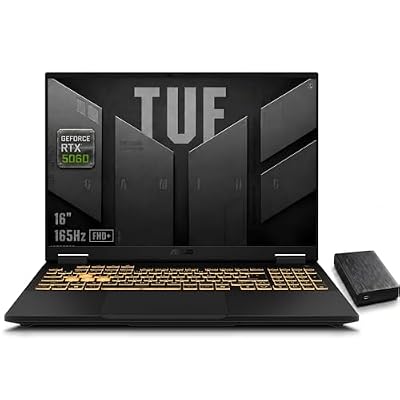
The listings below were returned for this search. The first is the primary pick and the others are close alternatives. The listing above may not be the exact model you had in mind, so confirm the panel type, resolution, refresh rate and price on the card before you buy.


Why OLED Changes the Gaming Experience
An OLED panel lights each pixel on its own, so black pixels can switch off completely. That produces the contrast that makes dark rooms and night scenes look more three-dimensional than on a standard LCD. Response times are typically very fast, which helps motion clarity in fast games. The result is a display that rewards careful use, and that is also why you should understand its weak points before you spend.
Contrast and Dark Scenes
Horror games, space titles and night-time open worlds benefit most from OLED. Shadows keep their detail, and bright highlights stand out against a black background. If you play mostly bright, colourful games in a well-lit room, the advantage is smaller, but it is still visible in most content.
Motion Clarity and Refresh Rate
Fast panels reduce ghosting and smearing in motion, which matters in competitive shooters and racing games. Pair an OLED panel with a refresh rate that matches what your GPU can deliver. A high refresh rate that the graphics card cannot sustain adds cost without adding much smoothness. The best refresh rate for gaming guide explains how to match those two numbers.
The Trade-Offs to Weigh Before You Buy
Burn-In and Static Content
Burn-in is the most discussed OLED risk. If a bright element such as a health bar, minimap or taskbar stays in the same place for hours, the panel can retain a faint image. Modern OLED laptops use mitigation features such as pixel refresh, pixel shifting and automatic dimming of static areas. These reduce the risk, but they do not remove it. Keep brightness moderate, hide static interface elements where you can and read the manufacturer’s warranty terms for burn-in before you buy.
Brightness and Matte Finish
OLED panels can look excellent indoors but may struggle in direct sunlight. Glossy coatings make reflections more obvious, while matte coatings reduce them at some cost to contrast. If you game near a window or outdoors, check the coating and read reviews that comment on brightness in bright rooms.
Price and Power
An OLED panel usually adds to the price compared with a standard IPS panel on the same chassis. Brighter OLED content can also draw more power, which affects battery life. The gaming laptop battery life guide covers how display choices change how long the machine lasts away from a charger.
Comparison Table: OLED Laptop Listings at a Glance
The table lists the five listings returned for this search. It uses tiers instead of exact prices, because prices change often and differ by seller.
| Option | ASIN | Best for | Price guidance | What to check |
|---|---|---|---|---|
| Primary pick (hero) | B0HMRB9YVT | General gaming with strong contrast | Check current price | Panel type, resolution, refresh rate, coating |
| Alternative 1 | B0H3BSRRLS | Competitive players who want motion clarity | Check current price | Refresh rate and GPU class in the chassis |
| Alternative 2 | B0HPJN8QPN | Cinematic and story-driven games | Check current price | HDR support and brightness reviews |
| Alternative 3 | B0FHXGDZ5Q | Buyers who game in bright rooms | Check current price | Coating type and burn-in warranty terms |
| Alternative 4 | B0H5D3PQ1M | Mixed gaming and creative work | Check current price | Colour coverage and factory calibration notes |
Treat the table as a checklist. The right row depends on where you game, what you play and how much you value contrast against brightness and price.
Alienware 16X Gaming Laptop, RTX 5060, Intel Ultra 7 Plus, Windows 11 Home | WQXGA OLED 240Hz Display, 16GB DDR5 RAM, 1TB SSD, NVIDIA GeForce, Wi‑Fi 7, Bluetooth, Ethernet, Blue, AI Ready





As an Amazon Associate we earn from qualifying purchases. Product prices and availability are accurate as of the date/time indicated.
How to Judge an OLED Laptop Panel
Specifications only tell part of the story. Use this checklist when you compare two OLED models:
- Resolution and refresh rate, and whether your GPU can reach that refresh rate in your games.
- Coating type, matte or glossy, and how it handles reflections in your room.
- Burn-in mitigation features and the warranty coverage the manufacturer states.
- HDR support and independent reviews of its brightness in HDR mode.
- Battery size, since a bright panel affects runtime.
For a desktop perspective on the same panel technology, the best OLED gaming monitor guide shows how the trade-offs look on a separate display, and the how to choose a gaming monitor guide explains the general criteria that also apply to laptops.
Mistakes to Avoid
Buying on Contrast Alone
Contrast is the headline feature of OLED, but a panel also needs adequate brightness, a suitable coating and a refresh rate your system can use. A striking dark-scene image in a product photo does not tell you how the screen performs in your room. Read reviews that test brightness and colour in several conditions.
Ignoring Static Interfaces
Long sessions in games with fixed health bars or minimaps increase the burn-in risk. Lowering brightness, enabling automatic dimming and rotating your interface where possible all help. If you use the laptop mainly for spreadsheets or desktop work with a fixed taskbar, consider whether an OLED panel is the right fit for that use.
To compare the same panel technology on a desktop screen, the best OLED gaming monitors, the 4K OLED gaming monitors for 2026, the Samsung Odyssey OLED G8 review, the MSI MEG 342C QD-OLED review, and the best gaming laptop 2026 are useful next steps.
Frequently Asked Questions
Is an OLED gaming laptop display worth the extra cost?
It is worth it for players who value dark-scene contrast and motion clarity and who game in a controlled light environment. If you mostly play in bright rooms or leave static interface elements on screen for long periods, a high-quality IPS panel may suit you better.
Will burn-in ruin an OLED laptop screen?
Burn-in is a real risk with long-term static content, but modern mitigation features reduce it considerably. Normal varied gaming and sensible brightness levels lower the chance of problems. Check the warranty terms before you buy, because coverage differs between manufacturers.
What refresh rate should I look for on an OLED laptop?
Choose a refresh rate that matches the frame rate your GPU can sustain in the games you play. Many buyers find that a fast panel is most useful for competitive titles, while a moderate refresh rate is enough for single-player games. Match the panel to your real performance, not the highest number on the spec sheet.
Final Verdict
The best gaming laptop OLED display is the one that suits your room, your games and your tolerance for the known OLED trade-offs. Contrast and motion clarity are strong reasons to choose OLED. Burn-in risk, brightness in bright rooms and price are the costs to weigh. Confirm the panel details on the listing, read reviews of brightness and burn-in, check the warranty terms and compare the full laptop before you order.