Gaming Laptop Intel vs AMD in 2026: Which Processor Fits Your Games
When you shop for a gaming laptop, the processor is easy to overlook because the graphics chip gets most of the attention. Yet the CPU decides how smoothly a laptop handles busy scenes, background apps, streaming and battery life. In 2026, most high-performance gaming laptops use either an Intel mobile processor or an AMD mobile processor, and both families can run current games well. This guide explains the practical differences so you can choose the platform that suits how you use the machine.
This is a buying guide, not a benchmark roundup. We do not quote frame rates or scores, because they depend on the game, the graphics card, memory speed and the laptop’s power settings. Where we describe a behaviour, we describe the design and the patterns that independent reviewers commonly report. Check current reviews of the specific model you are considering.
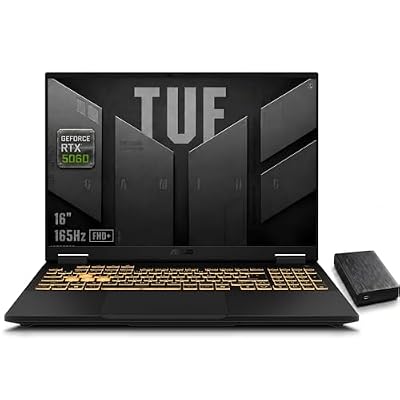
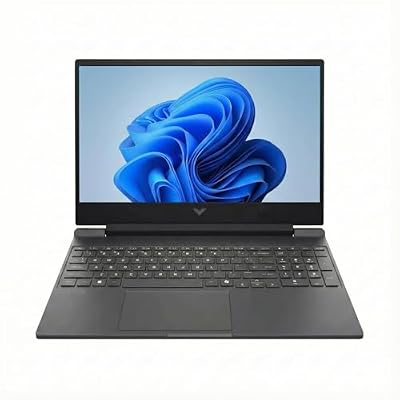
The listings below were returned for this search. The first is the primary pick and the rest are close alternatives. The listing above may not be the exact model you had in mind, so confirm the processor name, memory and price on the card before ordering.


How the Two Platforms Differ in Practice
Both Intel and AMD build high-power mobile processors for gaming laptops, and in most models the graphics chip is an NVIDIA GPU. That means the processor choice is really a choice about CPU behaviour, platform features and the laptop around it. Two laptops with the same GPU can feel quite different depending on which processor they use, how the manufacturer tunes the power limits and how the cooling handles sustained load.
Single-Thread Speed and Game Responsiveness
Many games, especially esports titles and simulation-heavy open worlds, depend on how quickly one core can finish its work. Both vendors aim for strong single-thread performance in their high-end mobile chips, so you should not assume one platform always wins. Read reviews that test CPU-limited scenarios, because those tests show the processor’s contribution more clearly than average frame rates at high resolution.
Cache Design and Consistency
Large cache can help frame consistency in games that move a lot of data. Some AMD designs emphasise cache, and that can help with stutter in certain titles. Intel’s recent mobile designs focus on a hybrid layout of performance and efficiency cores. Whether that difference matters depends on the specific game, so treat cache as a reason to look closer at reviews rather than a verdict on its own.
Streaming, Editing and Background Work
If you stream while you play or edit video on the same machine, the number of threads and the efficiency of the chip under load matter more. Hybrid layouts can handle background tasks without pulling focus from the game, while high thread counts help encoding. The gaming and streaming CPU guide explains the trade-off on the desktop side, and the same logic applies to laptops.
ASUS ROG Strix G16 (2025) Gaming Laptop, 16” FHD+ 16:10 165Hz/3ms, NVIDIA® GeForce RTX™ 5060, Intel® Core™ i7 Processor 14650HX, 16GB DDR5, 1TB Gen 4 SSD, Wi-Fi 7, Windows 11 Home, G615JMR-AS74


As an Amazon Associate we earn from qualifying purchases. Product prices and availability are accurate as of the date/time indicated.
Intel or AMD: Matching the Platform to Your Use
For Competitive Shooters and Esports
Competitive titles are usually limited by the processor and the display rather than the GPU. If that is your main use, look for a laptop whose processor reviewers praise for low-latency performance, and pair it with a high refresh rate panel. The Counter-Strike 2 CPU guide shows the kind of CPU behaviour that matters for these games on the desktop.
For Open-World and Simulation Games
Open-world games and simulation titles place steady demand on the processor. Here, consistency counts as much as peak speed. A laptop with strong sustained power and good cooling will usually feel smoother than a thin model with a faster chip that throttles after a few minutes. Consider the full laptop rather than the processor name alone.
For Battery Life and Travel
Gaming laptops rarely offer long battery life under load, but the processor’s idle and light-use efficiency still affects how long the machine lasts away from a charger. Check reviews that test light workloads, not only gaming. The best gaming laptop battery life guide covers that side of the decision.
Comparison Table: Platform Fit by Use Case
The table below matches each listing to the type of buyer it suits best. It uses ranges and qualitative tiers rather than exact prices, because prices change often and differ by seller.
| Option | ASIN | Best for | Price guidance | What to check |
|---|---|---|---|---|
| Primary pick (hero) | B0DZZWMB2L | General gaming with mixed use | Check current price | Exact processor name, memory, cooling reviews |
| Alternative 1 | B0F195W823 | Players who prioritise CPU-limited titles | Check current price | Processor generation and sustained power limit |
| Alternative 2 | B0F5KTGDS9 | Streamers who game and encode | Check current price | Thread count and cooling under load |
| Alternative 3 | B0DWS9LJBH | Buyers who want a thinner chassis | Check current price | Sustained performance in thermal reviews |
| Alternative 4 | B0D5NMCDSV | Budget-conscious 1080p and 1440p gamers | Check current price | Memory configuration and upgrade slots |
The table is a checklist rather than a ranking. The right row depends on your game list, how much you stream and how far you want to travel with the machine.

Acer Nitro V 16S AI Gaming Laptop | AMD Ryzen 7 260 Processor | NVIDIA GeForce RTX 5060 Laptop GPU (572 AI Tops) | 16" WUXGA IPS 180Hz Display | 32GB DDR5 | 1TB Gen 4 SSD | Wi-Fi 6 | ANV16S-41-R2AJ





As an Amazon Associate we earn from qualifying purchases. Product prices and availability are accurate as of the date/time indicated.
What to Check on Any Listing
Before you order a laptop in this class, verify the following points on the specification and the reviews:
- The exact processor model and its generation, since naming schemes change between releases.
- The sustained power limit of the processor, which affects how it behaves after several minutes of play.
- The number of memory slots and whether the memory is soldered or user-replaceable.
- Independent thermal reviews of the specific chassis.
- The warranty length and the return policy of the seller.
For a desktop view of how the two vendors compare across a full build, the AMD versus NVIDIA buyers guide is useful context, and the desktop Intel versus AMD gaming guide covers the processor side in more depth.
Mistakes to Avoid
Choosing the Processor Brand Before the Use Case
Brand loyalty is a weak reason to buy a laptop. A better approach is to list the games and tasks you run most often, then find the model whose reviews match that workload. If you mostly play titles with heavy GPU demands at high resolution, the processor difference may matter less than the graphics configuration.
Ignoring the Rest of the Machine
The processor cannot make up for too little memory or weak cooling. Check the memory configuration and the cooling design before you decide, and consider the RAM guide for gaming laptops if you plan to upgrade later. A good processor in a poorly cooled chassis often performs worse than a slightly slower chip in a well-designed one.
For more depth on the processors themselves, the best Intel Core chip for gaming, the best Ryzen chip for gaming, the 2026 gaming laptop roundup, the gaming laptops under $1500, and the Intel Core Ultra 7 265K review are useful next steps.
Frequently Asked Questions
Is Intel or AMD better for gaming laptops in 2026?
Neither vendor wins across the board. Both produce capable high-performance mobile chips. The better choice depends on the games you play, how much you stream and the laptop’s cooling and power design. Read reviews of the exact model rather than relying on the brand.
Does the processor matter more than the graphics card?
For most players at 1440p and 4K, the graphics card has the bigger effect on frame rate. For esports and CPU-limited open-world games at lower resolutions, the processor matters more. Decide which workload dominates your play before you choose.
Can I upgrade the processor in a gaming laptop later?
In most gaming laptops, no. The processor is typically soldered to the board, so the platform you buy is the platform you keep. Plan for a useful lifespan when you choose, and check whether the memory and storage can be upgraded instead.
Final Verdict
Intel and AMD both offer strong gaming laptop processors in 2026, and the right choice depends on your games and your habits. Choose by workload: CPU-limited esports and simulation games favour careful review of single-thread and sustained performance, while streaming and mixed use favour thread count and efficient cooling. Confirm the exact processor on the listing, read thermal reviews for that chassis and price the whole laptop before you decide.