

Lenovo Legion Pro 7 RTX 5080 Review: Is It the Right High-End Gaming Laptop?
The Lenovo Legion Pro 7 with an RTX 5080 is aimed at players who want desktop-class frame rates without carrying a desktop. It sits in the high-end laptop tier, where the GPU, cooling and display matter more than the chassis styling. This review-style guide explains what an RTX 5080 laptop is good at, where it compromises, and how to judge a Legion Pro 7 listing before you buy.
The hero listing and alternatives below came from the search query “Lenovo Legion Pro 7 RTX 5080”. Lenovo sells the Legion Pro 7 line in several configurations, so the exact CPU, memory, storage and display may differ between listings. Confirm those details on the product page before ordering. This article speaks about the RTX 5080 laptop class in general terms and does not claim benchmark numbers for a specific configuration.
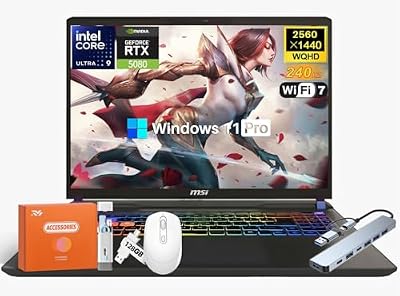

What an RTX 5080 Laptop Is Built For
An RTX 5080 laptop targets 1440p gaming at high settings and 4K gaming with upscaling. The mobile version of the RTX 5080 has 16GB of GDDR7 memory, which gives it room for high-resolution textures in current games. That memory size matters more than most buyers expect, because a laptop GPU that runs out of VRAM will stutter even if its core is fast enough.
The important caveat is that laptop GPUs vary by power limit. Two laptops with the same GPU name can deliver different frame rates because one runs at a higher total graphics power than the other. When you read reviews or compare listings, look for the GPU’s configured wattage and the cooling design, not only the model name.
Where the Legion Pro 7 Fits in the Lineup
Legion Pro 7 models are positioned as high-performance machines with strong cooling and large displays. They are generally better suited to a desk with a power outlet than to long unplugged sessions. Think of them as the laptop you use for both gaming and heavy creative work, rather than a light travel machine. If portability matters most, a thinner 14-inch or 16-inch chassis with a lower-power GPU will serve you better.
Performance, Cooling and Display Considerations
Thermals and Fan Noise
High-end laptops rely on their cooling system to hold boost clocks. Under a sustained load, a well-cooled Legion Pro 7 can keep performance steady, while a poorly cooled one will throttle after several minutes. Check reviews that test sustained gaming runs of at least 30 to 60 minutes, not only short benchmark bursts. Expect fans to be audible under load, and consider a headset if you play in a quiet room.
Display Choice
Display choice has a bigger effect on daily experience than most spec sheets suggest. A high refresh rate panel helps competitive titles feel smoother, while a higher-resolution panel helps detail in single-player games. You cannot get both at the same frame rate on a laptop GPU without lowering settings, so decide which matters more to you. Check the panel’s refresh rate, brightness and color coverage on the listing before buying.
Memory and Storage
Look for at least 32GB of system memory and a 1TB SSD as a practical baseline for a machine in this class. Some configurations ship with 16GB, which is workable but tight for modern games and streaming. Check whether the RAM is upgradeable. Many laptops in this class have accessible slots, but some have soldered memory, which changes the upgrade path.

Lenovo Legion Pro 7i Gen 10 Gaming Laptop (2025), GeForce RTX 5080 16GB GDDR7, Intel Ultra 9 275HX Up to 5.40 GHz, 16" 240Hz OLED, 64 GB DDR5, 8 TB SSD, Windows 11 Pro, w/Accessories


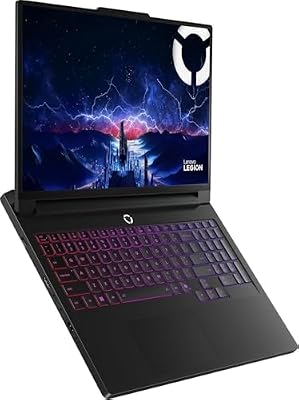


As an Amazon Associate we earn from qualifying purchases. Product prices and availability are accurate as of the date/time indicated.
Comparing RTX 5080 Laptop Options
The table below lists the five ASINs returned for the query. Prices and ratings change often, so the table leaves those fields for you to check on the live listing. Use it as a checklist.
| Option | ASIN | What to verify | Price | Rating |
|---|---|---|---|---|
| Hero listing | B0FDGCNFZ3 | GPU wattage, RAM size, SSD size, display refresh rate | Check live listing | Check live listing |
| Alternative 1 | B0GGGYDDYP | Confirm it is the same Legion Pro 7 RTX 5080 family | Check live listing | Check live listing |
| Alternative 2 | B0FH6XXT9T | Check whether it is a different chassis size | Check live listing | Check live listing |
| Alternative 3 | B0FHJ3R5SJ | Check RTX 5080 wattage and cooling | Check live listing | Check live listing |
| Alternative 4 | B0F9YKNN6P | Check CPU generation and included warranty | Check live listing | Check live listing |
If two listings look similar, the deciding factors are usually the GPU power limit, the display, and the warranty. A cheaper configuration with a lower power limit can perform noticeably worse in the same game, even though the GPU name matches.
Who Should Buy an RTX 5080 Legion Pro 7
This laptop suits players who want high settings at 1440p, want to play demanding titles on the same machine they use for work, and can keep it on a desk for most sessions. It also suits people who want a laptop that can drive an external monitor at high refresh rates while the built-in screen is used for reference.
It is a poor match if you mainly need portability, if you play mostly esports at low settings, or if your budget is better spent on a desktop. For a desktop alternative at a similar cost, compare our gaming PC guides by budget before committing to a laptop. Laptop buyers should also read our best gaming laptop roundup to see how this class compares with other 2026 options.
Buying Checklist
Check these items before you order. First, confirm the RTX 5080 variant and its configured power limit. Second, confirm the RAM size and whether it is upgradeable. Third, check the display refresh rate and panel type, because they change how the machine feels day to day. Fourth, confirm the warranty length and whether on-site service is included. Fifth, check the return window in case the cooling or fan noise does not suit you.
If battery life matters, know the limit up front. High-end laptops with powerful GPUs typically offer short battery life under gaming load, and a few hours of light use at most. Our guide to gaming laptops with the best battery life covers the trade-off in more detail. A cooling pad can help with sustained loads, though it cannot fix a laptop that has weak internal cooling.
Frequently Asked Questions
Is the RTX 5080 laptop GPU as fast as a desktop RTX 5080?
No. Laptop GPUs run at lower power limits to fit in a thin chassis, so they usually trail the desktop version of the same model. The gap depends on the laptop’s cooling and the configured power limit, so check reviews that list the wattage. Our RTX 5080 review covers the desktop card for comparison.
Is 16GB of VRAM enough for 1440p gaming?
For most current games at 1440p with high settings, 16GB is a comfortable amount. Very heavy texture packs or mods can use more, so lower texture quality first if you see stutter. Check the memory usage in your games with an overlay.
Can I use this laptop with an external monitor?
Yes. Most gaming laptops in this class support an external display through HDMI or USB-C with DisplayPort. Confirm the ports on the specific listing, especially if you plan to run a high-refresh external monitor at its maximum rate.
Should I buy the Legion Pro 7 or a cheaper RTX 5070 laptop?
If you want 1440p at high settings with headroom for newer games, the RTX 5080 class is the better fit. If your budget is tight or you play mostly esports titles, an RTX 5070 laptop may deliver good frame rates for less money. Compare the options in our gaming laptops under $1,500 guide and check how the RTX 5070 desktop card compares before you decide.
Other brands are worth a look in the same class. Our picks for ASUS gaming laptops and MSI gaming laptops show the competing cooling and display designs. For memory upgrades on a laptop, see our RAM guide for gaming laptops, and for battery and thermals under load, our battery life guide.
Final Verdict: Lenovo Legion Pro 7 RTX 5080 Review
The Lenovo Legion Pro 7 with an RTX 5080 is a strong high-end laptop for players who want desktop-class gaming in a portable-ish form. Its main strengths are GPU capability, memory headroom and the option of a high-refresh display. Its trade-offs are noise under load, limited battery life and the need to check each configuration carefully. Buy it if you have a desk and a clear reason to want RTX 5080 performance. Check the live listing for power limit, RAM and display before you order.







