Gaming Laptop Warranty in 2026: What Coverage Is Worth Paying For
A gaming laptop is a significant purchase, and its warranty is often the least examined part of the order. Most machines include a standard manufacturer warranty, and many retailers and manufacturers offer extended or upgraded cover for an extra fee. The difference between plans is not always obvious from the product page. Some cover only defects in manufacturing, while others include accidental damage such as drops and spills. This guide explains what coverage to look for and when an upgrade is worth the cost.
This is a buying guide, not legal advice. Warranty terms vary by country, by seller and by plan, and they change over time. We do not quote specific durations or prices, because they differ between markets and retailers. Where we describe coverage types, we describe what they usually mean and the points that independent consumer reviews commonly raise. Read the full terms for the exact product and seller before you buy.
The listings below were returned for this search. The first is the primary pick and the others are close alternatives. The listing above may not match the exact model you had in mind, so confirm the warranty terms, return window and price on the card before you order.


The Standard Warranty and What It Usually Covers
The standard warranty that comes with most gaming laptops generally covers defects in materials and workmanship for a set period. It does not usually cover damage caused by the owner, such as drops, liquid spills or cracked screens from pressure. It may also exclude wear items and some accessories. Read the standard terms first, because they set the baseline that any upgrade will build on.
Defects Versus Accidental Damage
Defect cover pays for faults that appear without owner damage, such as a failed fan or a dead key. Accidental damage cover pays for the things that happen to portable machines, such as a fall from a desk or a spilled drink. Gaming laptops travel more than desktops, so accidental damage cover is worth considering if you plan to move the machine often.
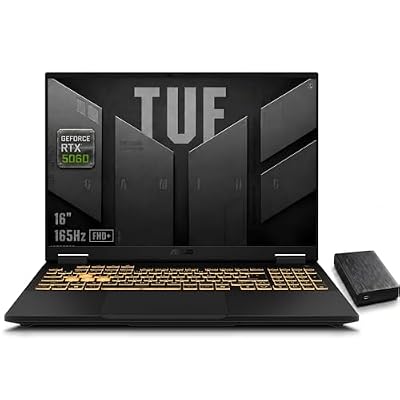
ASUS ROG Strix G16 (2025) Gaming Laptop, 16” FHD+ 16:10 165Hz/3ms, NVIDIA® GeForce RTX™ 5060, Intel® Core™ i7 Processor 14650HX, 16GB DDR5, 1TB Gen 4 SSD, Wi-Fi 7, Windows 11 Home, G615JMR-AS74


As an Amazon Associate we earn from qualifying purchases. Product prices and availability are accurate as of the date/time indicated.
What Premium Coverage Can Add
On-Site or Collection Service
Some plans offer repairs at your home or a collection service, instead of requiring you to ship the laptop to a service centre. This can save time and reduce the risk of damage in transit. Check whether the service covers your region and what the response times are in practice, because they vary.
Extended Duration
Extended plans lengthen the period of cover beyond the standard warranty. This matters most for owners who plan to keep the laptop for several years, since component failures become more likely as a machine ages. Compare the extension cost against the likelihood of needing a repair in that period, and against the value of the laptop itself.
OLED Burn-In and Panel Coverage
If the laptop has an OLED display, check whether the warranty mentions burn-in. Manufacturers treat this differently, and the wording can be strict about what counts as a defect. The best gaming laptop for 2026 roundup and the gaming laptop deals guide are useful for comparing offers on the same models, but the panel terms still need reading.
Comparison Table: Coverage Factors by Listing
The table lists the five listings returned for this search, with the coverage factors to check for each. It does not state prices or durations, because those vary by seller and region.
| Option | ASIN | Best for | Price guidance | What to check |
|---|---|---|---|---|
| Primary pick (hero) | B0DZZWMB2L | General buyers who want clear cover | Check current price | Defect cover, accidental damage, return window |
| Alternative 1 | B0HLDVMMWS | Buyers who move the laptop often | Check current price | Accidental damage wording and excess fees |
| Alternative 2 | B0F5KTGDS9 | Owners who keep machines for years | Check current price | Extended duration and transfer rules |
| Alternative 3 | B0FDM3M1WF | Buyers who want repairs at home | Check current price | On-site or collection service coverage |
| Alternative 4 | B09X8KFRB4 | Budget buyers comparing cover costs | Check current price | Standard cover period and exclusions |
Treat the table as a list of questions. The right plan depends on how you use the laptop, where you live and how much risk you are willing to carry yourself.

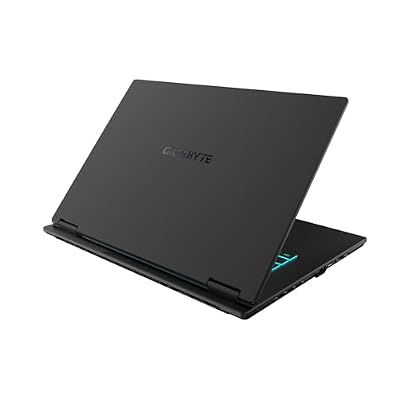
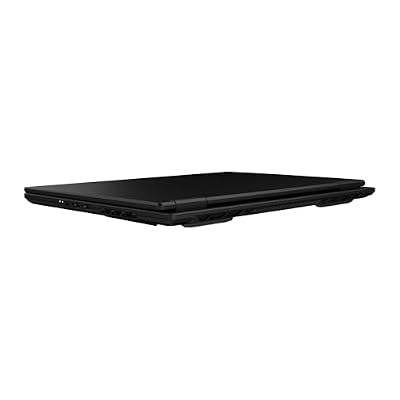
GIGABYTE Gaming A16 - Intel i7-13620H GeForce RTX 5070 16" Laptop | 165Hz, 1920x1200 WUXGA, 1TB SSD, 32GB DDR5 RAM, Windows 11 Home AD, Black Steel




As an Amazon Associate we earn from qualifying purchases. Product prices and availability are accurate as of the date/time indicated.
What to Check Before You Pay for Cover
Before you buy any extended or premium plan, read the terms and confirm these points:
- What counts as accidental damage, and whether any excess or fee applies to each claim.
- Which components are covered, including the battery, screen, keyboard and charger.
- Whether the plan is tied to the original purchase, and whether it transfers if you sell the laptop.
- The return window from the seller, which is separate from the manufacturer warranty.
- How claims are handled in your region and the typical turnaround in that market.
Check whether a plan would also cover the accessories you use most. A cooling pad or an external keyboard is usually excluded, so plan for those separately. The cooling pad guide and the keyboard guide cover those choices.
Mistakes to Avoid
Assuming Cover Includes Everything
Many buyers assume that any extended warranty covers any problem. In practice, exclusions are common. Read the list of what is not covered, and ask what happens if you open the chassis or use third-party repairers.
Paying for Duplicate Cover
Some payment cards and home insurance policies already cover accidental damage on portable electronics. Check those policies before you pay for a retailer plan, so you do not buy the same protection twice.
Ignoring the Return Window
The return window is often more useful than a long warranty when a laptop is faulty on arrival. Test the machine promptly after delivery, and keep the packaging until you are sure it works as expected.
If you are still choosing the laptop itself, the best gaming laptop to buy, the MSI gaming laptops, the ASUS gaming laptops, the gaming laptops under $1500, and the budget gaming laptops are useful next steps.
Frequently Asked Questions
Is an extended warranty worth buying for a gaming laptop?
It can be, especially for frequent travellers or owners who plan to keep the machine for a long time. It is less valuable if you mainly use the laptop at home and already have other cover. Compare the price of the plan with the cost of a likely repair and the value of the laptop.
Does a standard warranty cover accidental damage?
Usually not. Standard manufacturer warranties generally cover defects in materials and workmanship, while accidental damage is often excluded. Check the exact terms, because coverage varies between manufacturers and regions.
Will opening the laptop void the warranty?
It can, depending on the manufacturer’s policy and the local rules where you live. Some manufacturers allow memory and storage upgrades without affecting cover, while others do not. Check the terms before you open the chassis or use an unauthorised repairer.
Final Verdict
The best gaming laptop warranty is the one that matches how you use the machine. A standard warranty is the baseline, and it is worth reading first. Premium cover is worth considering if you travel often, want faster repairs or plan to keep the laptop for years, and it is worth checking against any existing insurance you hold. Read the exclusions, confirm the return window and compare the total cost of the plan before you buy. Confirm the terms for the exact listing on the card.