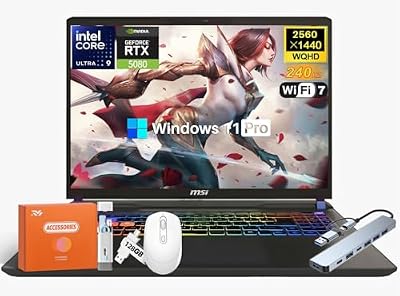
ASUS Zephyrus G14 RTX 5070 2026 Review
The ASUS Zephyrus G14 has long been one of the reference points for compact high-performance gaming laptops. Its 14-inch body is designed to be carried daily, and an RTX 5070 configuration brings the graphics power needed for high settings at 1440p in many current titles. For buyers who want one machine for gaming, coursework, and travel, the G14 class sits at a useful intersection of size and performance.
This article is a buying guide. We did not run hands-on benchmarks on a unit, so we avoid frame rates, temperatures, and battery claims that we cannot support. The listing above may be a close match to the G14 configuration you have in mind rather than an exact model, so confirm the GPU power profile, memory, display, and price on the product card before you buy. The guidance below stays useful whichever specific G14 variant you pick.


What Makes the G14 Class Stand Out
Compact gaming laptops live or die by their thermal design. A 14-inch chassis has to move heat from the GPU and CPU out of a small body without becoming unbearable on the lap. The G14 class is known for balancing these needs, and that is why it appears in so many buying conversations. Still, compact design means compromises. Expect a louder fan at the highest power profile, and expect the keyboard deck to warm under sustained load. Those points are normal for the category, and you should weigh them against your own habits.
Sustained Power and Performance Profiles
Laptop GPUs are sold under shared names across several chassis, and the sustained power limit can differ by model and by performance profile. Check whether the laptop offers a selectable profile and what it changes. A performance mode that you can use while plugged in is a common feature in this class. Read reviews that test long sessions, since the first few minutes rarely show the true sustained result.
Display for Gaming and Work
Compact gaming laptops often pair a 1440p panel with a high refresh rate. That is a strong match for an RTX 5070 at 1440p. Check the panel type, brightness, and color coverage. If you work on photos or video, color accuracy figures matter. If you play mostly on an external monitor, the built-in panel is less important, but it should still be bright enough for daytime use.
Memory, Storage, and Upgrades
Aim for at least 16GB of memory, and prefer 32GB if you stream, run virtual machines, or edit video. Check whether the memory is soldered, since that decides future upgrades. For storage, 1TB is a comfortable target. Confirm whether the laptop has a second M.2 slot, because a single drive fills quickly with large game installs.
Comparing G14-Class Options
The table below compares the common configuration classes in the compact RTX 5070 category. It is a checklist for comparing listings, not a ranking of individual models. Price ranges are approximate, and the live price on the card always takes precedence.
| Configuration class | Best for | Typical price range | What to verify |
|---|---|---|---|
| Compact 14-inch, RTX 5070, 1440p panel | Gaming at 1440p with portability | Check current price | Performance profile, fan noise, sustained clocks |
| Compact 14-inch, RTX 5070, 32GB memory | Gaming plus streaming and creative work | Check current price | Memory upgradability, storage, cooling |
| Compact 14-inch, RTX 5060 class | Lower-cost 1080p gaming | Check current price | Graphics headroom, display refresh rate |
| Slim 16-inch, RTX 5070 class | Larger screen with similar graphics | Check current price | Weight, charger size, keyboard deck temperature |
Buying Checklist for a Compact Gaming Laptop
Start with the GPU and performance profile. Then confirm the processor generation and the memory configuration. Look at the display specs, the port set, and the charger wattage. Finally, read the warranty and service terms. A compact laptop with a strong warranty and a clear repair path is often a better long-term buy than one with a slightly higher spec sheet and weaker support.
Charger Size and Portability
The charger affects how portable the laptop really is. Compact gaming laptops often need a larger adapter for full performance, and that adds weight to your bag. Weigh the charger alongside the laptop before you decide. If you plan to carry it every day, consider how often you will need the higher-wattage mode.
Keyboard Deck Temperature and Noise
Under sustained gaming, the area around the keyboard can get warm. Check reviews that report surface temperatures under load. Fan noise at the highest profile is also worth testing. If you game with headphones, noise matters less. If you game in a quiet room, choose a profile that balances performance and noise.
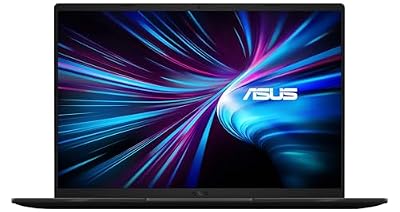
ASUS V16 16" WUXGA 144Hz Gaming Laptop, Intel® Core™ 7 240H, RTX™ 5070, 16GB DDR5 RAM, 1TB SSD, V3607VP-DS74, Matte Black







As an Amazon Associate we earn from qualifying purchases. Product prices and availability are accurate as of the date/time indicated.
Who Should Buy a Compact RTX 5070 Laptop
This class suits students, professionals who game, and travelers who want one device for everything. It is less suitable for people who want the highest possible frame rates at a low price, since a desktop gives more performance per dollar. For a desktop comparison, our gaming PC guide shows the value difference. If you want to save money, our budget gaming laptops guide covers lower tiers.
Students and Mixed Use
Students benefit from a compact body and a comfortable keyboard. Gaming becomes a welcome bonus. Our work laptop guide lists the features that matter for coursework and gaming on one device.
Frequent Travelers
A 14-inch chassis fits easily in most carry-ons, but the charger matters. Plan for the voltage and plug type at your destination. Our travel guide covers the practical details.
Related Guides on GamingPCGuru
Use these guides alongside this article when you compare budgets, displays, cooling, and the wider market before you buy.
- ASUS gaming laptop guide, for ASUS models across price tiers.
- gaming laptop battery life guide, for settings that stretch a charge on the go.
- cooling pad guide, for extra airflow for long sessions.
- affordable gaming laptop guide, for lower-cost picks with smaller GPUs.
- gaming laptop deal roundup, for when discounts on laptops tend to appear.
Frequently Asked Questions
Is an RTX 5070 in a compact laptop good for 1440p?
Yes, for many current games at medium-high settings, though demanding titles may need upscaling or lower presets. Check reviews that test the exact model, since sustained power and cooling change results significantly.
Is 16GB or 32GB of memory better?
Sixteen gigabytes is enough for gaming alone. Thirty-two gigabytes is worth it if you stream, edit, or run many apps at once. Confirm whether the memory is upgradable before choosing the lower capacity.
Will it get loud under load?
At the highest performance profile, most compact gaming laptops become audible. Look for reviews that measure fan noise at each profile, and choose the setting that balances noise and performance for your environment.
Final Verdict
The ASUS Zephyrus G14 class is a strong choice for people who want compact gaming performance with an RTX 5070. Focus on sustained power, the display, memory, and the charger size. Use the featured listing and the alternatives as a starting shortlist, then verify the exact model, price, and specs before you buy.