Best Gaming Laptop Cooling and Thermal Design in 2026
Cooling decides how a gaming laptop performs after the first ten minutes of play. A machine that starts strong can slow down as heat builds up, and the frame rate drops with it. That is thermal throttling, and it is one of the most common disappointments in this market. This guide explains how laptop cooling works, what to look for in a thermal design and how to read the listings that come back for this search.
This is a buying guide, not a temperature test. We do not publish measured temperatures or clock speeds, because those depend on the room, the game, the fan profile and the individual unit. Where we describe a design, we describe what it is meant to do and the patterns that independent reviewers commonly report. Check thermal reviews of the exact model before you order.
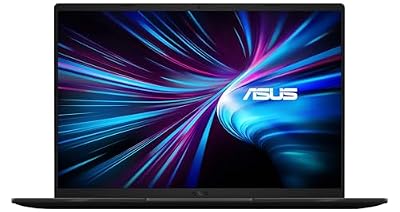
The listings below were returned for this search. The first is the primary pick and the others are close alternatives. The listing above may not match the exact model you had in mind, so confirm the cooling design, GPU and price on the card before you buy.


How Laptop Cooling Works
A gaming laptop moves heat from the processor and graphics chip through metal pipes and plates to fins, then pushes it out with fans. The efficiency of that path determines how long the chips can hold high clock speeds. A thin chassis has less room for large components, so the cooling design has to work harder. The difference between two laptops with the same chip can come down to the cooling system alone.
Vapor Chambers, Heat Pipes and Fins
A vapor chamber spreads heat across a flat plate and is common in higher-end gaming laptops. Heat pipes carry heat from the chips to the fins, and more pipes generally mean more capacity to move heat. Large fin stacks give the fans more surface to work on. Manufacturers do not always publish these details, so thermal reviews are often the best source for real-world behaviour.
Fans, Exhaust and Airflow
Fan count, blade design and the position of the exhaust vents all affect cooling. Intake vents need clear space around them, and a laptop placed on a soft surface such as a bed can restrict airflow. Keep the vents clear and place the machine on a hard, flat surface for the best results.
ICE COOREL Gaming Laptop Cooling Pad with 8 Cooling Fans, Laptop Fan Cooler Pad for 15-17.3 Inch, Notebook Cooler Stand with 6 Height Adjustable, RGB Cooling Pad with Two USB Port + Phone Stand


As an Amazon Associate we earn from qualifying purchases. Product prices and availability are accurate as of the date/time indicated.
What Matters Most in a Gaming Laptop Thermal Design
Sustained Performance Versus Peak Performance
Peak performance is what a laptop reaches in the first few minutes. Sustained performance is what it can hold after an hour. For most players, sustained performance is the figure that matters. A chassis that holds steady clocks will often feel smoother than one with a higher peak that drops sharply. Look for reviews that run long tests, not only short benchmark bursts.
Power Limit Versus Cooling Capacity
A manufacturer can set a high power limit only if the cooling can remove the heat it produces. A laptop with a powerful GPU and a thin cooling system may be forced to reduce power to stay within safe temperatures. When you compare two models, consider the power limit and the cooling design together, not one in isolation.
Surface Temperature and Comfort
Heat also reaches the keyboard deck and the underside of the chassis. Some designs keep the surface cooler, which can make long sessions more comfortable. Thermal reviews often report surface temperatures, and they are worth reading if you game on your lap.
Comparison Table: Cooling Factors by Listing
The table lists the five listings returned for this search, with the cooling factors to check for each. It uses qualitative guidance rather than measured figures, because thermal results vary with the unit and the environment.
| Option | ASIN | Best for | Price guidance | What to check |
|---|---|---|---|---|
| Primary pick (hero) | B0BPRSQGQ4 | Long gaming sessions at home | Check current price | Vapor chamber, heat pipe count, sustained power |
| Alternative 1 | B0H1VFQ6ML | Players who want high sustained clocks | Check current price | Fan design and exhaust layout |
| Alternative 2 | B0F6LG31LV | Thin and portable gaming | Check current price | Thermal reviews under long load |
| Alternative 3 | B0GYCHJD9C | Buyers who game on their lap | Check current price | Surface temperature notes in reviews |
| Alternative 4 | B00NNMB3KS | Budget buyers who accept modest sustained performance | Check current price | Fan noise and cleaning access |
Read the table as a list of questions to answer on each listing. The right choice depends on whether you prioritise sustained speed, portability or quiet operation.
Practical Ways to Keep a Gaming Laptop Cool
Good hardware is only part of the answer. These habits help a laptop hold its performance:
- Use a hard, flat surface and keep both intake and exhaust vents clear.
- Clean dust from the vents and fans at sensible intervals, following the manufacturer’s guidance.
- Use the manufacturer’s cooling or performance profile rather than a quiet profile for demanding games.
- Monitor temperatures during play so you can see whether the laptop is throttling. The guide to checking GPU and CPU temperature explains the tools to use.
Some players also use a cooling pad. The best cooling pad for a gaming laptop guide covers what these accessories can and cannot do. A pad helps with intake airflow, but it does not fix a chassis with weak internal cooling.
Advanced Tweaks: Undervolting and Paste Changes
Some enthusiasts reduce heat by undervolting the GPU or by replacing the thermal compound. Undervolting can lower temperatures while keeping clocks close to stock, and the principles are covered in the RTX 5070 undervolting guide, which is written for desktop cards. Laptop manufacturers may restrict these options and some repairs can void the warranty. Read the warranty terms before you open the chassis or change any settings beyond the official software. The best thermal paste guide is useful background if you are weighing a repaste.
Mistakes to Avoid
Choosing by the Chip Name Alone
Two laptops with the same processor or graphics chip can perform very differently because of their cooling design. Compare the thermal design and sustained power limits, not only the names printed on the spec sheet.
Assuming a Cooling Pad Solves Everything
A cooling pad can lower intake temperatures a little, but it cannot replace a well-engineered chassis. If the internal design is weak, the laptop will still throttle under long loads. Choose the machine first and treat the pad as an extra.
For wider cooling context, the best air CPU coolers for gaming, the air versus AIO cooling, the best gaming laptop 2026, the battery life guide, and the budget gaming laptops are useful next steps.
Frequently Asked Questions
What is thermal throttling in a gaming laptop?
Thermal throttling is when the processor or graphics chip reduces its clock speed to stay within safe temperatures. It is most noticeable after extended play. Frame rates can drop suddenly, and the laptop may feel less responsive. A good cooling design reduces how often this happens.
Do vapor chambers always make a laptop run cooler?
A vapor chamber is a useful part of a cooling system, but it is not the whole story. Its benefit depends on the heat pipes, fins, fans and the power limit the manufacturer sets. Judge the complete design through thermal reviews rather than the presence of one component.
Is it safe to undervolt a gaming laptop?
Undervolting can be done carefully, but laptop BIOS and software options are often restricted, and changes can affect stability or warranty coverage. Start with the manufacturer’s own tools, make small changes and test stability before relying on them.
Final Verdict
The best gaming laptop cooling is the design that holds steady performance through a long session, not the one with the highest peak. Look for a credible thermal design with sufficient heat pipes, fans and airflow, check the sustained power limit and read long-run thermal reviews for the exact model. Use the laptop on a hard surface, keep the vents clear and monitor temperatures during play. Confirm the listing details and compare the full laptop before you buy.