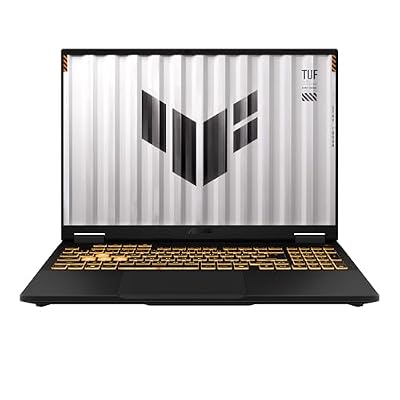
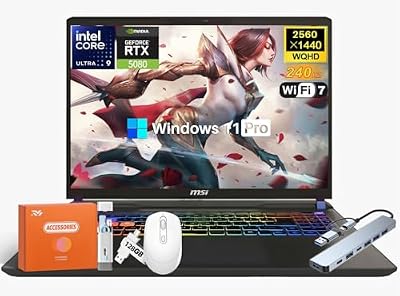
Razer Blade 14 RTX 5070 Ti Portable Gaming
The Razer Blade 14 class is one of the clearest examples of a premium portable gaming laptop. The 14-inch chassis is built to fit in a bag, while an RTX 5070 Ti configuration offers enough graphics power for high settings at 1440p in many current games. It is a machine for people who want strong performance without the bulk of a 16-inch or 18-inch gaming notebook, and who are willing to pay a premium for build quality and a refined display.
This is a buying guide, not a detailed research. We did not test a unit, so we do not state frame rates, temperatures, or battery results. The featured listing and the alternatives below are candidates to compare. The listing above may be a close match to the Blade 14 configuration you are considering rather than an exact model, so confirm the GPU, memory, panel, and price on the card before buying.


Why a Premium 14-Inch Gaming Laptop Costs More
A premium 14-inch gaming laptop asks you to pay for engineering. Compact cooling, a thin aluminum body, and a high-quality display all add cost. The benefit is a machine you can carry daily and still use for demanding games. The trade-off is that a smaller chassis has less room for cooling, so sustained performance depends heavily on how well the thermal design is executed. Before you commit, check how the laptop behaves after a long session, not only during a short run.
Sustained Performance on an RTX 5070 Ti
The RTX 5070 Ti laptop variant can reach high performance, but laptop GPUs share names across different power limits. A higher sustained limit usually means steadier frame rates in long sessions. Look for independent reviews that run stress tests and report clocks over time. A stable machine at a lower peak is often more useful than one that spikes and then throttles.
Display Quality at 14 Inches
Premium 14-inch laptops often carry high-refresh panels with strong color coverage. For gaming at 1440p, a panel around 165Hz is a useful target. OLED panels offer deep contrast, but they need attention to burn-in and brightness limits. If you edit photos or video, check color accuracy figures on the spec sheet. Do not rely on the marketing name alone.

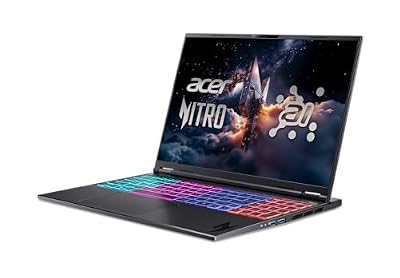
Acer Nitro 16S AI Copilot+ PC Gaming Laptop | AMD Ryzen AI 9 365 Processor | NVIDIA GeForce RTX 5070 Ti Laptop GPU | 16" WQXGA IPS 180Hz Display | 32GB DDR5 | 2TB Gen 4 SSD | Wi-Fi 6E | AN16S-61-R5K4







As an Amazon Associate we earn from qualifying purchases. Product prices and availability are accurate as of the date/time indicated.
Build Quality and Keyboard Feel
Because you will use this laptop every day, the keyboard, trackpad, and hinge matter. Premium designs usually offer a more consistent typing feel and a sturdier lid. Check the key travel, the trackpad size, and the hinge stability in reviews. A laptop that feels good in daily use is more valuable than one with a marginally higher benchmark.
Comparing Premium Portable Gaming Options
The table below compares the classes of premium portable gaming laptops you will see at this performance level. It is a checklist for comparing listings rather than a ranking of specific models. Prices vary by configuration, and the live price on the listing is the one that counts.
| Class | Best for | Typical price range | Key trade-off |
|---|---|---|---|
| Premium 14-inch, RTX 5070 Ti | Portable gaming at 1440p with strong build quality | Check current price | Smaller cooling space and higher price |
| Thin 16-inch, RTX 5070 class | Larger screen and more graphics headroom | Check current price | Heavier and less compact |
| Mainstream 14-inch, RTX 5060 class | Lower cost with solid 1080p gaming | Check current price | Lower graphics ceiling |
| Convertible gaming device | Tablet use with occasional gaming | Check current price | Cooling and keyboard trade-offs |
What to Check Before You Buy
Start with the power profile and the charger. Premium 14-inch laptops often ship with a compact adapter, and the performance mode may require a larger one. Next, confirm the memory size and whether it is soldered. Then check storage, since a 1TB drive is a practical minimum for modern game installs. Finally, read the warranty terms and check whether the laptop has a service program in your region. Premium hardware can be expensive to repair, so warranty coverage is part of the total cost.
Ports and Desk Setup
Many people use a premium portable laptop at a desk with an external monitor and a controller. Make sure there is a USB-C port with video output and enough USB-A ports for peripherals. A docking station can simplify this, but it adds cost. Our best gaming laptop 2026 guide compares port layouts across the market.
Battery Life and Travel
Gaming drains the battery quickly on any laptop with a high-end GPU. For portable use, plan on a charger and lower power settings for longer sessions away from an outlet. Our battery life guide covers settings that help.

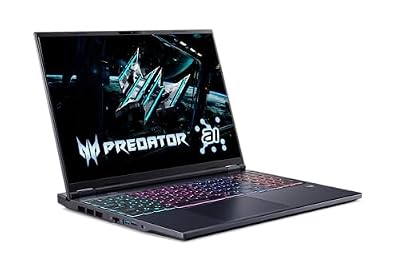
acer Predator Helios Neo 16 AI Gaming Laptop | Intel Core Ultra 9 Processor 275HX | NVIDIA GeForce RTX 5070 Ti | 16" WQXGA 240Hz G-SYNC | 16GB DDR5 | 1TB Gen 4 SSD | Killer Wi-Fi 6E | PHN16-73-92B8




As an Amazon Associate we earn from qualifying purchases. Product prices and availability are accurate as of the date/time indicated.
Who Should Buy a Premium 14-Inch RTX 5070 Ti Laptop
This class suits people who want a small, well-built machine with strong gaming performance and a display they will enjoy every day. It is a weaker choice if you want the best price-to-performance ratio, since a desktop or a larger laptop will deliver more graphics power per dollar. For a value comparison, our gaming PC under 1000 dollars guide shows what a desktop budget buys. If you want a lower-cost laptop, our budget gaming laptop guide covers cheaper options.
Professionals Who Game
Professionals who need a capable laptop for work and games benefit from a premium display and good build quality. Check whether the memory and storage meet your software needs, and whether the screen color is accurate enough for your work. Our work laptop guide explains the trade-offs.
Gamers Who Travel
A 14-inch chassis is easier to carry than a larger machine, which makes it useful for travel. Bring the charger, check the warranty coverage in other regions, and use our travel guide to plan for voltage and plug differences.
Related Guides on GamingPCGuru
Use these guides alongside this article when you compare budgets, displays, cooling, and the wider market before you buy.
- gaming laptops under 1500 dollars, for the next price tier up.
- best buy gaming laptop guide, for laptops that offer the best value per dollar.
- gaming PC guide, for how desktop value compares.
- gaming PC for streaming guide, for encoding and recording headroom.
Frequently Asked Questions
Is an RTX 5070 Ti laptop good for 1440p gaming?
For many current games at medium-high or high settings, a 5070 Ti laptop can handle 1440p. Demanding titles may need upscaling or lower settings. Check reviews of the exact model, because the sustained power limit changes results.
Is a 14-inch screen too small for gaming?
It depends on your preference. A 14-inch panel is sharp and comfortable for many players, but a larger display feels more immersive. If you play mostly at a desk, an external monitor can solve that.
Is the premium price worth it?
If you value portability, build quality, and a strong display, the premium is often justified. If you mostly play at a desk and want the most performance per dollar, a larger laptop or a desktop will be a better value.
Final Verdict
A premium 14-inch RTX 5070 Ti laptop is a strong choice for people who want serious gaming performance in a portable package. Focus on sustained power, cooling, the display, and build quality. Use the featured listing and the alternatives as a shortlist, then verify the exact model, memory, and live price on the card before you buy.