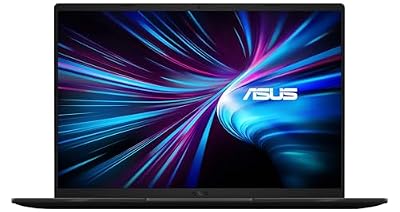
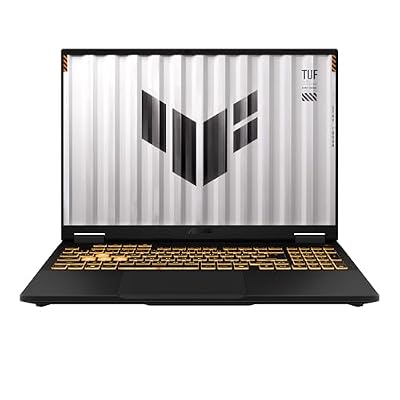
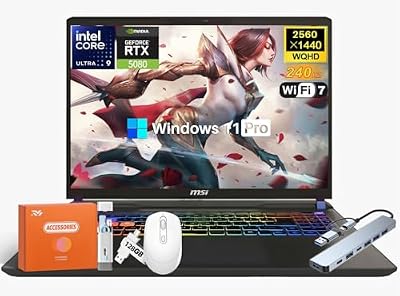
Best Study and Gaming Laptop RTX 5060 2026
A study and gaming laptop has to do two jobs well. During the day it runs browsers, document editors, video calls, and note-taking apps for hours on battery. In the evening it needs enough GPU power to run popular games smoothly at 1080p. An RTX 5060 is a practical match for that pattern, because it delivers solid gaming performance without the cost and weight of a larger workstation-class machine. The trick is choosing a model whose display, keyboard, and battery suit schoolwork, while its cooling and power profile keep games stable.
The shortlist below includes a featured configuration and four alternatives. Use it as a set of candidates to compare, not as a ranking. The listing above may be a close match rather than an exact model, so confirm the GPU, memory, storage, display, and price on the product card. We have not included benchmark numbers, because gaming results depend on the power profile, the title, and the display settings.


Balancing Study Needs and Gaming Performance
Most students spend more time on coursework than on games, so the everyday experience matters more than peak frame rates. Look for a comfortable keyboard with good key travel, a trackpad that responds well, and a display that stays readable under classroom lighting. A battery that lasts a full lecture block is more useful than a machine that only runs for an hour at full gaming load. Gaming performance should be strong enough for the games you actually play, rather than chasing the highest possible settings.
Keyboard, Trackpad, and Display
Typing for long periods is tiring on a poor keyboard. Check reviews that comment on key travel and layout. A 1080p or 1200p panel with good brightness works well for studying, and a higher refresh rate helps if you game often. Matte finishes reduce glare in bright rooms, which matters in dorms and libraries. Check the panel brightness in the spec table before you buy.
Battery Life and Power Modes
Gaming drains the battery quickly on any RTX 5060 laptop, so the battery is the key compromise for a study-first buyer. Look for a laptop with a balanced power mode that keeps the machine quiet and efficient during note-taking. Plan to plug in for gaming sessions. Our gaming laptop battery life guide explains the settings that stretch a charge.
Memory and Storage for Coursework and Games
Aim for 16GB of memory. Browsers with many tabs and reference apps consume a lot of RAM, and 32GB is the better choice if you run virtual machines or heavy software for your course. Storage should be at least 1TB if you install large games, and a second M.2 slot is useful for later expansion. Confirm whether the memory is soldered before you buy.
Study and Gaming Laptop Options Compared
The table below compares the configuration classes that suit a study-and-gaming buyer. It is a checklist for comparing listings rather than a ranking of specific models. Price ranges are approximate. Check the live price before you decide.
| Configuration class | Best for | Typical price range | What to verify |
|---|---|---|---|
| 14-inch, RTX 5060, 16GB RAM | Students who carry a laptop daily | Check current price | Keyboard comfort, weight, charger size |
| 15 or 16-inch, RTX 5060, 32GB RAM | Coursework with heavy software and gaming | Check current price | Display size, fan noise, battery life |
| Convertible design, RTX 5060 | Note-taking with a stylus and gaming | Check current price | Hinge durability, keyboard quality, cooling |
| Slim design with OLED panel | Students who value screen quality | Check current price | Burn-in policy, brightness, battery behavior |
A Practical Buying Checklist
Start by listing your daily tasks and your gaming habits. If you spend most of the day writing and browsing, prioritize the keyboard, battery, and weight. If you game most evenings, prioritize the GPU power profile and cooling. Next, confirm the memory and storage. Then check the ports, since you will want a USB-C charging port and enough USB-A for a mouse or flash drive. Finally, check the warranty and whether the laptop has student or education pricing in your region.
Ports and Desk Setup
Many students use a laptop at a desk with an external monitor. Check for HDMI or a USB-C port with video output. If you plan to connect a keyboard and mouse, make sure there are enough ports. A USB hub is a cheap fix if you are short on ports, but built-in ports are more reliable.
Noise in Shared Spaces
Dorm rooms and libraries are quiet environments, and fan noise matters. Check reviews that measure noise at the default profile. A laptop that stays quiet for note-taking and only gets loud when gaming is a good fit for shared spaces.

Acer Nitro V 16S AI Gaming Laptop | AMD Ryzen 7 260 Processor | NVIDIA GeForce RTX 5060 Laptop GPU (572 AI Tops) | 16" WUXGA IPS 180Hz Display | 32GB DDR5 | 1TB Gen 4 SSD | Wi-Fi 6 | ANV16S-41-R2AJ





As an Amazon Associate we earn from qualifying purchases. Product prices and availability are accurate as of the date/time indicated.
Who Should Buy a Study and Gaming Laptop With an RTX 5060
This category fits students, young professionals, and anyone who wants a single machine for school or work and evening gaming. It is less suitable for people who want the highest frame rates at 1440p or 4K, or who need a machine that lasts a full day without charging while gaming. For a lower-cost option, our budget gaming laptop guide covers cheaper machines. For a larger performance step, our gaming laptops under 1500 dollars guide compares higher tiers.
Students on a Budget
Budget-conscious students should focus on memory, a reliable keyboard, and a warranty. Gaming can be a secondary priority. If you mainly need a laptop for school, our affordable gaming laptop guide shows where to save.
Professionals Studying Part Time
Working adults who study part time often need a laptop that handles work apps, video calls, and gaming. Prioritize a bright display, a good webcam, and a battery that survives a workday. Our work laptop guide lists the features to weigh.
Related Guides on GamingPCGuru
Use these guides alongside this article when you compare budgets, displays, cooling, and the wider market before you buy.
- gaming laptop travel guide, for voltage, plugs, and carry-on tips.
- cooling pad guide, for extra airflow for long sessions.
- best buy gaming laptop guide, for laptops that offer the best value per dollar.
Frequently Asked Questions
Is an RTX 5060 laptop good for both studying and gaming?
Yes. The RTX 5060 provides solid gaming performance at 1080p, and the everyday tasks of studying are easy for a modern laptop. The main compromise is battery life during gaming, so plan to plug in for play.
How much memory do I need for school and games?
Sixteen gigabytes is a practical minimum. Thirty-two gigabytes helps if you run heavy software or many tabs alongside games. Check whether the memory is upgradable before buying.
Should I choose a larger screen for studying?
A 14-inch screen is portable and easy to carry, while a 15 or 16-inch screen is more comfortable for long reading sessions. Choose based on how often you carry the laptop and whether you plan to use an external monitor.
Final Verdict
The best study and gaming laptop with an RTX 5060 balances a comfortable keyboard, a readable display, and enough memory with a GPU that handles popular games at 1080p. Use the featured listing and the alternatives as a shortlist, then verify memory, battery, keyboard, and live price on the card before you buy.