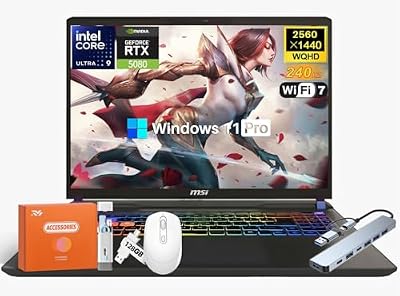
Best 14-Inch Gaming Laptop RTX 5060 2026
A 14-inch gaming laptop with an RTX 5060 is one of the most practical compromises in the current market. The chassis fits in a backpack beside a charger and a notebook, the screen is large enough for competitive games and everyday work, and the GPU is capable of high settings at 1080p in most modern titles. The catch is that the RTX 5060 label tells you less than it seems. Two laptops with the same GPU name can produce noticeably different frame rates because the power limit, cooling design, display, and memory configuration change from model to model. This guide explains what to check so you can pick the right machine instead of the one with the best product photo.
The grid below shows a featured configuration and four alternatives. Treat it as a shortlist to verify. The listing above may be a close match rather than an exact model, so confirm the GPU, memory, storage, and display on the product card before you buy. We have not included benchmark numbers, because results depend on the exact model, firmware, power profile, and cooling setup.


What Matters Most in a 14-Inch RTX 5060 Laptop
On a small chassis, the GPU is rarely the only limit. Thermal design and power delivery decide how long the card can hold its clocks. A laptop that sustains a high power limit will usually deliver steadier frame rates in a long session than a thinner model that bursts hard and then slows down. Because manufacturers rarely publish a single clean number for sustained graphics power, look for independent reviews that run a long stress test or a multi-hour game session and report the clocks and fan noise over time.
GPU Power Limit and Cooling
Laptop GPUs share model names across many chassis, and the total graphics power budget can differ enough to change results in demanding games. Good vent placement, a vapor chamber or large heat pipe layout, and a keyboard deck that stays cool under load all matter. A quiet machine at moderate temperatures is more comfortable for daily use than one that wins a short benchmark and then becomes loud. If you plan to play on a desk with a laptop stand, check whether the rear or side exhaust has enough clearance.
Display Choices for a 14-Inch Screen
At 14 inches, the display is where you feel the difference most. A 1920 by 1200 panel gives more vertical room for web pages and documents, while a 1920 by 1080 panel is common and sharp enough at this size. For competitive shooters, a refresh rate of 144Hz or higher is worth paying for, because the RTX 5060 can push high frame rates in lighter esports titles. Check brightness in nits and whether the panel covers a wide color gamut if you edit photos or video. The refresh rate printed in a product title is not always the rate the panel runs at by default, so confirm it in the spec table.
Memory, Storage, and Upgrade Paths
Aim for at least 16GB of system memory. Games and browsers both consume a lot of RAM, and 32GB is a comfortable target if you stream or run creative apps alongside games. Check whether the memory is soldered or sits in a slot, since that determines whether you can upgrade later. For storage, a 1TB NVMe drive is a sensible baseline because modern game installs routinely exceed 100GB. Confirm that the laptop has a second M.2 slot if you want room to grow. For a broader look at how these parts trade off, our best gaming laptop 2026 guide covers the wider market.

Acer Nitro V 16S AI Gaming Laptop | AMD Ryzen 7 260 Processor | NVIDIA GeForce RTX 5060 Laptop GPU (572 AI Tops) | 16" WUXGA IPS 180Hz Display | 32GB DDR5 | 1TB Gen 4 SSD | Wi-Fi 6 | ANV16S-41-R2AJ





As an Amazon Associate we earn from qualifying purchases. Product prices and availability are accurate as of the date/time indicated.
Comparing Configuration Classes
The table below compares the classes of 14-inch RTX 5060 laptops you are likely to see. It is a checklist for comparing listings, not a ranking of specific models. Prices move often, so check the live price before you decide. Price ranges are approximate and depend on memory, storage, and display options.
| Configuration class | Best for | Typical price range | What to verify |
|---|---|---|---|
| Entry 14-inch, 1080p 144Hz, 16GB RAM | Esports titles and light AAA gaming | Check current price | Sustained power limit, RAM slots, panel refresh rate |
| Mid 14-inch, 1200p or QHD panel, 32GB RAM | Gaming plus schoolwork, streaming, and editing | Check current price | Cooling reviews, display brightness, second M.2 slot |
| Premium 14-inch, OLED or high-brightness panel | Users who value screen quality and portability | Check current price | Burn-in policy, fan noise, battery behavior under load |
| Convertible or 2-in-1 gaming design | Mixed tablet and laptop use | Check current price | Keyboard layout, hinge durability, weight with keyboard |
A Buying Checklist That Stays True Across Models
Before you click buy, work through a short list. First, confirm the GPU name and the power profile if the spec sheet lists one. Second, confirm the memory size and whether it is soldered. Third, check the display resolution, refresh rate, and brightness. Fourth, look at the port set. You want at least one USB-C port that supports video output and charging, plus enough USB-A and HDMI for a mouse, headset, and external monitor. Fifth, read the warranty terms. A laptop with a longer warranty or easy repair access is worth a small premium.
Battery Life Expectations
Gaming on any RTX 5060 laptop drains the battery quickly, often within a couple of hours at full load. Battery life matters more for office and school use, and in that case a lower power profile and a dimmer display can extend the day substantially. If you need to work away from an outlet, read our gaming laptop battery life guide for practical settings.
Travel and Carrying Weight
A 14-inch gaming laptop usually weighs less than a 16-inch model, but the power brick can add noticeable bulk. Check the combined weight of the laptop and charger. If you travel often, our guide to gaming laptops for travel abroad covers voltage, plug types, and carry-on tips that apply here too.
Who Should Buy a 14-Inch RTX 5060 Laptop
This class suits people who want one machine for gaming, coursework, and light creative work, and who value portability over raw desktop-level performance. It is a poor fit if you plan to play exclusively at 4K with maximum settings, or if you want a machine that stays cool on a lap for hours. For a budget-first choice, our budget gaming laptop guide shows where you can save without giving up essentials. If you want a pure cost comparison against a desktop, see our gaming PC under 1000 dollars guide.
Esports Players
Esports players should prioritize refresh rate, input latency, and sustained frame rates over peak graphics settings. A 14-inch panel at 144Hz or higher with a stable power profile is usually enough. If you compete in titles that are CPU-heavy, check the processor generation as carefully as the GPU, since a weak CPU can cap frame rates regardless of the graphics card.
Students and Mixed Workloads
Students need a keyboard they can type on for hours, a screen that is not too dim, and a battery that survives a lecture. Gaming is a bonus. Look for a laptop with a comfortable keyboard and a quiet fan profile for note-taking. Our best gaming work laptop guide covers the trade-offs for people who need both.
Related Guides on GamingPCGuru
Use these guides alongside this article when you compare budgets, displays, cooling, and the wider market before you buy.
- affordable gaming laptop guide, for lower-cost picks with smaller GPUs.
- gaming laptops under 1500 dollars, for the next price tier up.
- cooling pad guide, for extra airflow for long sessions.
Frequently Asked Questions
Is an RTX 5060 laptop good enough for 1080p gaming?
For most current titles at 1080p, an RTX 5060 laptop can run high or medium-high settings with good frame rates. Demanding AAA games may need you to lower shadows, ray tracing, or texture quality. Esports titles usually run very well. Check reviews that test the exact model, because the sustained power limit changes the result.
Should I choose 16GB or 32GB of RAM?
Sixteen gigabytes is enough for gaming alone, but 32GB is the better choice if you run a browser with many tabs, streaming software, or video editing alongside games. Confirm whether the memory is upgradable, because a soldered 16GB module cannot be replaced later.
Is a 14-inch screen too small for gaming?
A 14-inch screen is smaller than a 16-inch or 17-inch panel, but it is sharp and comfortable for many players, especially when you connect an external monitor at a desk. If you mostly play on the built-in display, a larger screen will feel more immersive.
Final Verdict
The best 14-inch RTX 5060 laptop is the one with a strong sustained power limit, a fast panel that suits your games, enough memory for your workload, and a cooling design that independent reviewers have measured under load. Use the featured listing and the four alternatives as a starting shortlist, then verify the exact model, price, and specs on the card before you buy.