Thin and Light Gaming Laptop RTX 5070 2026
A thin and light gaming laptop with an RTX 5070 is a deliberate compromise. You get a graphics card that handles high settings at 1440p in many current games, inside a chassis that is easier to carry than a traditional gaming notebook. The challenge is that “thin” covers a wide range of designs, and the cooling and power limits differ enough to change how the machine performs after an hour of play. This guide explains what to check so you can choose a model that stays fast and quiet rather than one that only looks good in a product photo.
The shortlist below includes a featured configuration and four alternatives. Use it as a starting point. The listing above may be the closest match to the category rather than an exact model, so confirm the GPU name, power profile, memory, and price on the product card. We have not included benchmark figures, because they depend on firmware, the power mode, and the display settings used during our research.


What “Thin and Light” Really Means for an RTX 5070 Laptop
Thin and light is a marketing phrase, not a standard. A thin chassis can still weigh more than you expect once you add the power brick, and a light body can still have fans that run loudly under load. Before you compare models, decide what matters most. If you carry the laptop daily, weight and charger size are important. If you mainly use it on a desk, the thermal design and display matter more. An RTX 5070 laptop is capable of strong performance, but the cooling system decides how much of that performance you keep over a long session.
Sustained Power and Thermal Design
Laptop GPUs are sold under the same name across several chassis, and the sustained power limit can vary. A machine with a higher limit and a well-designed vapor chamber will usually hold its clocks better during long sessions. Check independent reviews for long-duration tests, surface temperatures, and fan noise. A device that maintains stable frame rates for an hour is more useful than one that spikes high and then drops.
Display for a Thin Design
Thin designs often pair with bright, high-refresh panels, which suit an RTX 5070 at 1440p. A 1440p panel at 165Hz or higher is a common sweet spot. Check the panel type, brightness in nits, and color coverage if you also edit photos or video. OLED panels look excellent but need attention to burn-in and brightness limits for long sessions. Confirm the refresh rate in the spec table rather than trusting the title.
Memory, Storage, and Ports
Aim for at least 16GB of system memory, and 32GB if you stream or run heavy creative software. Confirm whether the RAM is soldered. Look for a fast NVMe drive with 1TB or more, and check for a second M.2 slot. For ports, a USB-C connection with video output and power delivery is useful for external monitors and charging. Make sure there are enough USB-A ports for a mouse and a headset if you do not want to rely on adapters.
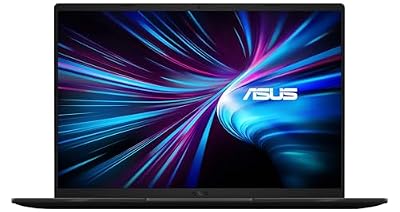
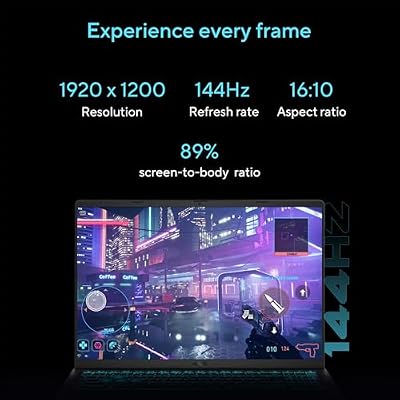
ASUS V16 16" WUXGA 144Hz Gaming Laptop, Intel® Core™ 7 240H, RTX™ 5070, 16GB DDR5 RAM, 1TB SSD, V3607VP-DS74, Matte Black







As an Amazon Associate we earn from qualifying purchases. Product prices and availability are accurate as of the date/time indicated.
Trade-Offs in the Thin and Light RTX 5070 Category
The table below compares the main classes of thin and light RTX 5070 laptops. It is a checklist for comparing listings, not a ranking of individual models. Prices change frequently, so check the live price before you decide.
| Design class | Best for | Typical price range | What to verify |
|---|---|---|---|
| Ultra-thin 14-inch, RTX 5070 | Maximum portability with gaming at 1080p or 1440p | Check current price | Sustained power limit, fan noise, charger wattage |
| Slim 16-inch, RTX 5070 | Bigger screen with a balance of weight and cooling | Check current price | Surface temperatures, keyboard deck heat, weight |
| Thin 15-inch with high-refresh panel | Competitive gaming at 1440p | Check current price | Panel refresh rate, brightness, memory configuration |
| Premium thin design with OLED | Users who value color and contrast | Check current price | Burn-in policy, brightness limits, warranty |
Buying Checklist for a Light Gaming Machine
Start with the power mode. Many thin laptops have a performance profile that unlocks more GPU power, but it may only work when plugged in, and it may raise fan noise. Next, check the charger. A compact adapter is convenient, but a high-performance mode often needs the larger one. Then look at weight with the charger included. Finally, read the warranty terms and the repair policy. Thin designs can be harder to service, so an accessible warranty and an easy-to-open chassis are worth a small premium.
Noise Under Load
Thin machines sometimes run fans at a higher pitch to keep the chassis cool. If you game with headphones, noise may matter less. If you game in a quiet room or record audio, look for reviews that measure fan noise at the default and performance profiles. A machine that stays moderately quiet at a useful power level is usually the better daily choice.
Battery Life and Charging Habits
Gaming drains the battery quickly on any RTX 5070 laptop. For portable work and school, a lower power profile and a dimmer display can extend the day. If you travel, our guide to gaming laptop battery life explains settings that help without sacrificing too much performance.

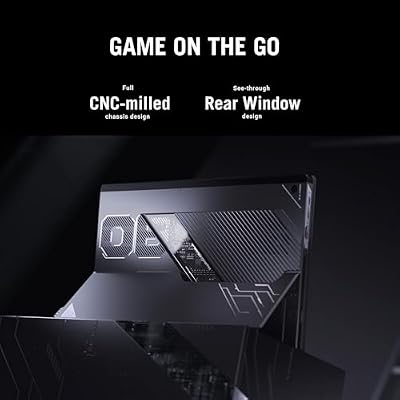
ASUS ROG Flow Z13 2.5K 180Hz 3ms ROG Nebula Touchscreen 13.4" Convertible 2-in-1 Gaming Notebook AMD Ryzen AI MAX+ 395 32GB RAM 1TB SSD Off Black




As an Amazon Associate we earn from qualifying purchases. Product prices and availability are accurate as of the date/time indicated.
Who Should Buy a Thin and Light RTX 5070 Laptop
This class suits people who need a gaming machine that also works as a daily laptop, and who want decent graphics headroom without carrying a heavy workstation. It is less suitable for people who plan to play for many hours on a lap without a desk, or who want the cheapest route to high frame rates. For a lower-cost starting point, our affordable gaming laptop guide covers options with smaller GPUs. If you prefer a desktop, our gaming PC guide shows how the value changes.
Frequent Travelers
Travelers benefit most from a light chassis and a compact charger, but should check whether the charger supports the voltages used abroad. Our travel guide covers plug and voltage questions, plus tips for carrying a laptop safely through airports.
Creators Who Game
Creators who edit on the road and game in the evening can use one machine for both. Check the display color accuracy, the memory size, and the storage capacity before you buy. A 1TB drive fills quickly once you add project files and game installs. Our work laptop guide covers the trade-offs for mixed workloads.
Related Guides on GamingPCGuru
Use these guides alongside this article when you compare budgets, displays, cooling, and the wider market before you buy.
- best gaming laptop 2026 guide, for how the wider laptop market compares.
- gaming laptops under 1500 dollars, for the next price tier up.
- ASUS gaming laptop guide, for ASUS models across price tiers.
- best buy gaming laptop guide, for laptops that offer the best value per dollar.
Frequently Asked Questions
Is an RTX 5070 laptop really thin enough to carry daily?
Many thin designs are comfortable in a backpack, but the charger adds weight and bulk. Weigh the full kit, including the adapter, before deciding. If you carry it every day, a slimmer charger and a lighter chassis will make a visible difference.
Will performance drop when the laptop is unplugged?
Most laptops reduce GPU power on battery to protect the battery and manage heat. Check whether the machine offers a battery performance mode and how much it limits the GPU. Plugged-in play delivers the most consistent results.
Is 1440p realistic on an RTX 5070 laptop?
For many current games at medium-high or high settings, 1440p is a realistic target. Very demanding titles may need lower settings or upscaling. Confirm with reviews that test the exact model, because sustained power limits change the result.
Final Verdict
A thin and light RTX 5070 laptop is a practical choice for people who want a capable graphics card in a portable chassis. Focus on sustained power, cooling, the display, and the charger size. Use the featured listing and the four alternatives as a shortlist, then verify the exact model, price, and specs on the product card before you buy.