Gaming Laptop RTX 5070 vs 5070 Ti: How to Choose in 2026
Choosing between a gaming laptop with an RTX 5070 and one with an RTX 5070 Ti is less straightforward than the desktop names suggest. Both mobile chips belong to the same Blackwell generation, and both handle modern games well at 1080p and 1440p. The differences show up in video memory, power limits and the way each laptop maker cools the chip. This guide explains what those differences mean in practice and what to check on the listing before you spend money.
This is a buying guide, not a benchmark article. It does not quote frame rates, because results depend on the game, the graphics settings, the laptop’s power profile and the display resolution. Where we describe a difference, we describe the design and the patterns that independent reviewers commonly report. Check current review charts for the titles you play most before you decide.
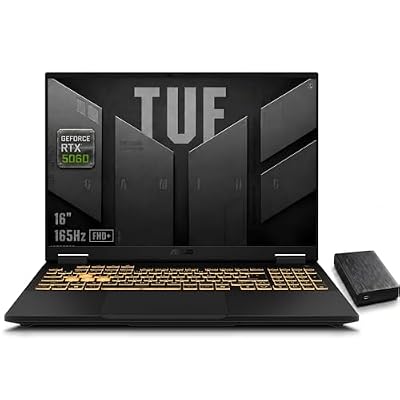
The listings below were returned for this search. The first is the primary pick and the others are close alternatives. The listing above may not match the exact model you had in mind, so confirm the GPU, memory, display and price on the card before you order.
What the Laptop GPU Name Actually Tells You
In desktop graphics, the model name is a fairly reliable guide to performance tier. In laptops it is only part of the story. A mobile RTX 5070 and a mobile RTX 5070 Ti are separate chips with different core counts and memory configurations. The same chip can also run at very different power limits depending on the chassis, so two laptops that share a GPU name can behave differently under sustained load. Treat the name as a starting point and read the rest of the spec sheet before you compare prices.
Video Memory: Why 8GB Versus 12GB Matters
Mobile Ti models commonly ship with more video memory than the base mobile 5070, typically 12GB against 8GB. Memory matters most at higher resolutions and when you enable high-detail textures or heavy ray tracing. Eight gigabytes is workable for 1080p and for many 1440p titles with sensible settings. Twelve gigabytes gives more headroom at 1440p and makes more sense if you plan to keep the laptop for several years. Confirm the memory size on the spec sheet of the exact model, because configurations vary by manufacturer.
Power Limit and Cooling Design
The GPU power limit, often written as TGP, sets how much electrical power the graphics chip can draw. A higher limit usually means higher performance, but only if the cooling can remove the heat. A slim chassis with a large GPU name can slow down after a few minutes of play, while a thicker laptop with a large vapor chamber and strong fans may hold its clocks for longer. Look for a stated maximum GPU power, check whether the figure is a peak or a sustained value, and count the fans and heat pipes the design uses.

ASUS ROG Strix G16 Gaming Laptop, RTX 5070 Ti 12GB GDDR7 140W TGP, AMD Ryzen 9 8940HX, 16’’ WUXGA 165HZ LED Display, 32GB DDR5 RAM 1TB SSD, MUX Switch, RGB Backlit, WiFi 6E, RJ-45 with Accessory


As an Amazon Associate we earn from qualifying purchases. Product prices and availability are accurate as of the date/time indicated.
When the RTX 5070 Ti Class Makes More Sense
1440p Gaming at High Settings
If your main target is 1440p at high or ultra settings in demanding titles, the extra memory and the usually higher power budget of a Ti model give you more room. This is the scenario where the difference is easiest to justify. Pair the laptop with a 1440p panel whose refresh rate matches what the GPU can realistically deliver, because a fast panel paired with a limited GPU wastes money. The best GPU for 1440p gaming guide explains how desktop cards compare at this resolution, which gives useful context for the class.
Ray Tracing and Path-Traced Titles
Ray tracing is the workload where extra GPU headroom shows most clearly. Turning on heavy lighting effects costs frame rate, and a chip with more memory and a higher power budget can keep the frame rate playable with less compromise. If visual fidelity is your priority, the RTX 5070 Ti review is a good place to see how the desktop version of this tier is positioned against its neighbours.
Long Ownership Periods
A laptop often lasts four or five years. Games released in that window will ask more of the GPU than today’s titles do. Extra memory is a hedge against that trend, and it is the main reason to pay the premium for the Ti class when the budget allows. If you upgrade your laptop every two years, the argument for the extra cost is weaker.
When the Base RTX 5070 Is Enough
1080p and Competitive Titles
If you play esports titles at 1080p, the base 5070 class is usually enough to run them at high frame rates. Competitive games are often limited by the processor and the display more than by the GPU. In that case a faster graphics chip adds little, and the money is better spent on a panel with a high refresh rate and a cooling system that keeps clocks steady. For the lower end of the market, the RTX 5060 review shows where that class sits relative to the 5070 family.
Budget-Conscious Buyers
A base 5070 laptop often costs less than a Ti model with a similar chassis. If your games are older titles, indie releases or esports, the saving can go toward more storage, a larger battery or better cooling. Compare the full laptop rather than the GPU name alone. The best budget gaming laptops guide covers the value end of the market in more detail.
Comparison Table: 5070 Class Versus 5070 Ti Class
The table compares the listings on the dimensions that matter when you read a spec sheet. It uses tiers instead of exact prices, because prices change often and differ by seller.
| Option | ASIN | Best for | Price guidance | What to check |
|---|---|---|---|---|
| Primary pick (hero) | B0H6WZJ4JX | Buyers who want the strongest GPU in this set | Check current price | Exact GPU name, VRAM size, maximum GPU power |
| Alternative 1 | B0FSTPHDRB | 1440p players who want headroom | Check current price | Memory configuration and display refresh rate |
| Alternative 2 | B0FCMVQR5Q | Buyers who value sustained clocks | Check current price | Fan count, vapor chamber, reviewer thermal notes |
| Alternative 3 | B084JF4BFG | Budget-focused 1080p gaming | Check current price | Base GPU name and power limit |
| Alternative 4 | B0H87W86MF | Mixed use with occasional gaming | Check current price | Battery size, weight, port selection |
Use the table as a checklist rather than a ranking. The right row depends on your resolution target, your game list and how long you plan to keep the machine.

msi Vector 16 HX AI Gaming Laptop 16" 144Hz Display Intel Core Ultra 7 255HX 16GB DDR5 RAM 1TB PCIe SSD NVIDIA GeForce RTX 5070 Ti 12GB Windows 11 Cosmos Gray VECTOR16HXA2275


As an Amazon Associate we earn from qualifying purchases. Product prices and availability are accurate as of the date/time indicated.
Checklist Before You Buy
Run through these points on any listing in this class before you order:
- Confirm the exact GPU name and the video memory size, not just the marketing name.
- Check the maximum GPU power and whether the figure is sustained or a short peak.
- Match the display resolution and refresh rate to the frame rate your GPU can reach.
- Choose at least 16GB of system memory so the GPU is not held back by the rest of the system.
- Read independent thermal testing for the specific chassis, not only the chip family.
- Check the warranty length and the retailer’s return window.
If you are still undecided between tiers, the desktop RTX 5070 versus 5070 Ti comparison explains the core performance gap, which you can then adjust for the power and cooling limits of a laptop.
Mistakes to Avoid
Judging the Laptop by Its GPU Name Alone
The most common mistake is to assume that a Ti laptop is always faster than a base 5070 laptop. A thin Ti model with weak cooling can sustain lower clocks than a thicker base model. Compare sustained power limits and cooling design, not just the name printed on the lid.
Ignoring Memory, Storage and Cooling Support
A strong GPU is wasted if the laptop has only 8GB of system memory or a single small drive. Check the memory guide before you buy, and consider a cooling pad if you plan to play for long sessions. The best RAM for a gaming laptop guide explains the usual configurations, and the cooling pad guide covers the accessory side.
If you are still comparing options, these guides widen the picture: the 2026 gaming laptop picks, the gaming laptops under $1500, the battery life on gaming laptops, the travel-friendly gaming laptops, and the RTX 5070 review are useful next steps.
Frequently Asked Questions
Is a laptop with an RTX 5070 Ti worth the extra money over a 5070?
It depends on your resolution and how long you keep the laptop. If you play at 1440p with demanding settings, or you expect to keep the machine for several years, the extra memory and higher power budget can justify the cost. If you mainly play esports at 1080p, the base 5070 class is usually the better value.
Does 12GB of video memory matter in a gaming laptop?
It matters most at higher resolutions and with high-detail textures. At 1080p, 8GB is often enough for current titles. At 1440p, the extra headroom reduces the chance that memory limits will force you to lower texture quality. Check the exact configuration on the spec sheet, because it varies between models.
Can I rely on desktop benchmarks when choosing a laptop GPU?
Use desktop benchmarks only as a rough guide to tier. Laptop results depend heavily on the power limit and cooling design of each chassis, so the same GPU name can produce different frame rates in two laptops. Read reviews of the specific laptop model whenever they are available.
Final Verdict
The RTX 5070 Ti class is the better choice for 1440p players, ray-tracing fans and buyers who want more headroom over several years. The base RTX 5070 class is the sensible pick for 1080p and esports, and for buyers who want to spend the difference on a better display, storage or cooling. In both cases, the laptop’s cooling design and sustained power limit matter as much as the GPU name. Confirm the memory, check thermal reviews for the exact model and compare the full price before you order.