

Intel H810 Motherboard Review 2026: Budget LGA1851 Buying Guide
The Intel H810 is the entry chipset in the LGA1851 family used by Core Ultra 200S desktop processors. It is built for systems that run at stock settings and do not need CPU overclocking. If you want a current Intel platform without paying for overclocking features, H810 is the tier to look at first. This guide explains what H810 gives you, what it leaves out, and which buyers should choose it over a higher chipset.
This is a buying guide rather than a lab review. We have not benchmarked each board in the cards below, and specifications vary by manufacturer even within one chipset. Use the product cards as a starting point and confirm the exact model, memory support, slot count and price on the product page. The hero listing is the closest match to the H810 category in our search, so read it as a representative of the class, not a guarantee of a single model.


Intel Core Ultra 7 Desktop Processor 265K - 20 cores (8 P-cores + 12 E-cores) up to 5.5 GHz
What H810 Is Designed For
Intel’s H-series chipsets are aimed at mainstream builds. They support the core features a desktop needs: the right socket, DDR5 memory, PCIe slots for a graphics card, and USB and storage connections. What they do not offer is CPU overclocking. For a gaming PC that will run the processor at its default settings, that limit is rarely a problem. Your frame rate depends far more on the graphics card, the memory configuration and the game settings you choose.
Compared with Z890, H810 gives up tuning headroom and some expansion options. Compared with B860, it usually has fewer features on the board. That makes H810 a sensible pick for a first build, a family PC that also plays games, or a system where budget goes to the graphics card. If you are unsure whether you need overclocking, our guide to the best cheap motherboard for gaming explains how to match a board to your goals.
Compatibility and Memory on LGA1851
LGA1851 boards use a different socket from the LGA1700 platform, so older Intel processors do not fit. Always check the processor support list on the product page. Core Ultra 200S processors use DDR5 memory, so the board needs DDR5 slots. Confirm the memory kit you plan to buy appears on the board’s qualified list, and set the speed to the processor’s supported specification unless you are sure the board can handle a higher profile.
Memory speed on a budget board
Lower-tier boards can have simpler memory routing. That does not mean they are slow, but it does mean you should not expect the highest memory speeds to be stable without testing. For most gaming builds, a common DDR5 kit at a reasonable speed gives good results. Spending more on a faster kit only helps when the board and processor combination is known to support it.
Storage and expansion
An H810 board usually includes at least one M.2 slot for the operating system and games, plus SATA ports for older drives. Check the number of M.2 slots and whether a second slot shares lanes with another port. If you plan to add a fast second drive later, the slot layout matters more than the chipset name. Read the manual for the exact connection map.
Board Quality Checks That Matter Most
Even on a budget chipset, a few physical features affect daily use. A small heatsink on the power stage can be fine for a standard processor, but check reviews for thermal behaviour under long loads. The rear I/O panel determines how many peripherals you can connect without a hub. The BIOS update history also matters, because a board that receives regular firmware updates is easier to keep stable across processor generations.
Rear I/O and networking
Look at the number of USB ports, video outputs if you plan to use integrated graphics for a second display, and whether the board includes Wi-Fi. Many H810 boards keep networking simple, with wired Ethernet and optional wireless. If you need wireless, confirm that the card or module is included and that antennas come with it.
Build size and case fit
H810 boards come in standard ATX and smaller sizes depending on the model. If you plan a compact system, check the board dimensions against the case. Our review of small cases for ITX builds covers the case side of that choice.
Intel Core Ultra 7 Desktop Processor 265K - 20 cores (8 P-cores + 12 E-cores) up to 5.5 GHz

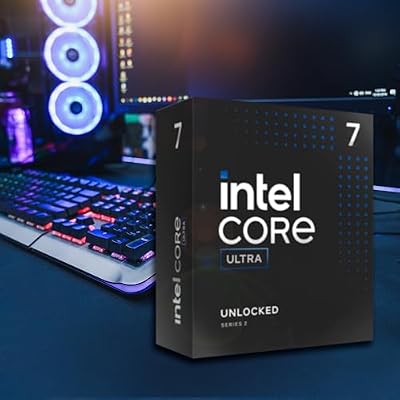



As an Amazon Associate we earn from qualifying purchases. Product prices and availability are accurate as of the date/time indicated.
Comparison Criteria for H810 Boards
The table below lists the checks to make before you buy. It uses ranges and requirements rather than exact prices, because retail prices move quickly and differ by region.
| Criterion | What to check | Why it matters | Typical price range |
|---|---|---|---|
| Chipset tier | H810 on the spec sheet | No CPU overclocking, lower cost | Entry LGA1851 boards |
| Memory | DDR5 support list and kit compatibility | Stable speed at the processor’s rated limit | Check current price |
| M.2 slots | Count and shared lanes | Room for a second drive later | Varies by model |
| Power stage | Heatsink size and reviews under load | Stable operation for mid-range chips | Often the main cost difference |
| Rear I/O | USB count and video outputs | Peripheral and display needs | Check current price |
| Networking | Ethernet speed and Wi-Fi option | Online gaming and downloads | Wi-Fi is often optional |
Who Should Choose H810
H810 fits three buyers well. The first is the gamer building a system with a standard, non-K processor who does not plan to tune the CPU. The second is the buyer who wants the newest socket at the lowest entry cost and will spend the savings on a better graphics card. The third is the household PC builder who needs reliable hardware for games, streaming and office work without advanced tuning features. For these buyers, H810 covers the real needs of the build.
Who Should Look Higher
If you plan to overclock, test high memory speeds, or add several fast drives and high-speed networking, a higher chipset tier is the better choice. The price gap pays off most when you use the features. For a comparison of the wider LGA1851 range, see our guide to the best LGA1851 motherboard. If you prefer AMD, the best AM5 motherboard for gaming lists the equivalent options on that platform.
Related Guides
More reading for this build: Core Ultra 7 265K for a mid-range build value-focused gaming boards affordable motherboards for gaming full list of gaming motherboards.
Frequently Asked Questions
Can H810 run a Core Ultra 200S processor?
Yes, as long as the processor appears on the board’s support list. H810 is an LGA1851 chipset, so it uses the same socket as the Core Ultra 200S family. Check the list before you buy, because support can depend on the board revision and BIOS version.
Is H810 good enough for gaming?
For most gaming builds, yes. The chipset does not limit frame rates directly. Graphics card choice, memory setup and in-game settings make the biggest difference. An H810 board is a sensible way to keep platform costs down.
Can I upgrade later from H810?
You can upgrade the processor within the same socket if the board supports it, but you will not get overclocking. If you expect to tune hardware later, buy a higher chipset now. If you want a simple, stable build, H810 can last for many years.
For a related view on the platform, read the Core Ultra 5 245K review and our guide to the best Intel core for gaming.










