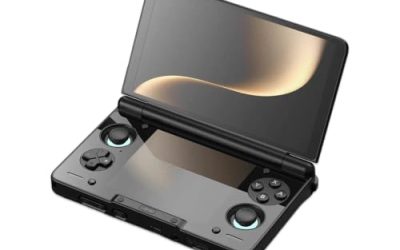
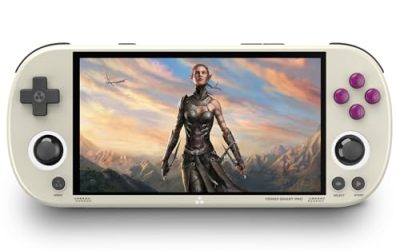
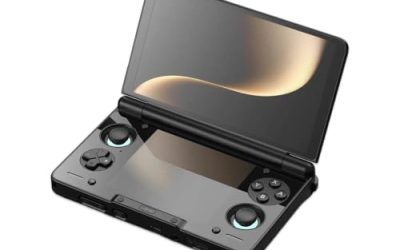
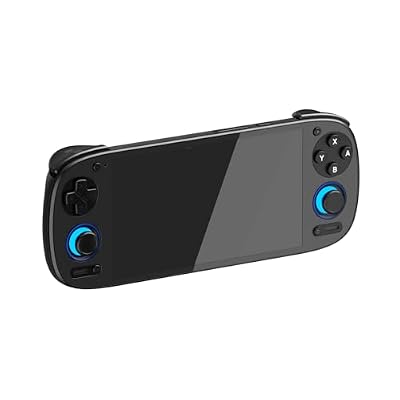
GPD Win Max 3 Portable Gaming PC
The GPD Win Max line sits in an unusual place between a handheld console and a small laptop. It is a Windows machine with a built-in keyboard and a compact screen, which means it can run desktop games and productivity software in a body small enough to carry in a jacket pocket or a small bag. That versatility is the appeal. The trade-off is that a compact chassis has limited cooling, a smaller display, and a processor and graphics package that must be matched carefully to the games you want to play.
This is a buying guide, not a detailed research. We did not run performance tests on a unit, so we avoid frame rates, battery claims, and thermal figures. The listing above may be a close match to the Win Max 3 configuration rather than an exact model, so confirm the processor, memory, storage, and price on the card before you buy. The advice below holds regardless of which variant you pick.


What a Windows Handheld PC Is Good At
A Windows handheld gives you access to a large library of PC games, including launchers you already use. It also runs browsers, document apps, and creative software without the restrictions of a console. This makes it useful for playing older PC titles, indie games, and lighter modern games at moderate settings. It is less suited to the most demanding AAA titles at high resolution, where the compact cooling and the power budget will limit performance.
Processor and Graphics Matching
The processor and integrated graphics define what the device can run. Check which chip the listing uses and whether it is a current-generation design with integrated graphics strong enough for your target games. Compare the sustained power limit when possible, because a small chassis often runs at a lower power level than the chip’s maximum. Reviews that test the chip in a handheld form factor are more useful than desktop benchmarks.
Display Size and Resolution
The screen is compact, so resolution and pixel density matter. A higher-resolution panel looks sharp for text and games, but it places more demand on the graphics hardware. A lower-resolution panel can help frame rates. Check the refresh rate and brightness on the spec sheet. Outdoors, brightness can make a difference.

ASUS ROG Xbox Ally Gaming Handheld 7" 120Hz, AMD Ryzen Z2 A, 16GB / 512GB | IPS Touch Display, AMD RDNA 2 Graphics, Fingerprint, WiFi 6E, Bluetooth 5.4, Win 11 Home with DKZ USB Hub Accessory


As an Amazon Associate we earn from qualifying purchases. Product prices and availability are accurate as of the date/time indicated.
Comparing Handheld Windows PC Classes
The table below compares the broad categories of compact Windows gaming devices. It is a checklist for comparing listings rather than a ranking of specific models. Price ranges are approximate, and the live price on the card is what counts.
| Class | Best for | Typical price range | Main trade-off |
|---|---|---|---|
| Compact Windows handheld with built-in keyboard | Portable PC gaming and productivity | Check current price | Limited cooling and screen size |
| Larger-screen mini laptop-style handheld | Comfortable gaming and typing on the go | Check current price | Heavier and less pocketable |
| Handheld with controller-first design | Console-style play with PC libraries | Check current price | Keyboard and text input compromises |
| Refurbished or previous-generation unit | Lower cost with careful checks | Check current price | Warranty, battery health, software updates |
What to Check Before Buying
Start with the battery capacity and the charger. Handheld PCs drain batteries quickly under gaming load, so plan on charging during long sessions. Next, check the storage and whether it can be expanded with a card or a second drive. Then confirm the operating system version and whether drivers are current. Finally, read the warranty and the return policy, since small Windows devices sometimes have a shorter support window than laptops.
Cooling and Fan Noise
A compact chassis must move heat quickly. Look for reviews that test surface temperature and fan noise during long sessions. A device that runs loud at its highest profile may be better used at a moderate setting for quiet play.
Input and Controls
The built-in keyboard and trackpad are useful for setup and text, but they can feel cramped. Check the key spacing and the layout of the controls. If you play mainly with a controller, check whether the device has good analog sticks and triggers.

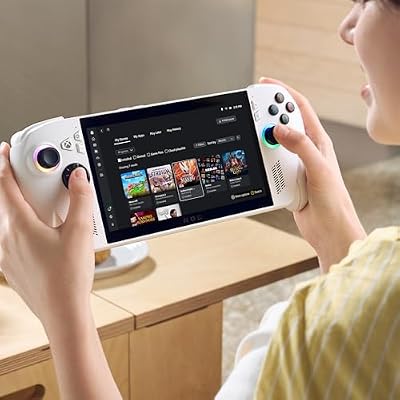
ASUS ROG Xbox Ally – 7” 1080p 120Hz Touchscreen Gaming Handheld, 3-month Xbox Game Pass Premium included, AMD Ryzen Z2 A, 16GB RAM, 512GB SSD, White



As an Amazon Associate we earn from qualifying purchases. Product prices and availability are accurate as of the date/time indicated.
Who Should Buy a Windows Handheld PC
This category suits people who want a portable device that runs PC games and everyday software, and who accept lower graphics headroom in exchange for portability. It is a poor match for players who want the smoothest experience in the newest AAA games, since a laptop or desktop will do better. For a broader look at portable options, our best gaming handhelds guide compares the market. If you want a dedicated handheld console experience, our handheld gaming device guide covers that category.
Travelers
Travelers benefit from the compact body, but the charger and battery life determine the experience on the road. Our travel guide covers voltage and plug details that apply to any portable device.
Retro and Older PC Game Fans
Players who focus on older PC games will find a Windows handheld a good fit, since most older titles run well at modest settings. Our retro gaming handheld guide covers devices built more for emulation.
Related Guides on GamingPCGuru
Use these guides alongside this article when you compare budgets, displays, cooling, and the wider market before you buy.
- handheld gaming PC guide, for Windows handhelds that run PC libraries.
- gaming handheld overview, for how handhelds differ by platform.
- Android gaming handheld guide, for Android-based handheld options.
- gaming PC mini guide, for small-form-factor builds.
Frequently Asked Questions
Can a Windows handheld run modern AAA games?
Some lighter modern games can run at lower settings. Demanding titles will need reduced resolution or settings and may not hold steady frame rates. Check reviews of the specific chip for the games you care about.
Is it better than a Nintendo-style console?
It depends on what you play. A Windows handheld offers your PC library and general software, while a dedicated console offers curated games and simpler setup. Choose based on your library.
How long does the battery last?
Battery life under gaming load is short on any compact PC. Lower settings and a lower power profile extend play time. Check battery capacity and reviews that test runtime at a specific setting.
Final Verdict
The GPD Win Max class is a compelling pick for players who want a Windows handheld with a built-in keyboard and a large PC game library. Focus on processor matching, cooling, display, and battery. Use the featured listing and alternatives as a shortlist, then verify the processor, memory, and price on the card before you buy.