Bowling is the retro genre where the controller matters more than the graphics. Every bowling game ever made reduces the sport to three skills: aim, power, and release timing. What changes between eras is how the hardware asks you to perform them. The PS1 and Saturn games used a three-click swing meter. The PS2 and GameCube era added analog stick flicks. Wii bowling asked for an actual arm swing. Pick the wrong handheld and the input method breaks first: a mushy stick turns a straight ball into a gutter ball, a stuttering frame rate ruins a release window measured in frames, and a dead battery ends league night in the eighth frame.

That is why this list is organized by swing style rather than raw power. Four of the five picks are Android handhelds that cover the analog and motion-mapped eras, and one budget pick is dedicated to the three-click classics that need nothing more than a good D-pad and honest buttons. Every pick below runs its era of bowling library at full speed, because a timing meter that hitches is worse than no meter at all.
As an Amazon Associate, we earn from qualifying purchases.
Quick Answer
For most players, the Retroid Pocket 5 is the bowling sweet spot: hall effect sticks for clean analog flicks, analog triggers, and an AMOLED screen that keeps the swing meter easy to read. The AYN Thor Pro is the premium step up for Wii bowling through Dolphin. On a budget, the Miyoo Mini Plus handles the PS1 three-click classics perfectly.
Start With Your Swing Style
The three-click meter (PS1, Saturn, N64). Ten Pin Alley and Brunswick Circuit Pro Bowling ask you to stop a moving needle three times: direction, power, hook. There is no analog input at all, so stick quality is irrelevant and almost any handheld runs these games. What matters is a D-pad and face buttons with no mush, because the third click decides everything.
The analog flick (PS2, GameCube, PSP). Brunswick Pro Bowling and Black Market Bowling replaced the third click with a stick pull-back and push-forward. Now stick quality is the whole game: a worn or drifty stick adds hook you never asked for, and hall effect sticks, which sense position magnetically instead of with rubbing contacts, stay accurate far longer. Analog triggers help in the games that map approach speed to them.
The motion swing (Wii). Wii Sports bowling and AMF Bowling Pinbusters were built around an arm swing, so on a handheld they run through Dolphin with motion mapped to buttons, sticks, or a touchscreen pointer depending on the game. This is the demanding end of the genre: it needs a Snapdragon-class Android handheld, per-game controller profiles, and patience with setup. Treat it as a bonus library, not the reason to buy.
The Picks, Matched to Each Era
AYN Thor Pro: the Wii bowling machine
The Thor Pro is the strongest Android handheld on this list and the only one we would point at Dolphin first. Its Snapdragon 8 Gen 2 has the headroom Wii emulation wants, the analog triggers and hall sticks cover the flick-era games, and the second screen is genuinely useful here: park the Dolphin control profile or a move list on the lower panel and keep the lane full-screen up top. The 6.31-inch main OLED also keeps dark bowling-alley scenes readable without cranking brightness, which saves battery across a long session.
Specs
- Display: 6.31-inch OLED main screen, second lower screen
- Chipset: Snapdragon 8 Gen 2
- Controls: hall effect sticks, analog triggers
- Battery: 6000 mAh
- System: Android
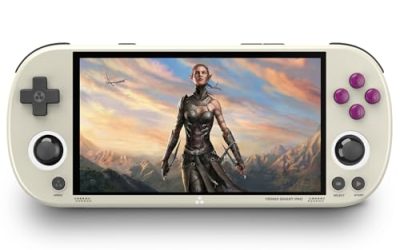
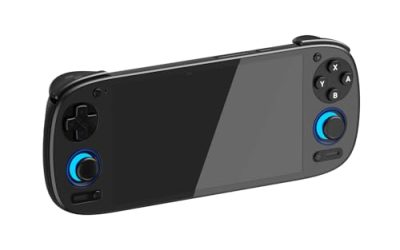
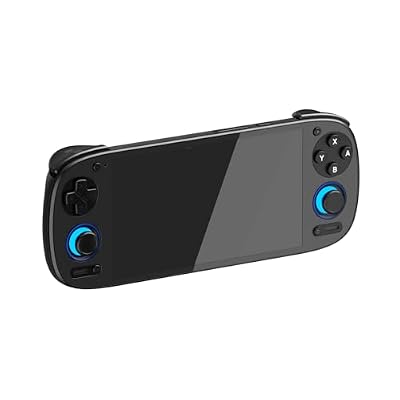
Retroid Pocket 5: the all-round league pick
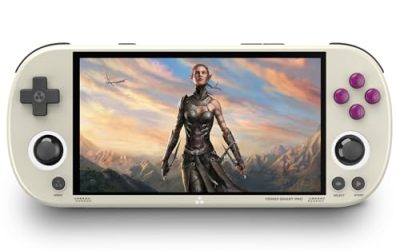
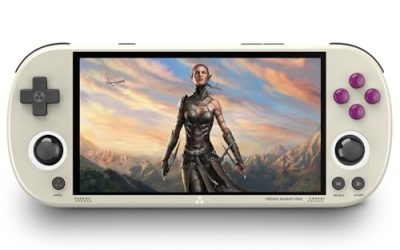
The Pocket 5 covers all three eras credibly. Its hall sticks make the analog flick games feel honest, the 5.5-inch AMOLED is bright and sharp enough that the swing meter is never a guessing game, and the Snapdragon 865 runs the PS2 and GameCube bowling library cleanly while giving Dolphin a real shot at Wii bowling with a mapped profile. It is also light enough to hold one-handed during an approach, which sounds minor until your fourth game of the night.
Specs
- Display: 5.5-inch AMOLED, 1080p
- Chipset: Snapdragon 865
- Controls: hall effect sticks, analog triggers
- Battery: 5000 mAh
- System: Android
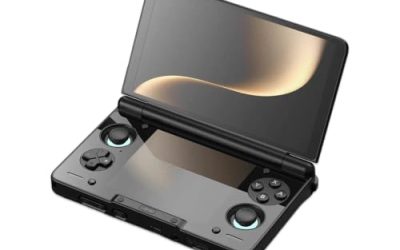
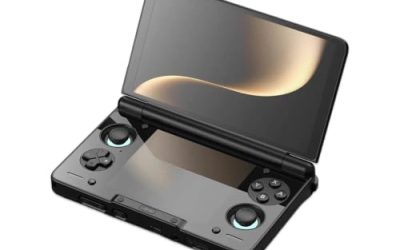
Retroid Pocket Flip 2: the clamshell for flick players

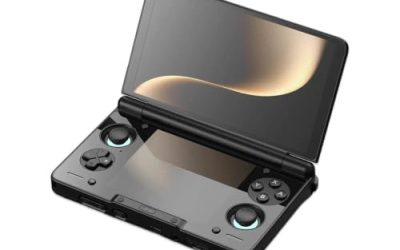
The Flip 2 shares the Pocket 5’s Snapdragon 865 and AMOLED panel but wraps them in a clamshell that protects the sticks in a bag and props the screen at a natural angle on a table. That hinge matters for bowling more than most genres: set it on the table between frames and the meter stays in view while you rest your grip hand. Performance across the PS2, GameCube, and PSP libraries matches the Pocket 5, so the choice between them is purely about the form factor.
Specs
- Display: 5.5-inch AMOLED, 1080p
- Chipset: Snapdragon 865
- Controls: hall effect sticks, analog triggers, clamshell hinge
- Battery: 5000 mAh
- System: Android
Anbernic RG556: the big-screen value pick

The RG556’s 5.48-inch AMOLED is the largest single screen here, and its Unisoc T820 handles the three-click and analog flick eras without drama, including most PS2 bowling. The ergonomic grips suit longer sessions, and the analog triggers feel right for the games that use them. Wii bowling through Dolphin is where it gives ground to the Snapdragon machines: expect to spend more time on per-game settings, and treat the very heaviest titles as out of reach.
Specs
- Display: 5.48-inch AMOLED, 1080p
- Chipset: Unisoc T820
- Controls: hall sticks, analog triggers
- Battery: 5500 mAh
- System: Android
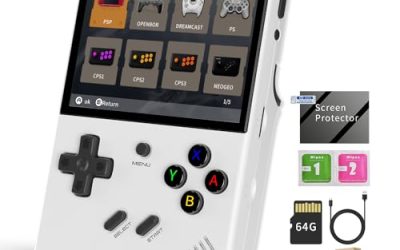
Miyoo Mini Plus: the three-click classic
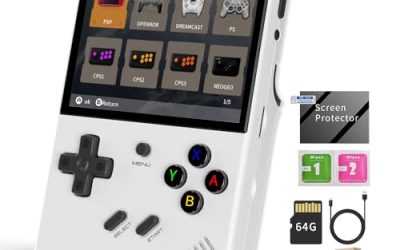
The Mini Plus has no analog sticks and no touchscreen, and for the oldest bowling library that is not a flaw. Ten Pin Alley, Brunswick Circuit Pro Bowling on PS1, and the 16-bit bowling games were designed around buttons and a D-pad, and this pocketable handheld runs all of them perfectly with fast suspend and resume that suits one-frame-at-a-time play. It cannot help you with the flick or motion eras, so buy it as a dedicated classics machine, not a cheaper substitute for the Android picks.
Specs
- Display: 3.5-inch IPS, 640 by 480
- Controls: D-pad and face buttons, no touchscreen
- Battery: 3000 mAh
- System: Linux (Onion OS community firmware)
- Library ceiling: PS1 and below
How to Choose
Start with the era you actually want to play. If your league night is Ten Pin Alley tournaments, the Mini Plus is all the hardware the genre needs and the Android machines are money spent on power you will never use. If you want the PS2 and GameCube flick games, prioritize hall effect sticks and analog triggers over screen size, because input accuracy is what those games grade you on. Only step up to Snapdragon 8 Gen 2 money if Wii bowling through Dolphin is a genuine goal rather than a curiosity, since it is the one branch of the library that demands it.
Two smaller checks before you buy. First, battery: bowling sessions are long and social, so anything under 5000 mAh in the Android class means a cable joins the league eventually. Second, grip comfort: you will make the same flicking motion hundreds of times in an evening, so a handheld that cramps your hand at minute twenty will quietly ruin frame ten. The Flip 2’s clamshell and the RG556’s grips exist for exactly this reason.
Who Should Skip
Skip this whole category if your bowling fix is modern rather than retro: current simulation titles live on consoles and PC, and no handheld here changes that. Skip the Android picks if you only play 8-bit and 16-bit sports games, since the Mini Plus covers them for far less. And skip the Thor Pro if the second screen sounds like a gimmick to you; its price only makes sense if you will actually use the dual-screen layout and the extra emulation headroom.
Frequently Asked Questions
Can these handhelds really play Wii bowling?
The Android picks can run Wii bowling through Dolphin with motion controls mapped to buttons, sticks, or the touchscreen, and the Thor Pro handles it best thanks to its Snapdragon 8 Gen 2. Expect per-game setup rather than a plug-and-play swing, and expect the very heaviest Wii titles to need settings tweaks. The flick and three-click eras are far less demanding and run cleanly on every Android pick here.
Do I need analog sticks for retro bowling games?
Only for the middle era. PS1, Saturn, and N64 bowling games use three-click meters and play perfectly on the Miyoo Mini Plus with just a D-pad and buttons. The analog flick games on PS2, GameCube, and PSP do need sticks, and hall effect sticks are worth prioritizing because they resist the drift that adds unwanted hook to a throw.
Which bowling games should I start with?
Ten Pin Alley on PS1 is the purest three-click game and runs on every pick here. Brunswick Pro Bowling on PSP or PS2 is the best introduction to the analog flick. League Bowling on Neo Geo is the connoisseur pick: it turns the throw into a single dramatic stick flick and still plays brilliantly on a small screen.
How long will the battery last on league night?
The Android picks carry 5000 to 6000 mAh cells, which translates to a full evening of PS1 and PS2 bowling with charge to spare, and noticeably less when Dolphin is working hard on Wii titles. The Mini Plus sips power on its PS1-and-below library. Turning screen brightness down on the OLED and AMOLED models stretches every one of these further.
Final Verdict
Bowling rewards the handheld that respects its input method. The Retroid Pocket 5 is the default recommendation because its hall sticks, analog triggers, and AMOLED screen serve all three eras at once. The Thor Pro is the enthusiast pick for Wii bowling, the Flip 2 is the same power in a travel-proof shell, the RG556 is the big-screen value option, and the Miyoo Mini Plus remains the perfect pocket machine for the three-click classics that started it all.
Product and ASIN Reference
| Product | ASIN |
|---|---|
| AYN Thor Pro | B0FV3HKG9P |
| Retroid Pocket 5 | B0DT4G4PD2 |
| Retroid Pocket Flip 2 | B0FDQGNNS4 |
| Anbernic RG556 | B0FKHBVGLQ |
| Miyoo Mini Plus | B0DC6QHQ3Y |