Plenty of retro gaming happens where the internet is weak, metered, or simply absent: a cabin with no router, a rural house on a slow line, a boat, a barracks bunk, a long stretch of countryside with no signal worth the name. Most handhelds assume a connection is always nearby, and a few quietly punish you when it is not, asking for sign-ins, phoning home for artwork, or tying saves to a cloud you cannot reach.


This list takes the opposite approach. Every pick below plays a local game library with the Wi-Fi switched off, and the ranking is built on how completely each machine minds its own business: no account wall, no activation step, no feature that collapses the moment the router disappears. The Linux machines are offline by design. The Android picks need one honest setup session at home, then settle down and never ask again.
As an Amazon Associate, we earn from qualifying purchases.
Quick Answer
Choose a Linux handheld if you want a machine that has never heard of your email address: the Miyoo Mini Plus, RG35XX Plus, and TrimUI Smart Pro run everything from the memory card and ask for nothing. Choose the RG406H or Retroid Pocket Flip 2 if you want PlayStation 2 and GameCube power offline, accepting one connected setup session first.
Four Things That Quietly Ask for the Internet
Accounts and first-boot checks. Some devices greet you with a sign-in screen before they let you play. The Linux handhelds on this list have no account system at all: there is nothing to sign into, nothing to activate, and nothing that expires. Android handhelds suggest a Google account during setup, but it is optional for local play, because standalone emulators and frontends run happily without one.
Box art and metadata. Frontends love to download cover art, descriptions, and ratings, and that scraping is a one-time job. Do it at home before a trip, or skip the art entirely and browse a plain game list. Either way, the games themselves never needed the artwork, and a scraped library stays scraped on the card forever.
Achievements and cloud saves. RetroAchievements is an online service, so achievements only register while a connection is live; offline sessions simply earn nothing, and the games play exactly the same. Cloud save syncing is the same story. Local save files and save states live on the card or the internal storage and work anywhere, which is why the offline habit worth building is keeping your saves local in the first place.
Updates and clocks. Firmware updates and emulator updates need a connection, but none of them are rent: a handheld never stops playing the library it already runs because a newer version exists somewhere. Download updates when you are back near a router, on your schedule, and ignore them the rest of the time.
Born Offline: The Card-Based Linux Machines
Miyoo Mini Plus
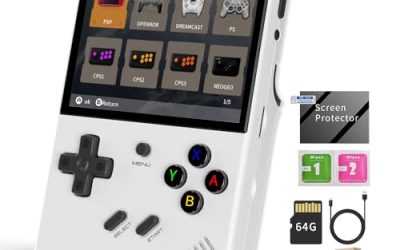
The Mini Plus is the purest offline handheld here. The operating system and the entire game library live on the microSD card, the popular Onion OS firmware boots straight into your game list, and there is no account, no store, and no activation anywhere in the experience. It has Wi-Fi on board, but that radio exists for optional extras like RetroAchievements and local multiplayer; switch it off and nothing about the machine changes. It has no touchscreen and no Bluetooth, which matters not at all for a PlayStation-and-below library. Pull the card, copy games onto it from any computer, put it back, and play. That is the whole relationship.
Specs
- Display: 3.5-inch IPS, 640 by 480
- Processor: quad-core Cortex-A7 at 1.8 GHz
- Memory: 128 MB RAM
- Battery: 3,000 mAh
- Connectivity: Wi-Fi, no touchscreen, no Bluetooth
- Storage: microSD card slot, operating system on card
- Tier: budget
Anbernic RG35XX Plus
The RG35XX Plus follows the same card-based logic with a little more headroom. The H700 chip stretches from the 8-bit and 16-bit staples into PlayStation and light Nintendo 64, the Linux firmware sleeps and resumes instantly, and everything the machine knows lives on its microSD card. There is no account to create and nothing to sign; the stock system and the popular custom firmware options all treat your game files as local property. A mini HDMI output lets it double as a tiny living-room console when you are back home, and USB-C charging means any cable in the drawer keeps it alive off-grid.
Specs
- Chip: Allwinner H700
- Display: 3.5-inch IPS, 640 by 480
- RAM: 1 GB
- Battery: 3,300 mAh
- Charging: USB-C, standard-rate charging
- Video output: mini HDMI
- System: Linux
- Tier: budget
TrimUI Smart Pro
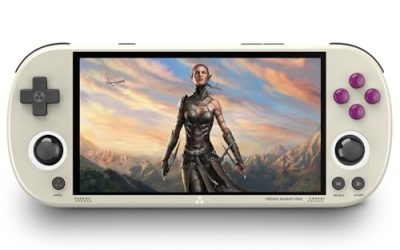
The Smart Pro is the offline pick for longer sessions and wider games. The 4.96-inch screen suits PSP-format titles and widescreen Game Boy Advance scaling, the Linux-based system keeps the same no-account, card-first philosophy as the smaller machines, and there is no touchscreen to complicate anything. The 5,000 mAh battery is the real off-grid feature: days of evening play between charges, from a device that never once needs to check in with a server. Wi-Fi is present for optional extras at home and irrelevant everywhere else.
Specs
- Display: 4.96-inch IPS, 1280 by 720
- Processor: Allwinner A133P
- Memory: 1 GB RAM
- Battery: 5,000 mAh
- Connectivity: Wi-Fi, no touchscreen
- Storage: microSD card slot
- Tier: mid-range
Android Picks That Settle Down After Setup
Anbernic RG406H

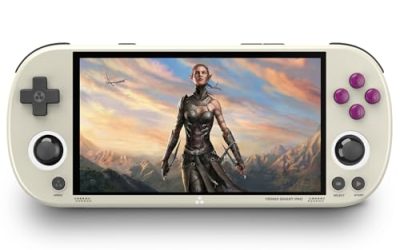
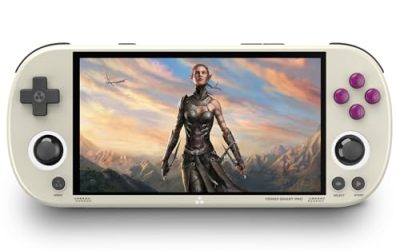
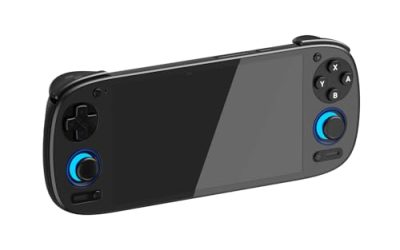
The RG406H is where offline play stops meaning low power. The Unisoc T820 covers PlayStation 2 and GameCube, the 4-inch 4:3 touchscreen matches those libraries, and hall effect sticks keep the controls honest. The Android catch is real but small: spend one session at home installing your emulators and frontend, sign into nothing you do not want, and copy your games across. From that moment the machine is a closed system. Airplane mode changes nothing about how it plays, saves stay on the device, and the 5,000 mAh battery keeps it that way for long stretches.
Specs
- Display: 4-inch IPS touchscreen, 960 by 720
- Processor: Unisoc T820
- Memory: 8 GB RAM, 128 GB internal storage
- Battery: 5,000 mAh
- Controls: Hall effect sticks
- System: Android
- Tier: mid-range
Retroid Pocket Flip 2

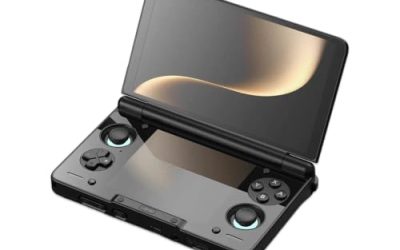
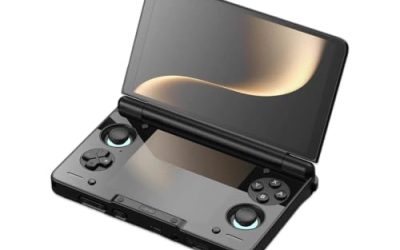
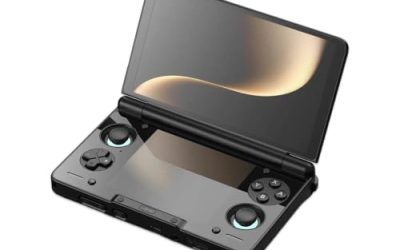
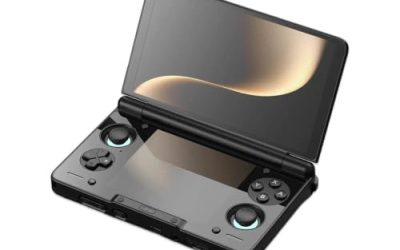
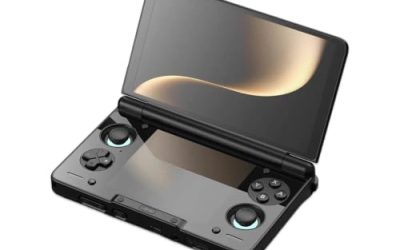
The Flip 2 brings Snapdragon 865 performance to the offline brief in a clamshell that protects its own screen and sticks in a bag, which suits places where a repair shop is not an option. Like the RG406H, it wants one connected setup session: install your emulators, scrape your art if you care about it, load the card. After that it is fully self-contained, with the power to run the PlayStation 2 and GameCube libraries and the hinge to prop itself on a table while it does. Buy the Snapdragon 865 version; it is the one this recommendation is built on.
Specs
- Display: 5.5-inch AMOLED, 1080p
- Chipset: Snapdragon 865
- Controls: hall effect sticks, analog triggers, clamshell hinge
- Battery: 5,000 mAh
- System: Android
- Tier: premium
How to Choose
Decide how much setup you will tolerate. If the answer is none, buy Linux. The three card-based machines on this list work the moment the card is written, and the card can be prepared on any computer, anywhere. If one evening of setup at home is acceptable, the Android picks repay it with two extra console generations.
Prepare the card, not the connection. The offline ritual that matters happens before you leave: load the full library, scrape the artwork, update the firmware, and charge everything. A handheld prepared that way has no remaining reason to look for a network.
Keep saves local. Turn off cloud sync expectations and let save files live on the card or the device. Local saves are the one system that works identically in a city flat and a forest cabin, and a spare card with a copied library is the cheapest insurance in this hobby.
Match battery to the gap between outlets. Offline places often ration power as well as bandwidth. The TrimUI Smart Pro and the two Android picks carry 5,000 mAh cells for a reason; the smaller Linux machines sip power but need a cable sooner.
Who Should Skip This List
Skip it if your retro life runs on RetroAchievements, netplay, or cloud saves, because those features are online by definition and no hardware choice changes that. Skip the Android picks if the phrase “one setup session” already annoys you; the Linux machines exist for you. And skip the whole category if your games live in subscription libraries or store downloads that check licenses, since this list is strictly about local files you own and carry.
Frequently Asked Questions
Do I need the internet to set up a retro handheld at all?
Not for the Linux picks: write the card on any computer and the machine is ready. The Android picks are far easier to set up with a connection, for app installs and artwork scraping, but that is a one-time convenience rather than a requirement, and nothing needs the connection again afterwards.
What stops working when I play offline?
Achievements, cloud save syncing, artwork scraping, and updates pause until you reconnect. Everything that matters locally keeps working: the games, the saves and save states, the settings, and the frontend itself. Nothing on this list locks a feature you already set up behind a fresh sign-in.
Can I add new games to a handheld without Wi-Fi?
Yes. Every pick here reads games from a microSD card or internal storage, so adding games means copying files from a computer or phone with a cable or a card reader. It is the oldest method in the hobby and the most reliable one, because it never depends on a network at all.
Which of these is best for a cabin with no internet at all?
The TrimUI Smart Pro, for the combination of zero accounts, a card-based library, and the biggest battery among the Linux picks. If the cabin library must include PlayStation 2 and GameCube, take the Flip 2 instead and do its setup before the trip.
Final Verdict
Offline play rewards the machines that treat your library as your property. The Miyoo Mini Plus is the simplest expression of that idea, the RG35XX Plus adds headroom and a TV output, and the TrimUI Smart Pro adds the screen and battery for long off-grid evenings. The RG406H and Flip 2 prove that PlayStation 2 power does not require a live connection, only a single honest setup. Pick the tier your library needs, prepare the card once, and the router becomes optional.
Product and ASIN Reference
| Product | ASIN |
|---|---|
| Miyoo Mini Plus (Black, 64GB) | B0DC6QHQ3Y |
| Anbernic RG35XX Plus | B0CN3CJFZH |
| TrimUI Smart Pro (128GB) | B0CSK9B4G4 |
| Anbernic RG406H (White) | B0DNF3LD4C |
| Retroid Pocket Flip 2 (SD865) | B0FDQGNNS4 |