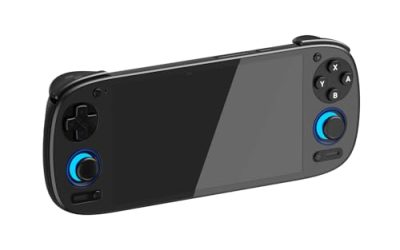
Speedrunning asks more of a handheld than casual play ever does. A casual player forgives a soft d-pad and a frame of extra lag; a runner chasing a personal best feels both on every attempt. When a run dies forty minutes in, the speed of the reset matters almost as much as the run itself, and when a trick depends on a two-frame window, the accuracy of the emulation core matters more than the size of the screen.

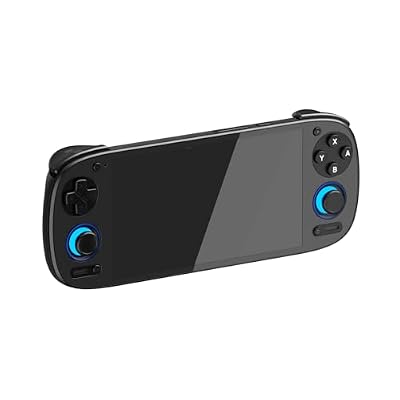
This guide ranks five retro handhelds by the things runners actually talk about: input latency, run-ahead headroom, d-pad quality, reset workflow, and battery life for long grinding sessions. Every pick below runs the classic 8-bit and 16-bit libraries that dominate speedrun leaderboards, and the stronger models extend comfortably into the 32-bit and 64-bit eras.
As an Amazon Associate, we earn from qualifying purchases.
Quick Answer
For speedrunning, pick the AYN Thor Pro if you run demanding systems and want the lowest input lag with run-ahead headroom. The Retroid Pocket 5 and Anbernic RG406H cover most retro consoles comfortably, while the Miyoo Mini Plus and TrimUI Smart Pro suit reset-heavy 8-bit and 16-bit practice on tighter budgets.
What Speedrunning Demands From a Handheld
Four traits separate a good speedrun handheld from a merely good retro handheld. The first is latency. Emulation adds delay between a button press and the on-screen result, and techniques such as run-ahead, where the core renders frames early and rolls back, can shave that delay down at the cost of processing power. A stronger chip therefore is not a luxury for runners; it is what makes low-latency settings usable on heavier systems.
The second trait is reset speed. Routing practice and early-game attempts can mean hundreds of resets in a session. Handhelds that return to a game in seconds, whether through fast boot times, quick resume, or a frontend shortcut, protect your practice rhythm. The third trait is the d-pad, because most classic speedrun games predate analog control. A d-pad with a clean pivot and no false diagonals keeps movement inputs honest. The fourth is accuracy: leaderboard rules for many communities require faithful emulation, so a mature core on capable hardware beats a fast but sloppy setup.
The Five Picks, Matched to Run Style
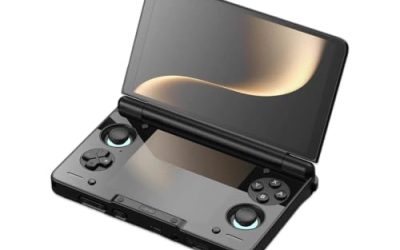
AYN Thor Pro — For Runners Who Grind Demanding Systems
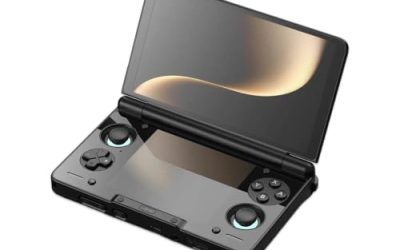
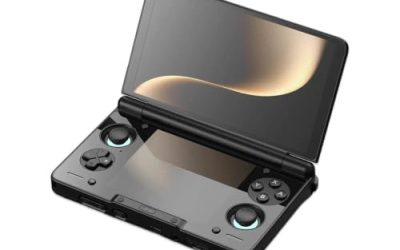
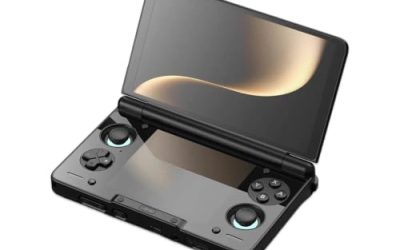
The Thor Pro is the premium pick for runners who work on PlayStation 2, GameCube, and Dreamcast categories alongside the classics. Its dual-screen layout pairs a 6.31-inch main display with a smaller lower panel that suits DS and 3DS routing notes, and the flagship-class processor leaves generous headroom for run-ahead on systems that stall lesser handhelds. Android gives you access to mature standalone emulators and RetroArch builds, so per-game latency profiles are easy to store.
Specs
- Display: 6.31-inch main OLED panel plus secondary lower screen
- Processor: flagship Snapdragon-class chip for Android emulation
- Operating system: Android
- Battery: 6,000 mAh
- Controls: hall-effect sticks, full-size face buttons, stacked shoulders
Choose it if your categories live in the heavier eras and you want one device for practice and attempts. Skip it if your runs are all 8-bit and 16-bit, where its power goes unused.
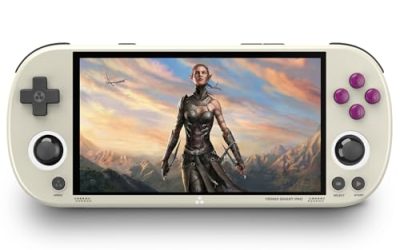
Retroid Pocket 5 — The Balanced Latency Pick
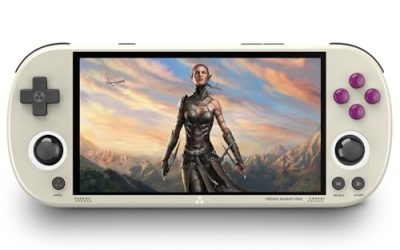
The Retroid Pocket 5 hits the middle ground that most runners actually need. Its 5.5-inch AMOLED touchscreen is bright and responsive, the Snapdragon-class processor handles run-ahead on PlayStation and Nintendo 64 categories without drama, and the d-pad sits in the classic upper position that platformer and action runners tend to prefer. Android also means fast save-state handling for routing practice, with the understanding that verified attempts follow each community’s rules on emulator features.
Specs
- Display: 5.5-inch AMOLED touchscreen, 1080p
- Processor: Snapdragon 865-class chip
- Operating system: Android
- Battery: 5,000 mAh
- Controls: hall-effect sticks, d-pad-up layout, active cooling
It is the easiest recommendation on this list for a first dedicated speedrun handheld, because it covers the widest span of categories at a mid-range tier.
Anbernic RG406H — For 4:3 Purists

The RG406H earns its place through its screen. The 4-inch 4:3 display matches the aspect ratio of the consoles most speedrun categories come from, so NES, SNES, Genesis, and PlayStation games fill the panel without borders or stretching. The Android software stack runs the same mature cores as the picks above, and the horizontal body with stacked shoulder buttons stays comfortable across long attempt sessions.
Specs
- Display: 4-inch IPS touchscreen, 4:3 aspect ratio
- Processor: Unisoc T820
- Operating system: Android
- Battery: 5,000 mAh
- Controls: hall-effect sticks, inline shoulder buttons
Pick it if your leaderboard focus is the 4:3 era and you value correct presentation over raw screen size. Its chip is a step below the two picks above, so run-ahead on the heaviest systems is more limited.
TrimUI Smart Pro — The Budget Practice Grinder

The TrimUI Smart Pro is the practice device runners keep in a bag. Its wide 4.96-inch screen suits GBA and PSP-era categories, the Linux software is simple and quick to navigate, and the d-pad handles 16-bit platformers and action games with confidence. There is no touchscreen, which matters little for classic categories, and the modest processor caps it at lighter systems with lighter latency settings.
Specs
- Display: 4.96-inch IPS, 720p
- Processor: Allwinner A133P
- Operating system: Linux
- Battery: 5,000 mAh
- Controls: dual sticks, d-pad-up layout, no touchscreen
At a budget tier, it is ideal for drilling segments on the go while a stronger handheld stays set up at your desk.
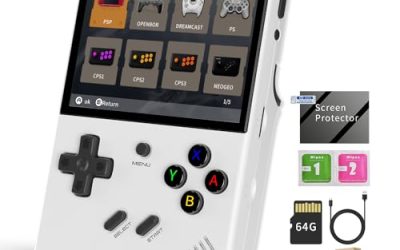
Miyoo Mini Plus — For Reset-Heavy 8-Bit and 16-Bit Runs
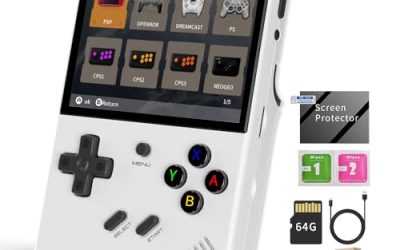
The Miyoo Mini Plus is tiny, and that is the point. With the popular Onion OS firmware, it boots fast, resumes games quickly, and makes the reset-and-retry loop nearly frictionless for NES, Game Boy, SNES, and Genesis attempts. The d-pad is a known quantity in the community, the 3.5-inch 4:3 screen matches the era, and the whole device disappears into a pocket between sessions. It has no touchscreen and its power tops out around the 16-bit era with some PlayStation capability, so it is a specialist rather than an all-rounder.
Specs
- Display: 3.5-inch IPS, 4:3 aspect ratio
- Processor: dual-core ARM chip for classic systems
- Operating system: Linux, Onion OS compatible
- Battery: 3,000 mAh
- Controls: d-pad focused layout, no touchscreen
For runners whose categories live on 8-bit and 16-bit hardware, it may be the highest-value pick here despite the budget tier.
How to Choose
Start with your categories, not with spec sheets. List the systems you actually run, then match the processor to the heaviest one: 8-bit and 16-bit runs are cheap to emulate well, while Saturn, Nintendo 64, Dreamcast, and later systems reward stronger chips, especially once run-ahead is enabled. Next, weigh the latency chain. A responsive screen, a wired-feeling d-pad, and a core with run-ahead support combine to decide how a game feels at frame-tight moments.
Then think about workflow. If your practice style is reset-heavy, prioritize fast boot and resume times and a frontend you can navigate blind. If you attempt marathon categories, prioritize battery capacity and comfort over several hours. Finally, check your community’s rules before buying around features: many leaderboards restrict save states, slowdown, and certain emulator functions during verified attempts, so the best practice device is not always the best attempt device. Buy for the rules you will actually submit under.
Who Should Skip
Casual retro players should skip this framing entirely; a cheaper general-purpose handheld will feel identical outside of frame-tight tricks. Original-hardware purists should also skip, because no emulator handheld reproduces the exact timing behaviour of a real console and CRT pairing. If your categories depend on light guns, link cables, or unusual peripherals, a handheld is the wrong tool no matter how strong the chip is. And if you only run one 8-bit system, the premium picks here are money spent on headroom you will never use.
Final Verdict
The AYN Thor Pro is the ceiling pick for runners working across every era, and the Retroid Pocket 5 is the balanced choice most runners should start with. The Anbernic RG406H serves 4:3 purists, while the TrimUI Smart Pro and Miyoo Mini Plus prove that serious practice hardware exists at a budget tier. Match the device to your categories and your reset habits, and the hardware stops being the reason a run dies.
Frequently Asked Questions
Does run-ahead really reduce input lag on retro handhelds?
Yes. Run-ahead renders frames ahead of time and rolls the emulation back when you press a button, which can remove one or more frames of delay. The trade-off is processing cost, so stronger handhelds sustain it on heavier systems while budget models apply it mainly to 8-bit and 16-bit cores.
Are emulator handhelds allowed for verified speedrun attempts?
It depends on the community. Many leaderboards accept accurate emulators for older systems and publish rules about which features, such as save states or slowdown, are banned during attempts. Check the rules for your specific game before submitting, and practice with the same restrictions you will run under.
Why does the d-pad matter more than the analog sticks for speedrunning?
Most classic speedrun categories come from consoles that shipped with d-pads, and their movement techniques assume digital, eight-direction input. A precise d-pad with no false diagonals prevents accidental inputs during frame-tight sequences, which is why runners judge handhelds by d-pad quality first.
How much battery life do I need for a speedrun session?
For short categories, almost any handheld lasts a full session. For marathon runs and long grinding days, look for larger batteries in the 5,000 mAh class and active or passive cooling that keeps performance steady, because throttling raises latency as well as lowering frame rates.
Product and ASIN Reference
| Product | ASIN |
|---|---|
| AYN Thor Pro | B0FV3HKG9P |
| Retroid Pocket 5 | B0DT4G4PD2 |
| Anbernic RG406H | B0DNF3LD4C |
| TrimUI Smart Pro | B0CSK9B4G4 |
| Miyoo Mini Plus | B0DC6QHQ3Y |