- Top Pick: Logitech G305 Lightspeed Wireless Gaming Mouse – Black
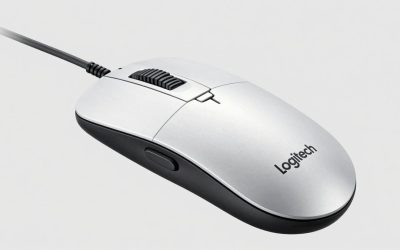
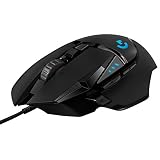
- Best Value: Logitech G502 Hero Wired Gaming Mouse – Black
- Premium Choice: 8BitDo Retro R8 Mouse with Charging Dock, PAW 3395 Optical Sensor DPI 26,000, Wireless Mouse with 4K Polling Rate, Programmable Buttons, and Kailh Sword GM X Micro Switches – N Edition
Programmers spend hours navigating code, switching windows, and scrolling through long files, so the right mouse can meaningfully reduce strain and speed up your workflow. Unlike pure gaming mice, a great programming mouse balances comfort for all-day use with programmable buttons that map to shortcuts, macros, and window management.
This roundup pulls together options that suit developers, from precise wired workhorses like the Logitech G502 Hero to lightweight wireless models and a clever programmable option built around a high-end sensor. Below we cover what to look for and review five picks worth your desk space.




As an Amazon Associate we earn from qualifying purchases at no extra cost to you.





🎮 Get More From Your Setup — Free
Prime Gaming gives you free PC games every month, in-game loot, and a free Twitch channel sub — plus fast free shipping on all the gear above. New members get a 30-day free trial.
Watch: Best Programming Mouse — Video Review
How to Choose a Programming Mouse
- Comfort and grip: prioritize an ergonomic shape that fits your hand for long, fatigue-free coding sessions.
- Programmable buttons: extra buttons that map to shortcuts, macros, or workspace switching pay off every day.
- Wired vs wireless: wireless reduces desk clutter, while wired guarantees consistent response and no charging.
- Sensor and DPI: a precise sensor with adjustable DPI helps with everything from fine cursor work to fast multi-monitor sweeps.
- Quiet clicks: in shared spaces, silent switches keep your typing and clicking from disturbing others.
The Best Programming Mice Reviewed
Logitech G502 Hero
The wired G502 Hero is a programmer’s power tool disguised as a gaming mouse. Its many programmable buttons are perfect for mapping IDE shortcuts and window commands, and the precise sensor handles multi-monitor work with ease. The heft suits palm-grip users who want control.
Logitech G305 Lightspeed
For a cleaner desk, the wireless G305 Lightspeed offers reliable low-latency performance in a compact, lightweight shell. It’s a great pick for developers who want programmable buttons without a cable, and its long battery life keeps interruptions minimal.
8BitDo Retro R8
The 8BitDo Retro R8 pairs a high-end PAW 3395 optical sensor and 26,000 DPI with programmable buttons and a charging dock. It’s a standout for developers who want serious precision, remappable controls, and a distinctive retro look on their desk.
Redragon M612
The wired Redragon M612 delivers remappable keys and up to 8000 DPI at a budget price. It’s a sensible choice for programmers who want extra buttons and solid tracking without spending much.
TECKNET Wireless Mouse
The TECKNET Bluetooth and 2.4G mouse focuses on ergonomic comfort, quiet clicks, and adjustable DPI. With seven buttons and wide compatibility, it’s a comfortable, quiet all-rounder for long office coding days.
Related Guides
- Best Computer Mouse Wireless in 2026: Complete Buyer's Guide
- Best Honeycomb Gaming Mouse in 2026: Top 5 Ultralight Perforated Picks
- Razer Viper V3 HyperSpeed: The Fastest Wireless Gaming Mouse for Competitive Victory
Frequently Asked Questions
Do programmers really need a gaming mouse?
Not strictly, but the extra programmable buttons and precise sensors on mice like the G502 Hero are genuinely useful for mapping shortcuts and navigating code faster.
How many buttons are useful for coding?
Two to five extra buttons cover most needs, such as copy, paste, back, forward, and workspace switching. More buttons help if you build complex macros.
Is wireless reliable enough for work?
Yes. Modern wireless mice like the G305 Lightspeed offer low latency and long battery life, making them fully suitable for professional use.
Should I worry about DPI for programming?
High DPI matters most for large or multi-monitor setups where you sweep the cursor across screens. Adjustable DPI lets you fine-tune precision to your workflow.
Final Thoughts
For most developers the Logitech G502 Hero is the best programming mouse thanks to its programmable buttons and precision, while the G305 Lightspeed is the top wireless pick for a tidy desk. If you want a high-end sensor with a unique design, the 8BitDo Retro R8 is a compelling choice.