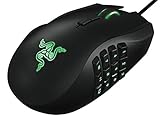
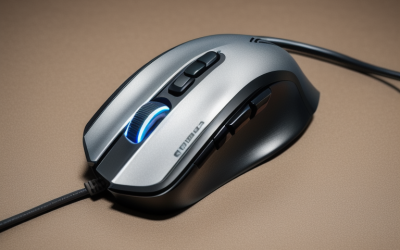
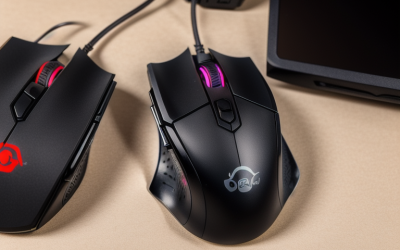
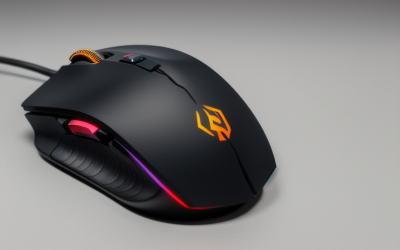
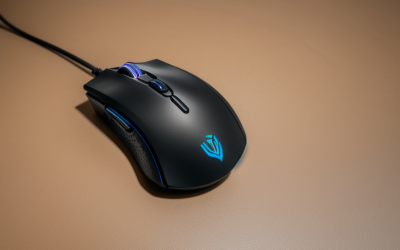
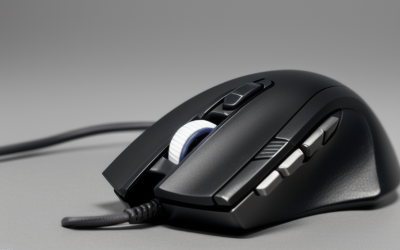
- Top Pick: Redragon M908 Wired MMO RGB Gaming Mouse 12400 DPI Remapping Keys | Stable Lag-Free Connection, Redefine Keybinding Macro, Vibing Backlight, Ergonomic Grip Body Comfort
- Best Value: Redragon M612 Wired RGB Optical Gaming Mouse 8000 DPI Remapping Keys | Stable Lag-Free Connection, Redefine Keybinding Macro, Vibing Backlight, Ergonomic Grip Body Comfort
- Premium Choice: Redragon Gaming Mouse, MMO Mouse Gaming UP 12400 DPI, 19 Macro Programmable Buttons, RGB Mouse with 12 Side Buttons, 8 * 2.4g Weight Tuning for PC Laptop MOBA FPS, M901K, Black
Redragon’s mouse catalog is confusing at first glance. The same model names, M612 and M810, show up in wired and wireless versions, and the numbers on the box swing from 8000 to 24000 DPI. Behind that spread are three actual decisions: how many buttons you want under your thumb, whether you can live with a cable, and how heavy a mouse you are comfortable pushing across a pad. Once those are settled, the field narrows to two or three candidates quickly.
This guide is for gamers who have already decided on the brand, perhaps for its wide range, and want to match a specific Redragon model to a play style. It covers MMO mice with a thumb grid, tri-mode wireless designs, a lightweight honeycomb shell, and plain wired optical mice for budget builds. The ten models below are described as their 2026 listings state them, and nothing is assumed beyond the printed specs, so treat sensor claims as marketing numbers rather than a performance guarantee.
Quick Picks
As an Amazon Associate we earn from qualifying purchases at no extra cost to you.




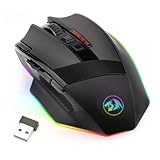
| Product | Best for | Key spec from the title |
|---|---|---|
| Redragon M908 | Wired MMO play | 12400 DPI, remapping keys, macro keybinding |
| Redragon M612 Wired | Simple wired gaming | 8000 DPI optical, remapping keys |
| Redragon M901K | Heavy macro users | 19 programmable buttons, 12 side buttons, weight tuning |
| Redragon M810 PRO | Wireless all-rounder | 10000 DPI wireless, rapid-fire macro |
| Redragon M814W | Tri-mode wireless | 24000 DPI, 2.4G/Bluetooth/USB-C, 7 buttons |
| Redragon M810 MAX | Wireless tracking | 12000 DPI, rapid-fire macro keybinds |
| Redragon M725 | Lightweight claw grip | 49g honeycomb shell, tri-mode |
| Redragon M612 Wireless | Cable-free basics | 8000 DPI optical, wireless |
| Redragon M729 | Battery and polling specs | 24000 DPI, 1000mAh battery, 1000Hz report rate |
| Redragon M801 | Wireless MMO | 9 macro buttons, up to 16000 DPI |
How to Choose
Start with the button count
A plain mouse has two main buttons, a wheel, and two side buttons, which is what the M725 lists. An MMO mouse adds a thumb grid: the M801 lists nine programmable buttons, the M908 positions itself as an MMO mouse, and the M901K lists 19 programmable buttons with 12 on the side. If you play role-playing games with long ability bars, more buttons help. For shooters, fewer buttons and a lower weight are usually better.
Decide on wired, 2.4G, or tri-mode
Wired models like the M612 and M908 never need charging. Wireless models promise cable-free movement, and tri-mode designs such as the M814W, M725, and M729 add Bluetooth for laptops, phones, and tablets. A 2.4G receiver is the usual choice for desktop gaming. Bluetooth is handy for travel and office use, but it is a second-choice link when you want the lowest delay in a fast shooter, so keep the receiver plugged in at home. Check whether the listing gives a battery size; only the M729 lists 1000mAh.
Read DPI as a range, not a score
Figures such as 24000 DPI are maximum settings. Most players run far below that, and sensitivity matters more than the ceiling. A listing that shows adjustable DPI steps and a polling rate, like the M729 at 1000Hz, tells you more than the top number alone. Do not choose a mouse on DPI by itself.
Weight and shape matter more than lighting
The lightest mouse in this set is the 49g M725 honeycomb shell. The M901K offers eight 2.4g weights for tuning. Where budget models cut corners is the shell, scroll wheel, and cable; a heavier MMO design may suit a palm grip, while a perforated shell suits a fast claw or fingertip grip. Ignore the lighting style unless it is a priority. Measure your hand length and check how you hold the mouse, because a shell that suits a palm grip can feel oversized under fingertips, and the listing text rarely says which way it leans.
The 10 Best Options
Redragon M908 Wired MMO Mouse
The M908 lists a wired MMO design with 12400 DPI, remapping keys, macro keybinding, RGB lighting, and an ergonomic grip. It is the entry to the MMO class for people who want a thumb grid and a cable for a stable link. The ergonomic grip body noted in the title points to a mouse built for longer sessions rather than quick flicks.
- Strength: A wired connection avoids battery management.
- Strength: Remapping and macro keybinding are listed.
- Trade-off: The cable limits cable-free movement across the desk.
Skip it if you want a wireless mouse for a laptop.
Redragon M612 Wired Optical Mouse
The wired M612 lists an optical sensor at 8000 DPI with remapping keys, macro keybinding, and RGB backlighting. It is the straightforward starting point for someone who wants a gaming mouse with programmable buttons. It also leaves room in the setup for a later upgrade to a wireless or MMO mouse when needs grow.
- Strength: A stable wired link and simple controls.
- Strength: Remapping keys are included in the listing.
- Trade-off: 8000 DPI is the lowest ceiling in this guide.
Skip it if you want a thumb grid or wireless movement. Pair it with a larger mouse pad if you plan long sweeps.
Redragon M901K MMO Mouse
The M901K is the button-heavy model: 19 programmable macro buttons, 12 side buttons, eight 2.4g weights for tuning, and up to 12400 DPI. It is aimed at MOBA, FPS, and MMO play, and it rewards players who like to bind every ability. If you have ever run out of keyboard keys during a raid or a team fight, a grid like this shifts that load to your thumb.
- Strength: The 12-button side grid supports deep macro setups.
- Strength: Weight tuning lets you adjust heft.
- Trade-off: All those buttons and weights add bulk.
Skip it if you want a light, simple mouse.
Redragon M810 PRO Wireless Mouse
This is a wireless M810 with a 10000 DPI sensor, remapping keys, rapid-fire macro keybinds, and a cable-free connection. It suits a player who wants a middle-tier wireless mouse with macro support for gaming and daily work. Because the listing mentions cable-free operation and zero delay, it is aimed at people who dislike drag from a cord.
- Strength: Wireless freedom with programmable keys.
- Strength: Rapid-fire macro keybinds are named in the title.
- Trade-off: No battery size is listed.
Skip it if you want a stated battery figure.
Redragon M814W Tri-Mode Mouse
The M814W lists tri-mode connectivity across 2.4G, Bluetooth, and USB-C, seven programmable buttons, a tactile rapid-fire key, and up to 24000 DPI. It is the flexible one for players who split time between a desktop and a laptop. The tactile rapid-fire key is a feature to try if you play titles with repeated clicks.
- Strength: Three connection modes cover many devices.
- Strength: Seven programmable buttons strike a balance.
- Trade-off: Battery details are not provided in the title.
Skip it if you only use one wired device.
Redragon M810 MAX Wireless Mouse
The M810 MAX steps up to a 12000 DPI wireless design with remapping keys, rapid-fire macro keybinds, and what the listing calls smooth precise tracking. It reads like the step-up version of the PRO.
- Strength: Higher DPI ceiling than the PRO.
- Strength: Wireless with macro support.
- Trade-off: It is still a standard-weight shell, not a lightweight one.
Skip it if low weight is your priority.
Redragon M725 Honeycomb Mouse
The M725 is the lightweight pick: a 49g honeycomb shell with 8000 DPI, tri-mode Bluetooth 5.1, 2.4GHz, and Type-C connections, plus two side buttons and macro programming. It targets fast, low-effort movement, and the perforated shell is a design choice that favors a light feel over a solid, weighty one. Tri-mode support means the same mouse can also travel with a laptop.
- Strength: A 49g body is the lightest listed here.
- Strength: Tri-mode connections are included.
- Trade-off: Only two side buttons are listed.
Skip it if you need a large button grid.
Redragon M612 Wireless Optical Mouse
The wireless M612 keeps the same 8000 DPI optical sensor and remapping keys as the wired version but removes the cable. It suits a casual player who wants basic gaming features and a clean desk. It pairs with a standard mouse pad and does not ask you to learn a software suite to be useful.
- Strength: Cable-free and uncomplicated.
- Strength: Remapping keys carry over from the wired model.
- Trade-off: A modest 8000 DPI ceiling.
Skip it if you want Bluetooth or tri-mode.
Redragon M729 Wireless Bluetooth Mouse
The M729 lists 24000 DPI, pro software, programmable macro buttons, a 1000mAh battery, three-mode connectivity, and a 1000Hz report rate. It gives the most complete spec sheet of the wireless group, which makes comparisons easier. A 1000Hz report rate is the usual wireless gaming figure, so it should feel familiar to players who have used other brands.
- Strength: The battery size and report rate are both stated.
- Strength: Software support is mentioned.
- Trade-off: The title does not give a weight.
Skip it if you want a stated lightweight shell.
Redragon M801 Wireless MMO Mouse
The M801 combines wireless play with an MMO layout: nine programmable macro editing buttons, up to 16000 adjustable DPI, and a rapid-fire button. It is aimed at Windows PC players who want the MMO thumb layout without a cord running to the tower, and the rapid-fire button adds a convenient shortcut for repeated clicks.
- Strength: Nine programmable buttons in a wireless body.
- Strength: Adjustable DPI up to 16000.
- Trade-off: The title lists Windows PC only.
Skip it if you game on a Mac.
Which One Fits Your Situation
You play MMOs with long ability bars
The M901K has the largest button count, while the M801 offers a wireless alternative with nine buttons.
You want a fast, light mouse for shooters
The M725 at 49g is the clear fit, with two side buttons and tri-mode connectivity.
You move between a PC and a laptop
The M814W and M729 both list Bluetooth along with 2.4G modes, so they switch between devices easily.
You want a basic mouse with a cable
The wired M612 or M908 keeps things simple and free of charging.
Common Mistakes
- Choosing by the largest DPI number instead of button layout and weight.
- Mixing up the wired and wireless M612 or M810 listings with the same model name.
- Buying an MMO mouse for a shooter, where extra side buttons get in the way.
- Ignoring whether a wireless mouse states a battery size.
- Assuming every listing supports Mac when some name Windows PC only.
Related guides
- Battery Operated Smoke And Carbon Monoxide Detectors
- Combination Smoke And Carbon Monoxide Detectors
- Aio Liquid Coolers For High Performance Gaming
Frequently Asked Questions
Is higher DPI better?
Not necessarily. DPI is a maximum setting, and most players use a lower value. Give more weight to shape and button layout.
Which Redragon is lightest?
The M725 honeycomb shell lists 49g, the lowest figure in this set.
Do wireless Redragon mice need a receiver?
Tri-mode models list a 2.4G option, which uses a receiver, plus Bluetooth for direct pairing.
What does an MMO mouse add?
A side button grid that can be bound to abilities or macros, which helps in role-playing games with many skills. The M901K, M908, and M801 are the three MMO-style options on this list.