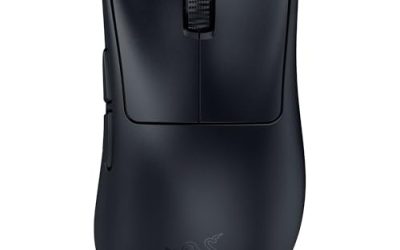
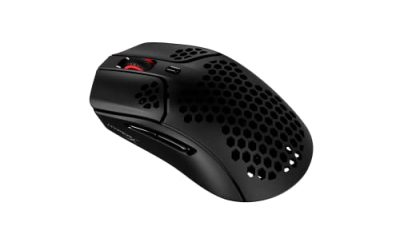
Gaming on Linux changes the mouse question completely. The mouse itself will almost always enumerate as a standard HID device and track fine; what breaks is the configuration layer, because the big vendor suites used to set DPI stages, polling rate and button bindings are built for Windows and macOS. A mouse that needs its suite running to hold a profile can fall back to factory defaults on a Linux desktop, while a mouse whose settings live in onboard memory — or that needs no software at all — keeps the exact setup you chose. The real decision is how much of the mouse’s configuration survives with no companion app installed. Our top pick: BenQ ZOWIE EC2-C Ergonomic Gaming Mouse | Professional Esports Performance | Lighter Weight | Driverless | Paracord Cable | 24-Step Scroll Wheel | Matte Black | Medium Size. Runner-up: Logitech G PRO X Superlight 2 Wireless Gaming Mouse, 60g Pro-Grade with 5 Programmable Buttons, 44K DPI Sensor, 8kHz Report Rate, USB-C Charging for PC/Mac – Black.
This guide is for Linux gamers who want a mouse that behaves identically on their Linux install as it does anywhere else. The four mice below were chosen from the names and specifications on their Amazon product pages, with priority given to driverless operation, onboard memory for profiles, sensor quality, and polling rate options that can be set without a Windows-only suite.
Quick Picks
As an Amazon Associate we earn from qualifying purchases.
| Product | Best for | Key spec from title |
|---|---|---|
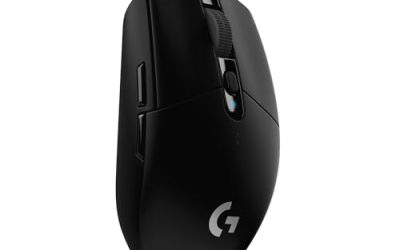
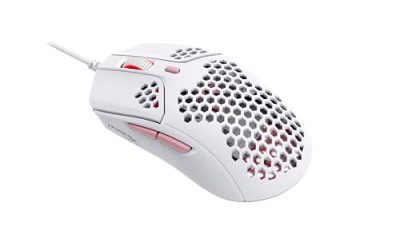
| BenQ ZOWIE EC2-C | A fully driverless setup with nothing to install | Driverless design, 3360 sensor, paracord cable |
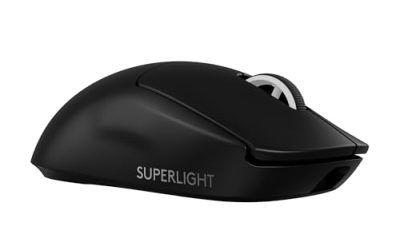
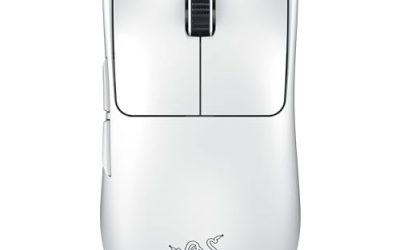
| Logitech G PRO X Superlight 2 | Flagship wireless performance with settings stored on the mouse | HERO 2 sensor, 44K DPI, 60 g, 8 kHz report rate |
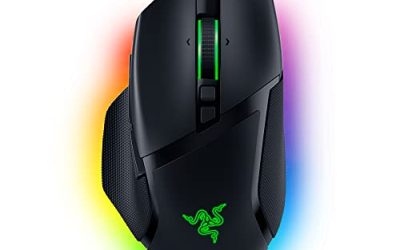
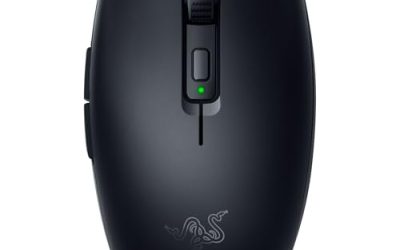
| Razer Viper V3 Pro | 8K wireless polling with an onboard profile | Focus Pro 35K sensor, 54 g, 8K polling dongle included |
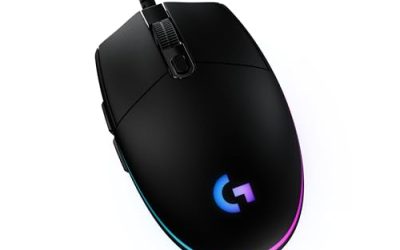
| Logitech G502 HERO | Many buttons with five profiles stored onboard | HERO 25K sensor, 11 programmable buttons, on-board memory |
How to Choose
Put onboard memory or a driverless design first
On Linux, the single most important line in a spec list is how the mouse stores its settings. A driverless mouse such as the ZOWIE EC2-C has no software layer at all: DPI and polling rate are changed with switches on the underside, so there is nothing for the operating system to lose. The next best arrangement is onboard memory, found on the Logitech G PRO X Superlight 2, the Razer Viper V3 Pro and the Logitech G502 HERO. With onboard memory, the profile is written to the mouse itself, so DPI stages, polling rate and bindings travel with the hardware and are presented to a Linux machine exactly as stored. A mouse that keeps its profile only inside a running app is the one to avoid for this use.
Check how DPI and polling rate are adjusted
How a setting is changed matters as much as the setting itself. The EC2-C steps through 400, 800, 1,600 and 3,200 DPI with a button on the base and switches its polling rate between 125, 500 and 1,000 Hz the same way, so every adjustment is available on any operating system. Mice with onboard memory take the opposite route: the full range — up to 44,000 DPI on the Superlight 2, up to 35,000 DPI on the Viper V3 Pro, up to 25,600 DPI on the G502 HERO — is configured in the vendor app, then saved to the device.
Match the connection type to your desk
All four mice here connect over USB in a way a Linux system handles natively, but the details differ. The EC2-C and G502 HERO are wired, which removes batteries, dongles and pairing entirely; the EC2-C adds a paracord cable and a raised cable attachment point to cut drag. The Superlight 2 and Viper V3 Pro use 2.4 GHz wireless receivers that present as standard USB devices, so the wireless link works without Bluetooth pairing or a driver, and both also run wired over USB-C while charging.
Count the buttons you will actually bind
Button count decides how much of your game’s command set can live under your hand. The G502 HERO leads here with 11 programmable buttons and onboard memory for five profiles, which suits players who bind abilities, voice chat and DPI shifts to the mouse and want those bindings stored on the device. The Superlight 2 keeps five programmable buttons on a 60 g shell, and the EC2-C is the minimalist end of the range with five buttons and no binding layer at all — a deliberate trade: fewer in-game shortcuts in exchange for a mouse with no configuration surface to manage.
The 4 Best Options
BenQ ZOWIE EC2-C Ergonomic Gaming Mouse | Professional Esports Performance | Lighter Weight | Driverless | Paracord Cable | 24-Step Scroll Wheel | Matte Black | Medium Size

OUR TOP PICK
The EC2-C is the cleanest answer to gaming on Linux because it removes the problem rather than working around it. ZOWIE builds the mouse to run completely driverless: there is no suite to install on any operating system, and the settings a player touches — four DPI levels and three polling rates — are physical controls on the underside of the shell. Plug it into a Linux machine and the mouse you get is the whole mouse, with no reduced mode and no factory defaults waiting to surprise you mid-match.
The hardware underneath that simplicity is a proven esports layout. The 3360 optical sensor tracks through the four DPI steps of 400, 800, 1,600 and 3,200, the polling rate switches between 125, 500 and 1,000 Hz, and the right-handed ergonomic shell is shaped for palm and claw grips at 73 g. A paracord cable with a raised, tilted attachment point keeps cable drag and pad rub down during fast swipes, and the 24-step scroll wheel gives firm, tactile steps for weapon cycling.
Specs
- Sensor: 3360 optical sensor
- DPI: 400 / 800 / 1,600 / 3,200, switched on the underside
- Polling rate: 125 / 500 / 1,000 Hz, switched on the underside
- Weight: 73 g
- Buttons: 5
- Cable: Paracord cable, raised attachment point
- Shape: Right-handed ergonomic, medium size
- Software: None — driverless
Best for: Linux players who want a mouse that needs no configuration software on any system.
Watch out for: The maximum DPI is 3,200 and there are only five buttons, so players who rely on high DPI settings or a deep binding layer should look at the onboard-memory models below.
Logitech G PRO X Superlight 2 Wireless Gaming Mouse, 60g Pro-Grade with 5 Programmable Buttons, 44K DPI Sensor, 8kHz Report Rate, USB-C Charging for PC/Mac – Black

RUNNER-UP
The Superlight 2 is the flagship route into Linux gaming: a 60 g wireless esports mouse whose onboard memory carries your profile with the hardware. Logitech’s configuration app has no Linux version, and for this mouse that matters less than most, because the settings that decide how it plays — DPI, report rate and button assignments — can be written to onboard memory and then read by any system the receiver is plugged into. A Linux desktop sees the stored profile, not a factory fallback.
Performance is the reason to accept that one-time setup step. The HERO 2 sensor is listed up to 44,000 DPI, the report rate reaches 8 kHz, and the LIGHTFORCE hybrid switches pair fast optical actuation with a mechanical click feel. Battery life is listed at up to 95 hours, charging is over USB-C, and the shell is a low-profile symmetrical shape with zero-additive PTFE feet.
Specs
- Sensor: HERO 2, up to 44,000 DPI
- Weight: 60 g
- Report rate: Up to 8 kHz
- Buttons: 5 programmable buttons
- Memory: Onboard memory for stored profile settings
- Battery: Up to 95 hours
- Switches: LIGHTFORCE hybrid switches
- Connectivity: LIGHTSPEED 2.4 GHz wireless receiver, USB-C wired and charging
Best for: Linux players who want flagship wireless performance with their DPI and report rate stored on the mouse.
Watch out for: Editing profiles is done in Logitech’s app, which is not offered for Linux; save your finished profile to onboard memory and treat the app as a one-time tool.
Razer Viper V3 Pro Wireless Esports Gaming Mouse: Symmetrical – 54g Lightweight – 8K Polling – 35K DPI Optical Sensor – Gen3 Optical Switches – 8 Programmable Buttons – 95 Hr Battery – Black
The Viper V3 Pro takes the same onboard-memory approach as the Superlight 2 and pushes the hardware further in two directions: weight and polling. At 54 g it is the lightest mouse in this guide, and the HyperPolling wireless dongle for a true 8,000 Hz polling rate is included in the box rather than sold separately. Its onboard memory holds a profile on the device, so the DPI stages you save are the ones a Linux system receives when the dongle is connected.
The Focus Pro 35K Gen-2 optical sensor is listed at up to 35,000 DPI with 750 IPS tracking and 70 G acceleration, and Razer’s Gen-3 optical switches are rated for a 90-million click lifecycle. Battery life depends heavily on polling rate: up to 95 hours at 1,000 Hz, dropping to up to 17 hours at 8,000 Hz. The symmetrical shell suits claw and fingertip grips, and the mouse also works wired over its USB-C cable.
Specs
- Sensor: Razer Focus Pro 35K optical sensor Gen-2, up to 35,000 DPI
- Tracking: 750 IPS, 70 G acceleration
- Weight: 54 g (black)
- Polling: Up to 8,000 Hz with included HyperPolling wireless dongle
- Memory: Onboard memory profile stored on the device
- Battery: Up to 95 hours at 1,000 Hz; up to 17 hours at 8,000 Hz
- Switches: Razer Optical Mouse Switches Gen-3, 90-million click lifecycle
- Connectivity: HyperSpeed 2.4 GHz wireless, USB-C wired
Best for: Linux players who want 8K wireless polling and the lightest shell here, with a saved profile stored onboard.
Watch out for: Battery life falls sharply at the highest polling rates, and detailed configuration is handled in Razer’s app, which has no Linux release; the onboard profile is what your Linux system will live with.
Logitech G502 HERO High Performance Wired Gaming Mouse, HERO 25K Sensor, 25,600 DPI, RGB, Adjustable Weights, 11 Programmable Buttons, On-Board Memory, PC / Mac

The G502 HERO is the pick for Linux players whose games need buttons more than they need a low weight. Eleven programmable buttons cover abilities, pings and push-to-talk without reaching for the keyboard, and the onboard memory stores up to five profiles directly on the mouse. That storage is what makes it viable here: bindings and DPI settings saved to those profiles are carried by the hardware, so a Linux system gets your layout rather than a default.
The HERO 25K sensor adjusts from 100 to 25,600 DPI, and the wired connection keeps the setup free of receivers and charge cycles. Adjustable weights let you add up to five 3.6 g weights to tune the balance of the shell, and the dual-mode scroll wheel switches between a ratcheted step and a free-spinning mode for long menus. LIGHTSYNC RGB is part of the package, though lighting control is the feature least likely to be adjustable from a Linux desktop.
Specs
- Sensor: HERO 25K, 100 to 25,600 DPI
- Buttons: 11 programmable buttons
- Memory: On-board memory, up to 5 profiles
- Weights: Adjustable weight system, five 3.6 g weights
- Scroll wheel: Dual-mode, ratcheted and free-spinning
- Lighting: LIGHTSYNC RGB
- Connectivity: Wired USB
- Shape: Right-handed ergonomic
Best for: Linux players who bind many commands to the mouse and want up to five full profiles stored on the device.
Watch out for: It is a larger, heavier wired mouse even before the optional weights are added, and its lighting and deepest binding options are configured in Logitech’s app rather than on the device itself.
Which One Fits Your Situation
You want zero software involvement, ever
Choose the BenQ ZOWIE EC2-C. It is the only mouse here with no configuration layer at all: DPI and polling rate are underside switches, so any machine gets the same mouse with nothing installed.
You play competitive shooters and want a flagship wireless mouse
Choose the Logitech G PRO X Superlight 2. The 60 g shell, HERO 2 sensor and up to 8 kHz report rate are the performance ceiling in this guide, and its onboard memory means the profile you save is the one your Linux system uses.
You want 8K polling included and the lightest build
Choose the Razer Viper V3 Pro. At 54 g with the HyperPolling dongle in the box, it is built for players chasing the lowest latency figures, and its onboard profile keeps your saved DPI stages in place on Linux.
Your games need a deep set of mouse bindings
Choose the Logitech G502 HERO. Eleven programmable buttons and five onboard profiles give you room for several games’ worth of layouts stored on the mouse itself, and the wired connection means the setup never changes.
Common Mistakes
- Buying a mouse whose profile lives in a running app, then finding it plays at factory defaults on Linux because the app has no Linux version.
- Saving a profile to onboard memory but leaving the DPI stages you actually use out of it, so the saved profile is not the one you play with.
- Assuming a 2.4 GHz receiver needs a driver on Linux; the receivers here present as standard USB devices, and it is the configuration apps that are missing, not device support.
- Running an 8,000 Hz polling rate full-time without planning for the battery cost, which on the Viper V3 Pro cuts listed battery life from up to 95 hours to up to 17 hours.
Safety Notes
Keep the usual electrical and ergonomic basics in view. Charge the wireless mice with the cable supplied and a standard USB port, stop using a battery-powered mouse if the shell swells, cracks or becomes hot, and never open a sealed mouse to reach its battery. On the ergonomic side, match the mouse size and shape to your hand, keep your wrist neutral, and take regular breaks during long sessions; a lighter mouse such as the 54 g Viper V3 Pro reduces the load of repeated swipes, but no mouse removes the need for breaks and a sensible desk height.
Frequently Asked Questions
Will any gaming mouse work on Linux at all?
At the basic level, yes: gaming mice present as standard USB input devices, and all four mice here will move, click and scroll on a Linux system with nothing installed. The difference is configuration. A driverless mouse such as the EC2-C exposes all of its settings through physical switches, and a mouse with onboard memory, such as the G502 HERO with its five stored profiles, presents its saved settings to the system. What Linux generally cannot do is run the vendors’ configuration apps, so settings that exist only inside those apps are out of reach from the desktop.
How do I change DPI on a mouse with no Linux software?
It depends on the mouse. On the EC2-C, a button on the underside cycles through 400, 800, 1,600 and 3,200 DPI, and a second switch sets the polling rate, all without software. On the Superlight 2, Viper V3 Pro and G502 HERO, DPI stages are part of the profile stored in onboard memory: arrange the stages you want, save the profile to the mouse, and the device keeps them. Save a small set of stages you genuinely use rather than the full range up to 44,000 or 35,000 DPI.
Does 8,000 Hz polling work the same on Linux?
The polling rate is a property of the mouse and its receiver or cable, not of a configuration app, so a mouse set to a high report rate reports at that rate to a Linux system as well. Both the Superlight 2 and the Viper V3 Pro list report rates up to 8 kHz. The trade-off is power rather than compatibility: the Viper V3 Pro’s listed battery life drops from up to 95 hours at 1,000 Hz to up to 17 hours at 8,000 Hz.
Wired or wireless for a Linux gaming setup?
Both connection types are safe choices here. The wired EC2-C and G502 HERO remove batteries, receivers and pairing entirely, and the EC2-C’s paracord cable keeps drag low. The wireless Superlight 2 and Viper V3 Pro connect through USB receivers that work as standard input devices, and both can also run over a USB-C cable while charging.