A wired gaming mouse in this bracket forces a real trade-off: sensor quality, shape, button layout and cable feel all compete for the same small slice of the build, and the wrong pick shows up fast in a flick shot or a long ranked session. The goal is not the highest DPI number printed on the box. It is a sensor that tracks cleanly at the sensitivity you actually use, a shape that fits your grip for hours, and buttons that stay consistent after months of daily clicking.


This guide is for first-time PC gamers building a setup on a tight allowance, students replacing a worn office mouse, and anyone who wants a dependable spare for a second desk. Every mouse below was picked from its Amazon listing name and listed specifications, with the sensor, button count, weight and connection taken from the product page, so you can compare the four on the same facts.
Quick Picks
As an Amazon Associate we earn from qualifying purchases
| Product | Best for | Key spec from title |
|---|---|---|
| Logitech G203 LIGHTSYNC | Small to medium hands and RGB setups | 8,000 DPI LIGHTSYNC RGB sensor |
| Razer DeathAdder Essential | Palm grip and long sessions | 6,400 DPI optical sensor |
| SteelSeries Rival 3 | Competitive shooters on a tight allowance | 8,500 CPI TrueMove Core sensor |
| HyperX Pulsefire Core | Extra buttons and onboard memory | Pixart 3327 sensor up to 6,200 DPI |
How to Choose
Sensor and DPI range
The sensor decides how faithfully the mouse follows your hand, so start there and ignore the biggest number on the box. Every mouse in this guide uses an optical sensor, which tracks cleanly without the jitter cheaper laser sensors can show on cloth pads. Look for a listed DPI or CPI range that covers the sensitivity you already play at, and check whether the steps adjust in software, since fixed steps can feel wrong in a game that needs fine aiming. A polling rate of 1000 Hz is standard here. Anything above roughly 8,000 DPI is headroom most players never touch, so judge the sensor on clean tracking, not the ceiling.
Shape, grip and weight
Shape matters more than any specification line, because a mouse that fights your hand will tire you out before the sensor ever becomes the problem. Palm grippers rest the whole hand on the shell and usually want a taller, longer body, while claw grippers arch their fingers and fingertip grippers steer with the fingertips alone, which suits shorter and lighter shells. The four mice here span roughly 77 to 87 grams, and that spread is easy to feel in fast flicks, so lighter suits quick shooters and heavier suits steady, controlled aiming. Right-handed shapes support the thumb and palm, while ambidextrous shells suit either hand but give up some sculpted support.
Buttons and software
Extra buttons are only useful if you can reach them without shifting your grip, so count the side buttons and think about what each one would do in your games. Two thumb buttons cover forward and back in a browser or push-to-talk and a grenade key in a shooter, while a DPI switch behind the scroll wheel lets you drop sensitivity for a long-range shot and restore it instantly. The mice here offer five to seven programmable buttons, and the difference shows up in MOBA and MMO play, where more bindings mean fewer trips to the keyboard. Companion software handles remapping, macros and lighting, and onboard memory carries those settings to another computer.
Cable, feet and lighting
A wired mouse lives or dies by its cable, because a stiff cord drags against the desk edge. Braided cables resist tangling and fraying better than plain rubber ones, but they can also feel stiffer until they break in, so route the cable with a little slack and keep it clear of the monitor stand. The feet under the shell decide how smoothly the mouse glides, and smooth PTFE feet on a clean cloth pad make a bigger difference than most buyers expect. RGB lighting is pure decoration at this level: it looks good in a lit setup, but it should never decide the purchase ahead of sensor, shape and buttons.
The 4 Best Options
Logitech G203 LIGHTSYNC
The G203 LIGHTSYNC is the safe first gaming mouse in this group, earning that spot with a balanced mix of sensor, shape and software rather than one standout number. Its compact ambidextrous shell suits small to medium hands and claw or fingertip grips, while the 8,000 DPI sensor covers every sensitivity a new player is likely to use. Six programmable buttons give room for a DPI switch, two side buttons and game bindings, and the LIGHTSYNC RGB strip plus the glowing logo tie it into a lit desk setup. Onboard memory stores your settings, so the mouse behaves the same way on a second computer.
Specs
- 8,000 DPI gaming-grade optical sensor, adjustable from 200 to 8,000 DPI
- LIGHTSYNC RGB lighting with customizable effects through G HUB software
- 6 programmable buttons with onboard memory
- 1,000 Hz polling rate with a 1 ms response time
- 85 g lightweight design with a wired USB connection
- Compatible with PC and Mac
Best for: First-time buyers who want a compact, reliable mouse with RGB lighting and solid software support.
Watch out for: The compact shape suits small to medium hands, so large-handed palm grippers may find the shell short and should check the listed dimensions first.
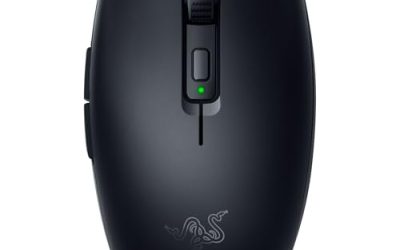
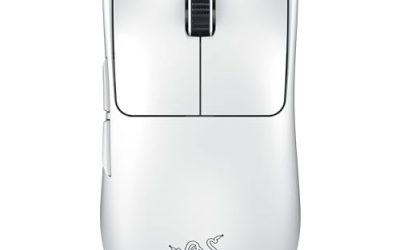
Razer DeathAdder Essential
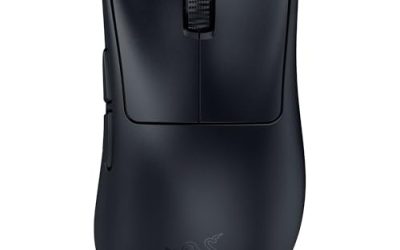
The DeathAdder Essential brings the most famous shape in this guide to the lowest bracket, and that shape is the whole reason to pick it. Its right-handed ergonomic shell fills the palm and supports long sessions in shooters and open-world games, while rubber side grips keep the thumb planted during fast flicks. The 6,400 DPI optical sensor is more modest on paper than its rivals here, but it tracks cleanly at the sensitivities most players actually use, and five programmable buttons cover the essentials without crowding the shell. Green lighting on the scroll wheel and logo keeps the classic Razer look.
Specs
- True 6,400 DPI optical sensor
- 5 programmable buttons with mechanical switches
- Rubber side grips for control during fast movement
- Classic right-handed ergonomic shape
- Green illuminated scroll wheel and Razer logo
- Corded electric power source with a wired USB connection
Best for: Palm-grip players who want a comfortable, proven ergonomic shape for long gaming sessions.
Watch out for: The 6,400 DPI ceiling is lower than the other mice in this guide, so players who use very high sensitivity should check the listed DPI steps before buying.
SteelSeries Rival 3
The Rival 3 is the pick for players who care most about the sensor, because its TrueMove Core optical sensor and 8,500 CPI ceiling lead this group and hold up in fast-paced shooters. Split-trigger buttons separate the left and right clicks from the shell, giving each click a crisp, consistent feel, and six programmable buttons cover DPI switching, side actions and extra bindings. Prism RGB lighting runs through three zones, so the mouse can match a setup or sit quietly with the lighting off. At 77 grams it is the lightest mouse here, and that shows in quick flicks and long tracking movements.
Specs
- 8,500 CPI TrueMove Core optical sensor
- 6 programmable buttons with split-trigger design
- Brilliant Prism RGB lighting across three zones
- Mechanical switches rated for 60 million clicks
- 77 g lightweight ergonomic build
- Wired USB connection, compatible with Windows, Mac, Linux and Xbox
Best for: Competitive shooter players who want the strongest sensor and the lightest shell in this group.
Watch out for: The shell is right-handed only, so left-handed players need a different pick from this guide.
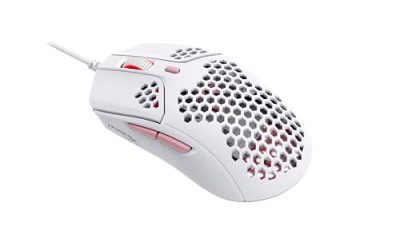
HyperX Pulsefire Core

The Pulsefire Core is the quiet overachiever of the group, built around a Pixart 3327 sensor that usually appears in mice well above this bracket. That sensor tracks smoothly up to 6,200 DPI without hardware acceleration, keeping aim consistent when you switch between games, and the 87 gram body gives it a planted, steady feel that suits controlled aiming. Seven programmable buttons are the most in this guide, and the switches are rated for 20 million clicks, so the main buttons should last through years of daily play. Onboard memory stores lighting and macro settings through HyperX NGENUITY, so your setup follows the mouse to another computer.
Specs
- Pixart 3327 optical sensor with native DPI settings up to 6,200 DPI
- 7 programmable buttons with switches rated for 20 million clicks
- Software-controlled RGB light effects and macro customization
- 87 g mouse weight with an ergonomic right-handed design
- Onboard memory for saved settings
- Wired USB connection with a 1,000 Hz polling rate
Best for: Players who want the most programmable buttons and a respected sensor for steady, controlled aiming.
Watch out for: RGB and macro setup runs through HyperX NGENUITY software, so confirm your operating system is supported before buying.
Which One Fits Your Situation
You play fast shooters and flick a lot
Pick the SteelSeries Rival 3, because its 77 gram shell and 8,500 CPI TrueMove Core sensor are built for quick flicks and long tracking movements. The split-trigger buttons keep clicks crisp under pressure, and the six programmable buttons cover a DPI switch and side actions without crowding the shell. Keep the lighting simple and let the sensor do the work.
You want one mouse for gaming and everyday work
Pick the Logitech G203 LIGHTSYNC, because its compact shape, onboard memory and G HUB software move easily between a gaming desk and a laptop. The six programmable buttons handle browser shortcuts and game bindings alike, and the 8,000 DPI sensor covers both precise aiming and fast desktop movement. It is the most flexible pick in the group.
Your sessions run long and comfort comes first
Pick the Razer DeathAdder Essential, because its right-handed ergonomic shell and rubber side grips support the palm through hours of play. The 6,400 DPI sensor is plenty for the sensitivities most players use, and the five-button layout stays out of the way. If your hand tires easily, this shape is the safest bet here.
You play MOBA or MMO games with lots of bindings
Pick the HyperX Pulsefire Core, because its seven programmable buttons are the most in this guide and give room for abilities, items and macros without reaching for the keyboard. The Pixart 3327 sensor tracks cleanly across games, and onboard memory carries your bindings to another computer. The steady 87 gram body suits deliberate, controlled play.
Common Mistakes
- Buying on the biggest DPI number alone instead of checking the sensor name, the adjustable steps and the polling rate.
- Ignoring grip style and hand size, then ending up with a shell that cramps the palm or slips under the fingers.
- Forgetting to check whether the companion software supports your operating system before ordering.
- Letting a stiff cable drag across the desk edge instead of routing it with slack and a clear path.
- Treating RGB lighting as a sign of quality instead of comparing the sensor, buttons and shape first.
Frequently Asked Questions
Is a wired mouse better than wireless at this level?
Yes, for most buyers in this bracket a wired mouse is the smarter choice. A cable removes batteries, charging and wireless dropouts from the equation entirely, and it keeps the mouse lighter than a wireless model with a battery inside. The trade-off is cable drag, which you can manage by routing the cord with slack and keeping it clear of the desk edge.
How much DPI do I actually need?
Most players settle between 400 and 3,200 DPI, and the mice in this guide all cover that range comfortably. Higher DPI only matters if you play at very high sensitivity on a large monitor, and even then a clean sensor matters more than the ceiling number. Pick a sensitivity that lets you turn comfortably with your usual arm movement, then set the mouse to match it.
Do these mice work on Mac?
The Logitech G203 LIGHTSYNC and the SteelSeries Rival 3 list Mac compatibility on their Amazon pages, so they are the safest picks for a Mac setup. The Razer DeathAdder Essential and the HyperX Pulsefire Core are built mainly around Windows software for full customization, though basic pointing and clicking work broadly. Check the listing for your operating system before buying.
Can one mouse handle work and gaming?
Yes, and that is one of the strengths of this group. The programmable buttons can carry browser shortcuts and application commands during the day, then switch to game bindings in the evening, and a DPI switch helps with precise work in design or editing apps. Onboard memory on the Logitech, SteelSeries and HyperX models carries those settings between computers.