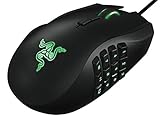
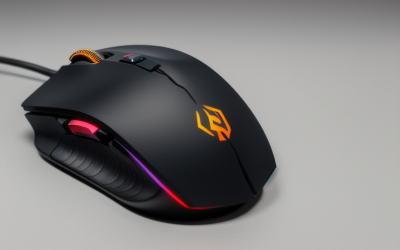
- Top Pick: Razer Basilisk V3 Customizable RGB Wired Ergonomic Gaming Mouse, Black | Fastest Gaming Mouse Switch, Chroma RGB Lighting, 26K DPI Optical Sensor, 11 Programmable Buttons, HyperScroll Tilt Wheel
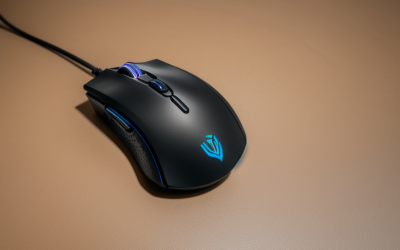
- Best Value: Redragon M801 Gaming Mouse, RGB PC Gaming Mouse MMO with 9 Programmable Buttons Macro Recording, 16000 DPI, Fire Button for Gaming Windows Computer – Wired, Black
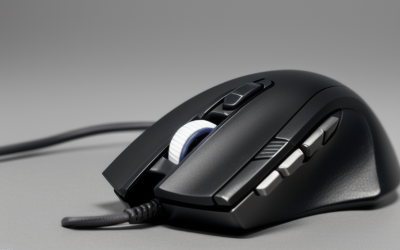
- Premium Choice: Logitech G305 LIGHTSPEED Wireless Gaming Mouse, Hero 12K Sensor – Black | 12,000 DPI, lightweight, 6 programmable buttons, 250h battery life, on-board memory, PC/Mac, lightweight gaming mouse
Searching for a laser gaming mouse in 2026 means swimming against the current. The market has largely moved to optical sensors, and many of the best-known gaming mice no longer say laser anywhere on the box. So the first decision is whether you truly want laser tracking, which handles glossy and uneven surfaces more readily, or whether you simply want a capable high-DPI mouse and the word laser is a habit from an older generation.
This guide is for players who care about the sensor type but still want programmable buttons, a comfortable shape and either wired or wireless freedom. Only three listings below name laser in the title; the others use optical or hero-class sensors, or leave the type unstated. That distinction is flagged in every entry, and all details come from the listings rather than assumptions about how any model behaves.
Quick Picks
As an Amazon Associate we earn from qualifying purchases at no extra cost to you.





| Product | Best for | Key spec from the title |
|---|---|---|
| Razer Basilisk V3 | Ergonomic wired play | 26K DPI optical sensor, 11 buttons |
| Redragon M801 | MMO on a tight budget tier | 16000 DPI, 9 buttons, macro recording |
| Logitech G305 Lightspeed | Lightweight wireless | Hero 12K sensor, 250h battery |
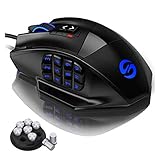
| UtechSmart Venus Pro | MMO macro lovers | 16400 DPI, 16 programmable buttons |
| AFUNTA C12 Laser | Laser sensor on a simple mouse | 8000 DPI, 12 buttons, 4-level switch |
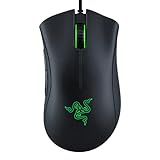
| Razer DeathAdder Essential | Simple ergonomic wired | 6400 DPI optical, 5 buttons |
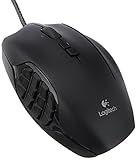
| Logitech G600 | MMO laser mouse | USB laser gaming mouse |
| Razer Basilisk V3 X HyperSpeed | Wireless with long battery | 18K optical sensor, 285 hr battery |
| A4Tech Laser Gaming Mouse | Basic laser option | Laser, sold by Ergoguys |
| Redragon M901K | Extreme button count | 12400 DPI, 19 programmable buttons |
How to Choose
Laser versus optical tracking
Laser sensors read a wider range of surfaces, including glass and glossy wood, and often quote very high DPI. Optical sensors tend to be steadier at low and mid speeds, which is why most competitive shooters prefer them. If you play on a good cloth pad, an optical sensor in the 12K to 26K range, as on the Razer and Logitech models here, is more than most players need.
DPI is a ceiling, not a score
Numbers like 16000, 16400 or 26K describe the highest sensitivity setting. Most players run between 400 and 1600 DPI, so look instead for a DPI switch you can reach quickly, such as the 4-level switch on the AFUNTA, and for on-board memory that stores profiles. Treat enormous DPI figures as a marketing line.
Buttons, shape and weight
MMO and MOBA players benefit from a thumb grid with 12 to 19 side buttons; FPS players usually want fewer buttons and a lighter body. Ergonomic right-hand shapes such as the Basilisk V3 and DeathAdder suit palm and claw grips. Weight tuning, as on the Redragon M901K, helps you adjust balance, and a six-button wireless design keeps things light.
Wired or wireless, and where budget mice cut corners
Wireless gaming mice rely on a 2.4 GHz receiver and list battery hours in the title. Wired models skip battery worries and suit tournament setups. Budget mice often use basic switches, plain cables or thin software, and some listings, including a few here, give almost no detail, so take extra care to verify the sensor and button count.
The 10 Best Options
Razer Basilisk V3
A wired ergonomic mouse with Chroma RGB, an optical sensor listed at 26K DPI, 11 programmable buttons and a HyperScroll tilt wheel. The title also mentions the fastest gaming mouse switch.
- Strength: 11 programmable buttons give MMO and productivity flexibility.
- Strength: an ergonomic shape suits a palm grip.
- Trade-off: it uses an optical sensor, not laser, so it is a stand-in for the keyword.
Skip it if you insist on a laser sensor or need a very light, ambidextrous body. It is for players who accept optical tracking and want a well-equipped wired mouse, especially those who switch between games and office work and like having spare programmable buttons for shortcuts.
Redragon M801
An RGB wired MMO mouse with 9 programmable buttons, macro recording, 16000 DPI and a fire button. The title does not state the sensor type.
- Strength: macro recording and 9 buttons suit MMO play.
- Strength: the fire button offers a quick trigger action.
- Trade-off: sensor type and switch details are not listed.
Skip it if the sensor type matters; confirm it on the full listing first. It suits players dipping into MMO titles who want macro recording and a spread of buttons without committing to a more elaborate, heavier thumb-grid design.
Logitech G305 Lightspeed
A wireless gaming mouse using the Hero 12K sensor, with 12,000 DPI, six programmable buttons, on-board memory and a listed 250 hour battery, for PC and Mac.
- Strength: wireless with a long stated battery life.
- Strength: lightweight and compact.
- Trade-off: only six buttons, and it is an optical-class sensor.
Skip it if you want a thumb grid of side buttons or a true laser sensor. It is the right pick for travel, tidy desks and simple setups, where cutting cable clutter and carrying a small, light mouse matter more than macros.
UtechSmart Venus Pro
An MMO mouse with 16400 DPI, RGB lighting, 16 programmable buttons, an ergonomic grip and an optical sensor. The title mixes wired wording with 2.4G and a 70 hour battery claim, so the connection type needs checking.
- Strength: 16 programmable buttons for MMO and macro work.
- Strength: ergonomic shape for long sessions.
- Trade-off: mixed wired and wireless wording makes the exact setup unclear.
Skip it if you want certainty about how it connects. Read the full listing before choosing it, as it is optical, not laser. It appeals to MMO players who want a big macro panel, provided the connection details check out.
AFUNTA C12 Laser
One of the few titles that names laser. It lists 12 programmable buttons, 8000 DPI and a 4-level DPI switch with a double-speed adjustment.
- Strength: it is a laser mouse, matching the keyword directly.
- Strength: 12 programmable buttons and a 4-level switch.
- Trade-off: the brand and details are minimal, so quality is unclear.
Skip it if you want established software support or on-board profiles. It is for shoppers who want laser tracking and many buttons in one simple mouse, and who are willing to read the full listing for extra detail.
Razer DeathAdder Essential
A wired ergonomic mouse with a 6400 DPI optical sensor, five programmable buttons, rubber side grips and mechanical switches.
- Strength: rubber side grips help control.
- Strength: a simple five-button layout is easy to learn.
- Trade-off: it is optical and has fewer buttons than the MMO options.
Skip it if you need macro keys. It suits FPS players who value a familiar shape over a crowded thumb panel, and anyone who wants an easy first gaming mouse with a gentle learning curve and few settings to manage.
Logitech G600
The title calls this a Logitech G600 MMO USB laser gaming mouse, model 910-003879, and gives no further specs.
- Strength: it is clearly labelled as laser.
- Strength: it is positioned as an MMO mouse from a major brand.
- Trade-off: the title lists no DPI, button or weight figures.
Skip it if you need specifics up front. Shoppers who want a branded laser MMO mouse should check the full listing for button layout and software support, since the short title leaves those questions open.
Razer Basilisk V3 X HyperSpeed
A wireless gaming mouse with second-generation mechanical switches, a 5G 18K optical sensor, Chroma RGB, nine programmable controls and a 285 hour battery.
- Strength: a long listed battery figure for wireless use.
- Strength: nine controls with an optical sensor.
- Trade-off: optical, not laser, and a wireless design adds a receiver to manage.
Skip it if you want a wired, laser mouse. It suits those who prefer a wireless desk with an ergonomic body and who would rather swap a battery now and then than manage a cable across the mat.
A4Tech Laser Gaming Mouse (Ergoguys)
A plain laser gaming mouse from A4 Tech, sold through Ergoguys. The title provides no DPI or button information.
- Strength: it is labelled laser.
- Strength: a basic design with no extras to configure.
- Trade-off: no specs in the title at all.
Skip it if you need numbers to compare. It is a candidate only if the full listing confirms the button count, DPI range and cable length, and it may appeal to buyers who simply want something laser-labelled to stand in as a backup mouse.
Redragon M901K
An MMO and MOBA mouse with up to 12400 DPI, 19 programmable macro buttons including 12 side buttons, RGB lighting and eight 2.4 g tuning weights.
- Strength: 12 side buttons and 19 total programmable controls.
- Strength: removable weights let you tune balance.
- Trade-off: the sensor type is not stated, and the big button grid takes practice.
Skip it if you play FPS with a minimal setup. It is for MMO and MOBA fans who want macros on every action and the option to adjust balance, and who accept that a large button array takes time to learn.
Which One Fits Your Situation
You specifically want laser tracking
The AFUNTA C12 Laser, Logitech G600 and A4Tech models are the ones whose titles say laser. Pick the AFUNTA for button count or the G600 for brand familiarity.
You play MMOs
The Redragon M901K and UtechSmart Venus Pro offer the biggest side-button arrays, while the G600 is the branded alternative. Newcomers who are unsure how many macros they will use can start with the Redragon M801 and its nine buttons.
You want wireless freedom
The Logitech G305 Lightspeed is the compact option, while the Razer Basilisk V3 X HyperSpeed lists a longer battery figure and more controls.
You play shooters
The Razer DeathAdder Essential keeps buttons to a minimum with a familiar ergonomic shape, and the Basilisk V3 X HyperSpeed is the wireless alternative if you want an optical sensor with a few extra controls.
Common Mistakes
- Chasing a laser label when an optical sensor would track better on your mouse pad.
- Reading a high DPI figure as a sign of accuracy.
- Buying a 16-button MMO mouse for a game that uses four buttons.
- Skipping the connection type, especially on listings that mix wired and wireless wording.
- Ignoring weight, then finding the mouse tiring in long sessions.
Related guides
- Battery Operated Smoke And Carbon Monoxide Detectors
- Combination Smoke And Carbon Monoxide Detectors
- Aio Liquid Coolers For High Performance Gaming
Frequently Asked Questions
Is a laser mouse better than an optical one?
Not automatically. Laser handles more surfaces, while optical is often steadier on a good pad, which is why many esports players use it.
How much DPI is enough?
Most players use 400 to 1600 DPI. A higher ceiling is only useful on very high-resolution screens.
Are wireless gaming mice reliable?
Modern 2.4 GHz designs such as Lightspeed and HyperSpeed are built for gaming. Check the listed battery hours and keep a cable handy.
Are 12 side buttons necessary?
Only for MMO or MOBA play, where each skill can sit under a thumb. For shooters, five or six buttons are plenty, and extra buttons can be pressed by accident.