

Affiliate disclosure: As an Amazon Associate we earn from qualifying purchases. This post contains affiliate links — if you buy through them we may earn a small commission at no extra cost to you. This never affects our recommendations.
As an Amazon Associate we earn from qualifying purchases at no extra cost to you.


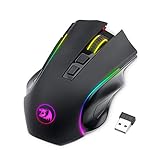

Whether you are grinding ranked matches at a hotel, competing at a LAN event across the country, or simply refusing to let your game fall apart on a business trip, your peripherals matter as much away from your desk as they do at home. A standard full-size gaming mouse does not fit neatly into a carry-on pouch, drains a laptop battery through its USB receiver, and often weighs enough to be a nuisance in an already-packed bag. A dedicated travel gaming mouse solves all three problems without forcing you to sacrifice sensor accuracy or click feel.
In a hurry? See the top-rated Travel Gaming Mouse deals available right now:
🛒 Check Travel Gaming Mouse Prices on Amazon →🛒 Best Price Today on Amazon
Prime members get fast, free shipping on everything above, plus member-only deals. New members get a 30-day free trial — cancel anytime.
Start 30-Day Prime Free Trial →See Today’s Amazon DealsWhat Makes the Best Travel Gaming Mouse
Not every small mouse qualifies as a great travel gaming mouse. Plenty of compact mice are designed for office productivity and will frustrate anyone trying to play a first-person shooter or MOBA at a reasonable level. The key criteria that separate a genuine travel gaming pick from a glorified presentation clicker are:
Size and portability. A travel mouse should fit comfortably in a laptop sleeve side pocket or a small accessories pouch. That generally means a body length under 115 mm and a width under 65 mm, though some ultra-light builds push those dimensions slightly. Weight under 80 g is the goal; anything over 100 g starts to feel like a compromise when you are already carrying a full travel kit.
Wireless flexibility. A wired mouse on a plane or in a hotel room is a liability. Dual-mode mice that support both a USB nano-receiver and Bluetooth are ideal because they let you switch between a dedicated dongle for low-latency gaming and Bluetooth for casual browsing when you do not want to use a USB port at all.
Battery life. Travel gaming involves unpredictable charging opportunities. A mouse that lasts 40 hours is barely useful if you are spending a week away from your home setup. Aim for 70 hours or more on wireless, and prefer models that accept standard AA or AAA batteries so you can swap cells at any convenience store in an emergency.
Sensor quality. Travel does not mean settling for a mediocre optical sensor. The best travel gaming mice use flagship or near-flagship sensors — HERO 25K, Focus Pro 30K, or PMW3395 variants — that track accurately on a wide range of surfaces, including the cheap polyester mousepads sold at gaming cafes and the textured wood of a hotel desk.
Durability. A travel mouse takes more physical abuse than a desk mouse. It gets tossed into bags, placed on unknown surfaces, and used without a mousepad half the time. Solid build quality, minimal flex, and click switches rated for at least 20 million actuations are important long-term considerations.
Our Top 5 Travel Gaming Mice in 2026
1. [Best Overall] Logitech G305 LIGHTSPEED — The Dependable All-Rounder That Never Lets You Down
Why We Picked It
- The HERO 25K sensor delivers flagship-tier accuracy at any DPI setting from 100 to 25,600, tracking cleanly on surfaces ranging from bare wood to rough fabric — no special mousepad required.
- LIGHTSPEED wireless operates at 1 ms report rate, matching wired performance in latency-sensitive games; the nano-receiver is tiny enough to store inside the mouse body when not in use, so it never gets lost in a bag.
- A single AA battery powers the G305 for up to 250 hours of gaming — weeks of travel use before you need to swap, and a AA cell is available at every airport and convenience store on the planet.
- At around 99 g with the battery, it is not the lightest mouse on this list, but it hits a sweet spot of durability and grip comfort that makes it feel confidence-inspiring across claw, fingertip, and hybrid grip styles.
Specs at a Glance
| Length | Weight | Battery/Connection | Sensor | Foldable |
|---|---|---|---|---|
| 116 mm | 99 g (with battery) | 1× AA / LIGHTSPEED USB dongle | Logitech HERO 25K | No |
Pros & Cons
Pros

- Exceptional 250-hour battery life via a universally available AA cell means zero charging anxiety on long trips.
- LIGHTSPEED wireless is genuinely lag-free — no detectable difference from a wired connection in competitive play.
Cons
- Only one wireless mode (dongle-only, no Bluetooth), which means you always occupy a USB port.
- 99 g with battery is heavier than ultra-light alternatives; dedicated weight-watchers may want to look at the Lamzu Thorn instead.
2. [Best Runner-Up] Razer Orochi V2 — Dual-Mode Wireless in a Package That Disappears Into Any Bag
Why We Picked It
- Dual wireless modes — HyperSpeed USB dongle for competitive play and Bluetooth 5.0 for casual use — give you the flexibility to game seriously or connect to a tablet without touching your dongle at all.
- At just 60 g with a AA battery installed, the Orochi V2 is one of the lightest wireless gaming mice on the market, yet it does not feel flimsy; the shell has a satisfying firmness that holds up well to travel abuse.
- Razer’s Focus Pro 30K optical sensor offers class-leading tracking precision with Smart Tracking, Asymmetric Cut-off, and Motion Sync features that matter most when you are playing on improvised surfaces.
- Battery life reaches up to 950 hours on Bluetooth and 425 hours via HyperSpeed — extraordinary endurance that effectively removes battery anxiety from the travel equation entirely.
Specs at a Glance
| Length | Weight | Battery/Connection | Sensor | Foldable |
|---|---|---|---|---|
| 108 mm | 60 g (with battery) | 1× AA or AAA / HyperSpeed + Bluetooth 5.0 | Razer Focus Pro 30K | No |
Pros & Cons
Pros
- Dual wireless gives you dongle-free Bluetooth when USB ports are scarce, plus low-latency HyperSpeed when gaming performance is the priority.
- 60 g body weight makes it one of the most packable performance mice ever made without requiring honeycomb cutouts that collect debris in a bag.
Cons
- The ambidextrous shell is small even by gaming mouse standards; large-handed palm-grip users may find it cramped over extended sessions.
- HyperSpeed dongle is proprietary and easy to misplace — no internal storage slot like the G305.
Shop Razer Orochi V2 on Amazon
3. [Best Budget] Logitech Pebble M350 — Maximum Portability at a Price That Does Not Sting
Why We Picked It
- At under $30, the Pebble M350 is the most affordable genuinely wireless travel mouse on this list, yet it delivers silent clicks, Bluetooth 5.0, and a USB nano-receiver in a flat, pebble-shaped body that slides effortlessly into any pocket.
- Dual connection — Bluetooth or 2.4 GHz nano-receiver — covers both laptop docks and USB-limited situations without any dongle-swapping anxiety.
- The flat, symmetrical profile collapses neatly into a minimal footprint; it is thinner than most mice and stacks cleanly against a laptop when sliding into a sleeve.
- Battery life of up to 18 months on a single AA battery is not a typo — Logitech’s efficient power management makes the Pebble an almost maintenance-free companion for extended travel periods.
Specs at a Glance
| Length | Weight | Battery/Connection | Sensor | Foldable |
|---|---|---|---|---|
| 107 mm | 100 g (with battery) | 1× AA / Bluetooth 5.0 + 2.4 GHz dongle | Logitech Optical (1000 DPI) | No |
Pros & Cons
Pros
- Genuine dual wireless at under $30 is extraordinary value — no other mouse at this price point offers both Bluetooth and a nano-receiver.
- Silent click switches are polite in quiet hotel lobbies, libraries, and shared workspaces without sounding muffled or mushy.
Cons
- 1000 DPI fixed optical sensor is adequate for productivity and casual gaming but falls short for competitive first-person shooters that demand precise tracking at low DPI.
- No true gaming-grade sensor means the Pebble is best suited for strategy games, MOBAs at relaxed paces, or any genre that does not demand sub-millimeter cursor precision.
Shop Logitech Pebble M350 on Amazon
4. [Best Foldable/Packable] Logitech MX Anywhere 3S — Desktop-Grade Performance in a Body That Fits Anywhere
Why We Picked It
- The MX Anywhere 3S pairs a high-resolution 8,000 DPI sensor with a compact, contoured shell designed explicitly for productivity and travel use — a rare combination that makes it equally at home in a racing game or a spreadsheet.
- Logi Bolt USB receiver delivers a stable, encrypted 2.4 GHz connection with low enough latency for most genres; Bluetooth 5.3 provides a fallback that works on virtually any modern device.
- MagSpeed electromagnetic scrolling wheel offers virtually silent, high-precision scroll control — a quality-of-life feature that elevates browsing, productivity, and menu navigation during travel downtime.
- USB-C charging via a built-in rechargeable battery eliminates the need to carry spare cells; a full charge delivers up to 70 days of use, and a one-minute quick charge adds three hours of runtime in an emergency.
Specs at a Glance
| Length | Weight | Battery/Connection | Sensor | Foldable |
|---|---|---|---|---|
| 100 mm | 99 g | Built-in Li-Po / Logi Bolt + Bluetooth 5.3 | Logitech High-Res 8K DPI | No |
Pros & Cons
Pros

- USB-C charging means one cable covers your mouse, phone, and laptop — the smallest possible travel charging kit.
- 100 mm body length is genuinely compact; the rounded shell packs into tight spaces without snagging or scratching other gear.
Cons
- At $79, it commands a premium over the G305 for a mouse that trades some raw gaming performance for productivity features like the MagSpeed wheel.
- Built-in battery cannot be swapped in an emergency; if it dies without a cable nearby, the mouse is offline until you find a USB-C source.
Shop Logitech MX Anywhere 3S on Amazon
5. [Best Ultra-Light] Lamzu Thorn — Sub-50g Performance That Redefines What a Travel Mouse Can Weigh
Why We Picked It
- At just 45 g, the Lamzu Thorn is one of the lightest gaming mice ever commercially released — a figure that sounds impossible until you pick one up and realize the honeycomb shell is engineered rather than merely perforated.
- The PAW3395 sensor — the same flagship chip used in premium $150+ mice — ensures the Thorn’s weight savings come entirely from the chassis, not from cutting corners on tracking hardware.
- Wireless connectivity via a 2.4 GHz USB-C dongle (with a Type-A adapter included) delivers a 1 ms polling rate comparable to a wired connection; the dongle stores inside the mouse for travel.
- A built-in 500 mAh battery charges via USB-C and provides approximately 70 hours of use per charge — more than enough for a week-long trip with moderate daily gaming sessions.
Specs at a Glance
| Length | Weight | Battery/Connection | Sensor | Foldable |
|---|---|---|---|---|
| 120 mm | 45 g | Built-in 500 mAh / 2.4 GHz USB-C dongle | PixArt PAW3395 | No |
Pros & Cons
Pros
- 45 g is a genuinely transformative weight for a gaming mouse — wrist fatigue during marathon travel gaming sessions drops dramatically compared to any 80+ g alternative.
- PAW3395 sensor with flagship-tier accuracy means the Thorn is not a travel compromise; it is a travel upgrade over many desktop mice.
Cons
- Honeycomb shell accumulates lint, crumbs, and debris inside a bag faster than a solid-shell mouse; a small drawstring pouch is a near-mandatory accessory.
- At $99, it is the most expensive pick on this list; budget-focused travelers will find the G305 or Orochi V2 cover most needs at lower cost.
Head-to-Head Comparison Table
| Mouse | Length | Weight | Connection | Battery |
|---|---|---|---|---|
| Logitech G305 LIGHTSPEED | 116 mm | 99 g | LIGHTSPEED 2.4 GHz | 250 hrs (1× AA) |
| Razer Orochi V2 | 108 mm | 60 g | HyperSpeed + BT 5.0 | 425 hrs (HyperSpeed) / 950 hrs (BT) |
| Logitech Pebble M350 | 107 mm | 100 g | 2.4 GHz + BT 5.0 | ~18 months (1× AA) |
| Logitech MX Anywhere 3S | 100 mm | 99 g | Logi Bolt + BT 5.3 | 70 days (built-in) |
| Lamzu Thorn | 120 mm | 45 g | 2.4 GHz USB-C dongle | ~70 hrs (built-in) |
How to Choose the Best Travel Gaming Mouse
With five strong options across different price points and use cases, the right pick depends on a few personal priorities. Work through these questions before committing.
What genres do you play while traveling? If you play competitive FPS titles — CS2, Valorant, Apex Legends — sensor quality and connection latency are non-negotiable. The G305, Orochi V2, and Lamzu Thorn are your realistic options. If you lean toward strategy games, JRPGs, or casual titles, the Pebble M350 or MX Anywhere 3S are perfectly adequate and add productivity value when you are not gaming.
How long are your trips? For weekend trips of two to three days, nearly any wireless mouse will survive without a charge. For week-long or multi-week travel, battery longevity becomes a serious factor. The Pebble M350 and G305 win here decisively because they run on replaceable AA cells — you never need to find a charging cable, just a convenience store.
Do you need Bluetooth? If you regularly connect to tablets, smart TVs, or laptops without a spare USB port, Bluetooth is invaluable. The Orochi V2, Pebble M350, and MX Anywhere 3S all offer it. The G305 and Lamzu Thorn are dongle-only, which is fine if you always have a free USB-A port.

How much does weight matter to you? If you have wrist sensitivity or simply prefer the feel of a featherweight mouse, the Lamzu Thorn at 45 g is in a different category from everything else. If weight is not a concern, the extra grams in the G305 or MX Anywhere 3S are a reasonable trade for battery life or productivity features.
What is your budget? The Pebble M350 at $27 is the answer if you need wireless functionality without spending much. The G305 at $49 is the value sweet spot for genuine gaming performance. Step up to $69–$99 for the Orochi V2, MX Anywhere 3S, or Lamzu Thorn if specific features justify the extra cost.
Final Verdict
For most travel gamers, the Logitech G305 LIGHTSPEED is the answer. It combines a flagship sensor, genuinely lag-free wireless, and a 250-hour AA battery into a proven, durable package for $49. It is the mouse that covers the most use cases for the most people at a price that does not require justification.
If you want dual wireless with Bluetooth flexibility and an astonishingly light 60 g shell, the Razer Orochi V2 is a worthy step up at $69 — particularly compelling if you ever connect to devices without free USB ports.
Traveling on a tight budget? The Logitech Pebble M350 at $27 provides dual wireless and an 18-month battery life in a genuinely pocketable form factor. It will not win you a tournament, but it will not disappoint you on a train either.
If you want a premium productivity-meets-gaming hybrid with USB-C charging and a 100 mm body, the Logitech MX Anywhere 3S delivers the most refined all-around travel experience for the user who games and works in roughly equal measure.
And if weight is everything to you — if you have measured your carry-on gram by gram and refused to accept a 99 g mouse — the Lamzu Thorn at 45 g is simply without peer. It is expensive, it needs a protective pouch, and it is worth every penny for the right traveler.
Whichever mouse you choose, the investment in a dedicated travel gaming mouse pays dividends in every session away from your desk. Your aim stays sharp, your wrist stays comfortable, and your game does not have to suffer just because you are not at home.
Frequently Asked Questions
What makes a good travel gaming mouse?
A compact, durable design, wireless connectivity to cut cable clutter, long battery life, and a carry-friendly shape. It should still have a quality sensor for real gaming on the go.
Are small mice good for gaming?
Compact mice suit smaller hands and fingertip grip well. For travel they are convenient, though players with large hands or a palm grip may find a full-size mouse more comfortable.
Should a travel mouse be wireless?
Wireless is ideal for travel, eliminating cable hassle in cramped spaces. Look for one with a USB receiver that stows in the mouse plus good battery life or fast charging.
Can a travel mouse double as my main gaming mouse?
A good compact wireless mouse with a quality sensor works fine as a daily driver, especially for smaller hands. Players with large hands may prefer a fuller-size mouse at home.
Related Articles
Looking for more on this topic? Browse the hand-picked guides below — each one applies the same scoring rubric used in this review.
















