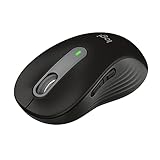
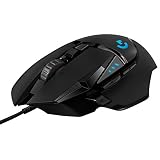
Wireless mice have quietly become the default for most people, and for good reason: the latest models pair clean, cable-free desks with the kind of tracking accuracy and battery life that once demanded a wired connection. Whether you want silent clicks for a shared office, a rechargeable everyday companion, or a lightweight gaming sensor, there’s a wireless mouse tuned for your setup.
We’ve sorted through the current field to highlight the top wireless mice across budgets and use cases. Our picks favor dependable connectivity, comfortable shapes, and sensible extras like adjustable DPI and silent switches, so you end up with a mouse that feels effortless from the first click.
As an Amazon Associate we earn from qualifying purchases at no extra cost to you.




🎮 Get More From Your Setup — Free
Prime Gaming gives you free PC games every month, in-game loot, and a free Twitch channel sub — plus fast free shipping on all the gear above. New members get a 30-day free trial.
As an Amazon Associate we earn from qualifying purchases at no extra cost to you.

Watch: Best Top Wireless Mice — Video Review
How to Choose a Wireless Mouse
- Connection type: A 2.4GHz dongle is the most reliable and universal, while Bluetooth connects directly to laptops and tablets without a receiver.
- DPI flexibility: Adjustable DPI, from 1000 up to 4000 or more, lets you dial in cursor speed for everything from precise editing to fast multi-monitor work.
- Noise level: Silent-click switches are a genuine quality-of-life upgrade in offices, libraries, and shared living spaces.
- Battery approach: Rechargeable mice avoid disposable waste, while AA-powered models offer months of use and easy swaps on the go.
- Grip and size: Compact mice suit travel and smaller hands; fuller shapes give larger hands more support during long sessions.
The Best Wireless Mice Reviewed
Logitech G305 Lightspeed
The G305 is our performance pick, delivering fast Lightspeed wireless and a precise sensor that satisfies gamers and power users alike. Its light body and long battery life make it just as capable for everyday productivity.
Logitech M240 Silent Bluetooth
The compact M240 pairs quiet, silent-click switches with convenient Bluetooth connectivity. It’s the ideal choice for open offices and shared spaces where clicking noise is a distraction.
Logitech M185
A perennial value favorite, the M185 offers reliable 2.4GHz wireless and an ambidextrous shape in a travel-ready size. It’s the no-fuss pick for laptop users who want dependability on a budget.
Acer 4000 DPI Wireless Mouse
This Acer model stands out with up to 4000 DPI across five adjustable levels, giving you precise control on high-resolution and multi-monitor setups. It’s a versatile, affordable performer for demanding desktops.
Afaartcci Rechargeable Silent Mouse
The Afaartcci combines rechargeable convenience with silent Bluetooth operation in a sleek black shell. It’s a smart pick for anyone who wants to skip disposable batteries and keep things quiet.
Frequently Asked Questions
Are wireless mice reliable now?
Yes. Modern 2.4GHz and Bluetooth mice offer stable, lag-free performance for productivity and casual gaming, with only elite esports demanding wired connections.
Rechargeable or battery-powered?
Rechargeable mice are more eco-friendly and never leave you searching for spares, while AA-powered models offer very long runtimes and instant swaps when they do die.
What DPI do I need?
1000 to 1600 DPI suits standard displays, while 2400 to 4000 DPI helps on 4K screens and multi-monitor setups where you cover more pixels per movement.
Do silent mice feel different to click?
They use dampened switches that greatly reduce noise while keeping a satisfying, positive click. Most users adapt instantly and appreciate the quiet.
Final Thoughts
For overall performance, the Logitech G305 Lightspeed leads this list, while the Logitech M240 Silent is the best choice for quiet, shared spaces. If you want maximum precision on a budget, the Acer 4000 DPI mouse is a standout value pick.