

🛒 Best Price Today on Amazon
Prime members get fast, free shipping on everything above, plus member-only deals. New members get a 30-day free trial — cancel anytime.
- Top Wireless Gaming Mice Under Picks for 2026
- Best Wireless Gaming Mice Under 50 at a Glance
- 1. Razer Basilisk V3 X HyperSpeed Wireless Gaming Mouse (borderline at ~$49)
- 2. Logitech G305 Lightspeed Wireless Gaming Mouse (B086PDW7BB, ~$35)
- 3. Redragon M810 Pro Wireless Gaming Mouse, 8 Macros, 45-Hour Battery
- 4. AULA SC580X Tri-Mode Wireless Gaming Mouse, 2.4G/BT5.0/USB-C
- 5. MechLands AJAZZ AJ139 V2 MC Gaming Mouse with Charging Base
- 6. Logitech M510 Wireless Mouse, Unifying Receiver, 24-Month Battery
- How to Choose a Wireless Gaming Mouse Under 50
- Related Guides
- Frequently Asked Questions
- Related Guides
- Related Articles
- Related Guides
Top Wireless Gaming Mice Under Picks for 2026
Here are our current top wireless gaming mice under picks, compared on real Amazon owner reviews, price, and features. Live prices update below.
As an Amazon Associate we earn from qualifying purchases at no extra cost to you.








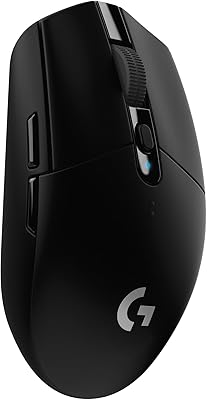


A wireless gaming mouse under $50 is a sweet spot of the modern market: good enough sensors to track competitively, dependable 2.4GHz or proprietary wireless connections, and battery lives that finally reach into the hundreds of hours — all without crossing into flagship pricing. In 2026 there are more genuine sub-$50 wireless options than ever, but there are also borderline mice that sit right at the ceiling and occasional listings that slip over with promotions. This guide rounds up the best wireless gaming mice under 50 in 2026, with an honest call-out for picks that hover near the cap.
Our picks were chosen on what genuinely matters for an affordable wireless gaming mouse: a confirmed wireless connection (2.4GHz, Bluetooth, or proprietary low-latency), a real price under or right at $50, a competent sensor, decent battery life, and value for what you get. We have included mice from around $25 up to right at the $50 ceiling, with one borderline pick flagged openly. Below is an at-a-glance comparison of all six picks, then a closer look at each, and a buyer’s guide built around wireless technology, battery life, sensor quality, and shape — the criteria that actually decide whether a sub-$50 wireless mouse feels like a deal or a compromise.
Best Wireless Gaming Mice Under 50 at a Glance
| Mouse | Best For | Standout Spec | Approx Price |
|---|---|---|---|
| Razer Basilisk V3 X HyperSpeed (borderline) | Brand-name borderline pick | HyperSpeed, 18K sensor | around $49 (borderline) |
| Logitech G305 Lightspeed (B086PDW7BB) | Trusted Lightspeed value | Hero 12K, Lightspeed, 250h | around $35 |
| Redragon M810 Pro Wireless Gaming Mouse | Macro-heavy wireless value | 10K DPI, 8 macros, 45h | around $35 |
| AULA SC580X Tri-Mode Wireless Gaming Mouse | Tri-mode connectivity | 2.4G/BT5.0/USB-C, 12K DPI | around $27 |
| MechLands AJAZZ AJ139 V2 MC w/ Charging Base | Charging-base convenience | PAW3311, 12K DPI, 3 modes | around $26 |
| Logitech M510 Wireless Mouse (productivity) | Cheapest reliable wireless | Unifying, 24-month battery | around $28 |
1. Razer Basilisk V3 X HyperSpeed Wireless Gaming Mouse (borderline at ~$49)

30
Razer Basilisk V3 X HyperSpeed Customizable Wireless Gaming Mouse, Black | Mechanical Switches Gen-2, 5G Advanced 18K Optical Sensor, Chroma RGB, 9 Programmable Controls, 285 Hr Battery
In Stock




As an Amazon Associate we earn from qualifying purchases. Product prices and availability are accurate as of the date/time indicated.
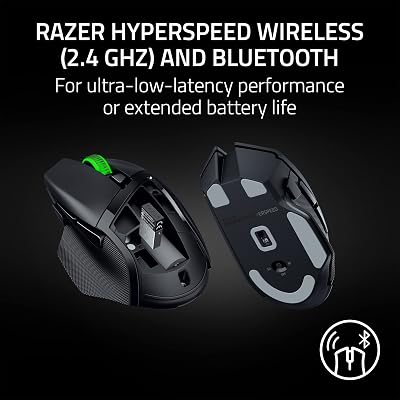
The Razer Basilisk V3 X HyperSpeed is the brand-name borderline pick — and we are flagging that openly. At around $48 it sits right at the $50 ceiling, occasionally tipping slightly over depending on the listing or promotion. It pairs Razer’s HyperSpeed wireless with an 18K optical sensor, 5G-Advanced sensor tech, and the popular Basilisk V3 X right-hand ergonomic shape. If it stays under $50, it is one of the best value brand-name wireless gaming mice on the market.
This is the mouse to choose if you can confirm it is priced at $49 or below and you want a recognisable Razer brand wireless mouse with a proven ergonomic shape. The HyperSpeed wireless feels effectively indistinguishable from wired in normal play, the 18K sensor is a real step up from budget optical sensors, and the right-hand sculpt suits long sessions. Just verify the live price before you buy, because at around $48 it has very little headroom in the under-$50 category.
Pros: Razer brand-name wireless, HyperSpeed 18K sensor, proven Basilisk ergonomic shape.
Cons: Borderline at around $48 — can occasionally tip over $50; verify live price before buying.
2. Logitech G305 Lightspeed Wireless Gaming Mouse (B086PDW7BB, ~$35)

22
Logitech G305 Lightspeed Wireless Gaming Mouse, Hero Sensor, 12,000 DPI, Lightweight, 6 Programmable Buttons, 250h Battery, On-Board Memory, Compatible with PC, Mac – Blue
In Stock






As an Amazon Associate we earn from qualifying purchases. Product prices and availability are accurate as of the date/time indicated.
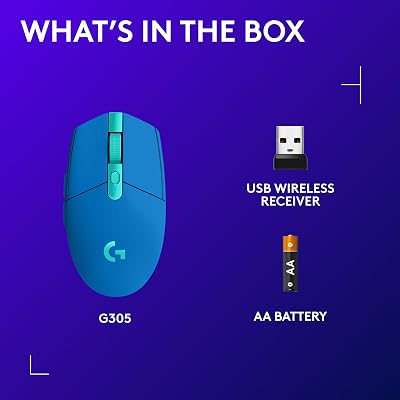
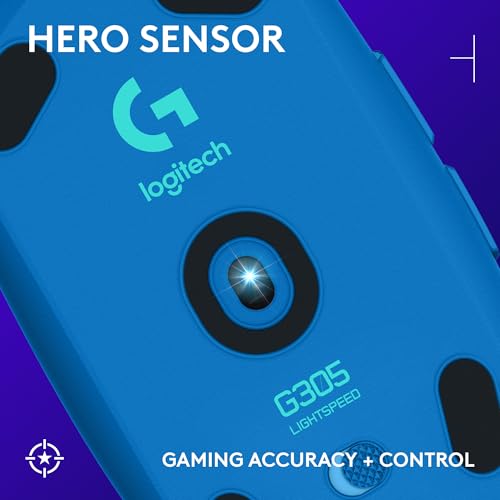
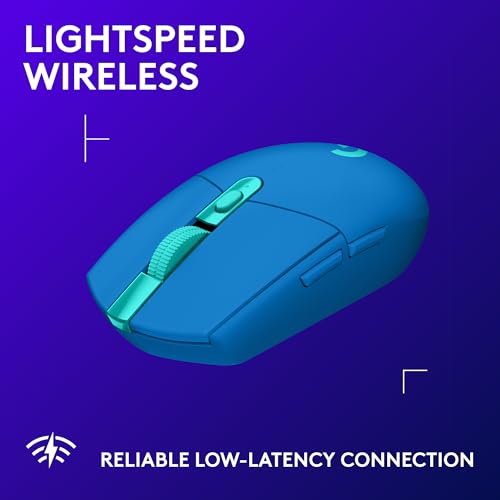
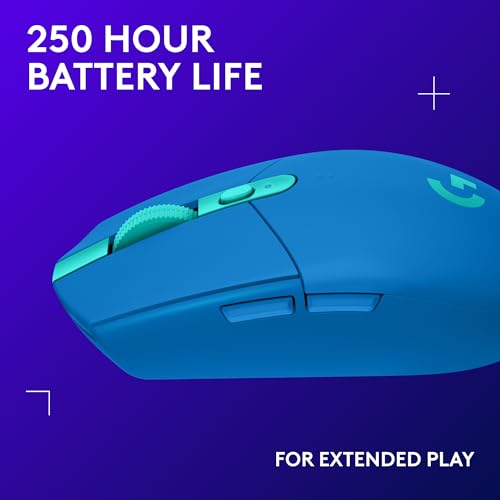
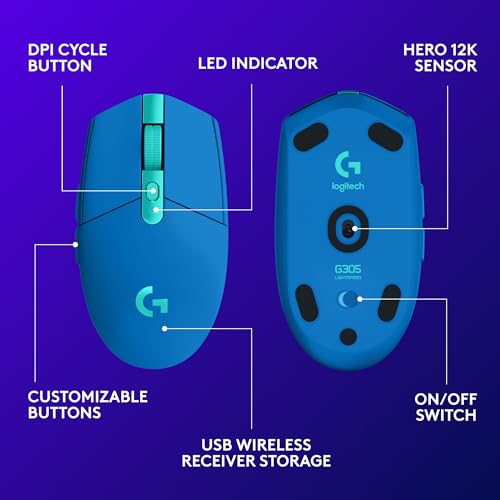
This Logitech G305 listing is the trusted Lightspeed value pick — and comfortably under $50 at around $35. It packs Logitech’s acclaimed Lightspeed wireless technology (engineered to rival wired response), the Hero 12K sensor, six programmable buttons, and a claimed battery life of around 250 hours on a single AA battery. For an under-$50 wireless gaming mouse from a top brand, it is hard to beat.
This is the mouse for the value-focused gamer who wants a name they recognise and a wireless connection that genuinely competes with wired in real play. Lightspeed keeps latency very low for fast shooters, the Hero sensor tracks accurately at any sensitivity you actually use, and the AA battery means no overnight charging — just swap a battery every few months. As a long-time benchmark for affordable wireless gaming mice, the G305 still earns its place near the top of the under-$50 list in 2026.
Pros: Lightspeed wireless rivals wired latency, accurate Hero sensor, very long battery, trusted brand.
Cons: Lightweight feel of older designs (around 99g) — not a modern sub-60g esports shell.
3. Redragon M810 Pro Wireless Gaming Mouse, 8 Macros, 45-Hour Battery

28
Prime
Redragon M810 Pro Wireless Gaming Mouse, 10000 DPI Wired/Wireless Gamer Mouse w/Rapid Fire Key, 8 Macro Buttons, 45-Hour Reliable Power Capacity and RGB Backlit for PC/Mac/Laptop
In Stock





As an Amazon Associate we earn from qualifying purchases. Product prices and availability are accurate as of the date/time indicated.
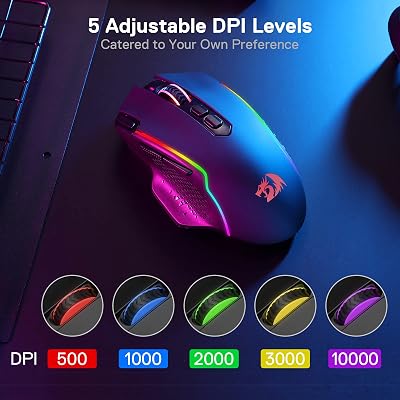
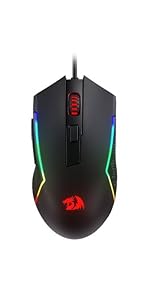
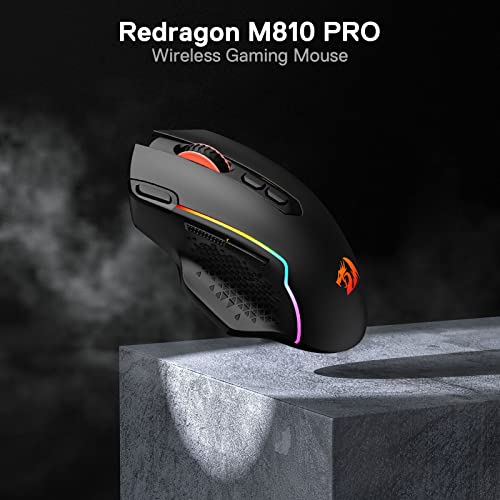
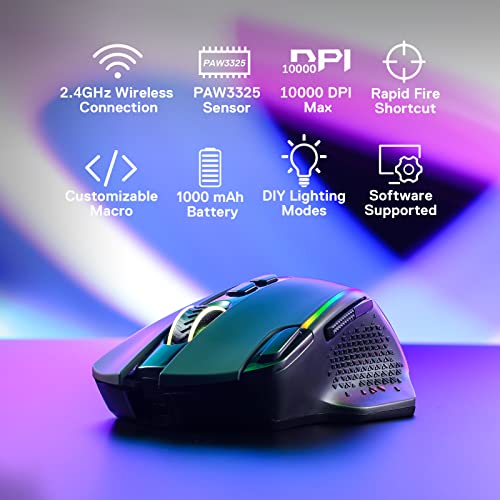
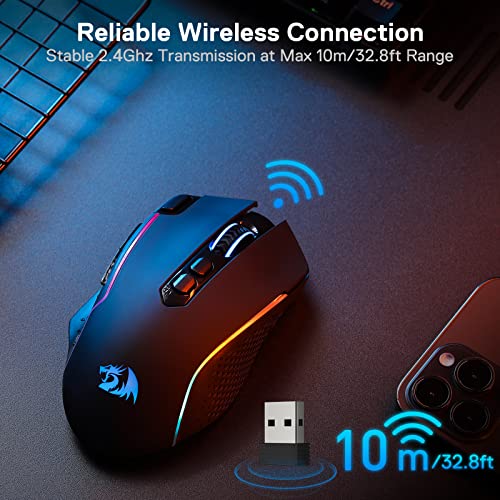
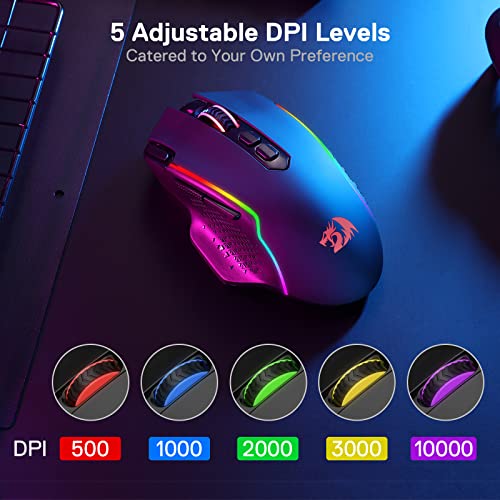
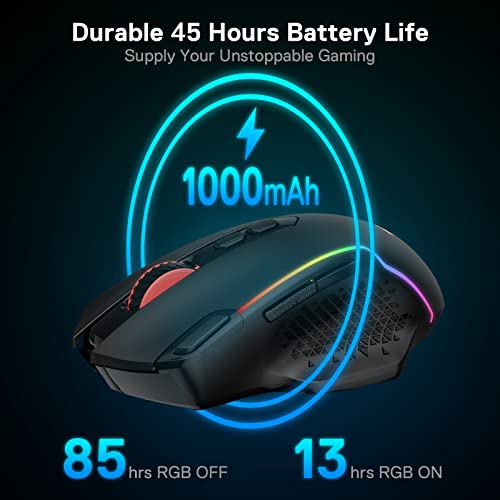
The Redragon M810 Pro is the macro-heavy wireless value pick. At around $35 it includes a wired/wireless dual mode, a 10,000 DPI sensor, 8 macro-capable buttons including a rapid-fire key, and a claimed 45-hour rechargeable battery life. For under-$50 wireless with more buttons than the typical 5-or-6-button gaming mouse, it is a strong pick.
This is the mouse for the player who wants both wireless freedom and more macro and side-button real estate than budget shells usually provide. The 8 programmable buttons cover MOBA, MMO-lite, and productivity macros; the dual wired/wireless mode means you can keep playing if the battery runs low; and the 10K DPI sensor handles everyday sensitivities comfortably. For macro-friendly affordable wireless, the M810 Pro is an easy recommendation under $50.
Pros: Dual wired/wireless, 8 programmable buttons, rapid-fire key, fair battery, good macro value.
Cons: Battery life shorter than some peers; not a true MMO shell despite extra buttons.
4. AULA SC580X Tri-Mode Wireless Gaming Mouse, 2.4G/BT5.0/USB-C

26
Prime
AULA SC580X Wireless Gaming Mouse, Tri-Mode 2.4G/BT5.0/USB-C Gaming Mice with 12000 DPI, 6 Programmable Buttons, Rechargeable Computer Mouse for Laptop/PC/Mac/Tablet
In Stock


As an Amazon Associate we earn from qualifying purchases. Product prices and availability are accurate as of the date/time indicated.
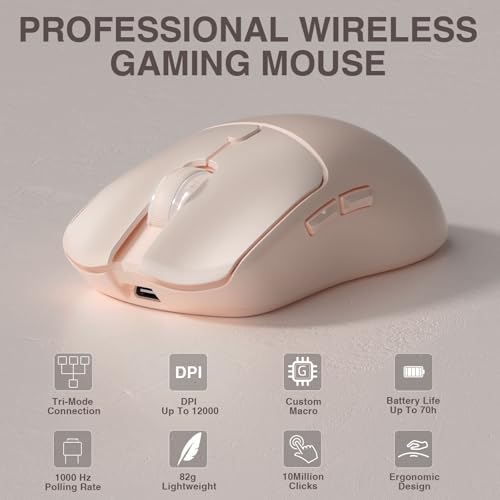
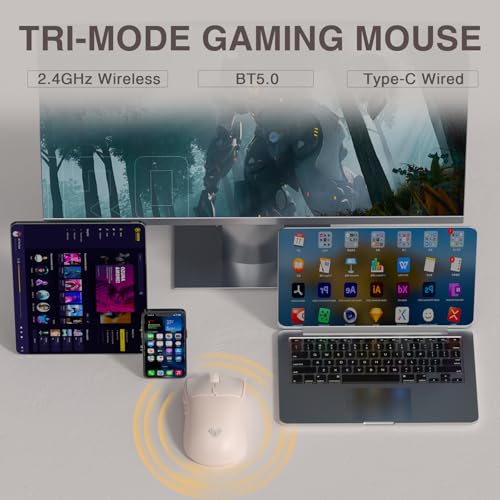
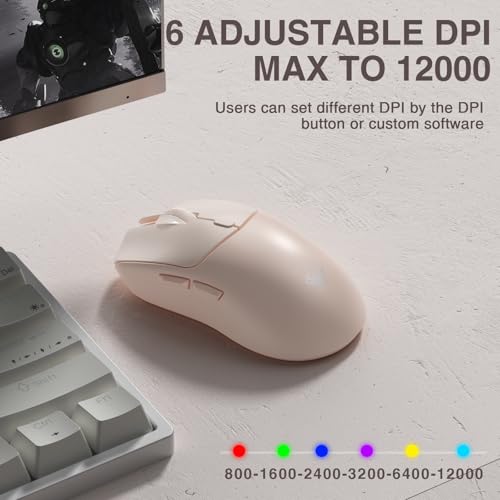
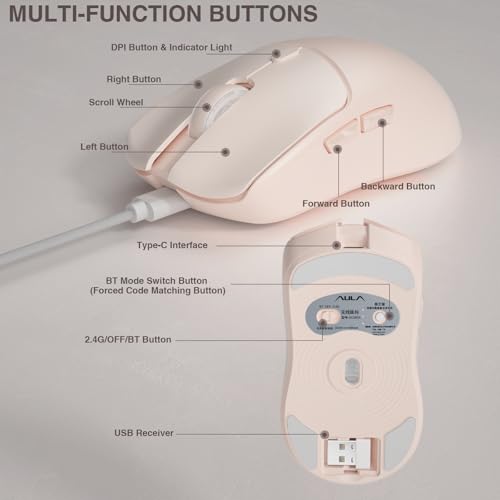
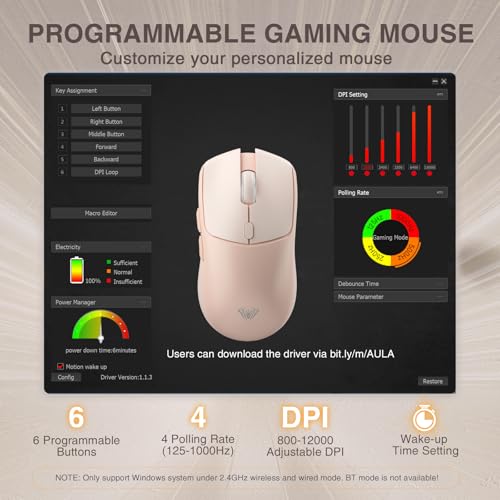
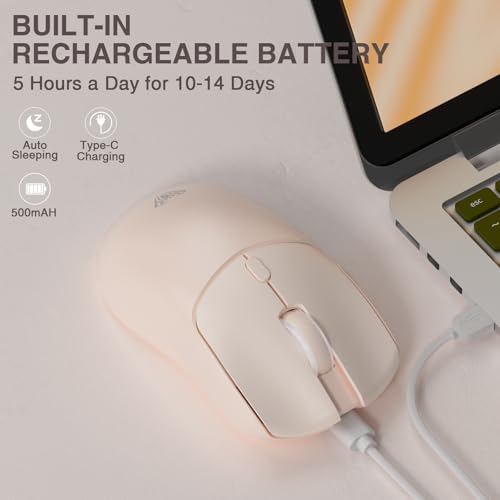
The AULA SC580X is the tri-mode connectivity pick — and one of the cheapest wireless gaming mice here at around $27. It supports 2.4GHz, Bluetooth 5.0, and USB-C wired modes, runs a 12,000 DPI sensor, has 6 programmable buttons, and is fully rechargeable. For buyers who want maximum connection flexibility under $50, it is a strong value choice.
This is the mouse for the user with multiple devices — a gaming PC, a laptop, and maybe a tablet — who wants one wireless mouse that can switch between them. Bluetooth 5.0 handles tablet and laptop pairing, 2.4GHz delivers low-latency gaming, and USB-C lets you fall back to wired if the battery runs out. The 12K DPI sensor and 6 programmable buttons cover everyday gaming sensitivities, and at around $27 there is very little to lose.
Pros: True tri-mode (2.4G/BT/USB-C) connectivity, 12K DPI sensor, 6 programmable buttons, very cheap.
Cons: Lesser-known brand; sensor and switches less proven than premium picks.
5. MechLands AJAZZ AJ139 V2 MC Gaming Mouse with Charging Base

32
Prime
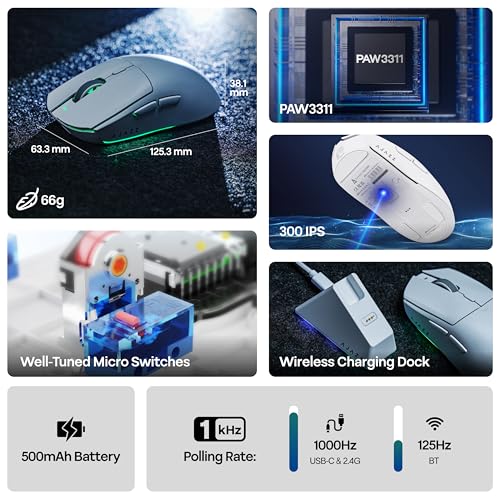
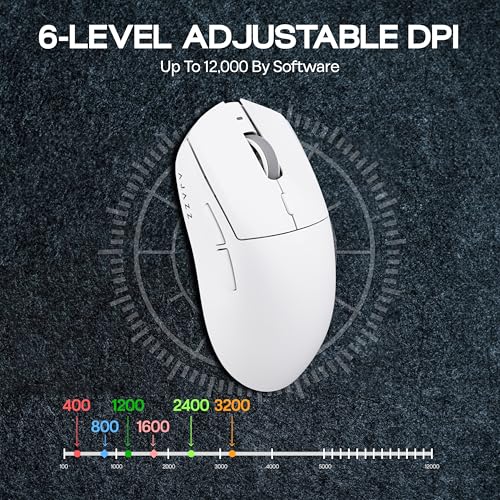
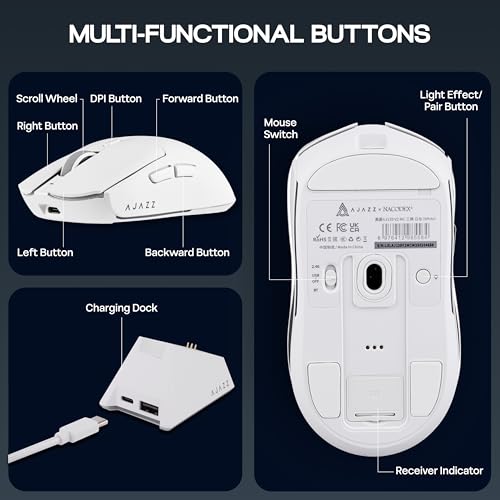
MechLands AJAZZ AJ139 V2 MC Gaming Mouse with Charging Base, Adjustable 12,000 DPI, PAW3311 Sensor, 3 Modes Wireless Mouse, 500mAh Battery, 1000 Polling Rate, 66g Lightweight, Win/Mac (White)
In Stock








As an Amazon Associate we earn from qualifying purchases. Product prices and availability are accurate as of the date/time indicated.
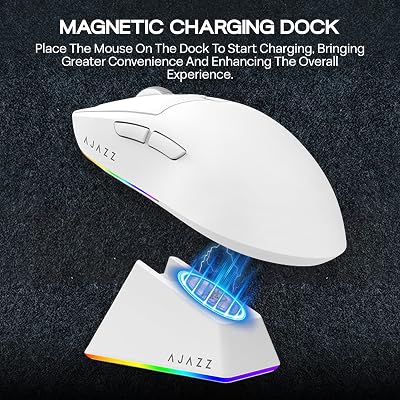
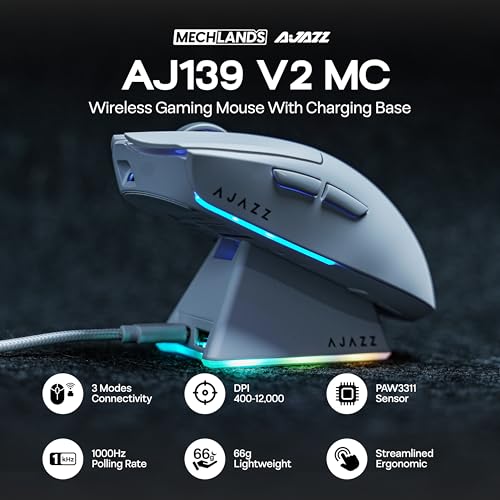
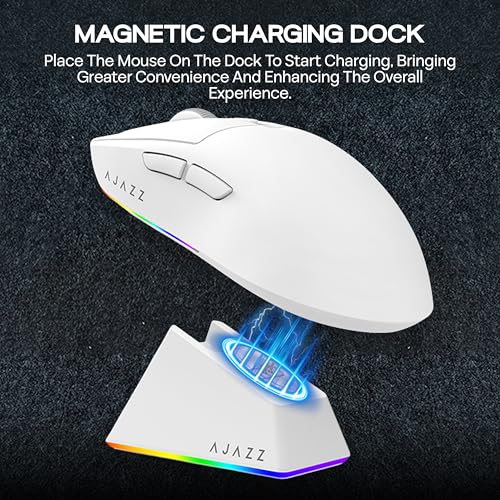
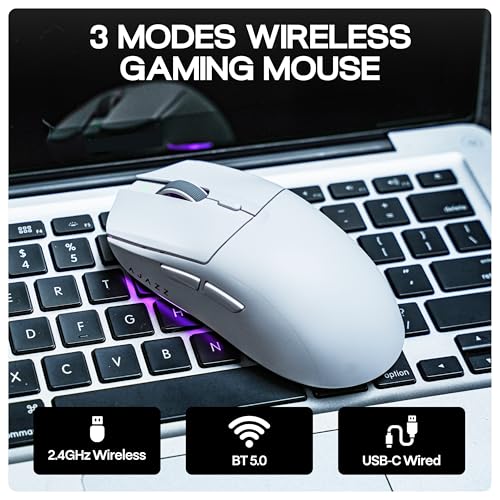
The MechLands AJAZZ AJ139 V2 MC is the charging-base convenience pick of the under-$50 wireless category — and a particularly interesting one. At around $26 it includes a small charging dock for the mouse, a 12,000 DPI PAW3311 sensor, and three wireless connection modes. For buyers who hate plugging a charging cable into the mouse, the drop-in dock is a genuine quality-of-life upgrade.
This is the mouse for the user who wants the convenience of a charging base — like premium wireless mice charge — at a budget price. The dock keeps the mouse topped up while it sits on the desk between sessions, the three wireless modes give you flexibility across devices, and the PAW3311 sensor is a step up from generic budget optical sensors. As a clever combination of features for the price, the AJ139 V2 MC stands out.
Pros: Includes a charging base, PAW3311 12K DPI sensor, 3 wireless modes, very affordable.
Cons: Lesser-known brand; relies on the base for tidy charging.
6. Logitech M510 Wireless Mouse, Unifying Receiver, 24-Month Battery
27
Prime
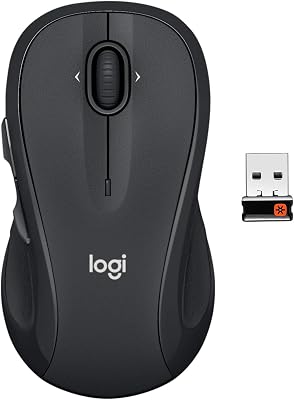
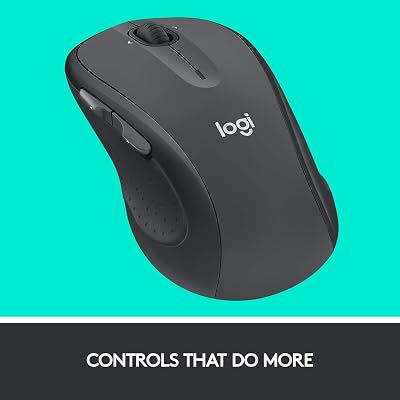
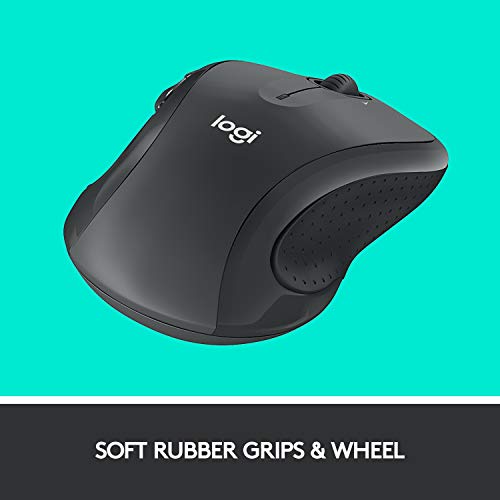
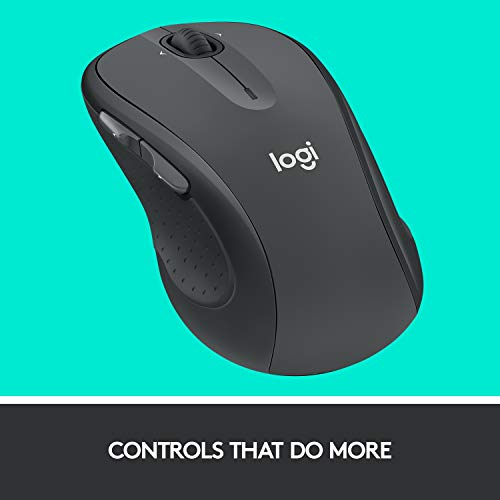
Logitech M510 Wireless Mouse, 2.4 GHz with USB Unifying Receiver, 1000 DPI Laser-Grade Tracking, 7-Buttons, 24-Months Battery Life, PC/Mac/Laptop – Graphite
In Stock






As an Amazon Associate we earn from qualifying purchases. Product prices and availability are accurate as of the date/time indicated.
The Logitech M510 is the cheapest reliable wireless pick on this list, and an honest one: it is a productivity-leaning wireless mouse rather than a competitive gaming shell. At around $28 it offers 2.4GHz wireless via Logitech’s Unifying Receiver, 1000 DPI laser-grade tracking, seven buttons, and an extraordinary claimed 24-month battery life. For everyday wireless use under $50, it is a long-running favorite.
This is the mouse to choose when you want a dependable, well-built wireless mouse for everyday work and light gaming, and you do not need a high-DPI esports sensor. The 1000 DPI tracking is more than enough for everyday use, the Unifying Receiver lets you pair multiple Logitech peripherals to one tiny USB dongle, and the 24-month battery claim means you can effectively forget about charging. For the cheapest reliable wireless mouse under $50 from a trusted brand, this is a sensible, no-fuss pick.
Pros: Trusted Logitech build, very long 24-month battery, Unifying Receiver, very affordable.
Cons: 1000 DPI tracking is below modern gaming standards — productivity-first, not esports.
How to Choose a Wireless Gaming Mouse Under 50
Under $50, the most important thing to confirm is that the wireless actually performs. A modern 2.4GHz or proprietary low-latency wireless (like Razer HyperSpeed on the borderline Basilisk V3 X HyperSpeed, or Logitech Lightspeed on the G305) genuinely rivals wired response in competitive play. Generic 2.4GHz dongles can still be excellent — Redragon, AULA, and AJAZZ all use them well at this price — but Bluetooth-only wireless is best treated as a productivity fallback rather than a primary gaming connection.
Battery life and charging method are the next decision. The Logitech G305 and M510 use AA batteries, claiming 250 hours and 24 months respectively — exceptional longevity and no charging routine. Rechargeable lithium-ion mice like the Redragon M810 Pro and AULA SC580X require more frequent topping up, but support wired use while charging. The MechLands AJAZZ AJ139 V2 MC adds a charging base for convenience. Choose based on whether you prefer swappable AAs or a rechargeable workflow.
Sensor quality and DPI determine how the mouse feels in actual play. Under $50 you should expect a competent optical sensor — Logitech’s Hero (G305), Razer’s 5G-Advanced (Basilisk V3 X HyperSpeed), PixArt’s PAW3311 (AJ139 V2 MC), and good generic 10–12K DPI sensors from Redragon and AULA all qualify. Ignore the headline DPI ceiling — what matters is clean, predictable tracking at your real sensitivity, not the maximum.
Finally, watch the price ceiling honestly. The Razer Basilisk V3 X HyperSpeed at around $48 is borderline — flagged openly above — and can tip over $50 depending on promotions or specific listings. If you want a comfortable margin under $50, the Logitech G305, Redragon M810 Pro, AULA SC580X, MechLands AJAZZ AJ139, and Logitech M510 all sit firmly under the ceiling. Match the mouse to your gaming intensity, your charging preference, and your real budget, and pick the under-$50 wireless on this list that fits.
Frequently Asked Questions
Are wireless gaming mice under 50 dollars actually competitive?
Yes, increasingly so. Modern low-latency wireless from brands like Logitech (Lightspeed in the G305) and Razer (HyperSpeed in the Basilisk V3 X HyperSpeed) genuinely rivals wired response in real play. Generic 2.4GHz wireless from Redragon, AULA, and AJAZZ also performs very well for casual and mid-tier competitive gaming. The main compromises at this price are usually weight, switch quality, and software polish — not raw wireless performance.
Is the Razer Basilisk V3 X HyperSpeed really under $50?
It sits right at the price ceiling at around $48, which is why we have flagged it openly as borderline. Depending on the listing, promotions, and timing, it can occasionally tip slightly over $50. If you want a comfortable margin under the cap, the Logitech G305, Redragon M810 Pro, AULA SC580X, MechLands AJAZZ AJ139, and Logitech M510 all sit safely below the ceiling.
Should I prefer AA-battery or rechargeable wireless mice?
Both have real advantages under $50. AA-battery mice like the Logitech G305 (around 250 hours) and Logitech M510 (around 24 months claimed) effectively let you forget charging — swap a battery every few months and move on. Rechargeable mice like the Redragon M810 Pro, AULA SC580X, and MechLands AJAZZ AJ139 V2 MC require more frequent top-ups but support wired use while charging. Match the workflow that fits how you actually use your desk.
Is Bluetooth wireless okay for gaming?
Bluetooth is fine for productivity, casual browsing, and very light gaming, but it generally has higher latency and less stable performance than a dedicated 2.4GHz dongle or proprietary low-latency wireless. The AULA SC580X and MechLands AJAZZ AJ139 V2 MC include Bluetooth as a secondary mode alongside 2.4GHz — that is the right pattern. For competitive play, use the 2.4GHz mode; for tablets and quick laptop pairing, Bluetooth is a useful fallback.
Related Guides
- Best Wireless Gaming Mouse
- Best Gaming Mouse
- Best Mouse Pads for Gaming
- Best Mechanical Keyboards
- Best Gaming Headsets
- Best Gaming Monitors
- Best Budget Gaming Setup
Affiliate Disclosure: As an Amazon Associate, we earn from qualifying purchases. If you click a link and make a purchase, we may earn a small commission at no extra cost to you. Prices and availability are accurate as of publication and may change.
Ready to decide? Our #1 pick for 2026 is the Razer Basilisk V3 X HyperSpeed (borderline).
Live price & availability on Amazon.


