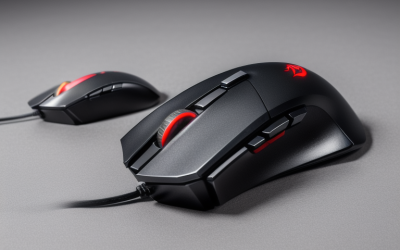
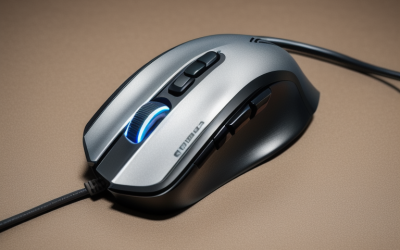
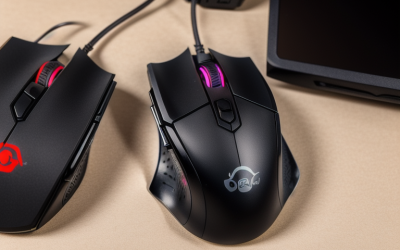
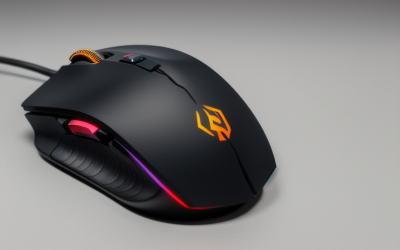
- Top Pick: Razer RZ01-01050100-R3M1 Naga Left-Handed – Ergonomic MMO Gaming Mouse with 12 Programmable Thumb Buttons – 8,200 Adjustible DPI
- Best Value: Acer Dual-Mode 2.4GHz Wireless & Wired Computer Gaming Mouse for PC, Laptop | Left & Right Handed Mouse with 24,000 DPI, 8 Programmable Buttons, Rechargable Gaming Mice, Long Battery Life, RGB Gamer
- Premium Choice: Logitech G PRO 2 LIGHTSPEED Ambidextrous Wireless Gaming Mouse – Black | Symmetrical design, <4 customizable magnetic side buttons, USB-C charging, PowerPlay Wireless Charging Supported, For PC/Mac
Left-handed players face a quiet problem: most gaming mice are shaped for the right hand, and a few buttons end up on the wrong side. Flipping the button assignments in software fixes the clicks, but it cannot flip the curve of the shell or move the thumb buttons from the right edge to the left. That is why the keyword “left handed” matters, and why mice that are either mirrored or truly symmetrical deserve a short list of their own.
This 2026 guide covers seven mice that state a left-handed, left-and-right, or ambidextrous design in the title. Two mice from the original shortlist were dropped because their titles describe no left-hand or symmetrical shape. What follows is a comparison built on those titles only, from an MMO mouse with twelve thumb buttons to a trackball and a vertical mouse. Start with the Quick Picks table, then use the checklist to choose the grip style that fits your hand. If you are new to left-handed mice, expect that the shape matters more than any single number on the box.
Quick Picks
As an Amazon Associate we earn from qualifying purchases at no extra cost to you.



| Product | Best for | Key spec from the title |
|---|---|---|
| Razer Naga Left-Handed | MMO and macro play | 12 programmable thumb buttons |
| Acer Dual-Mode Wireless | Left or right hand, wired or wireless | 24,000 DPI, 8 buttons |
| Logitech G PRO 2 LIGHTSPEED | Symmetrical esports shape | Ambidextrous, magnetic side buttons |
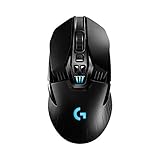
| Logitech G903 LIGHTSPEED | Long wireless sessions | 140+ hour battery, ambidextrous |
| ELECOM EX-G Left-Handed | Thumb trackball control | 2.4 GHz, 6 programmable buttons |
| Logitech Lift Left-Handed | Vertical grip | Bluetooth or Logi Bolt, quiet clicks |
| Pulsar X3 LHD Crazylight | Lightweight claw or palm grip | 43g, 32K DPI |
How to Choose
True left-handed shape versus ambidextrous
A left-handed mouse mirrors the shell and moves the thumb buttons to the left edge, as the Razer Naga, ELECOM, Logitech Lift, and Pulsar titles state. An ambidextrous mouse is symmetrical, but thumb buttons may exist on only one side or on both. Titles for the G PRO 2 and G903 describe ambidextrous designs; read the button layout in the product images to confirm which side has thumb buttons you can reach.
Grip style and weight
Palm, claw, and fingertip grips favor different shapes. The Pulsar lists a palm or relaxed claw grip and a weight of 1.51 oz (43g), which is very light. Trackballs and vertical mice such as the ELECOM and Logitech Lift change the whole motion, moving the work from the wrist to the thumb or forearm. Match the grip to the hand size you have, not to a spec sheet. Measure from the wrist crease to the tip of the middle finger, then compare that length with the product dimensions on the listing.
Connection and battery
A wired mouse never needs charging, while a wireless one frees the desk of cable drag. Wireless listings in this group include 2.4 GHz receivers, Logi Bolt, Bluetooth, and USB-C charging. The G903 lists a 140+ hour rechargeable battery and the G PRO 2 supports PowerPlay wireless charging, which keeps the battery topped up at the desk. A wired option such as the Acer dual mode removes the need to charge, if you prefer plugging in. Also confirm the receiver type: Logi Bolt and 2.4 GHz dongles each need a free USB-A port, and a laptop with only USB-C may need an adapter.
DPI and buttons: what matters
Peak DPI figures like 24,000 or 32K look impressive, but most players run a few hundred to a few thousand DPI. Button count matters more. A 12-button thumb grid suits MMO hotkeys, while a shooter fan may want just a couple of side buttons that stay out of the way. Choose the button layout first and treat DPI as a secondary line. Also check whether the mouse stores profiles on board, which spares you from reinstalling software on a second PC.
The 7 Best Options
Razer Naga Left-Handed
The Naga is an ergonomic MMO gaming mouse with 12 programmable thumb buttons and an 8,200 adjustable DPI, built for the left hand. It suits players of MMOs and other games with long ability bars, where the thumb grid replaces keyboard hotkeys. It is also the clearest answer to the question of where the buttons go, because the title says left-handed outright. The 12-button grid takes time to learn, and the shell is larger than a small esports mouse.
- Strength: 12 programmable thumb buttons on the left side.
- Strength: A shape stated as left-handed, not just reversible.
- Trade-off: The title lists only 8,200 DPI, lower than newer sensors.
Skip it if you play fast shooters and want a lightweight shell.
Acer Dual-Mode Wireless and Wired Gaming Mouse
This Acer model describes itself as a left and right handed mouse with 2.4GHz wireless and wired modes, 24,000 DPI, 8 programmable buttons, a rechargeable battery, and RGB. It is a simple pick for left-handers who want a mouse that can also be shared with a right-handed user in the same house. The title promises long battery life and RGB lighting but gives no battery figure, so treat those as general claims.
- Strength: Wired and wireless modes in one body.
- Strength: 8 programmable buttons and a rechargeable battery.
- Trade-off: The title does not mention a specific shell shape beyond left and right.
Skip it if you want a documented lightweight weight figure.
Logitech G PRO 2 LIGHTSPEED
The G PRO 2 is listed as an ambidextrous wireless gaming mouse with a symmetrical design, magnetic side buttons, USB-C charging, and PowerPlay wireless charging support for PC and Mac. The magnetic side buttons are the detail to study, since a symmetrical shell only helps a left-hander if the buttons can sit under the thumb; confirm the placement in the product images before ordering.
- Strength: Symmetrical design with customizable side buttons.
- Strength: USB-C charging and PowerPlay compatibility.
- Trade-off: The title offers no weight or DPI number to compare.
Skip it if you want a wired model or an MMO thumb grid.
Logitech G903 LIGHTSPEED
The G903 lists a wireless design with a 140+ hour rechargeable battery, LIGHTSYNC RGB, PowerPlay compatibility, an ambidextrous design, and a 107g weight with a 10g optional weight. It suits players who want a longer battery life and a mouse that works for either hand. The optional 10g weight lets you tune the feel, though the base weight is already on the heavier side, so it suits palm grips better than fingertip ones.
- Strength: 140+ hour battery.
- Strength: Ambidextrous shape and PowerPlay compatibility.
- Trade-off: At 107g it is heavier than ultralight rivals here.
Skip it if you want the lightest possible mouse.
ELECOM EX-G Left-Handed Thumb Trackball
The EX-G is a left-handed thumb-control trackball with 2.4 GHz USB wireless, six programmable buttons, tilt scroll, and a tracking roller ball. It is for anyone who wants to keep the hand still, and for desk spaces where a mouse sweep is not practical. Because the ball is moved by the thumb, the shoulder and wrist stay still, which is the reason people switch to this style. Expect an adjustment period, since cursor control feels different from a standard mouse.
- Strength: Left-handed thumb control with tilt scroll.
- Strength: Six programmable buttons.
- Trade-off: Trackballs are not a natural fit for fast aiming.
Skip it if you play first-person shooters.
Logitech Left Handed Lift Vertical Ergonomic Mouse
The Lift lists a vertical ergonomic shape, Bluetooth or Logi Bolt USB-A receiver connection, quiet clicks, four of six customizable buttons, and Windows and Mac compatibility. It is aimed at left-handers who want a handshake-style grip for work and casual play. The forearm sits in a more neutral twist, which is the idea behind vertical designs. The quiet clicks make it suitable for shared rooms or late evenings.
- Strength: A true left-handed vertical shape.
- Strength: Quiet clicks and Bluetooth plus receiver options.
- Trade-off: Not designed around esports or high-speed aiming.
Skip it if you want a traditional flat shell.
Pulsar X3 LHD Crazylight
The Pulsar X3 LHD is a mini mouse weighing 1.51 oz (43g), with an ergonomic left-hand shape, an inward side, a back-moderate hump, and a palm or relaxed claw grip. The title also lists a 32K DPI sensor. It fits players with small to medium hands who want a very light left-handed shell. The grip wording in the title is useful, because it tells you which hold the shape was designed around, something many mouse titles leave out.
- Strength: 43g weight is the lowest here.
- Strength: A left-hand-specific shape with grip guidance.
- Trade-off: Mini sizing may be too small for large hands.
Skip it if you have a large hand or prefer a bulky mouse.
Which One Fits Your Situation
You play MMOs or ability-heavy games
The Razer Naga Left-Handed, thanks to its 12 thumb buttons, which can hold abilities, macros, and quick-switch commands within thumb reach.
You want a fast, light shooter mouse
The Pulsar X3 LHD at 43g, if the mini size fits your hand. Pair it with a smooth mousepad and a claw or relaxed palm hold, as the title suggests.
You split time between wired and wireless
The Acer Dual-Mode covers both, and works for a right-handed housemate too, since the title names both hands.
You want to ease off the wrist
The ELECOM EX-G trackball or the Logitech Lift vertical mouse change the motion entirely. The trackball keeps your arm still, and the Lift tilts the hand toward a handshake position; both suit office-heavy days with the occasional game.
Common Mistakes
- Assuming that flipping software buttons makes a right-handed shell fit the left hand.
- Choosing by DPI instead of shape and button layout, even though most DPI ceilings here go far beyond what games need.
- Buying an ambidextrous mouse without checking where thumb buttons sit.
- Picking a mini mouse without measuring your hand, then finding the shell too short for a palm grip.
- Expecting a trackball to behave like a standard shooter mouse, when it moves the cursor with the thumb and needs a learning period.
Related guides
- Battery Operated Smoke And Carbon Monoxide Detectors
- Combination Smoke And Carbon Monoxide Detectors
- Aio Liquid Coolers For High Performance Gaming
Frequently Asked Questions
Is ambidextrous the same as left-handed?
No. Ambidextrous means symmetrical, while left-handed means the shape and thumb buttons are mirrored for the left hand. A symmetrical shell works for either hand, but the thumb buttons are what decide how comfortable it is for you.
Is a high DPI number necessary?
Not usually. Most players run a modest setting, so shape and weight matter more. A high ceiling simply means the sensor has headroom, and a lower ceiling such as the Naga’s 8,200 is still plenty for most games.
Is the vertical mouse usable for games?
Yes for casual play, strategy titles, and everyday work, but fast aiming is easier on a conventional mouse. Many left-handers keep a vertical mouse for the office desk and a standard shape for shooters.
Why were some Logitech and Corsair mice left out?
Their titles do not state a left-hand or symmetrical shape, so they could not be confirmed from the listing. If you already own one of them, check the product page for a symmetrical or left-hand note.