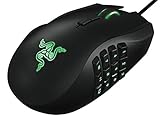
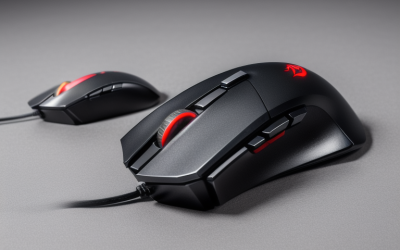
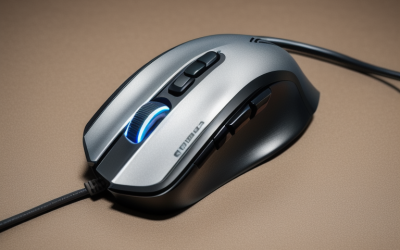
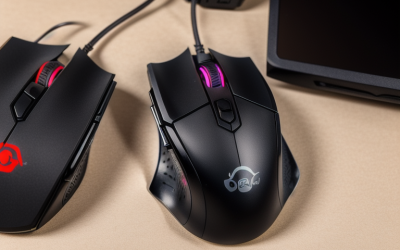
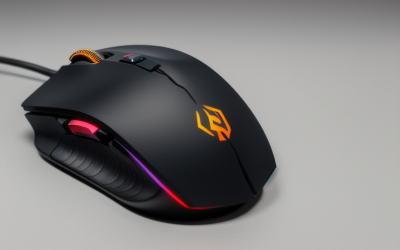
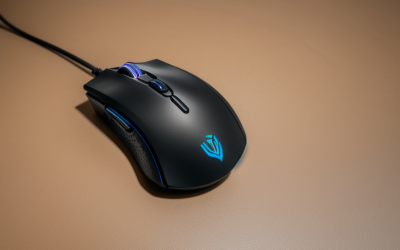
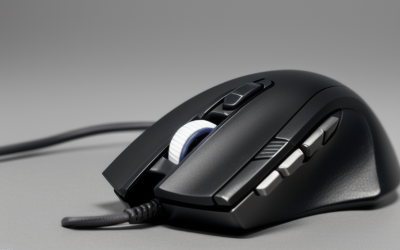
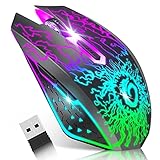
- Top Pick: BENGOO Gaming Mouse Wired with RGB Backlit, Ergonomic PC Computer Mice | 4 Adjustable DPI up to 3600, 6 Programmable Buttons, Optical Gamer Mouse for PC Laptop Windows 7/8/10/XP Vista Linux
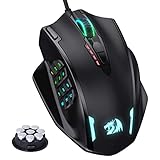
- Best Value: Redragon M612 Wired RGB Optical Gaming Mouse 8000 DPI Remapping Keys | Stable Lag-Free Connection, Redefine Keybinding Macro, Vibing Backlight, Ergonomic Grip Body Comfort
- Premium Choice: Logitech G502 HERO Wired Gaming Mouse, HERO 25K Sensor for PC/Mac | High performance, 25,600 DPI, RGB, adjustable weights, 11 programmable buttons, on-board memory, programmable mouse
Choosing a gaming mouse for a child is a different job from choosing one for an adult competitor. Smaller hands, shorter sessions, and a habit of dropping gear on the floor all shift the priorities. A mouse with eleven buttons and a 26,000 DPI sensor sounds exciting, but a younger player usually needs something light, easy to understand, and hard to break. The question is not how much hardware you can buy, but how much of it a child will actually use.
This guide is for parents, gift buyers, and older siblings setting up a first gaming PC in 2026. Each product is judged only on the facts in its listing title: weight where stated, sensor DPI, button counts, wired or wireless design, and extras like silent clicks. None of the titles says a mouse is sized for children, so the comparisons below focus on features that tend to matter for younger players, such as low weight, simple controls, and no battery to forget.
Quick Picks
As an Amazon Associate we earn from qualifying purchases at no extra cost to you.


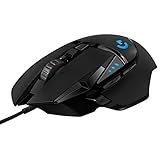




| Product | Best for | Key spec from the title |
|---|---|---|
| BENGOO Wired Gaming Mouse | A first gaming mouse | 4 adjustable DPI up to 3600, 6 buttons |
| Redragon M612 | Growing into macros | 8000 DPI, remappable keys |
| Logitech G502 HERO | Teens with larger hands | 25,600 DPI, adjustable weights, 11 buttons |
| Logitech G203 | Simple, proven wired design | 8,000 DPI, 6 programmable buttons |
| Logitech G305 LIGHTSPEED | Cable-free play | Wireless, 250h battery life |
| VersionTECH Wireless | Quiet rooms and Chromebooks | Silent click, 3-level DPI |
| Razer Cobra Pokémon Edition | Lightweight fans of the theme | 58g, 8500 DPI |
| Redragon M908 | MMO-style games | 12400 DPI, MMO layout |
| Razer Basilisk V3 | Older players who want everything | 26K DPI, 11 programmable buttons |
How to Choose
Weight and Grip
Weight is the clearest sign a mouse will suit smaller hands. Only two titles list a weight or weight-related feature: the Razer Cobra at 58g and the Logitech G305, described as lightweight. A heavier mouse with adjustable weights, like the G502, can be tuned, but it starts larger. Look for a symmetrical shape if the child may switch hands, and treat ergonomic claims on bigger designs as meant for adult palms.
DPI Without the Hype
DPI measures how far the cursor moves per inch of mouse travel. Listings climb from 3600 up to 26K, but a younger player rarely benefits from the top of that range. Choose a mouse with a handful of DPI steps, such as the four on the BENGOO or the three on the VersionTECH, so a parent can lock in a comfortable setting. Anything above 8000 DPI is headroom, not a requirement.
Buttons and Complexity
Six programmable buttons cover left, right, scroll, and a few extras. Eleven or twelve buttons mean thumb grids and tilt wheels that can confuse a beginner. Remappable keys are useful later, when the child starts playing shooters or strategy games and wants a dedicated shortcut, but they matter little on day one. Start with fewer controls and move up as skills develop. A good rule is to buy the mouse the child can use fully today, then upgrade when they start asking for more.
Wired, Wireless, and Durability
A wired mouse never needs charging and cannot run out of battery during a match, which suits younger users. Wireless models free the desk of cable drag, and the G305 lists 250h of battery life, which reduces how often it needs attention. At the budget tier, expect lighter plastics and basic RGB; premium models add better switches, PTFE feet, and flexible cables that survive being tugged.
The 9 Best Options
BENGOO Wired Gaming Mouse
The BENGOO is a plain, wired, RGB-backlit optical mouse with four adjustable DPI levels up to 3600 and six programmable buttons. The listing also names compatibility with old and new Windows versions and Linux. For a first gaming mouse, the limited DPI ceiling is a feature, not a flaw, since it keeps the cursor controllable. It also covers the usual operating systems on a family computer, so it will plug into an older laptop without fuss.
- Strength: four DPI levels capped at 3600.
- Strength: wired, so no battery to manage.
- Trade-off: the title gives no weight, so size is unconfirmed.
Skip it if you want branded software or a wireless option.
Redragon M612
This wired RGB optical mouse lists 8000 DPI, remappable keys, macro keybinding, and a stable lag-free connection, plus an ergonomic grip. It offers more room to grow than the BENGOO without moving into extreme sensor territory. A parent can leave the macros alone at first and let the child discover them once the basics feel natural.
- Strength: remappable keys and macros for later.
- Strength: a stable wired connection.
- Trade-off: the macro setup is more than a young beginner needs.
Skip it if you want a stripped-down mouse with fewer options.
Logitech G502 HERO
A wired mouse with a HERO 25K sensor, 25,600 DPI, adjustable weights, RGB, eleven programmable buttons, and on-board memory. It is the most customizable choice, aimed at players who have outgrown entry-level gear. The adjustable weights are the notable feature, since they let a heavier player balance the feel, but they also signal a mouse that expects a confident, full-size grip.
- Strength: adjustable weights allow tuning.
- Strength: on-board memory stores settings.
- Trade-off: eleven buttons and tunable weights add complexity.
Skip it if the player is young or new to PC gaming.
Logitech G203
The G203 is a wired mouse for laptop and computer with 8,000 DPI, a rainbow optical effect, six programmable buttons, on-board memory, and screen mapping. It is a simple, familiar layout that works for PC or Mac. Because the same mouse moves between a laptop and a desktop, it fits families who share one device across several kids.
- Strength: six buttons keep the layout simple.
- Strength: on-board memory keeps settings between computers.
- Trade-off: the title does not state the weight.
Skip it if you want wireless play.
Logitech G305 LIGHTSPEED
A wireless mouse with a Hero 12K sensor, 12,000 DPI, six programmable buttons, on-board memory, and a 250h battery life. The title calls it lightweight, making it one of the few options where size and weight are signaled. Wireless play removes the cable that tends to snag on a small desk, and the long battery figure means it is rarely out of power when homework ends and gaming starts.
- Strength: 250h battery life reduces charging chores.
- Strength: described as lightweight.
- Trade-off: wireless gear can be lost or left unplugged.
Skip it if you want a cable that stays put.
VersionTECH Wireless Gaming Mouse
A rechargeable wireless mouse with colorful LED lights, silent click, a 2.4G USB nano receiver, and three DPI levels. It lists support for PC, laptop, desktop, Chromebook, and Mac, which matters for school machines. For a child who games a little and does schoolwork a lot, a single quiet mouse that handles both is a practical fit.
- Strength: silent click for shared rooms.
- Strength: Chromebook and Mac compatibility.
- Trade-off: only three DPI levels and no listed button count.
Skip it if the player wants competitive-grade precision.
Razer Cobra Pokémon Edition
At 58g, the Cobra is the lightest listed weight in this group. It uses Gen-3 optical switches, Chroma RGB, an 8500 DPI sensor, 100% PTFE mouse feet, and a Speedflex cable. The Pokémon Edition styling will appeal to fans of the franchise. The PTFE feet and flexible cable are the sort of details that make the mouse glide easily, which can help a younger player with less arm strength.
- Strength: 58g is the lowest stated weight.
- Strength: PTFE feet and a flexible cable.
- Trade-off: the theme may not suit older players.
Skip it if you want a plain, non-branded look.
Redragon M908
A wired MMO mouse with RGB, 12400 DPI, remappable keys, and macro binding. The MMO layout points to games that need many shortcuts, and the title says nothing about a small or kid-friendly build. It is best viewed as a mouse a child might grow into when favorite games begin to demand hotkeys.
- Strength: remappable keys for complex games.
- Strength: stable wired connection.
- Trade-off: the MMO design adds many extra buttons.
Skip it if the child plays simple games or is new to PC play.
Razer Basilisk V3
A wired ergonomic mouse with a 26K DPI optical sensor, eleven programmable buttons, a HyperScroll tilt wheel, Chroma RGB, and what the title calls the fastest gaming mouse switch. It is meant for veteran players who already know which buttons they want to bind, and it makes sense as a long-term mouse that a teen can keep using into adulthood.
- Strength: eleven buttons and a tilt wheel.
- Strength: fully customizable.
- Trade-off: the ergonomic full-size shape may be too large for small hands.
Skip it if the player is a young child.
Which One Fits Your Situation
A Younger Child’s First Mouse
Start with the BENGOO or the Logitech G203. Both are wired with six programmable buttons, and the BENGOO keeps its DPI capped at 3600. Because neither title lists a fragile feature such as a detachable cable, they are simple to replace if one gets dropped, and the plain layout makes it easy for a parent to explain which button does what.
A Shared or Quiet Room
The VersionTECH is the one to look at, thanks to its silent click and Chromebook support. Its rechargeable battery and USB nano receiver also make it easy to carry between a bedroom and a living room.
A Small-Handed Player Who Wants Speed
The Razer Cobra at 58g or the Logitech G305, described as lightweight, are the best starting points. Both let the child move the mouse with less effort, which is the main reason weight matters for smaller wrists.
A Teen Who Plays Competitive Games
The Logitech G502 HERO or Razer Basilisk V3 offer more buttons and sensor range, while the Redragon M612 is a more modest step up. Players who enjoy MMO games can look at the Redragon M908, whose layout was built for that genre.
Common Mistakes
- Buying the highest DPI number and assuming it means better control.
- Picking an MMO or eleven-button mouse for a beginner.
- Assuming an ergonomic label means the mouse fits small hands.
- Forgetting that wireless mice need charging or fresh batteries.
- Ignoring noise when the child plays in a shared room.
Related guides
- Battery Operated Smoke And Carbon Monoxide Detectors
- Combination Smoke And Carbon Monoxide Detectors
- Aio Liquid Coolers For High Performance Gaming
Frequently Asked Questions
What DPI should a child use?
A lower setting is easier to control. Many titles offer several steps, so start in the lower range and raise it as the player gets comfortable.
Is wireless or wired better?
Wired is simpler because nothing needs charging and the connection cannot drop. Wireless is tidier, and the G305 lists 250h of battery life, so it rarely needs attention.
Do kids need programmable buttons?
Not at first. Six buttons cover the basics, and extra programmable keys become useful later for shortcuts in more complex games.
Are these mice sized for small hands?
No title claims that. The lighter models, such as the Razer Cobra at 58g, are the best bet, but checking the fit against the child’s grip before buying is still wise.