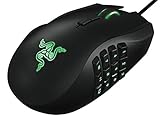
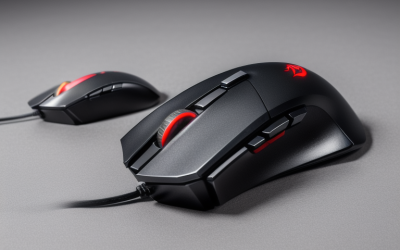
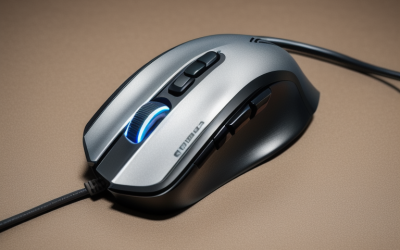
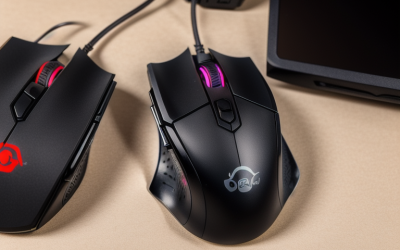
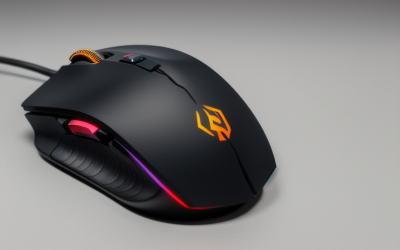
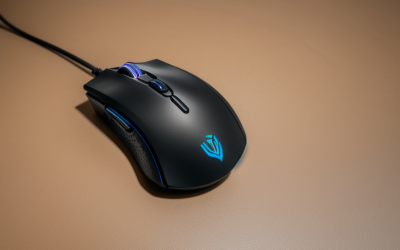
- Top Pick: Razer Cobra Wired Gaming Mouse, 58g Lightweight, Minecraft Edition | Gen-3 Optical Switches, Chroma RGB Lighting Underglow, 8500 DPI Optical Sensor, 100% PTFE Mouse Feet, Speedflex Cable
- Best Value: Redragon M908 Wired MMO RGB Gaming Mouse 12400 DPI Remapping Keys | Stable Lag-Free Connection, Redefine Keybinding Macro, Vibing Backlight, Ergonomic Grip Body Comfort
- Premium Choice: Razer Basilisk V3 Customizable RGB Wired Ergonomic Gaming Mouse, Black | Fastest Gaming Mouse Switch, Chroma RGB Lighting, 26K DPI Optical Sensor, 11 Programmable Buttons, HyperScroll Tilt Wheel
Minecraft is an odd game for mouse shopping. You hold the left button for minutes at a time while mining, tap rapidly in combat, spin the wheel to swap hotbar slots, and sometimes sit in menus dragging items between chests. Raw DPI barely matters, since the game is not a precision shooter. What matters is a comfortable shape for long sessions, reliable clicks, a wheel that scrolls cleanly, and a few extra buttons you can put to work.
This 2026 list is built around that reality. It covers eight mice whose titles point at different Minecraft habits: a lightweight edition made for the game, wired workhorses with many buttons, wireless picks for a clean desk, and one drag-click model aimed at PvP players. Judgments here come from the specs printed in each listing, so use them to narrow the field and then check the shape against your own hand.
Quick Picks
As an Amazon Associate we earn from qualifying purchases at no extra cost to you.





| Product | Best for | Key spec from the title |
|---|---|---|
| Razer Cobra Minecraft Edition | Fans who want themed gear | 58g, Gen-3 optical switches, 8500 DPI |
| Redragon M908 | Builders who bind many actions | MMO layout, 12400 DPI, remappable keys |
| Razer Basilisk V3 | Long ergonomic sessions | 11 programmable buttons, HyperScroll tilt wheel |
| Razer DeathAdder Essential | Simple, comfortable wired play | 6400 DPI, rubber side grips |
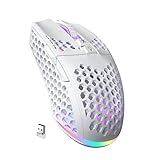
| SOLAKAKA SM600 | Wireless on laptop or tablet | BT5.0, 2.4G, Type-C wired |
| Logitech G305 Lightspeed | Cable-free daily use | 250h battery life, 6 buttons |
| Razer Basilisk V3 X HyperSpeed | Wireless with extra buttons | 285 hr battery, 9 programmable controls |
| Bloody A70x | PvP and drag clicking | Light Strike 0.2ms switch, macros |
How to Choose
Shape and grip come first
Minecraft rewards comfort over twitch speed. A long mining or building stretch is mostly a held left button, so a contoured body with a thumb rest, or rubber side grips, reduces fatigue. Palm grip users generally want a taller, wider shell; claw and fingertip users lean toward light, low mice. Look for a stated weight if you play for hours, and keep younger players in mind, since a large mouse can be awkward for small hands.
Buttons that earn their place
Two side buttons are enough for sprint and a crafting shortcut, but an MMO-style or extended layout lets you bind hotbar slots, inventory, and the drop key. Check that the listing mentions programmable buttons and software for remapping, because a button you cannot reassign is wasted. Many players also use side buttons for zoom or chat, so five to nine programmable controls is a comfortable range.
Wired or wireless
Wired mice remove battery worries and are consistently ready for use. Wireless models such as the Logitech G305 and Razer Basilisk V3 X list battery life in hours, which tells you how often to recharge or replace cells. A 2.4G dongle gives a low-lag link, while Bluetooth suits laptops and tablets where a free USB port is scarce. Tri-mode listings add flexibility for switching devices.
Sensor, switches, and server rules
Anything from roughly 6000 DPI up is more than enough for Minecraft, so ignore the biggest numbers and favor build quality. Optical and mechanical switches are built for long click life, which matters because the left button takes a daily beating. If you consider a drag-click or macro mouse, read your server’s rules first, since many competitive servers restrict auto-clicking and macro use. Budget mice tend to cut corners on switch durability and cable flexibility, so a stiff cable that drags on the desk is a fair reason to look past the most basic wired options.
The 8 Best Options
Razer Cobra Minecraft Edition
The only mouse here made with the game in mind. The title lists a 58g body, Gen-3 optical switches, Chroma RGB underglow, an 8500 DPI optical sensor, 100% PTFE feet, and a Speedflex cable. It suits players who want a light wired mouse that also looks the part on a Minecraft-themed desk. A lighter mouse is also easier to swing quickly when a creeper surprises you.
- Strength: light body helps during long mining and combat sessions.
- Strength: optical switches and a flexible cable favor smooth, drag-free movement.
- Trade-off: wired only, and it is built for speed more than extra buttons.
Skip it if you want a big programmable layout or a wireless connection.
Redragon M908
This wired MMO-style mouse targets players who like to bind many actions. The listing mentions 12400 DPI, remappable keys, macro keybinding, a lag-free connection, backlighting, and an ergonomic grip body. In Minecraft, that translates into hotbar slots and inventory shortcuts under your thumb. Check that the size and layout suit your hand before you settle in, because extra keys only help if your thumb reaches them comfortably.
- Strength: the layout gives you room to map frequent actions.
- Strength: an ergonomic body is aimed at comfort over long sessions.
- Trade-off: the MMO shell is larger and may feel bulky for small hands.
Skip it if you prefer a light, minimalist mouse with few buttons.
Razer Basilisk V3
The most feature-rich wired choice on the list. The title cites a 26K DPI optical sensor, 11 programmable buttons, a HyperScroll tilt wheel, Chroma RGB lighting, and what it calls the fastest gaming mouse switch. It is aimed at long sessions in an ergonomic shell, so it fits people who build for hours. Its eleven buttons give a builder room to park hotbar slots, the drop key, and a quick-craft shortcut without reaching for the keyboard.
- Strength: 11 programmable buttons cover crafting and hotbar shortcuts.
- Strength: the tilt wheel offers flexible scrolling through the hotbar.
- Trade-off: the feature count is more than a casual player needs.
Skip it if you want a featherweight mouse or have a small hand.
Razer DeathAdder Essential
A familiar wired shape in a plain package. The title lists a 6400 DPI optical sensor, five programmable buttons, rubber side grips, and mechanical switches. It suits a player who wants a dependable ergonomic mouse without extras to configure. Plug it in, pick a sensitivity, and the mouse stays out of your way while the game does the talking.
- Strength: rubber side grips help keep hold during energetic combat.
- Strength: five programmable buttons cover the basics.
- Trade-off: no wireless option, and the feature set is basic compared with the Basilisk family.
Skip it if you need many bindable buttons or a lightweight body.
SOLAKAKA SM600
A wireless pick that stays flexible. The title lists Bluetooth 5.0, Type-C wired, and 2.4G wireless modes, a honeycomb shell, two side buttons, programmable macros, and RGB lighting for laptop, PC, and Mac. It makes sense for someone who plays on several devices, such as a desktop at home and a laptop at a friend’s house, because switching between connections avoids carrying separate mice.
- Strength: three connection modes cover desktop, laptop, and tablet.
- Strength: honeycomb shell design points to a light body.
- Trade-off: only two side buttons, and the title gives no battery hours.
Skip it if you want a proven brand name or a larger button count.
Logitech G305 Lightspeed
A wireless favorite for steady, no-fuss play. The listing cites the Hero 12K sensor at 12,000 DPI, a lightweight body, six programmable buttons, 250h battery life, and on-board memory, working with PC and Mac. Long battery life means you rarely think about it, and the on-board memory means your button layout follows the mouse from one computer to another.
- Strength: 250h battery life keeps interruptions rare.
- Strength: on-board memory stores your button settings with the mouse.
- Trade-off: six buttons will feel limited if you bind everything.
Skip it if you prefer a contoured, ergonomic shell or a wired connection.
Razer Basilisk V3 X HyperSpeed
The wireless counterpart to the full Basilisk, combining nine programmable controls with a 285 hr battery. The title lists second-generation mechanical switches, a 5G advanced 18K optical sensor, and Chroma RGB. It is a balanced choice for someone who wants button variety without a cable. The wireless link also keeps the desk clear, which helps when you want room for a notebook of redstone plans.
- Strength: nine programmable controls and a long battery.
- Strength: mechanical switches suit repeated clicking.
- Trade-off: a notch below the wired Basilisk V3 in button count and sensor figure.
Skip it if you want the lightest possible mouse or a simpler entry tier.
Bloody A70x
A specialist for competitive players. The title calls it a matte drag click mouse with a Light Strike 0.2ms switch and scroll, full programmability, and advanced macros. That pairs with PvP techniques that rely on very fast clicking. For everyone else, the programmability is the main draw, since each button can carry a custom action.
- Strength: Light Strike switches are built for rapid input.
- Strength: programmable macros allow custom setups.
- Trade-off: some servers restrict drag clicking or macros, so check rules before relying on it.
Skip it if you play survival or creative modes where fast clicking brings nothing.
Which One Fits Your Situation
You build or mine for hours
Pick the Razer Basilisk V3. The ergonomic shape and eleven programmable buttons keep long sessions comfortable, and the tilt wheel makes hotbar scrolling effortless.
You want something themed for a young fan
The Razer Cobra Minecraft Edition is the obvious choice. It is light, wired, and designed around the game, which suits a younger player or a collector.
You play on a laptop and move around
Go with the Logitech G305 Lightspeed for its battery life, or the SOLAKAKA SM600 if you want Bluetooth as well as a dongle. Either one clears cable clutter from your bag.
You live on PvP servers
The Bloody A70x is aimed squarely at fast clicking. Read your server’s rules about macros first, then see whether it fits your play style.
Common Mistakes
- Buying on DPI alone, when Minecraft hardly needs more than a mid-range sensor.
- Ignoring hand size, which makes a large MMO mouse tiring for younger players.
- Skipping the software step, then leaving extra buttons unassigned.
- Using a macro or drag-click mouse on a server that bans auto-clicking.
- Choosing wireless without checking the battery hours in the listing.
Related guides
- Aio Liquid Coolers For High Performance Gaming
- How To Lower Input Delay In Competitive Shooters
- External Hard Drives For Music Production
Frequently Asked Questions
Does a Minecraft player need a high DPI mouse?
No. Anything above a few thousand DPI is more than enough, and most players run well below the maximum. Comfort and button layout matter far more than sensor figures, and you can lower the sensitivity in the software if a high-DPI mouse feels twitchy in menus.
Are wireless mice fast enough for PvP?
Modern 2.4G wireless links are designed for low lag, and the Logitech and Razer wireless models here use them. Bluetooth is better kept for casual play or laptop travel.
Is a drag-click mouse allowed in Minecraft?
That depends on the server. Single-player worlds do not care, but many competitive servers restrict auto-click and macro tools, so read the rules before you rely on one.
How many buttons do I really need?
Five is plenty for basic play. Players who bind hotbar slots, inventory, and chat benefit from nine or eleven, but only if they take time to set those buttons up. Start with the defaults, then change one binding at a time until it feels natural.