Rust is a game that punishes small mistakes. A fight can start without warning, a spray can decide whether you keep a full inventory or lose hours of progress, and a long night of farming can turn into a raid defense in seconds. Your mouse sits at the center of all of it. It controls your aim, your recoil patterns, your building, and how quickly you react when someone appears over a ridge.


The best gaming mouse for Rust is not simply the lightest mouse or the one with the highest sensor number on the box. Rust asks for a specific mix of traits: a sensor that tracks cleanly during fast flicks and slow, controlled pulls, a shape that stays comfortable through sessions that stretch for hours, and buttons that feel consistent every time you press them, because a missed click during a spray or a delayed weapon swap can end a fight before it really begins.
This guide focuses on what actually matters for Rust. It explains how to read the specifications that change how a mouse feels in this game, compares four mice that suit different hands and playstyles, and helps you match one of them to the way you play.
Disclosure: As an Amazon Associate, we earn from qualifying purchases.
At a glance
| Product | Key spec | Best for |
|---|---|---|
| Logitech G Pro X Superlight 2 | HERO 2 sensor, up to 44,000 DPI, 60 g | All-around competitive play |
| Razer Viper V3 Pro | Focus Pro 35K sensor, up to 35,000 DPI, 54 g | Lightweight aim and fast flicks |
| Logitech G502 HERO | HERO 25K sensor, up to 25,600 DPI, 11 buttons | Button-heavy play and building |
| Logitech G305 LIGHTSPEED | HERO sensor, up to 12,000 DPI, 99 g | Reliable wireless on a smaller budget |
How to choose
Sensor accuracy and tracking
The sensor is the foundation of any gaming mouse, and Rust exposes a weak sensor quickly. Recoil control in Rust is a learned motion: you pull down smoothly while firing, and the crosshair should follow your hand without jitter, acceleration, or sudden jumps. A modern optical sensor with a high maximum DPI and a high tracking speed keeps that motion predictable. Most Rust players run a low to medium sensitivity, so consistent tracking at moderate DPI matters far more than an extreme ceiling you will never touch.
Weight and balance
Weight changes how recoil control feels. A lighter mouse is easier to move across a large pad during low-sensitivity aiming, and it causes less wrist fatigue over a long session. A heavier mouse can feel more planted and steady during slow, controlled sprays. Neither is automatically better. The right weight depends on your grip and your sensitivity. Players who arm-aim with a low sensitivity usually prefer something under 70 grams. Players who wrist-aim at a higher sensitivity often do fine with a heavier body. Also check balance: a front-heavy or tail-heavy mouse will fight your hand during diagonal pulls.
Shape and grip style
Shape is personal, and it is the reason two mice with identical sensors can feel completely different. Palm grip players need a longer body with a raised hump that fills the hand. Claw grip players need a shape that supports the fingertips while the palm stays slightly raised. Fingertip players need a compact, low-profile body they can control with small finger movements. Rust sessions are long, so a shape that forces your hand into an awkward position will cause fatigue long before the sensor becomes a problem. Measure your hand and choose a shape that matches your grip rather than chasing a popular model built for a different hand.
Polling rate and responsiveness
Polling rate describes how often the mouse reports its position to the computer. A rate of 1000 Hz means the mouse reports one thousand times per second, which is the standard for competitive play. Higher rates such as 8000 Hz can feel smoother on high-refresh monitors, but the difference is subtle for most players. What matters more is that the connection stays stable. Choose a proven wireless implementation or a clean wired connection, and do not treat a higher polling number as a substitute for stability.
Buttons and durability
Rust puts a lot of work on the mouse buttons. You click constantly while farming nodes, you hold fire during long sprays, and you use side buttons for weapon swaps, building, and voice chat. Buttons should feel crisp and consistent, with a clear actuation point and no mushy travel. Optical switches resist the double-click problems that can appear in older mechanical switches after heavy use. Count the buttons you actually need. Two side buttons cover most Rust bindings, but players who build often or manage many hotkeys may want more. Extra buttons only help if you can reach them without shifting your grip.
Wireless or wired
Wireless mice have become the default choice for competitive play, and the best wireless implementations now match wired mice for latency. The advantage is freedom of movement: no cable drag during wide arm sweeps, no cable catching on the edge of the desk during a fast flick. The trade is battery management: a dead battery in the middle of a raid is a real problem. Wired mice remove that worry entirely and usually cost less for the same sensor, at the cost of cable drag that a good cable and a tidy desk can reduce. For Rust, either connection works well. Pick wireless if you value clean movement and are willing to keep the mouse charged, and pick wired if you want zero battery concerns.
Battery life and charging
If you choose a wireless mouse, battery life shapes your routine. A mouse rated for many hours of play on a single charge can go a full week of evening sessions without attention, while a mouse with a short battery life needs charging every day or two. Rechargeable mice charge through a standard cable, while battery-powered mice let you swap in a fresh cell in seconds. Either way, check the rated battery life, keep a charging habit, and plug in before your next session rather than during it.
Top picks
Logitech G Pro X Superlight 2
The Logitech G Pro X Superlight 2 is the strongest all-around pick for Rust. It weighs 60 grams, which is light enough for low-sensitivity arm aiming without feeling fragile or hollow. The HERO 2 sensor tracks up to 44,000 DPI with clean, consistent movement, and the wireless connection supports polling up to 8000 Hz for smooth cursor motion on high-refresh displays. Five programmable buttons keep the layout simple: left and right click, a scroll wheel click, and two side buttons that cover weapon swaps and push-to-talk without crowding your thumb.
The symmetrical shape suits claw and fingertip grips well, and it works for palm grip players with medium hands. LIGHTFORCE hybrid switches combine the crisp feel of a mechanical click with the durability of optical actuation, so the primary buttons stay consistent through heavy use. USB-C charging is convenient, and the battery lasts through many long sessions before it needs a top-up.
This mouse fits Rust players who want one mouse that does everything well: fast flicks, steady recoil pulls, and long farming sessions without hand fatigue. The main limitation is the button count, so players who want a full row of side buttons for building and hotkeys will need to look elsewhere.
- Sensor: HERO 2 optical, up to 44,000 DPI
- Weight: 60 g
- Buttons: 5 programmable
- Polling: up to 8000 Hz wireless
- Connection: LIGHTSPEED wireless, USB-C charging
- ASIN: B09NBWL8J5 — Check on Amazon
Razer Viper V3 Pro
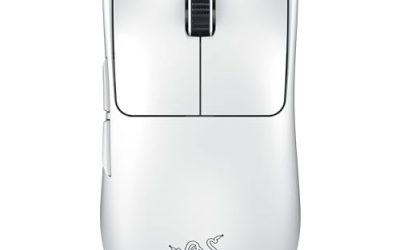
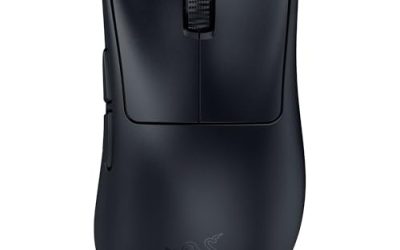
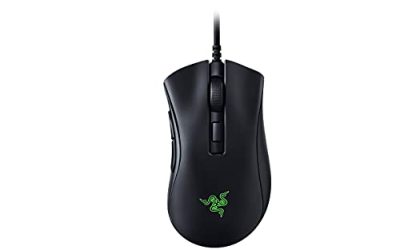
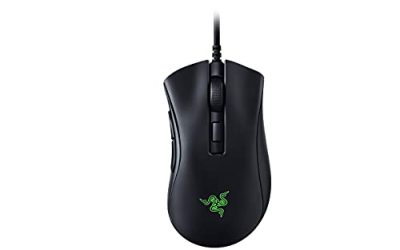
The Razer Viper V3 Pro is the lightest mouse in this guide at 54 grams, and that lightness shows up immediately in Rust. Fast flicks feel effortless, wide arm sweeps across the pad take less effort, and recoil control becomes a smoother motion because the mouse does not fight your hand. The Focus Pro 35K optical sensor tracks up to 35,000 DPI with precise, jitter-free movement, and the included wireless dongle supports polling up to 8000 Hz. Eight programmable controls give you more binding options than most ultralight mice, including the two side buttons and the scroll wheel inputs.
The symmetrical shape is built for competitive play, with a low profile that suits claw and fingertip grips and a subtle texture that keeps the mouse secure during long sessions. Gen-3 optical switches deliver a light, consistent click with no debounce delay, which helps during rapid semi-automatic fire and fast weapon swaps. Battery life is rated up to 95 hours, so a full week of evening play is realistic before charging becomes a concern.
This mouse is the best choice for Rust players who prioritize raw aiming performance and play at a low sensitivity. It rewards players who have already learned recoil patterns and want a mouse that gets out of the way. The symmetrical shape is less forgiving for palm grip players with large hands. If your goal is the lightest, most responsive mouse for gunfights, this is the pick.
- Sensor: Focus Pro 35K optical, up to 35,000 DPI
- Weight: 54 g
- Buttons: 8 programmable controls
- Polling: up to 8000 Hz wireless
- Connection: HyperSpeed wireless, USB-C charging
- ASIN: B0CW25XR5R — Check on Amazon
Logitech G502 HERO
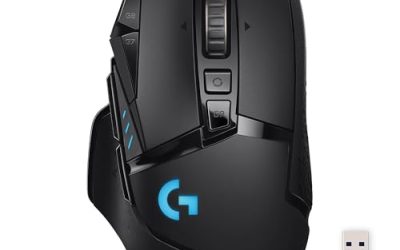
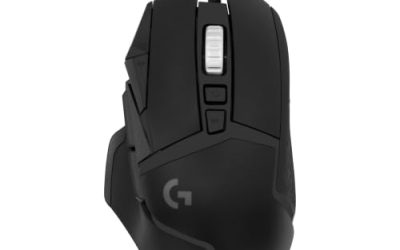
The Logitech G502 HERO is the control-heavy pick in this guide, and it suits a very different kind of Rust player. It has 11 programmable buttons, including a wide set of thumb buttons, a DPI shift button, and a dual-mode scroll wheel that switches between a notched feel and free spin. That layout lets you bind building pieces, weapon slots, meds, and voice chat across the mouse without reaching for the keyboard as often. The HERO 25K sensor tracks up to 25,600 DPI with the same clean, predictable movement that made this sensor a standard in competitive mice.
The right-handed ergonomic shape fills the palm and supports long sessions for players with medium to large hands. Five removable 3.6-gram weights let you tune the balance and total weight from 121 grams upward if you prefer a planted feel during sprays. Onboard memory stores up to five profiles, so your bindings and sensitivity settings travel with the mouse.
This mouse fits Rust players who build a lot, manage many hotkeys, or play at a higher sensitivity where the extra weight is less of a burden. It is not the best choice for low-sensitivity flick aiming, because the weight and the wide body demand more effort during large sweeps. But if your sessions mix farming, building, and base defense with gunfights, the button layout and comfortable shape are hard to beat.
- Sensor: HERO 25K optical, up to 25,600 DPI
- Weight: 121 g, plus five removable 3.6 g weights
- Buttons: 11 programmable
- Polling: 1000 Hz wired
- Connection: Wired USB
- ASIN: B07GBZ4Q68 — Check on Amazon
Logitech G305 LIGHTSPEED

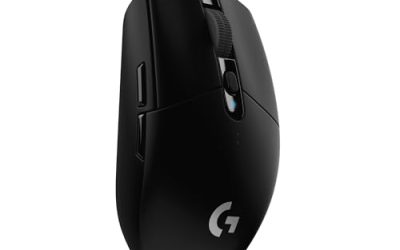
The Logitech G305 LIGHTSPEED is the sensible entry point for Rust. It uses the HERO optical sensor with sensitivity up to 12,000 DPI, which is more than enough for the sensitivity range most Rust players use, and it tracks cleanly without smoothing or acceleration. LIGHTSPEED wireless delivers a 1 ms report rate that feels wired in practice, and the compact egg-shaped body weighs 99 grams with the battery installed. Six programmable buttons cover the essentials: two primary clicks, a scroll wheel click, a DPI button, and two side buttons.
The headline feature is battery life: a single AA battery powers the mouse for up to 250 hours of continuous play in performance mode, and an endurance mode stretches that much further. The battery compartment doubles as storage for the wireless receiver, which makes the mouse easy to carry to another setup. Onboard memory stores your settings, so the mouse keeps your bindings and sensitivity even on a different computer.
This mouse fits Rust players who want reliable wireless performance without spending on a flagship model, and it is a strong first gaming mouse for players who are still learning recoil patterns. The compact shape favors claw and fingertip grips and smaller hands, while palm grip players with large hands may find it a little short. For the fundamentals that matter in Rust, it delivers where it counts.
- Sensor: HERO optical, up to 12,000 DPI
- Weight: 99 g with battery
- Buttons: 6 programmable
- Polling: 1000 Hz wireless
- Connection: LIGHTSPEED wireless via USB receiver, single AA battery
- ASIN: B07CMS5Q6P — Check on Amazon
Which one fits
Match the mouse to your grip and your routine, not to a specification sheet. If you play at a low sensitivity and want the most responsive aim for gunfights, start with the Razer Viper V3 Pro for its light body and fast sensor, or the Logitech G Pro X Superlight 2 if you prefer a slightly more versatile shape with a proven track record.
If you build often, manage many hotkeys, or play with a palm grip and a higher sensitivity, the Logitech G502 HERO is the better fit. Its button layout and ergonomic shape are built for control-heavy play, and the adjustable weights let you tune the feel to your hand. If you want reliable wireless play and long battery life while keeping things simple, the Logitech G305 LIGHTSPEED covers the essentials without asking you to learn a new layout or manage a charging cable every day.
Hand size matters as much as playstyle. Players with small hands often do better with a compact body such as the G305, while players with large hands usually prefer the longer G502 HERO or the Superlight 2. When two mice both look good on paper, choose the shape that matches your grip, because a comfortable mouse you can control for hours will always beat a lighter mouse that cramps your hand.
FAQ
What DPI should I use for Rust?
Most Rust players use a DPI between 400 and 1600 combined with a low in-game sensitivity, which gives fine control for recoil patterns and precise aim. Start around 800 DPI, then adjust in small steps until small corrections feel natural. A high DPI setting does not make you more accurate on its own; it only changes how far the crosshair moves for a given hand movement.
Is a lightweight mouse better for recoil control in Rust?
A lighter mouse usually helps, because recoil control is a long, smooth pull and a heavy mouse adds resistance to that motion. Mice under 70 grams feel easier to control during sustained sprays, especially at low sensitivity. That said, some players prefer a heavier mouse because it feels more stable. If you already control recoil well with a heavier mouse, switching to a lighter one is not mandatory.
Do I need a wireless mouse for Rust?
No. A good wired mouse performs identically to a good wireless mouse in Rust, and it never needs charging. Wireless is worth it if cable drag bothers you during wide arm movements or if you prefer a clean desk. Choose based on your setup and habits, not on the assumption that wireless is automatically faster.
How many buttons do I need for Rust?
Two side buttons cover the most common bindings, such as a weapon swap and push-to-talk. Players who build frequently or manage many hotkeys benefit from more buttons, which is where a mouse such as the G502 HERO earns its place. Extra buttons only help if you can reach them without shifting your grip, so test the layout before committing to a button-heavy mouse.
Can a budget mouse handle Rust?
Yes. Rust depends far more on sensor consistency, shape, and comfort than on a flagship sensor ceiling. A mouse such as the G305 LIGHTSPEED tracks cleanly at the sensitivity most players use, and its long battery life suits long sessions. Spend more only when you want a lighter body, a higher polling rate, or a shape that fits your hand better.
Bottom line
The best gaming mouse for Rust is the one that lets you aim consistently, control recoil smoothly, and play for hours without hand fatigue. The Logitech G Pro X Superlight 2 is the most versatile pick for most players, combining a light body, a strong sensor, and a shape that works across grip styles. The Razer Viper V3 Pro is the best choice for players who want the lightest possible mouse for fast flicks and low-sensitivity aim. The Logitech G502 HERO suits control-heavy players who build and manage many bindings, while the Logitech G305 LIGHTSPEED is the reliable, long-lasting option for players who want solid wireless performance without a flagship outlay.
Pick the mouse that matches your hand, your grip, and the way you actually play Rust, and give yourself time to learn it. A new mouse feels strange for the first few sessions, but once the shape and sensitivity settle in, your aim and recoil control will feel far more consistent.